
How to Write an AI Agent Brief: A Practical Framework
Posted On: May 16, 2026
Last updated: September 2026 · Written by Rodi Taze, Co-Founder of AI Workforce
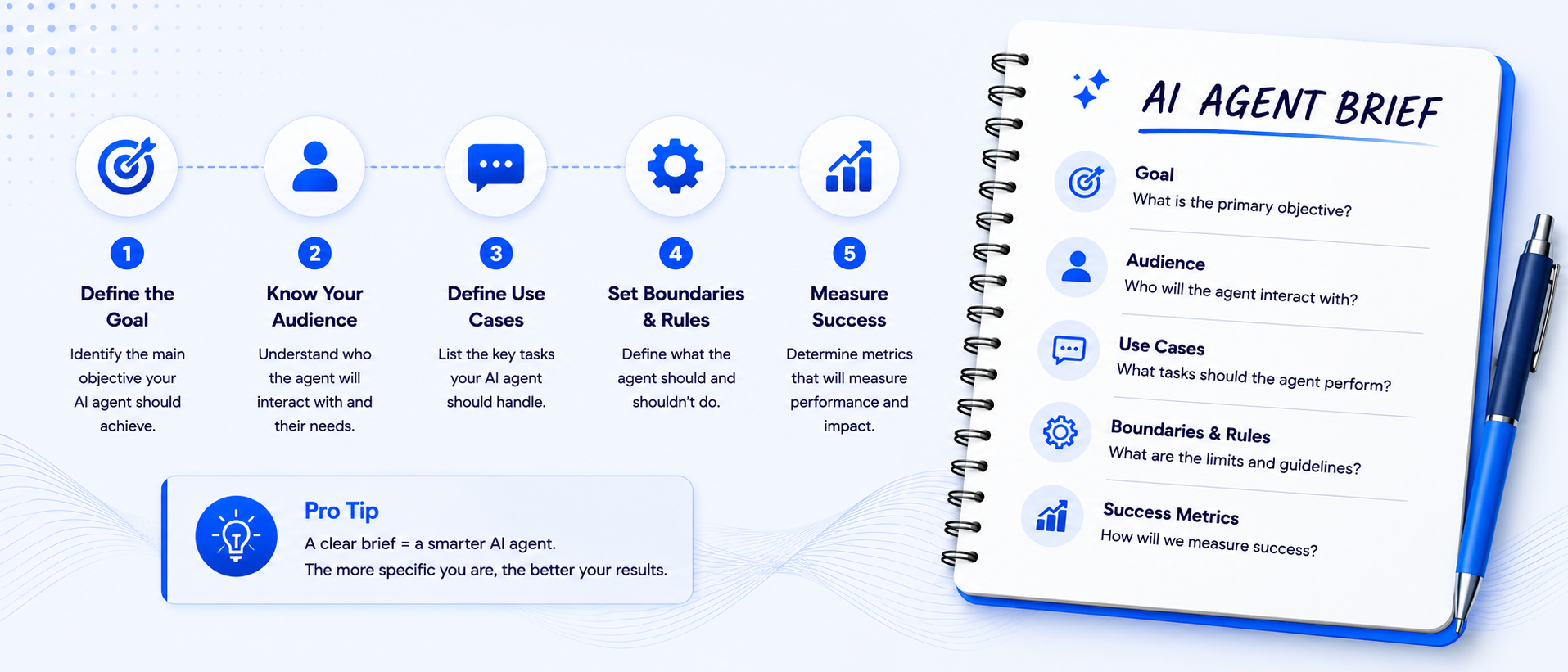
Many agent problems begin with an unclear brief, although model choice, data quality, tool design, integrations and testing can matter just as much. This guide gives you a practical framework for writing a complete brief before you build, covering role, scope, access, guardrails, escalation and evaluation. It also covers what a brief cannot do on its own. No technical background needed.
Quick Answer: An AI agent brief is the specification that defines what an agent is for, what it can access, what it may do, when it must stop or escalate, and how its performance will be tested. A clear brief makes an agent's behaviour easier to predict and diagnose, but it does not guarantee reliable performance on its own. Model choice, data quality, tool design, permissions and ongoing evaluation matter just as much.
What's Covered
Why the Brief Matters, and What It Cannot Do Alone
The One-Page AI Agent Brief
A Complete Brief Framework: 12 Things to Define
How to Define the Role and Scope
Writing a Clear Primary Goal
Inputs, Context and What the Agent Should Trust
Permissions and Tools
A System Access Matrix
Outputs and Approval Thresholds
How to Write the Prompt Itself
Guardrails, Security and Prompt Injection
How Do You Brief an AI Agent to Stay on Brand?
Escalation and Edge Cases
Single Agent vs Multi-Agent: Which Do You Need?
Success Metrics and Ownership
Testing Your Brief Before You Build
Common Gaps to Check in an AI Agent Brief
Handing a Brief to Developers
A Complete Brief Example
Frequently Asked Questions
Why the Brief Matters, and What It Cannot Do Alone
When an AI agent produces poor results, the instinct is to blame the technology. A genuinely unclear brief is a common contributor: a vague instruction gives the agent room to fill gaps with assumptions, and those assumptions are rarely what the builder intended. But a brief is not the only variable. Unsuitable model choice, weak tool design, poor retrieval, missing or incorrect data, broken integrations, rate limits and inadequate testing can all produce the same symptom: an agent that behaves inconsistently, even when the brief itself is well written.
The brief is the document that tells the agent who it is, what it is trying to achieve, what it can access, what it must never do, and how good performance is judged. A clear brief makes behavioural problems easier to prevent and diagnose, and gives a team a shared specification to build, test and review against. It cannot compensate for an unreliable data source, a model that lacks the required capability, or an integration that silently fails. Writing a good brief is an important step before building, but it remains one part of a larger system that also depends on tools, permissions, guardrails and evaluation.
This guide is for people who want to build AI agents but are not sure how to structure their thinking before touching any tool. The framework applies whether you are using ChatGPT, building with an API directly, or configuring an agent on a no-code platform. If you are still deciding whether to build an agent in-house or buy one, our guide to build vs buy AI agents covers that decision, and our guide to AI agents for small businesses covers the broader landscape of what these agents can do once they are properly briefed.
The One-Page AI Agent Brief
Before the full 12-part framework, it helps to see the shape of a complete brief in a single line. Use this as a checklist while you work through the detail below.
One-page AI agent brief: Role → Primary goal → Inputs → Tools and access → Permitted actions → Constraints and approvals → Escalation → Tone and brand → Success criteria.
A Complete Brief Framework: 12 Things to Define
A short brief that only names the role and the goal will miss the parts that actually determine whether an agent is safe to deploy. The AI Workforce 12-Part Agent Brief Framework defines:
Purpose: why the agent exists and what problem it solves
Users and triggers: who interacts with it and what starts the workflow
Role and scope: what it handles, and just as importantly, what it does not
Success outcome: what a completed, good interaction looks like
Inputs and context: what information it receives at the start of each interaction
Knowledge sources: which information it is allowed to trust, and what to do when a source is unavailable
Tools and permissions: what actions it can take, and what each tool needs to be used safely
Output requirements: format, destination system and how output is validated
Rules and approval thresholds: what needs a human decision before it happens
Escalation and failure handling: when and how it stops or hands off to a person
Tone and examples: how it should communicate, shown through concrete examples
Evaluation and ownership: how it is tested before launch, monitored afterwards, and who is responsible for it
The next sections work through each of these in turn.
The AI Workforce 12-Part Agent Brief Framework and One-Page AI Agent Brief are AI Workforce implementation frameworks rather than industry standards. Not every section needs the same depth for every use case, but each is worth a deliberate decision.
How to Define the Role and Scope
The role statement should name the agent and describe its job in one sentence. A name can help users and staff refer to the agent consistently in conversation and documentation, but the role, scope and permissions matter far more than the name itself; a name does not give a model an operational identity in any meaningful sense. The one-sentence job description sets the scope: what this agent is for and, just as importantly, what falls outside it. A support agent with a clearly defined role is less likely to drift into a sales pitch when a query touches on product features.
The goal is the measurable outcome the agent works toward. A single agent can reasonably support several closely related objectives within a coherent role. For example, a receptionist might answer routine questions, capture details, book an appointment and flag a complaint, and that can still be one well-scoped agent. Our guide to AI receptionists shows what this looks like in practice. The useful question is not whether the agent has exactly one goal, but whether its objectives share the same context, the same tools, similar risk and a coherent decision process. Split the workflow into separate agents when goals require materially different tools, policies, expertise or approval rules, not simply because there is more than one thing to do.
Writing a Clear Primary Goal
An agent may support several related objectives, but its brief should still be built around one primary outcome, with the supporting tasks organised beneath it.
Give the agent one primary outcome, then list the tasks that support it. An outcome describes the result required; a task describes an action the agent performs. "Help with sales" is too vague. "Qualify inbound enquiries and book suitable prospects into an available sales calendar" is measurable and gives supporting tasks a clear direction.
This is worth doing even when you expect to use a single agent for several related jobs, since a precise primary outcome makes it far easier to write the success metrics and approval rules that come later in the brief. For a closer look at how this plays out in an outbound context, see our guide to AI SDR tools.
Inputs, Context and What the Agent Should Trust
The input section defines what the agent receives at the start of an interaction: a customer message, a call transcript, a CRM record, a form submission, or a structured object from an API. The more precisely this is defined, the more reliably the agent can act on it rather than inferring what it was not told.
Just as important, and often missing from a brief entirely, is a clear answer to what the agent is allowed to treat as true. Define the source-of-truth systems for each type of information, which source wins if two disagree, whether the agent may use general web knowledge or only your approved knowledge base, how current the information needs to be, and what it should do if a required source is unavailable. An instruction telling the agent not to guess is a useful starting point, but it is not sufficient on its own: reliable factual behaviour also depends on approved knowledge sources, retrieval, validation rules and a genuine, clearly defined escalation path for anything the approved sources do not cover.
Permissions and Tools
Every tool an agent can call needs its own mini-specification, not just a name in a list. For each one, define what it does, when it may be used, what inputs it requires, whether a confirmation step is needed before it runs, which actions need human approval rather than running automatically, what a successful result looks like, and what the agent should do if the tool call fails.
Some requirements are better enforced through technical controls than through prompt wording alone. A few examples of where enforcement should sit:
Tone and conversational style: the prompt and worked examples
Data formatting for a CRM field: an output schema and validation step
A spending limit: an application-level permission, not just an instruction
Refund approval: a human approval workflow
Access to customer records: identity verification and access control
Handling of prohibited personal data: a data filter and policy, not a request to the model
Accurate product information: an approved knowledge source with retrieval
Pausing or stopping a workflow: a kill switch and orchestration logic, not a hoped-for response to an instruction
Telling a model not to exceed a limit in the prompt is a weaker control than actually restricting what it is able to do. A brief should be explicit about which of these two mechanisms applies to each rule.
Illustrative split. Some rules genuinely need both a prompt instruction and a technical control behind it.
The AI Workforce Agent System Access Matrix
The permissions section is strong conceptually, but most briefs also benefit from a compact, concrete record of exactly what the agent can touch, system by system. This is what stops access from silently growing wider than intended as the agent evolves.
System | Access | Permitted action | Approval required |
|---|---|---|---|
CRM | Read/write selected fields | Create lead and add notes | Before changing ownership |
Draft only | Prepare follow-up | Human approves sending | |
Calendar | Read/write availability | Book approved meeting types | No |
Telephony or messaging | Limited | Answer and route | Escalate complaints |
Knowledge base | Read only | Retrieve approved facts | Cannot edit |
API | Restricted endpoints | Defined workflow actions | Based on risk |
The principle behind this table is least-privilege access: give the agent the narrowest set of permissions that lets it do its job, and treat read and write access as genuinely different decisions rather than a single toggle. A read-only connection to a knowledge base carries far less risk than a write connection to the same system, even though both might appear as one line in a simpler permissions list.
Outputs and Approval Thresholds
The output section defines what the agent produces, such as a written reply, a CRM update, a calendar booking or a support ticket, and what a good version of each looks like. If the agent drafts a reply, give it an example of a strong one. If it updates a record, define the fields it populates and the format each expects. Worked examples give the model concrete demonstrations of the expected output alongside the written description; include at least one positive example and, where useful, one showing what to avoid.
Approval thresholds sit alongside outputs: which actions can be completed automatically, and which need a person to review or sign off first, based on value, reversibility or risk. This is where a brief starts to double as a governance document, not just an instruction set.
How to Write the Prompt Itself
It helps to separate the brief from the prompt rather than treating them as the same thing. The brief is the business and operational specification: role, scope, permissions, escalation, evaluation. The prompt is the instruction set given to the model, built from that specification. Runtime context (the customer data, conversation history and retrieved knowledge available at the moment of the interaction), the tools available, and any external guardrails all sit alongside the prompt rather than being folded entirely inside it.
A good prompt is structured, specific and written in natural language that current models handle reliably. Structure it in sections rather than a wall of text: role, then goal, then context, then instructions, then examples, then constraints. A practical structure is role, then goal, then context, then instructions, then examples, then constraints. Exact prompt behaviour varies by model and provider, so test the structure against the system you will actually deploy.
Test the prompt with real examples before you rely on it. Start with a small set of realistic queries drawn from your actual use case and read every output critically. The gap between what you intended and what the agent produced shows where the brief, instructions, data, tools or workflow still need improvement, and it is worth treating this as the beginning of an evaluation process rather than a one-off check; more on that below.
Guardrails, Security and Prompt Injection
A guardrail is a rule that limits what the agent can do or say. Most customer-facing agents should define at least three types of guardrail: one for what topics or actions are off-limits, one for when to escalate to a person, and one for how to handle a query it genuinely cannot answer. Internal or tightly bounded agents may need a different set, but the same underlying questions apply. Pricing commitments, legal advice, medical guidance and complaints are common areas where an agent should be explicitly restricted and told to refer to a human, particularly wherever an incorrect response would cause real harm or damage trust.
A brief for anything customer-facing should also cover security, not just tone and topic. Define what the agent should do if a user tries to override its instructions, requests hidden configuration or system details, tries to obtain another customer's data, attempts to trigger an action outside its permissions, or embeds instructions inside a document or message intended to redirect the agent's behaviour. None of this needs to be exhaustive on day one, but it should exist, because these situations are foreseeable rather than exotic edge cases.
Stop unexpected AI agent actions by using explicit allow-listed permissions rather than assuming the agent will infer what is permitted. Restrict high-risk actions technically, require approval for consequential changes, define when the agent must stop, and test attempts to exceed those limits before launch.
How Do You Brief an AI Agent to Stay on Brand?
Brand instructions deserve their own section of the brief because customers will experience the agent's wording directly. A dedicated brand section should cover:
Desired voice and tone
Level of formality
Phrases and claims to avoid
Words or product names that must remain unchanged
How freely the agent may rewrite approved wording
Whether humour, emojis or contractions are permitted
Examples of acceptable and unacceptable responses
Claims requiring evidence or human approval
A short example makes this concrete. A sales agent briefed to stay on brand might be told: use a confident but not pushy tone, never promise a delivery date the CRM has not confirmed, avoid superlatives like "best in the industry" unless the marketing team has approved the specific claim, keep product names exactly as written in the price list, and always let the prospect end the conversation without pressure to book immediately. Vague guidance like "sound professional" leaves too much room for drift; specific, checkable rules give the team something concrete to test and monitor across conversations. Our guide to AI SDR tools covers how outbound agents typically balance tone against conversion goals.
Escalation and Edge Cases
Escalation is the moment the agent hands a conversation to a person. A good brief defines the escalation triggers, such as a specific query type, a complexity threshold or a sentiment signal, and what the agent should do when one is reached. Where the integration supports it, pass a structured summary and the relevant context to the receiving person, so the customer is not asked to repeat themselves; this depends on the transfer integration actually working and the receiving system displaying what was sent, so it is worth testing rather than assuming.
Edge cases, situations the agent was not briefed to handle, are inevitable regardless of how capable the underlying model is. The fallback should be conservative: acknowledge the situation, avoid guessing, and give the person a clear path to resolution. Build that fallback into the brief and an edge case becomes a handled outcome rather than an unplanned failure.
Single Agent vs Multi-Agent: Which Do You Need?
A single agent can perform several related tasks within one coherent role where they share context, tools and policy. A support agent that reads a message, checks the knowledge base, drafts a response and logs the interaction in a CRM is doing several things, but they are all part of one job; our guide to AI call centre agents covers what this looks like at higher call volumes.
A multi-agent setup can help when responsibilities are genuinely distinct in tools, policy or expertise. It also introduces more handoffs, more prompts, more permissions and more places for something to fail. Each agent needs its own complete brief, and every handoff between them must be monitored and tested. Anthropic's guidance recommends starting with the simplest solution that meets the requirement. AI Workforce applies that principle here by starting with one agent where the role is coherent and adding another only when distinct tools, policies or expertise justify the additional handoff. If you are weighing this against buying a pre-built platform instead, our guide to build vs buy AI agents covers that trade-off directly.
Illustrative comparison. Start with the simplest design that meets the requirement and add complexity only where it clearly pays off.
Success Metrics and Ownership
Define how you will know the agent is working before you launch it, not after something goes wrong. For a more complete measurement structure, our guide to AI agent KPIs shows how to combine outcome, quality, reliability, cost and risk metrics, including formulas, guardrails, baselines and stop thresholds for production agents. Useful measures include task-completion rate, correct-action rate, escalation precision (whether it escalates the right cases, not just any uncertain one), the rate of unsupported or incorrect answers, tool-call success rate, human correction rate, customer satisfaction where you can capture it, cost per completed task, and any policy breaches or reversed actions.
Every agent worth relying on also needs a named business owner, a technical owner, a version record of what changed and when, an evaluation set it is tested against, a scheduled review date, and a rollback process for when something needs to be paused or reverted. Define which inputs, outputs, tool calls, approvals and failures are logged, who can access those records, and how long they are retained; these controls make it possible to trace failures, compare versions and pause or revert a deployment when necessary.
Testing Your Brief Before You Build
Before configuring anything in a tool, test the brief in a simple chat conversation as an early check, using the brief as your opening instruction and role-playing realistic queries. This is a useful first pass, not a substitute for proper evaluation: a general chat interface will not reproduce the tools, retrieval, memory and permissions your production system actually has, so repeat the test in the real platform, with the same model, tools and knowledge sources, before treating it as validated.
A handful of realistic examples is a reasonable starting point, but it will not surface most failure modes on its own. Build toward a repeatable evaluation set that covers normal cases, edge cases, missing information, conflicting instructions, tool failures, duplicate requests and attempts to override the agent's instructions. In particular, the evaluation set should include:
A high-risk action requiring approval
A dedicated escalation test
A read-only tool being asked to write
An attempted action outside the allow-list
Pay particular attention to how it handles a complaint (does it try to upsell instead of escalate) and an off-topic question (does it invent an answer rather than say it does not know). Clear tone guidance and worked examples can improve consistency, but tone can still drift over long conversations, after a model update, or when retrieved content pulls it off course, so treat tone as something to monitor in real conversations, not something you finish tuning once in testing.
Common Gaps to Check in an AI Agent Brief
Before building, check the brief for the following gaps:
Vague objectives
Too many unrelated roles
Missing escalation rules
No definition of success
Broad or undocumented system access
Contradictory instructions
No source-of-truth hierarchy
No test cases
Relying on prompt wording where technical controls are required
These can be checked directly against the 12-part framework above. If you are seeing an agent underperform after launch, our guide to why AI agents fail works through the wider set of causes beyond the brief itself, including data, integration and model-selection issues.
Handing a Brief to Developers
A brief written for business stakeholders is not automatically ready to build from. Before development starts, translate it into a versioned specification developers can work against directly.
Hand developers a versioned brief containing the business objective, workflow, source-of-truth systems, tool definitions, read/write permissions, output schemas, approval rules, escalation destinations, test cases, logging requirements and acceptance criteria. The brief should be specific enough that developers can build against it and business owners can test whether the result matches the intended workflow.
If you are unsure whether your business needs this level of detail yet, or whether the underlying processes are ready for an agent at all, our AI readiness assessment is a useful starting point before you commission a build.
A Complete Brief Example
Here is what a more complete brief looks like in practice, using a customer support agent as the example.
Weak brief:
"You are a helpful customer support assistant. Answer questions about our product and help customers with their problems. Be friendly and professional."
Improved brief:
"You are Ava, a first-line support agent for [Company], used by existing customers contacting support through website chat. Your goal is to resolve approved product questions or create a complete ticket for the support team. Use only the approved help centre and the customer's verified account data as your source of information. You may read account tier and order history, and create a support ticket; you may not issue refunds, change subscriptions or alter billing details. Do not reveal account information until the customer has passed the required identity check. Escalate refunds, billing disputes, complaints, data protection requests, and anything not covered by the approved knowledge base. Never state that an action succeeded unless the tool result confirms it. If you escalate, create a ticket containing the issue category, a summary, steps already attempted and urgency. Keep your tone clear, calm and concise, and avoid sales language. Retain transcripts and ticket data only according to [Company]'s approved retention policy. Success means the issue is resolved using approved information, or a complete ticket is created without an unsupported claim."
The weak brief gives the agent almost no useful direction; every gap becomes an assumption the model has to make on its own. The improved brief is still not exhaustive. A full production brief would also define logging requirements, review dates, escalation destinations and the exact identity-verification process, but it demonstrates the standard worth aiming for: every line does identifiable work. If a line could be removed without changing the agent's behaviour, it probably should be.
Use this blank version as a starting point for your own agent:
Purpose:
Users and triggers:
Role and scope:
Success outcome:
Inputs and context:
Knowledge sources:
Tools and permissions:
Output requirements:
Rules and approval thresholds:
Escalation and failure handling:
Tone and examples:
Evaluation and ownership:
Sources and Methodology
This guide draws on the following primary source:
Anthropic, Building Effective Agents
The AI Workforce 12-Part Agent Brief Framework, One-Page AI Agent Brief, Agent System Access Matrix, guardrail examples, evaluation-set design and worked customer-support brief are AI Workforce implementation frameworks and illustrations rather than industry standards or independently verified benchmarks.
Frequently Asked Questions
What is an AI agent brief?
An AI agent brief is the specification that defines what an agent is for, what it can access, what it may do, when it must escalate to a person, and how its performance will be tested. It is the business and operational document the prompt and technical build are created from.
How do you write an AI agent brief?
Work through the 12-part framework: purpose, users and triggers, role and scope, success outcome, inputs and context, knowledge sources, tools and permissions, output requirements, approval thresholds, escalation and failure handling, tone and examples, and evaluation and ownership. Test the resulting brief with realistic queries before building against it.
What should an AI agent brief include?
A complete brief includes the agent's role and scope, its primary goal, the inputs and knowledge sources it can trust, the tools and system access it has with read/write permissions defined, output requirements, approval thresholds, escalation triggers, brand and tone guidance, and success metrics with a named owner.
How do you write goals for an AI agent?
Give the agent one primary outcome, then list the supporting tasks beneath it. An outcome describes the result required, such as qualifying enquiries and booking suitable prospects into an available calendar, rather than a vague aim like helping with sales.
How do you stop unexpected agent actions?
Use explicit allow-listed permissions rather than assuming the agent will infer what is permitted. Restrict high-risk actions technically, require approval for consequential changes, define when the agent must stop, and test attempts to exceed those limits before launch.
What constraints should an AI agent have?
Constraints typically cover off-limits topics and actions, spending or value limits, data the agent cannot access or disclose, tone and brand rules, and instructions for handling prompt injection attempts or requests outside its permissions. High-risk constraints should be enforced through technical controls, not prompt wording alone.
How do you brief an AI sales agent to stay on brand?
Define the desired voice and tone, level of formality, phrases and claims to avoid, product names that must stay unchanged, how freely it may rewrite approved wording, whether humour or contractions are permitted, and which claims require evidence or human approval, backed by worked examples of acceptable and unacceptable responses.
What system access should an AI agent have?
Only the access it needs for its defined role, following least-privilege principles. Document each connected system, whether access is read-only or read/write, exactly which actions are permitted, and which of those actions require human approval before they run.
How do you test an AI agent brief?
Start with a chat-based role-play using the brief as your opening instruction, then repeat the test in the real platform with the same model, tools and knowledge sources. Build a repeatable evaluation set covering normal cases, edge cases, a high-risk action requiring approval, a dedicated escalation test, a read-only tool being asked to write, and an attempted action outside the allow-list.
How do you hand an AI agent brief to developers?
Provide a versioned brief containing the business objective, workflow, source-of-truth systems, tool definitions, read/write permissions, output schemas, approval rules, escalation destinations, test cases, logging requirements and acceptance criteria, specific enough to build against and test the result against.
Is a brief the same thing as a prompt?
No. The brief is the underlying business and operational specification; the prompt is the instruction set built from it. Runtime context, tools, guardrails and evaluation all sit alongside the prompt rather than being fully contained within it.
Can a good brief guarantee consistent agent behaviour?
No. Language model outputs remain probabilistic, so even a well-designed brief improves the likelihood of consistent behaviour and makes failures easier to diagnose, rather than eliminating variation entirely.
Should every rule go into the prompt?
No. Some rules, spending limits and access restrictions among them, are more reliably enforced through application permissions and technical controls than through instructions to the model alone.
When should I use multiple agents instead of one?
When responsibilities genuinely need different tools, policies or expertise. Start with the simplest single-agent design that meets the requirement, and only add another agent where distinct tools, policy or expertise justify the additional architecture and handoff, since more agents also means more handoffs and more places for something to fail.
How much testing does a brief actually need?
More than a quick read-through. A small set of realistic examples is a fair starting point, but a production-oriented evaluation should cover normal cases, edge cases, missing information, tool failures and attempts to override its instructions, ideally in the real platform rather than only a general chat interface.
Who should own an AI agent once it is live?
A named business owner and a technical owner, at minimum, along with a version record, an evaluation set, a scheduled review date and a rollback process. These controls provide a defined route for detecting, reviewing and reverting problems after launch.
Key Takeaways
A vague brief makes an agent's behaviour harder to predict, but model choice, data quality, tool design and testing matter just as much; a brief cannot fix an unreliable data source or a broken integration
A complete brief covers 12 areas: purpose, users and triggers, role and scope, success outcome, inputs and context, knowledge sources, tools and permissions, output requirements, approval thresholds, escalation and failure handling, tone and examples, and evaluation and ownership
Give the agent one primary outcome and organise supporting tasks beneath it, rather than starting from a vague aim
Keep an agent's objectives coherent rather than insisting on exactly one goal; split into separate agents when tools, policy or expertise genuinely differ
Some rules belong in technical controls (permissions, validation, approval workflows), not only in prompt wording, and a system access matrix keeps read/write permissions explicit
Every agent needs a guardrail for off-limits topics, an escalation trigger, a fallback for missing information, and a plan for attempts to override its instructions
A dedicated brand section gives teams explicit voice, tone, prohibited-phrase and claim-approval rules to test against
Anthropic recommends starting with the simplest solution that meets the requirement; in this framework, add another agent only where the additional architecture has a defined, testable purpose
Test the brief with a repeatable evaluation set covering normal, edge, failure and adversarial cases, in the real platform, not only a quick chat-based check
Every agent needs a named owner, an evaluation set, a review date and a rollback process once it is live
Our AI automation pricing guide covers current UK pricing models and implementation cost drivers once you are ready to move from brief to build.
Ready to Define Your First AI Agent Properly?
Book a free AI readiness review to identify the right use case, define the agent's permissions and escalation rules, and turn your process into a build-ready brief before development begins.
About the Author
Rodi Taze is Co-Founder of AI Workforce. He works with UK businesses to turn vague automation ideas into properly scoped, tested AI agent briefs before development begins.
Reviewed: September 2026