AI Document Generator: How to Create Business Documents with AI
Posted On: October 4, 2026
Last updated: October 2026 · Written by Rodi Taze, Co-Founder of AI Workforce · Reviewed by Clara Miller, Content Specialist at AI Workforce
Quick Answer
An AI document generator creates a new business document from approved information, structured data, instructions or templates. It may be used for proposals, reports, onboarding packs, client documents, letters, brochures, internal documents and agreements prepared from approved templates. Generating a document is different from extracting information from an existing one: generation starts with approved information and produces a new document, while document automation starts with a document that already exists. AI should not independently determine contractual terms, legal obligations, pricing commitments or other consequential facts. Those come from approved sources, and a person reviews and approves the document before use. For the incoming document side, see our AI Document Automation Guide.
What's Covered
What an AI document generator is; how it differs from document automation; the AI Workforce Document Generation Model; the documents AI can generate; template-based and free-form generation; a boundary matrix for consequence; personalisation at scale; PDF and Word output; brochures and proposals; e-signatures; data provenance; an illustrative UK example; failure modes; approval and version control; UK GDPR; when generation is a poor fit; measurement; introduction; when an agent is needed; and FAQs.
What Is an AI Document Generator?
An AI document generator, as described here, is a system that produces new business documents from approved inputs. It is not simply a chat tool asked to write a document from a blank page. A business document generation system may combine generative AI, templates, structured data, CRM or form data, approved knowledge, business rules, APIs and integrations, workflow state and human approval. Related terms include AI document creator, AI document maker and automated document generation, although products using these labels vary considerably in scope and capability.
It helps to separate two approaches. Free-form generation asks AI to draft a document with little fixed structure. Controlled, template-based generation starts from an approved structure and verified inputs. For repeatable business documents, approved structure and verified inputs can give stronger control than generating each document from a blank page, because the format, sections and wording that must not change are fixed in advance.
AI Document Generation vs AI Document Automation
AI Document Automation | AI Document Generation | |
|---|---|---|
Starting point | Existing document | Approved information or data |
Primary job | Read and process | Create |
Typical actions | Classify, extract, validate, route | Structure, draft, populate, format |
Output | Structured data or a routed document | A new business document |
The two can connect. An incoming application is extracted and validated, then used to generate an approved onboarding document, which is reviewed, exported, signed and stored. The extraction, OCR and classification side is covered in our AI Document Automation Guide and is not repeated here.
How Does AI Document Generation Work?
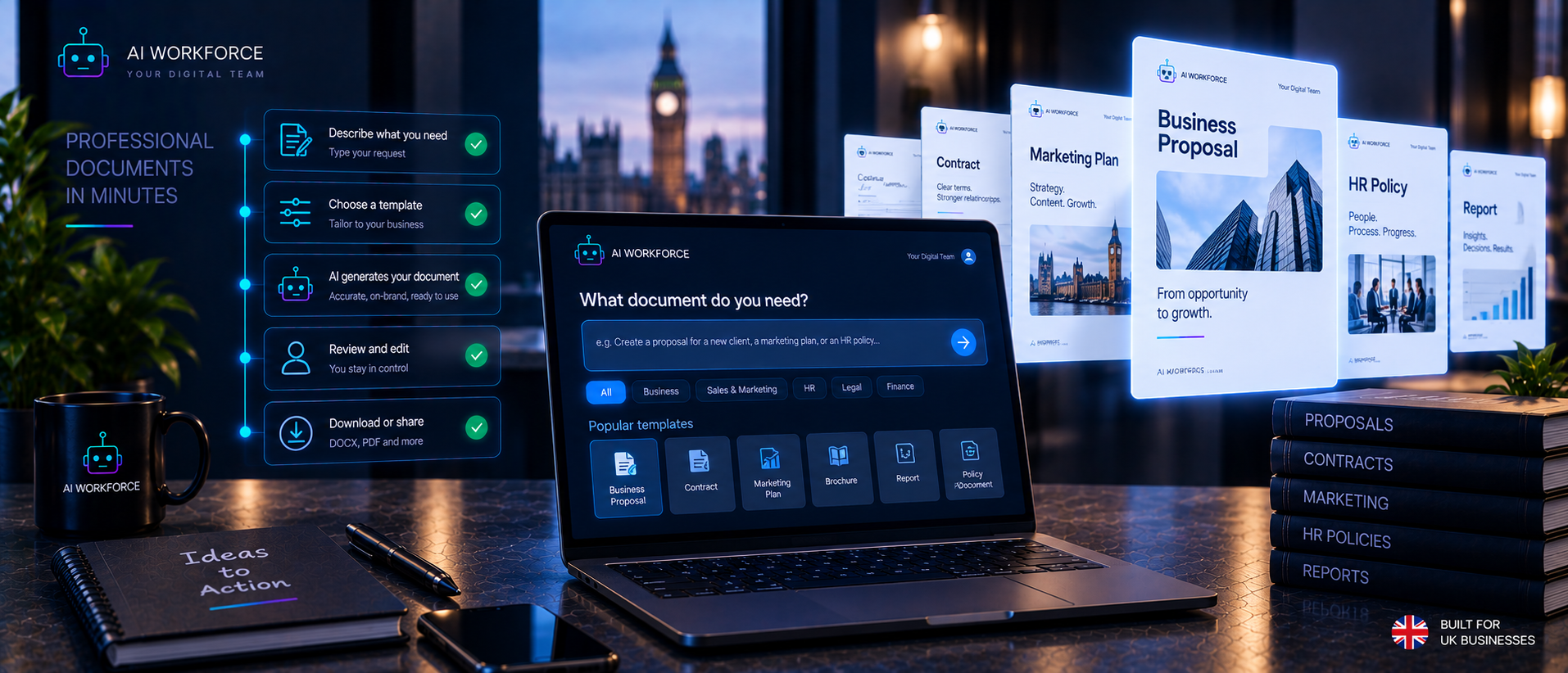
The AI Workforce Document Generation Model has eight stages: Input, Structure, Generate, Validate, Review, Approve, Export, and Distribute, Sign or Store. It is an AI Workforce implementation framework rather than an industry standard.
Input: approved information enters from a CRM, form, database, brief or verified source.
Structure: the system selects the correct approved template, document type or required structure.
Generate: AI drafts narrative sections and automation populates known fields.
Validate: factual fields, required sections, variables and business rules are checked.
Review: a person reviews accuracy, tone, completeness and consequential content.
Approve: a named person authorises the document for use.
Export: the approved document is rendered into the required supported format, such as PDF or Word.
Distribute, Sign or Store: it moves to the next system or person.
What Business Documents Can AI Generate?
Not every document should be automated. Realistic categories include:
Sales and marketing: proposals, pitch documents, brochures, campaign documents and client presentations where supported.
Operations: onboarding packs, project summaries, service documents, standard letters and internal reports.
Customer or client documents: welcome packs, account summaries and personalised information documents.
Administrative documents: meeting summaries, internal briefings and standard correspondence.
Template-based agreements: AI may populate or prepare an approved agreement template from verified information, but it should not independently invent contractual terms or determine legal commitments.
Template-Based vs Free-Form AI Document Generation
Free-form generation is useful for first drafts, ideation and documents where structure can vary. Template-based generation is better suited to repeatable documents where formatting, sections, approved wording, or variable fields need consistency. Template-based is not always superior: a one-off document with no repeating structure gains little from a template.
The approaches can be combined: a fixed template, verified variables, AI-generated narrative sections and human approval.
The AI Workforce Document Generation Boundary Matrix
This framework separates documents and actions by consequence. It is an AI Workforce framework, not an industry standard.
Category | Examples |
|---|---|
Lower-consequence automation | Formatting; populating verified contact details; inserting approved company information; applying approved templates; generating internal first drafts; exporting an approved version |
AI prepares, person approves | Proposals; brochures; client-facing summaries; personalised onboarding documents; narrative report sections; customer letters |
Human-led, mandatory verification | Contractual terms; legal commitments; regulated statements; material financial commitments; consequential pricing changes; anything where incorrect wording could create a legal or significant commercial obligation |
How Can AI Generate Personalised Documents at Scale?
Variable data generation uses one approved template with fields filled from verified data. A proposal template might draw company name, contact, selected service, approved pricing, project details and a relevant case study from verified records, while AI generates or adapts only permitted narrative sections.
Provenance matters: every material factual field should have an identifiable source. Personalisation does not automatically improve conversion, and this guide makes no claim that it does.
AI PDF Generator vs AI Document Generator
A PDF is an output format. Document generation is the workflow that determines what information goes into the document, how it is structured, what is generated, what is reviewed, what is approved and what is exported. An AI document generator may produce PDF output where supported, but a simple PDF converter or merging utility is a different product category and is not the subject of this guide.
AI Word Document Generation
Editable Word output can be useful where a person needs to keep editing after generation. Not every platform supports DOCX output, so check the vendor's documentation for the formats a specific product supports rather than assuming.
AI Brochure Generation
Brochures are a common business use case. A controlled workflow might run: approved company information, approved brand and template, selected services or products, AI-assisted copy, imagery and assets, review, approved brochure, and PDF or Word output where supported. Brand consistency, factual accuracy, pricing and claims all need review before use.
Where AI Workforce Fits
AI Workforce's document and brochure automation capability is designed around controlled business document creation: using approved company information, templates and workflow inputs to prepare documents for human review rather than generating consequential business content without oversight. The relevant implementation depends on the document type, source data, required output format and approval process.
AI Proposal Generation
Verified CRM or form data and approved service information can populate a proposal. The useful distinction is between AI drafting narrative and approved commercial terms. AI should not invent prices, discounts, delivery commitments, warranties or contractual terms unless those are supplied by an approved source and the workflow explicitly permits their use.
Document Generation and E-Signatures
The handoff runs: generate, review, approve, send for signature, store the signed version. Whether an electronic signature platform integrates with a given generator should be checked in the vendor's documentation. Generating a document does not constitute legal approval to sign it. The decision to sign remains separate from generation and sits with an authorised person.
Data Provenance and Validation
Four kinds of content should not be treated as equivalent:
Verified structured data: CRM fields, an approved price list, submitted form data.
Approved business content: company description, service wording, brand guidance.
AI-generated narrative: explanatory paragraphs or personalised introductions.
Inference: anything AI concludes rather than retrieves.
Material facts and commitments should trace back to an approved source, and inference should be reviewed rather than presented as fact.
Worked UK SME Example (Illustrative)
This is an illustrative scenario, not a measured result, and it contains no AI Workforce client performance claims. A UK property maintenance business receives an approved commercial enquiry.
CRM and form data supply the client name, site and requested service.
Approved service and pricing data are pulled from the business's current price list.
The system selects the approved proposal template.
AI drafts the scope narrative and introduction from the verified details.
Validation checks that required sections are present, that no field is empty and that prices match the approved list.
A named manager reviews the proposal and corrects the scope wording.
The manager approves it.
The system exports the proposal as a PDF, or Word if the client wants to edit it.
It is sent to the client and stored with the enquiry record.
No time savings or conversion figures are given because none are claimed.
Where AI Document Generation Can Fail
Hallucinated facts: restrict narrative to approved content and verified fields, and review before approval.
Wrong customer data: pull from one verified record and show the source beside each field.
Stale pricing: read prices from the current approved list, not from earlier documents.
Wrong template: select templates by document type and check the choice at review.
Missing mandatory section: validate required sections before review.
Formatting errors: preview the exported file before sending.
Inconsistent branding: lock brand elements in the template.
Unsupported claims: keep claims to an approved list and flag others.
Outdated legal wording: have an owner review and version-controlled wording.
Incorrect document version: mark and retire superseded versions.
Confidential data in the wrong document: restrict access and check recipients.
Inference presented as fact: label or remove unsourced statements at review.
Human Approval and Version Control
Controls to consider include a named document owner, versioned templates, approved knowledge and data sources, a review state, an approval state, an audit record, and withdrawal or replacement of outdated templates. An outdated approved template can still produce incorrect documents at scale, so template ownership and review matter as much as the review of individual documents.
UK GDPR and AI Document Generation
This section is general information, not legal advice. For a deeper treatment, see our AI GDPR Compliance for UK Businesses guide. Points relevant here include:
Lawful basis: identify one for each use of personal data in a document.
Data minimisation: include only the personal data a document needs.
Personal data in generated documents: know where copies are stored and who can see them.
Processor and vendor checks: confirm contracts and what the vendor does with your data.
Retention: set how long generated documents and inputs are kept.
Access control: limit who can generate and view documents.
International transfers: check where data is processed, where relevant.
Model training and data use settings: check whether a vendor uses your data to train models, and what controls exist.
Auditability: keep a record of what was generated, from which inputs and who approved it.
When Is AI Document Generation a Poor Fit?
It is a poor starting point when every document is genuinely bespoke and needs expert judgement throughout, source data is unreliable, templates are not controlled, nobody owns approval, legal or commercial wording changes constantly without version control, or the consequence of an incorrect document outweighs the administrative benefit. Sometimes fixing the data, templates or process comes before introducing AI.
How to Measure AI Document Generation
Measure against the business's own baseline. Useful measures include production time per approved document; human review time; correction rate; rejection rate; wrong-data incidents; wrong-template incidents; version errors; the percentage needing material rewriting; net time recovered after review, correction and maintenance; and downstream errors. "Documents generated" is not a success metric by itself, and this guide gives no universal benchmarks.
How to Introduce AI Document Generation
This sequence is an AI Workforce implementation model, not an industry standard, and is gated by evidence rather than elapsed time.
Choose a document type with a clear owner and limited consequence.
Establish a baseline for effort, errors and turnaround.
Identify source data and who maintains it.
Control templates with owners and versions.
Define variable and generated content: decide which fields come from data and which sections AI may draft.
Define permissions for who can generate and access.
Define review and approval with named approvers.
Sandbox and test with test data.
Generate with human review on every document at first.
Measure against the baseline.
Expand, hold or roll back based on representative evidence.
Our AI readiness assessment can help check whether your data, templates and ownership are ready, and our AI Automation Pricing for UK Small Businesses guide covers implementation cost. Talk to AI Workforce if you would like help scoping a first document type.
When Do You Need an AI Agent?
Not every document generation workflow needs an agent. If the process is simply form-submitted, populate an approved template, send for review, conventional workflow automation may be enough. An agent becomes more relevant where the system needs to interpret a brief, select between permitted templates, gather approved information from several sources, choose between permitted actions, manage branching states or escalate exceptions. See our AI Agents for Small Businesses guide for the broader agent question.
Frequently Asked Questions
What is an AI document generator? A system that creates a new business document from approved information, structured data, instructions or templates, usually with human review before use.
How does AI document generation work? Approved inputs are matched to an approved structure, AI drafts narrative sections, automation populates known fields, the output is validated and reviewed, then approved and exported.
What is the difference between document generation and document automation? Generation creates a new document from approved information. Document automation processes existing documents. See our AI Document Automation Guide for the processing side.
Can AI create PDF documents? An AI document-generation workflow can produce PDF output where the chosen platform supports it. Check the specific product's documentation for its available export formats.
Can AI create Word documents? A document-generation workflow can produce editable Word or DOCX output where the chosen platform supports it. Check the vendor's documentation rather than assuming a particular output format is available.
Can AI generate business proposals? It can draft narrative and populate approved fields, but prices, terms and commitments should come from approved sources and be reviewed by a person.
Can AI generate brochures? AI can assist with brochure copy and, where the chosen system supports document layout or template rendering, place approved information into a branded structure. Claims, pricing, imagery and factual content should be reviewed before use.
Can AI populate an approved contract template? It can populate permitted fields from verified information where the workflow is configured to do so, but it should not invent, alter or approve contractual terms. An appropriately authorised person should verify the completed document and approve the contractual content before it is used.
Can AI-generated documents be sent for electronic signature? Where an e-signature platform integration exists, yes, after review and approval. Generating a document is not approval to sign it.
How do you prevent AI from making up information in a document? Use approved templates and verified data, restrict AI to permitted sections, validate fields, and have a named person review before approval. These reduce the risk but do not remove it.
Is AI document generation suitable for small businesses? It can be for repeatable documents with clear data and ownership. See our AI Agents for Small Businesses guide.
Is AI document generation GDPR compliant? That depends on how it is set up and used. This is general information, not legal advice. See our AI GDPR Compliance for UK Businesses guide.
Sources and Further Reading
About the Author and Reviewer
Written by Rodi Taze, Co-Founder of AI Workforce, who works with UK small and medium-sized businesses on practical AI automation.
Reviewed by Clara Miller, Content Specialist at AI Workforce, for operational accuracy (October 2026). This is an operational review, not legal advice; businesses with specific compliance questions should consult a qualified data protection professional.
Ready to explore AI document generation safely?
Book Your Free AI Readiness Review →