AI Agents for Small Businesses: Uses, Costs & Examples 2026
Posted On: May 11, 2026
Last updated: August 2026 · Written by Seth Ayush, Co-Founder of AI Workforce · Reviewed by Clara Miller, Content Marketing Specialist
AI agents are becoming practical tools for small businesses that want to handle more repetitive work without increasing manual workload at the same rate. Unlike traditional automation, these systems can complete multi-step workflows, interact with business software and make limited decisions within defined rules. This guide explains where AI agents add value, which tasks are suitable for automation, the risks to consider and how to introduce them successfully.
Quick Answer: An AI agent is software that can complete multi-step business tasks with limited human input. Small businesses use agents for enquiries, appointment booking, lead management, reporting and administration. Many standard agents can be configured without coding, although complex integrations may need technical support. Start with one repetitive, measurable and lower-risk workflow with a clear route to a person.
Which AI Agents Are Most Useful for Small Businesses?
Rather than naming a single "best" platform, it is more useful to match the type of agent to the specific problem it needs to solve. The table below reflects category recommendations based on common SME workflows, not a ranked comparison of named vendors.
Business problem | Useful agent category | Example outcome | Human involvement |
|---|---|---|---|
Missed calls | AI receptionist | Enquiry captured or appointment booked | Sensitive calls escalated |
Slow lead response | Sales or follow-up agent | Lead contacted and CRM updated | Qualification exceptions reviewed |
Manual prospect research | Research or enrichment agent | Review-ready prospect record | Critical data validated |
Content bottleneck | Marketing agent | Draft or repurposed content | Brand and factual review |
Inbox overload | Administrative assistant | Messages categorised and drafts prepared | Sensitive replies approved |
Meeting administration | Meeting assistant | Summary and actions produced | Important decisions checked |
For businesses where inbox triage, drafting and follow-up are the main problem rather than wider multi-step automation, our guide to the best AI email assistants compares 15 dedicated tools for Gmail, Outlook and shared inbox workflows.
For leadership teams where the workload extends beyond inbox management into executive scheduling, stakeholder context, meeting preparation and cross-tool coordination, our guide to AI executive assistant tools compares the main platforms and use cases.
This guide recommends agent categories rather than ranking individual vendors. If you're comparing specific software across a wider range of small-business needs, our Best AI Tools for Small Business UK guide compares current options for AI assistance, workflow automation, marketing, coding, meetings, customer service and phone reception. For budgeting considerations, see our AI Agent Cost guide. Named-platform comparisons require separate evaluation of current features, pricing, integrations and support.
What's Covered
Fundamentals: What Is an AI Agent for a Small Business? · How Is an AI Agent Different From Automation or a Chatbot? · What Can AI Agents Do for Small Businesses?
Deciding Where to Start: The AI Workforce Agent Suitability Test · What Should a Small Business Automate First? · What Should an AI Agent Not Be Allowed to Do? · How Much Autonomy Should an AI Agent Have?
Cost and ROI: Should You Buy, Configure or Build an AI Agent? · How Much Do AI Agents Cost? · How Should Small Businesses Measure ROI?
Risk and Rollout: What Data and UK GDPR Risks Should You Check? · A Four-Week Implementation Plan · Keeping the Human Touch · Where AI Agents Still Fall Short
Reference: Frequently Asked Questions · Key Takeaways
What Is an AI Agent for a Small Business?
An AI agent is software that can complete a sequence of tasks with limited human input. Unlike traditional automation, which follows predefined rules, an AI agent can use available information, choose the next step within defined boundaries and interact with other business systems to complete a workflow.
When an AI agent is configured around an ongoing business role rather than a single workflow, vendors may describe it as an AI employee. Our guide to what an AI employee is explains how that role-based framing differs from the underlying AI agent technology, including permissions, oversight and responsibility.
How Is an AI Agent Different From Automation or a Chatbot?
Automation follows a fixed path: if X happens, do Y, every time, with no ability to adapt when something doesn't match the script. An AI agent works differently. Give it a goal, such as "respond to shipping enquiries and log the conversation," and it can read the message, decide how to respond, check order data if needed, and record the interaction, without a person handling each step.
Rules-based automation: best for predictable, fixed processes. See our small business automation ideas guide for simple trigger/action workflows that don't need an agent.
AI chatbot: best for answering questions and drafting text, one prompt at a time
AI agent: best for variable, multi-step workflows that touch more than one system
AI copilot: best for assisting an employee who remains in control of the task
In AI Workforce's Implementation Experience: the fastest returns usually come from customer enquiries, appointment booking and administrative workflows. These processes are repetitive, easy to measure and generally require less complex oversight than customer-facing decision-making. Starting with one of these gives a small team real evidence before expanding further.
What Can AI Agents Do for Small Businesses?
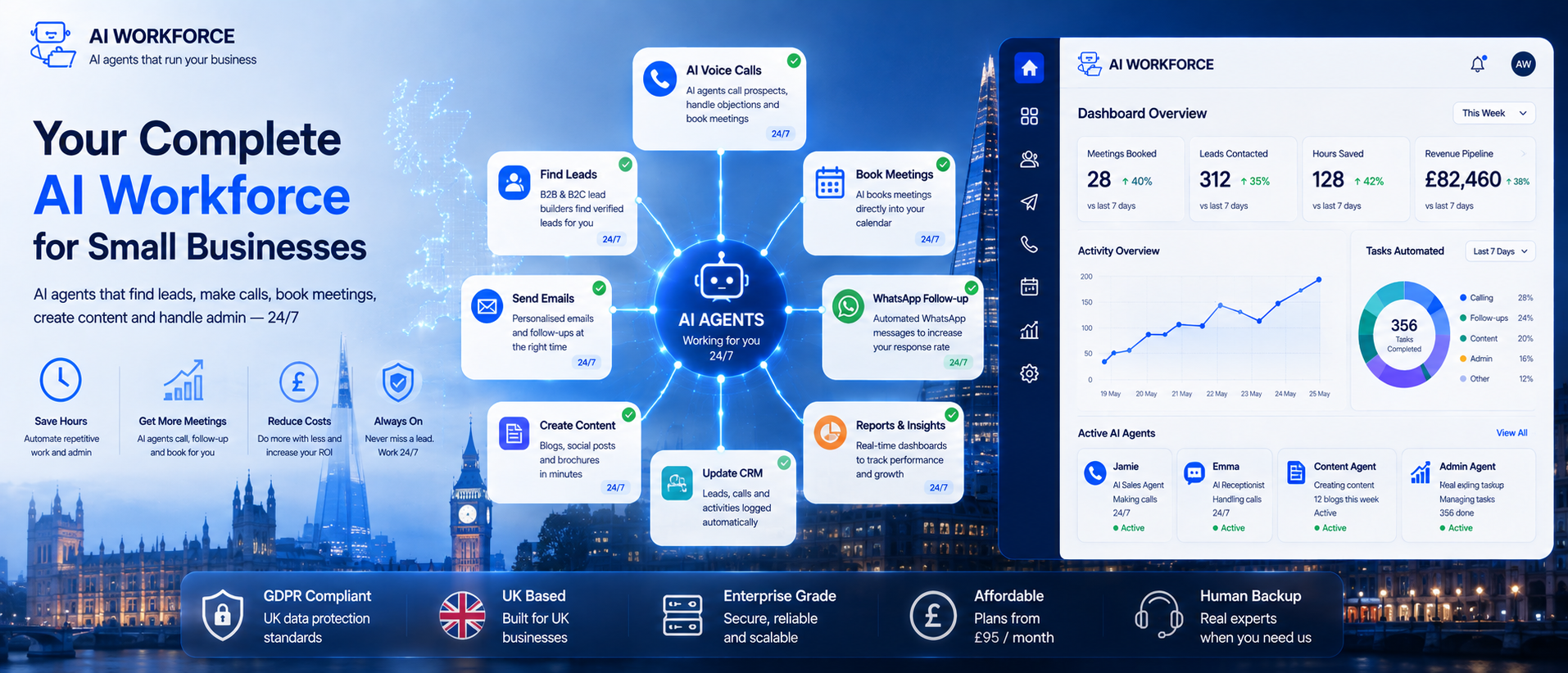
An AI agent operates within your existing workflow. If you use email, a calendar app and a CRM, an agent can connect to these tools through integrations and act across all of them. When a customer books a meeting, the agent can add it to your calendar and send a reminder. When someone submits a contact form, it can send a follow-up email and log their details, without anyone manually handling each step.
You typically set this up by giving the agent a defined instruction, such as "when someone asks about shipping, explain the policy and ask if they need anything else," and connecting it to the relevant data sources. The agent then handles matching requests as they come in, with a person reviewing its output, especially in the early stages.
A few practical signals suggest a task or team is ready for an AI agent: repetitive admin work that eats up hours each week, customer enquiries increasing faster than your team can comfortably handle, several disconnected systems that need manual updating in more than one place, manual data entry that duplicates information already held elsewhere, follow-ups that regularly get missed or delayed, and staff time going on routine work rather than higher-value tasks. If two or three of these sound familiar, that's usually a good place to start a pilot.
Rather than treating "AI agent" as one generic tool, it helps to think about specific tasks by department.
Customer service: answering common enquiries, booking and rescheduling appointments, routing calls or messages to the right person. For a closer look at this specific use case, see our guide to AI Receptionist.
Sales: lead qualification and scoring, keeping CRM records updated, sending timely follow-ups. See our guide to AI Sales Outreach.
Marketing: drafting content and social posts, managing email sequences, pulling together performance reporting. For a deeper look at this area, see our guide to AI Marketing Automation.
Administration: processing routine invoices, scheduling and calendar management, data entry and record-keeping.
Operations: monitoring stock levels, drafting purchase orders, routine supplier communication.
For estate agents, the opportunity is less about automating an entire department and more about removing friction from the first few minutes of a new enquiry. A caller asking about a property can be answered immediately, checked against current listing information and moved into a viewing slot without waiting for a negotiator to become free. Valuation and landlord enquiries can be captured and routed separately, while anything involving an existing transaction, dispute or sensitive property issue stays with the human team. See our guide to AI receptionists for estate agents for the full property-specific workflow.
Recruitment agencies face a similar problem because candidate calls, interview requests, vacancy enquiries and new client opportunities can all arrive through the same front desk. An AI receptionist can handle the routine first layer by answering approved vacancy questions, capturing candidate or client details, booking interviews against consultant availability and routing existing matters to the right consultant or desk, while suitability decisions and sensitive candidate conversations remain human-led. Our guide to AI receptionists for recruitment agencies covers that recruitment-specific workflow in more detail, including candidate calls, interview booking, ATS/CRM integration and human escalation.
Staffing agencies often have a different operational need because worker and client calls can continue outside normal office hours. Temporary workers may need to report a shift call-off, clients may request urgent replacement cover, and timesheet or payroll enquiries may need to be captured for the correct desk. An AI answering workflow can classify those calls, route urgent matters to an on-call person and record lower-priority enquiries for follow-up without trying to make staffing or employment decisions itself. Our guide to AI answering services for staffing agencies covers 24/7 worker enquiries, shift call-offs, urgent client cover, payroll and timesheet routing, and human escalation in more detail.
Restaurants are a practical example of several of these agent categories working together: AI can support reservation handling, demand forecasting, staff scheduling, inventory monitoring and routine guest communication while managers remain responsible for food safety, complaints and consequential staffing decisions. Our guide to AI for restaurants in the UK covers those workflows in detail.
In AI Workforce's implementation experience, businesses achieve the fastest return when they start with one task in one of these areas rather than trying to automate an entire department at once.
It also helps to compare what a task looks like before and after an agent is introduced:
Scheduling: a calendar app that stores availability → an agent that books, confirms and follows up automatically
CRM: a system that stores contact records → an agent that captures and writes updates to the system automatically, subject to configured checks and integration availability
Reporting: a dashboard you have to read and interpret → an agent that drafts a plain-language summary and flags anything unusual
Email: a platform that sends a campaign you've built → an agent that drafts campaign content, schedules approved messages and recommends adjustments based on engagement, with sending permissions, audience rules and applicable marketing requirements defined by the business
AI Workforce Insight: small businesses usually see faster adoption when staff understand that agents remove repetitive work rather than replace expertise. In practice, successful projects tend to begin with one measurable workflow before expanding into other departments.
AI adoption rises with business size, though micro businesses lead on staff usage intensity.
Source: DSIT, AI Adoption Research (DSIT 2026/003), published 28 January 2026. Telephone survey of 3,500 UK businesses, February to May 2025.
The AI Workforce Agent Suitability Test
This is our own analytical framework, not an industry standard, built to help decide whether a specific task is a good candidate for an AI agent before you invest time configuring one.
Volume → Repetition → Rules → Data → Risk → Integration → Escalation
A task is a strong candidate when:
It occurs frequently.
The steps are reasonably repeatable.
Acceptable behaviour can be defined.
Reliable source information exists.
Mistakes have limited consequences.
Necessary integrations are available.
Exceptions can reach a person.
Classify the outcome:
Good agent candidate: bounded, measurable and low-risk.
AI-assisted candidate: useful, but human approval remains necessary.
Human-led: consequential, sensitive or judgement-dependent.
What Should a Small Business Automate First?
Not every task is equally safe to hand to an agent, and it's worth being deliberate about where to start.
Generally lower-risk: meeting notes and summaries, appointment scheduling, CRM updates, first-draft content, internal reporting
Higher-risk, needs closer oversight: pricing decisions, refund or discount approval, HR-related decisions, legal or compliance responses, financial advice, and anything sent to a customer without review
Applying the suitability test above to common SME tasks gives a practical starting matrix:
Task | Suitability | Oversight |
|---|---|---|
Appointment booking | High | Review exceptions |
Routine enquiry capture | High | Human escalation |
Meeting summaries | High | Check material decisions |
Prospect research | Medium to high | Validate important data |
Email drafting | Medium to high | Review sensitive messages |
Lead qualification | Medium | Defined rules and escalation |
Complaints | Low to medium | Human-led |
Hiring decisions | Low | Human decision |
Legal or financial advice | Low | Qualified professional |
Significant financial commitments | Low | Human approval |
Among micro businesses already using AI, staff usage intensity is the highest of any business size.
Source: DSIT, AI Adoption Research (DSIT 2026/003), published 28 January 2026.
What Should an AI Agent Not Be Allowed to Do?
A small number of controls make a meaningful difference before rolling out an AI agent:
Access controls, so an agent only reaches the systems and data a task genuinely requires
A clear approval process for anything customer-facing or higher-risk
An audit log so actions taken by an agent can be reviewed after the fact
A named owner responsible for what the agent does
A regular review schedule to check output quality and catch drift
Spending limits, for any agent able to place orders or adjust budgets
An escalation path for when something goes wrong
How Much Autonomy Should an AI Agent Have?
Not every workflow needs the same level of independence. It is often more useful to think in terms of the operating mode a specific task justifies, rather than treating every agent the same way.
Assist. The agent researches, summarises or drafts. A person takes the action.
Prepare for approval. The agent prepares an action, such as an email or CRM change. A person approves it before execution.
Bounded action. The agent completes predefined, lower-risk actions automatically within permissions and limits.
Escalation safeguard. At every mode, the agent should stop and involve a person when confidence, risk or circumstances exceed its approved scope.
These are operating modes rather than maturity stages that every business must progress through. The appropriate mode depends on the workflow and its risk, not on how long you have been using AI agents.
Should You Buy, Configure or Build an AI Agent?
"Custom" is not automatically better. Many small businesses should begin with an off-the-shelf or configured service rather than a bespoke build.
Approach | Best suited to | Main advantage | Main limitation |
|---|---|---|---|
Off-the-shelf | Standard tasks | Fastest and usually cheapest | Limited customisation |
Configured platform | Business-specific workflows | Balance of flexibility and speed | Integration and maintenance effort |
Custom build | Unusual or proprietary processes | Greatest control | Higher cost, time and technical responsibility |
Many off-the-shelf and configurable AI agents can be introduced without coding. Custom workflows, unusual integrations and higher-security deployments may still require technical support.
How Much Do AI Agents Cost?
Cost depends on several factors rather than a single headline price:
Platform subscription
Model and API usage
Voice minutes
Enrichment data
Number of workflows
Integrations
Setup and testing
Monitoring and support
Custom development
Many platforms offer a free tier or trial, which is a reasonable way to test whether an agent delivers real value before committing to a paid plan. Free tiers usually come with limits on volume or features. For a detailed breakdown, see our AI Agent Cost guide and our AI Automation Pricing UK guide.
How Should Small Businesses Measure ROI?
Capacity released is not automatically a cash saving or additional revenue. Economic value materialises only when the business successfully reallocates the time, increases useful throughput, improves conversion or avoids a real cost.
Rather than quoting generic percentages, it's more useful to track specific measurements for a pilot task:
Workflow completion rate
Response time
Escalation rate
Error and correction rates
Cost per completed workflow
Hours released
Customer outcome
Revenue or pipeline outcome where relevant
These measures are more useful when they are tracked together rather than in isolation. Our guide to AI agent KPIs explains how to combine outcome, quality, cost, reliability and risk metrics into a practical performance framework, including formulas, guardrails and escalation thresholds.
Illustrative shifts in effort, not measured figures:
Appointment booking: manual back-and-forth → automated booking and confirmation
CRM updates: manual, often delayed → captured automatically, subject to configured checks
Follow-ups: frequently forgotten or delayed → triggered automatically
Meeting summaries: written up after the fact, if at all → drafted automatically, reviewed by a person
Actual time saved depends on task complexity, data quality and how much review a team chooses to keep in place.
What Data and UK GDPR Risks Should You Check?
Any AI agent handling customer data needs to be considered against UK GDPR, which applies whenever personal data is processed, not simply because a system uses AI. PECR may apply when an agent sends or initiates marketing emails, texts or calls. The applicable rules depend on the communication method and the recipient, including whether they are a corporate subscriber, an individual, a sole trader or certain types of partnership. UK GDPR may also apply where personal data is used. Before connecting an agent to customer records, it's worth checking: what the AI provider does with the data, whether it's used to train external models, how long it's retained, and where it's processed and stored. Data residency matters if a provider processes data outside the UK.
A B2B research agent could identify companies matching defined criteria, retrieve permitted Companies House information, add separately sourced enrichment data and prepare a prospect record for human review. Companies House data should be distinguished from information obtained through other providers, and the agent should not imply that Companies House supplies details it does not publish.
Checking these points with your data protection lead before granting access is far easier than untangling a problem afterwards. Our AI GDPR Compliance guide covers the wider framework in more depth.
Efficiency and productivity are by far the most common reasons UK businesses adopt or scale AI.
Source: DSIT, AI Adoption Research (DSIT 2026/003), published 28 January 2026.
A Four-Week Implementation Plan
Week 1: Choose. Select one bounded, measurable workflow.
Week 2: Map. Document inputs, actions, systems, exceptions and handover rules.
Week 3: Configure and test. Test normal cases, edge cases, incorrect data and integration failures.
Week 4: Pilot. Deploy to a limited audience or volume with monitoring.
Then measure, adjust and expand only when the evidence supports it. Skipping the pilot and rolling an agent out business-wide on day one is the most common way this goes wrong.
Once individual agents have proved themselves and you begin coordinating automation, AI systems and people across several functions, the operating model becomes a broader digital workforce. Our Digital Workforce Guide explains how to divide work between people, rule-based automation and AI, including autonomy, permissions, governance and human oversight.
AI Workforce Insight: businesses that try to automate everything on day one usually struggle. The teams that succeed tend to begin with one measurable workflow, prove its value, then expand gradually as confidence grows.
Keeping the Human Touch
A common concern is that automating tasks will make a small business feel impersonal. In practice, the opposite is usually true when it's done well: agents handle the repetitive, low-stakes interactions, freeing up time for the conversations that actually need a person. Writing an agent's responses in your own brand voice, and always giving customers an easy route to a real person, keeps the balance right.
For routine enquiries, the objective should be a fast, accurate response with clear disclosure and an easy route to a person. Sensitive, unusual or consequential conversations still benefit from human involvement.
Where AI Agents Still Fall Short
Agents are not well suited to tasks requiring genuine judgement, nuanced customer relationships, or decisions with legal, financial or safety consequences. They can also struggle with messy or incomplete business data, producing confident but wrong output if the underlying records aren't reliable. Keeping a person responsible for higher-risk decisions, and reviewing agent output regularly, remains important regardless of how capable a platform claims to be.
Common mistakes to avoid: trying to automate every department at once, giving an agent unrestricted system access, relying on poor-quality CRM data, measuring activity instead of business outcomes, and not assigning a named owner for what the agent does.
Frequently Asked Questions
What is an AI agent for a small business?
An AI agent is software that can complete multi-step business tasks with limited human input. Small businesses commonly use AI agents for customer enquiries, appointment booking, reporting, lead management and administrative work, while keeping people responsible for higher-risk decisions.
What are examples of AI agents for small businesses?
Common examples include AI receptionists, sales/follow-up agents, research agents, marketing agents, administrative assistants and meeting assistants. The right category depends on the workflow rather than the label.
What is the difference between an AI agent and business automation?
Business automation normally follows predefined trigger/action rules. An AI agent can interpret context and choose bounded next steps across a multi-step workflow. Simple, predictable tasks often do not need an AI agent; see our small business automation ideas guide for that category.
Do I need technical skills to use an AI agent?
No, for most standard tasks. Many off-the-shelf and configurable platforms are built for non-technical users, though custom workflows or unusual integrations may still benefit from technical support.
Is there a free way to try an AI agent?
Many platforms offer a free trial or tier with limited features or volume. This is a reasonable way to test value before paying for a full plan.
What tasks should I automate first?
Repetitive, lower-risk, easy-to-measure tasks such as answering common enquiries, scheduling, or reporting are safer and more revealing starting points than customer-facing or compliance-sensitive tasks.
Will an AI agent replace my staff?
Most current use cases support existing staff by handling repetitive work, rather than replacing roles outright, freeing people for judgement calls and relationship-building.
Is my customer data safe with an AI agent?
It depends on the provider. Check what happens to submitted data, whether it trains external models, how long it's retained, and where it's processed before connecting any agent to customer records.
How much does an AI agent cost?
Cost depends on platform subscription, usage, integrations and setup, from free tiers to paid subscriptions.
Can an AI agent handle phone calls?
Some platforms offer voice-based agents that can answer calls, book appointments or triage enquiries, though quality and reliability vary between providers.
Key Takeaways
An AI agent can complete multi-step tasks with limited human input, unlike single-prompt chatbots or fixed automation
Use the suitability test (volume, repetition, rules, data, risk, integration, escalation) to judge whether a task is a good candidate before configuring an agent
Start with one repetitive, lower-risk task, such as enquiries, scheduling or reporting, rather than automating everything at once
Match the level of autonomy to the risk of the task rather than applying the same approach everywhere
Off-the-shelf or configured platforms suit most small businesses better than a custom build
Keep people responsible for higher-risk decisions: pricing, refunds, HR, legal and financial advice
Governance (access controls, an audit trail and a named owner) matters as much as the technology
UK GDPR applies where an agent processes personal data, while PECR may apply to marketing messages and calls depending on the channel and recipient
A narrow pilot, reviewed and expanded gradually, is more reliable than a business-wide rollout on day one
Ready to Introduce AI Agents Safely?
AI Workforce helps small businesses identify where AI agents can genuinely save time, connect them to existing systems, and introduce the right level of oversight from day one. We'll help you identify the workflows most suitable for AI, assess the risks and build a practical roadmap based on your business rather than a generic template.
Related Guides
About the Author
Written by Seth Ayush, Co-Founder of AI Workforce. Seth works with UK small businesses on AI agent design, workflow suitability and safe rollout, including the suitability and autonomy frameworks referenced in this guide.
About the Reviewer
Reviewed by Clara Miller, Content Marketing Specialist at AI Workforce, for clarity, structure and alignment with current UK small business practice. The suitability framework above reflects AI Workforce's own analysis and implementation experience rather than an external standard, and is offered as a practical starting point rather than a guarantee of outcome.
This article is general information and not legal, financial or regulatory advice.
Reviewed against current UK GDPR and PECR guidance: August 2026.