AI Social Media Agent: How It Works, Use Cases and Human Oversight
Posted On: October 4, 2026
Last updated: October 2026 · Written by Luca Controlo, Co-Founder of AI Workforce · Reviewed by Seth Ayush, Sales Automation Specialist at AI Workforce
Quick Answer
An AI social media agent is an AI system assigned a defined social media objective that can interpret the current state of the work, use permitted tools or data, and choose and sequence allowed actions across multiple steps. An AI caption generator is not an AI social media agent, and neither is a social scheduler. A scheduler executes predefined queued actions. An agent can determine which permitted next action is appropriate based on its objective, context and current state. That does not mean an agent should run a social account without oversight: its permissions, approvals, escalation routes and stop conditions should be set by people and reviewed against evidence. This guide covers what an AI social media agent is, how it operates, the roles it can play, what it should be allowed to do, where it fails, and when a workflow does not need one. For the automation and tool layer, see our Best Social Media Automation Tools guide.
What's Covered
What an AI social media agent is; how it differs from social media automation, schedulers and AI-assisted tools; the AI Workforce Social Agent Operating Loop; common agent roles; the Permission Model; approval and escalation; state and context; an illustrative UK example; failure modes; platform rules; UK GDPR and PECR; autonomy; whether a workflow needs an agent; measurement; introduction; and FAQs.
What Is an AI Social Media Agent?
An AI social media agent is a system that works towards a defined social media objective, such as preparing approved content for several channels or triaging inbound comments, by choosing and sequencing permitted actions rather than executing one fixed instruction. It is not simply a language model. An implementation may combine language models, other AI models, rules, APIs, platform integrations, knowledge sources such as brand guidance, and workflow state that records what has already happened.
The defining feature in this guide is the ability to decide which permitted next action fits the objective and the current situation, within limits a person has set. Whether a particular product qualifies is a judgement about how it behaves, and vendors use the word "agent" in different ways, so product claims should be checked against the vendor's own documentation.
AI Social Media Agent vs Social Media Automation
Social media automation is a set of defined, repeatable processes and platform capabilities, such as scheduling, cross-posting and rule-based replies. An AI social media agent is a system able to choose and sequence permitted actions towards a social media objective. An agent often sits on top of automation, using it as the means of acting. Tool comparisons, scheduling, inbox automation, listening and rollout of social automation are covered in our Best Social Media Automation Tools guide, and the general automation layer in our AI Marketing Automation guide.
AI Social Media Agent vs Scheduler vs AI Assisted Tool
Type | How it operates | Chooses next action? | Typical example | Human control |
|---|---|---|---|---|
Scheduler | Executes queued actions at set times | No | Publishing an approved post at 9 am | Person creates and queues every item |
AI-assisted social feature | Generates, analyses or recommends within a defined feature | Not necessarily | Drafting a caption or suggesting hashtags on request | Depends on how the feature is configured and used |
AI social media agent | Pursues an objective using permitted tools and current state | Yes, within defined permissions | Preparing platform variants from an approved article and routing them for approval | Person sets permissions, approves defined actions and handles escalations |
How Does an AI Social Media Agent Work?
The AI Workforce Social Agent Operating Loop describes what an agent does, rather than the overall content workflow: Objective, Observe, Interpret, Prepare, Permission Check, Act, Monitor, Escalate, Record and Recommend. It is an AI Workforce implementation framework rather than an industry standard. Our Best Social Media Automation Tools guide covers the broader content workflow separately.
Objective: a person defines the role and goal, such as preparing channel variants from approved articles.
Observe: the agent reads permitted inputs, including the content library, brand guidance, queue status and, where allowed, inbound items.
Interpret: it works out what the current state requires, such as whether an asset is approved or an inbound message is routine.
Prepare: it drafts, adapts or classifies within its role.
Permission check: before any action, it checks whether the action is permitted in the current state and whether approval is required.
Act: it performs only permitted actions through authorised integrations.
Monitor: it watches defined signals, such as errors, unusual engagement or new inbound items.
Escalate: where something is outside scope or crosses a threshold, it hands over to a named person rather than improvising.
Record: it logs what it did, why and under which permission.
Recommend: it suggests next actions for a person to accept or reject.
Common Types of AI Social Media Agents
These are role descriptions used in this guide, not universal industry product categories. One system may combine several, and each role should carry its own permissions.
Content preparation agent: prepares social drafts from an approved brief. For the content side, see our AI content marketing guide and the best AI tools for content creation guide.
Repurposing agent: adapts approved source material for different channels.
Publishing agent: prepares or schedules approved assets through authorised integrations.
Monitoring agent: detects mentions, anomalies or other defined signals.
Inbox triage agent: classifies inbound comments and messages and routes them appropriately.
Reporting agent: gathers permitted performance data and prepares summaries.
Research or listening agent: groups themes and signals for a person to interpret.
What Should an AI Social Media Agent Be Allowed to Do?
The AI Workforce Social Agent Permission Model separates what an agent may do into explicit permission types: Read, Draft, Recommend, Prepare, Publish Approved, Respond Within Defined Scope, and Escalate. It is an AI Workforce implementation framework, not an industry standard. Permissions should be explicit because a technical ability to post, reply, hide or delete does not mean the agent should hold it, and broad write, send or delete permissions should not be granted merely because the technology supports them.
Permission | What the agent may do | Example |
|---|---|---|
Read | View permitted information | Read the content library and brand guidance |
Draft | Create unpublished drafts | Draft a LinkedIn variant of an approved article |
Recommend | Suggest actions without taking them | Suggest which extract suits which channel |
Prepare | Stage work for a person to release | Queue an item as awaiting approval |
Publish Approved | Release only items a person has approved | Publish an approved post at the approved time |
Respond Within Defined Scope | Reply to a narrow set of routine inbound items | Acknowledge a simple question with approved wording |
Escalate | Hand over anything outside scope | Pass a complaint to a named person |
Access should be considered separately for each system: the content library, brand guidance, social accounts, inbox and comments, CRM or customer data, analytics and publishing rights. An agent preparing drafts may need the content library and brand guidance but no access to customer records or account credentials.
Human Approval and Escalation
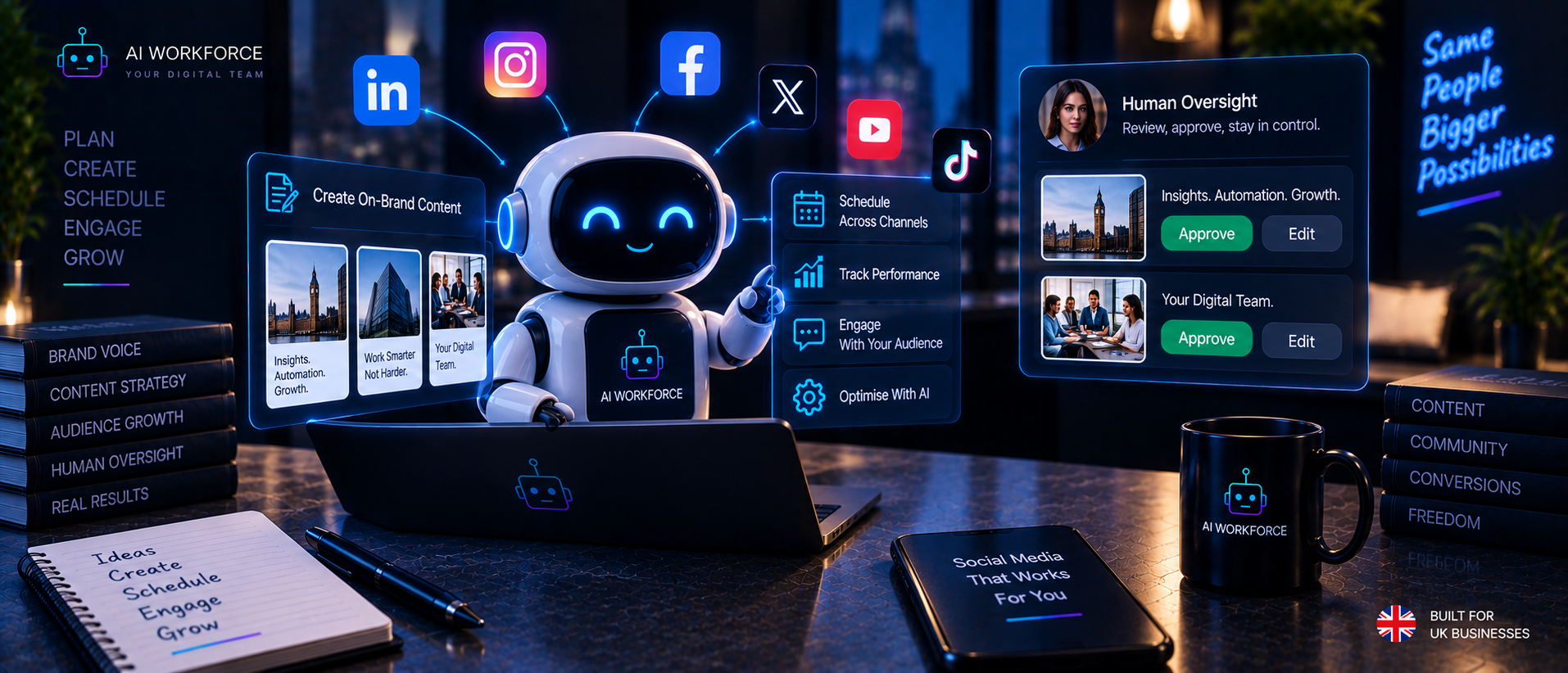
An agent can reasonably prepare drafts, classify inbound items, assemble reports and stage approved content automatically. In the governance model used in this guide, higher-consequence matters should route to a person rather than being resolved autonomously. Examples include complaints, payment or refund disputes, legal allegations, crises, sensitive current events, brand controversy, deleting or hiding criticism, regulated claims and unusual customer requests.
The rule is that an agent should classify and escalate rather than improvise when something falls outside its permitted scope. Escalation should name the person responsible, give them the context needed to act, and apply a stop condition to related activity while the matter is open. Our AI Marketing Agents guide sets out the wider approach to autonomy and oversight for marketing agents.
State and Context
A social agent should know the relevant workflow state before it acts. Useful states include draft, awaiting approval, approved, scheduled, published, paused, escalation required, and closed or resolved. These are illustrative labels; implementations differ.
State-aware rules can prevent actions that a timer alone would still trigger after the workflow has changed. A publishing agent should not publish merely because a scheduled time has arrived if the campaign or account has since entered a paused state, if the asset has been withdrawn, or if an escalation is open on the same topic. Context matters as well: an agent should work from current brand guidance and current approved facts, and should record which version it used.
Worked Example (Illustrative)
The following is an illustrative scenario, not a measured result. A small UK physiotherapy clinic has published an approved long-form article on desk posture.
The agent identifies extracts from the approved article that suit short posts. State: draft.
It prepares LinkedIn, Facebook and Instagram variants, keeping to the clinic's approved facts and brand rules.
It checks each draft against written rules, for example, that no treatment outcome is promised, and flags any that fail.
It routes the drafts to the clinic manager. State: awaiting approval.
The manager edits one variant and approves two. State: approved.
The agent schedules only the approved variants. State: scheduled.
Before each scheduled post, it checks that the account is not paused. State: published.
It monitors defined signals. A comment asking about a specific medical condition falls outside its scope, so it escalates to the manager rather than replying.
It records what was prepared, approved, published and escalated, and recommends which extracts to reuse. The manager decides.
No engagement or time-saving figures are given because none are claimed. The example shows how state, permissions and escalation work together.
Where AI Social Media Agents Fail
The risks below are well understood in principle, and each has practical mitigations.
Hallucinated facts: restrict drafts to an approved knowledge pack and require fact-checks before approval.
Outdated context: version brand guidance and facts, and make the agent record which version it used.
Wrong account publishing: limit each agent to named accounts and require a final check on account and channel.
Duplicate publishing: track state so an item already published is not released again.
Tone drift: review samples against brand examples and tighten guidance where drift appears.
Inappropriate responses: keep inbound replies narrow and approved, and escalate everything else.
Incorrect classification: measure escalation accuracy and review misclassified items.
Excessive permissions: grant the minimum for the role and review periodically.
Stale scheduled content: recheck state and relevance before release, and pause the queue during incidents.
Prompt injection: treat text in comments, messages and linked pages as data, never as instructions, and keep sensitive actions behind approval.
Failure to recognise a crisis or current event: include a pause control and a named person who can halt scheduled content quickly.
Platform Rules and Authorised Integrations
An agent being technically able to perform an action does not mean the platform permits it. Authorised APIs and official integrations operate within rules the platform sets, while browser-based or account-level automation that imitates a person may breach platform terms and can put accounts at risk. Check each platform's current terms and developer documentation before connecting an agent. For LinkedIn-specific tools, platform boundaries and automation use cases, see our Best AI LinkedIn Automation Tools guide.
UK GDPR and PECR
This section is general information, not legal advice. For the full treatment, see our AI GDPR Compliance for UK Businesses guide. Agent-specific points include:
Personal data access: inbox and direct message content is personal data, so limit what the agent can read.
Inbox and DM processing: tell people how their messages are handled and avoid using them for unrelated purposes.
Profiling: classifying people or tailoring content to individuals can amount to profiling. See the ICO guidance on automated decision making in Sources.
Direct marketing: electronic direct marketing is covered by PECR, which has particular rules for individuals and for business-to-business contacts. See the ICO guidance in Sources.
Suppression and opt-outs: an agent must honour opt-outs, so suppression should live in one record the agent checks.
Data minimisation: give the agent only the data its role needs.
Processors: platforms that process personal data for a business need appropriate contracts and checks.
Audit trails and human oversight: record actions and keep people responsible for consequential decisions.
How Much Autonomy Should a Social Media Agent Have?
This ladder is an AI Workforce implementation framework, not an industry standard. Maximum autonomy is not the goal; the right level is the lowest one that does the job reliably.
Level | Description | Example |
|---|---|---|
Assist | A person asks; the agent helps | Suggests caption options on request |
Prepare | The agent prepares work for review | Drafts channel variants and queues them for approval |
Act After Approval | The agent acts only on approved items | Publishes approved posts |
Execute Bounded Actions | The agent acts alone within narrow, reversible limits | Sends an approved acknowledgement to a routine query |
Escalation applies at every level. If an item falls outside the agent's permissions, confidence threshold or defined scope, the workflow should route it to a named person rather than treating escalation as a higher form of autonomy.
Higher autonomy should depend on evidence from representative cases, correction rate, escalation accuracy, reversibility and consequence. If the evidence is thin or the consequence is high, the level should stay where it is, or come down.
When Does a Social Workflow Actually Need an Agent?
Many businesses do not need an agent. If the requirement is to publish approved posts at predetermined times, a scheduler is enough, and adding an agent adds permissions and risk without adding value.
An agent becomes more relevant when the workflow requires interpreting state, choosing between permitted actions, using multiple systems or handling branching conditions. Examples include triaging inbound comments into routine, escalate and ignore, adapting one approved article into several channel variants under brand rules, or holding scheduled posts when an incident is open. A small business weighing this can start with our AI Agents for Small Businesses guide. If a fixed rule describes the task completely, use the rule.
How to Measure an AI Social Media Agent
Measure against the business's own baseline rather than a universal benchmark. Useful measures include correction or rejection rate; escalation accuracy; wrong-action incidents; publishing errors; duplicate actions; approval turnaround; human review time; net time recovered after review, correction and maintenance; the percentage of actions needing manual correction; and outcome measures relevant to the assigned role, such as response handling for an inbox triage agent. Record the baseline before launch, compare like with like, and avoid conclusions from a small or unrepresentative sample.
How to Introduce an AI Social Media Agent
This sequence is an AI Workforce implementation model, not an industry standard, and is gated by evidence rather than elapsed time.
Choose the role: start with one narrow role, such as content preparation.
Establish a baseline: record current effort, errors and turnaround.
Map systems and data: decide what the agent needs and nothing more.
Define permissions: use the Permission Model.
Define states: set the workflow states the agent reads and respects.
Define escalation: name owners, triggers and stop conditions.
Sandbox and test: use test accounts and internal recipients first.
Human approval: keep approval on every customer-facing output at the start.
Measure: compare results with the baseline, including errors and review effort.
Expand, hold or roll back: widen permissions only where representative evidence supports it.
Talk to AI Workforce if you would like help scoping a first agent role.
Frequently Asked Questions
What is an AI social media agent? An AI system with a defined social media objective that can interpret the current state, use permitted tools or data, and choose and sequence allowed actions across multiple steps.
How is an AI social media agent different from social media automation? Automation runs defined, repeatable processes. An agent chooses and sequences permitted actions towards an objective. See our Best Social Media Automation Tools guide for the automation layer.
Is an AI social media agent the same as a scheduler? No. A scheduler executes predefined queued actions. An agent can decide which permitted next action is appropriate given its objective and current state.
Can an AI agent create and publish social posts automatically? It can draft posts and, if permitted, publish approved ones through authorised integrations. Publishing under the brand's name normally sits behind human approval.
Can an AI social media agent reply to comments and DMs? It can classify them and, within a narrow approved scope, respond to routine items. Complaints, disputes, sensitive matters and unusual requests should be escalated to a person.
Does a small business need an AI social media agent? Often not. If the need is to publish approved posts at set times, a scheduler is enough. See our AI Agents for Small Businesses guide for adoption considerations.
What should an AI social media agent not be allowed to do? Handle complaints, disputes, legal allegations or crises alone, delete or hide criticism, make regulated claims, or hold broad permissions it does not need.
How do you measure whether a social media agent is working? Against your own baseline: correction rate, escalation accuracy, incidents, publishing errors, review time and net time recovered, plus outcome measures for its role.
Is using an AI social media agent GDPR compliant? Compliance depends on how it is configured and used, including lawful basis, transparency, data minimisation, processors and oversight. This is general information, not legal advice. See our AI GDPR Compliance for UK Businesses guide.
See how AI Workforce can support your social media workflows. Get in touch.
Sources and Further Reading
About the Author and Reviewer
Written by Luca Controlo, Co-Founder of AI Workforce, who works with UK small and medium-sized businesses on AI agents and workflow design.
Reviewed by Seth Ayush, Sales Automation Specialist at AI Workforce, for operational accuracy, October 2026. This is an operational review, not legal advice; businesses with specific compliance questions should consult a qualified data protection professional.
Ready to explore AI social media agents safely?
Book Your Free AI Readiness Review →