5 Best Free AI Meeting Note Takers in 2026
Posted On: July 31, 2026
Written by Clara Miller, Content Marketing Specialist at AI Workforce · Reviewed by Rodi Taze, Co-Founder of AI Workforce
Last updated: August 2026
Quick Answer
The best free AI meeting note taker depends on your priority. Fathom is a strong starting point for unlimited recording and transcription, tl;dv supports bot-free desktop capture, Otter suits shorter searchable meetings, Fireflies offers broad platform and language support, and Read AI suits people who need detailed intelligence from only a few meetings each month. Free-plan limits and retention policies change frequently, so verify them before adoption.
5 Best Free AI Meeting Note Takers Compared
Swipe to see all columns →
Tool | Free limit | Platforms and capture | In-person | Speakers and outputs | Exports/integrations | Privacy note | Best for |
|---|---|---|---|---|---|---|---|
Otter | 300 min/month, 30-min cap | Zoom, Meet, Teams; bot or app | Mobile app | Speaker ID; summaries and action items | Limited free-plan integrations | 25 conversations retained | Searchable notes |
Fathom | Unlimited recording & transcription | Zoom, Meet, Teams; bot | Limited | Speaker ID; advanced summaries (5 calls/mo) | Standard export; basic CRM sync | Unlimited storage | Unlimited recording |
Fireflies | Unlimited transcription; ~400-min storage, allocation unclear | Zoom, Meet, Teams and more; bot or app | Mobile/desktop | Speaker ID; unlimited AI summaries | No downloads on free plan | Confirm retention directly | Platform & language range |
tl;dv | Unlimited recording; ~10 AI notes/month | Zoom, Meet, Teams; bot-free desktop option | Desktop capture | Speaker ID; ~10 AI notes/month | Export available; limited free integrations | Retention info inconsistent, confirm directly | Bot-free capture |
Read AI | 5 reports/month, 1hr cap | Zoom, Meet, Teams; bot | Limited | Speaker ID; reports include summary, topics, action items | Basic on Free; CRM sync on Pro | Confirm retention directly | Detailed occasional reports |
What's Covered
Which Free AI Meeting Note Taker Is Best for Different Needs?
Product Breakdowns: Otter, Fathom, Fireflies, tl;dv, Read AI
When Is a Free Note Taker Enough, and When Should You Upgrade?
Which Free AI Meeting Note Taker Is Best for Different Needs?
These are starting points based on documented free-plan capability, not universal winners; the right choice still depends on your own meeting volume and platform mix.
Swipe to see all columns →
Need | Recommended starting point | Why |
|---|---|---|
Best overall free allowance | Fathom | Unlimited recording & transcription |
Unlimited meeting capture | Fathom or tl;dv | Neither meters basic recordings by minute |
In-person meetings | Otter, Fireflies or Read AI | Mobile or local capture is available |
Sales calls | Fathom | Limited free CRM sync |
Bot-free meetings | tl;dv | Desktop capture without a meeting participant |
Occasional meeting intelligence | Read AI | Detailed reports, but only five per month |
Multilingual teams | Fireflies | Broad language coverage |
Searchable personal notes | Otter | Searchable history and live transcription |
How We Compared the Tools
Methodology: AI Workforce compared permanent free plans using official provider documentation available in August 2026. We assessed free usage allowance, platform support, transcription, summaries, action-item extraction, exports, integrations, privacy controls and upgrade cost. Features were not treated as verified when the provider's documentation was unclear. We did not test every integration hands-on, and we did not rank a single overall winner, since the right tool depends on meeting volume and which platforms your team already uses.
Pricing and features checked: August 2026. Free-tier allowances change frequently. Confirm current limits directly on each provider's pricing page before choosing.
Free-plan terminology used in this guide:
Completely free: no payment required for the available functionality
Free tier: an ongoing free plan with usage or feature limits
Freemium: a permanent free tier designed alongside paid upgrades
Free trial: temporary access that expires or converts to a paid plan
All five tools compared here currently offer an ongoing free tier. They are not included merely because they offer a temporary trial.
What Is an AI Meeting Note Taker?
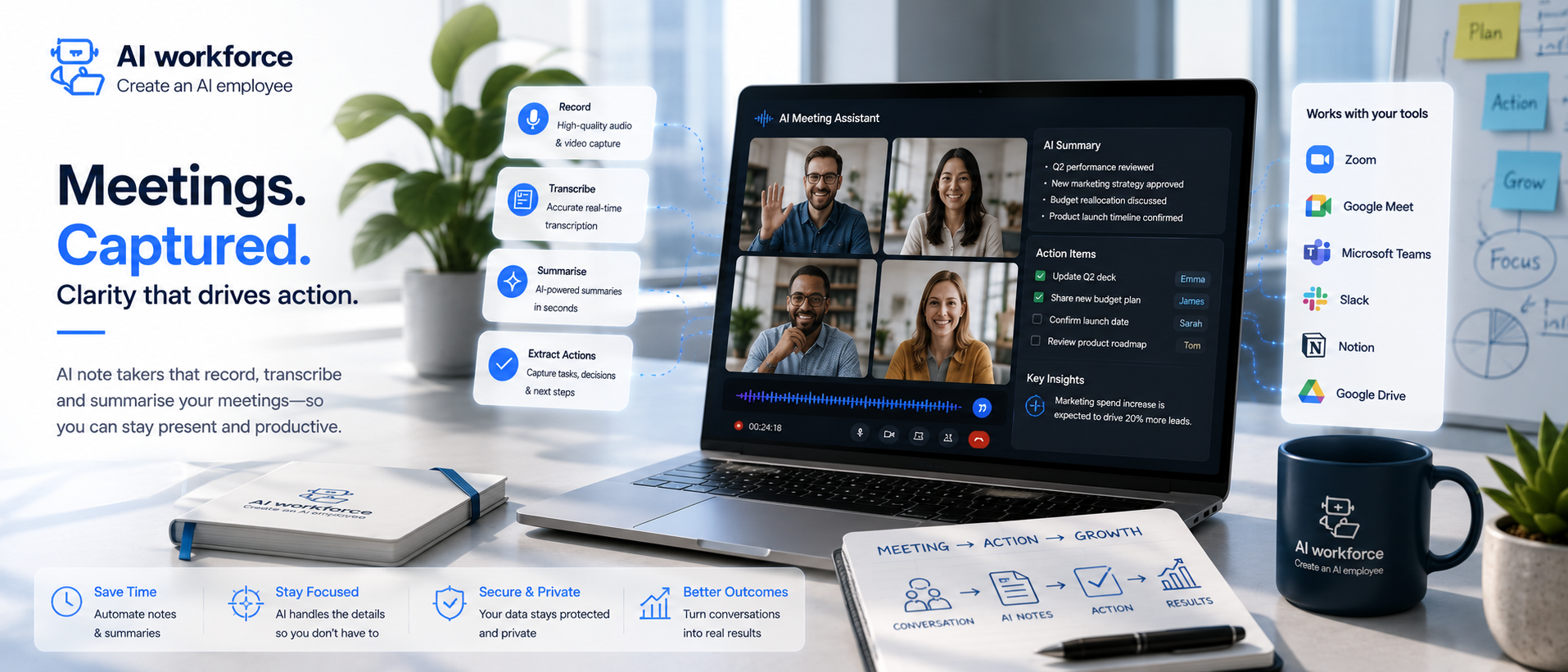
An AI meeting note taker joins a call, whether as a visible bot, through a desktop app, or by capturing audio locally without a bot, and converts the conversation into a transcript, a structured summary and a list of action items. AI-powered transcription turns speech into text as the meeting happens, and speaker identification, or diarisation, helps separate who said what.
Accuracy has improved substantially, but AI transcription can still miss words, misattribute a speaker, or misunderstand context, particularly with strong accents, technical jargon, or several people talking at once. Treat a transcript as a strong working record rather than a verbatim guarantee, especially for anything that will be quoted directly or relied on for a contractual, legal, HR, financial or compliance matter.
Most tools follow a similar basic pattern: join the call, capture the recording, transcribe it, then generate a summary and action items from the transcript. Note-taking by hand, split between listening and typing at the same time, is what this replaces.
Transcription vs Notes vs Summaries vs Action Items
These four terms get used loosely, but they describe different outputs, and knowing the difference helps when comparing tools or judging what a specific plan actually includes.
Transcription: a written representation of what was said, ideally with speaker attribution and timestamps
Meeting notes: structured, important points pulled from the discussion, organised by topic rather than presented as a continuous transcript
Meeting summary: a condensed account of the conversation, covering what was discussed and any decisions reached
Action items: specific next steps identified from the call, ideally with an owner and a deadline attached
A free plan that offers unlimited transcription does not automatically include unlimited notes, summaries or action-item extraction. Check each capability separately rather than assuming they scale together.
Product Breakdowns: Otter, Fathom, Fireflies, tl;dv, Read AI
Otter
Otter's free Basic plan currently includes 300 transcription minutes a month, live transcription with speaker identification, AI Chat for asking questions about a past meeting, and support for Zoom, Microsoft Teams and Google Meet. Meeting length on the free plan is capped at 30 minutes per conversation, and custom vocabulary is limited to 5 terms.
Swipe to see all columns →
What to check | Otter free plan |
|---|---|
Free usage allowance | 300 transcription minutes a month, shared across recorded and imported audio |
Supported platforms | Zoom, Microsoft Teams, Google Meet |
Summaries and action items | Automated summaries with action items and outlines included |
Storage or retention | 25 conversations retained on the free plan |
Languages | Multi-language support; test accuracy in your required language |
Integrations | Limited on free plan; Salesforce, HubSpot and Zapier on paid Pro plan |
Main free-plan limitation | 30-minute meeting cap and a 25-conversation history limit |
Relevant paid upgrade | Pro, priced per user per month, for longer meetings, custom vocabulary and CRM sync |
Check Otter's current Basic-plan limits directly on Otter's own pricing page before choosing.
Fathom
Fathom's permanent free plan currently includes unlimited recordings and transcription in 38 languages across Zoom, Google Meet and Microsoft Teams, while some premium features are temporarily available during an initial preview period. Basic CRM sync to HubSpot, Salesforce or Close is included for free for up to 3 users per email domain.
Swipe to see all columns →
What to check | Fathom free plan |
|---|---|
Free usage allowance | Unlimited recordings and storage, unlimited transcription |
Supported platforms | Zoom, Google Meet, Microsoft Teams |
Summaries and action items | Advanced summaries, AI action items and follow-up emails are included for the first five calls each month; the standard summary remains available after that |
Storage or retention | Unlimited storage on both Free and Premium |
Languages | 38 languages for transcription |
Integrations | HubSpot, Salesforce, Close (up to 3 users per domain), personal Zapier |
Main free-plan limitation | Advanced AI summaries, AI action items and the Ask Fathom search feature are limited to five calls a month before requiring Premium |
Relevant paid upgrade | Fathom Premium, for unlimited advanced summaries and AI action items on every call |
Check Fathom's Free versus Premium plan directly on Fathom's own pricing page before choosing.
Fireflies
Fireflies' Free plan is described by the provider as free forever, and currently includes unlimited transcription and unlimited AI summaries, plus a 2-hour recording limit per meeting. It supports Zoom, Google Meet, Microsoft Teams and other platforms, transcribes in over 100 languages, and includes a meeting search feature and a basic AI assistant.
Fireflies currently advertises a 400-minute free storage allowance, but its own documentation is inconsistent about whether this is allocated per team or per user and pooled at team level. Confirm the allowance shown in your account before relying on it.
Swipe to see all columns →
What to check | Fireflies free plan |
|---|---|
Free usage allowance | Unlimited transcription, unlimited AI summaries, 20 AI credits |
Supported platforms | Zoom, Google Meet, Microsoft Teams, plus further integrations |
Summaries and action items | Unlimited AI summaries included; action-item task manager is a paid-tier feature |
Storage or retention | 400 minutes advertised; confirm the exact allocation shown in your own account |
Languages | Transcription in 100+ languages |
Integrations | Full integration list available on the free plan; unlimited integrations from Pro upward |
Main free-plan limitation | Storage allowance ambiguity and no transcript or recording downloads |
Relevant paid upgrade | Pro, per seat per month, for video recording, downloads and a personal assistant |
Check Fireflies' current pricing directly on Fireflies' own pricing page before choosing.
tl;dv
tl;dv describes its free plan as Free Forever, with unlimited recordings and transcripts across Zoom, Google Meet and Microsoft Teams, and no bot required to join a call if you prefer local capture. AI-generated meeting notes on the free plan are currently limited to around 10 meetings a month. tl;dv supports transcription and translation in over 30 languages.
tl;dv's current documentation gives conflicting descriptions of free-plan archiving and retention, with some material suggesting recordings may be archived within days and other official material describing retention over a longer window. Confirm the retention period shown in the product before using it as a long-term meeting archive.
Swipe to see all columns →
What to check | tl;dv free plan |
|---|---|
Free usage allowance | Unlimited recordings and transcripts, no stated time limit on recording itself |
Supported platforms | Zoom, Google Meet, Microsoft Teams; no bot required option available |
Summaries and action items | AI notes for up to around 10 meetings a month on the free plan; multi-meeting AI reports and coaching are paid-tier |
Storage or retention | Documentation is currently inconsistent on archiving timelines; confirm directly with tl;dv |
Languages | Transcription and translation in 30+ languages |
Integrations | Integrates with several thousand tools via its integration marketplace; check which are free-tier |
Main free-plan limitation | AI meeting notes capped at around 10 meetings a month, and unclear retention timelines |
Relevant paid upgrade | Paid tiers add unlimited AI meeting notes, multi-meeting AI reports, coaching and deeper CRM automation |
Check tl;dv's current free plan directly on tl;dv's own pricing page before choosing.
Read AI
Read AI's free plan currently includes 5 meeting transcripts a month with summaries, transcription and enterprise search, and basic integrations across Zoom, Microsoft Teams and Google Meet. Maximum meeting length on the free plan is 1 hour. Beyond the free tier, Read AI's paid plans add premium integrations and access to native large language models from Anthropic Claude and OpenAI GPT within its Search Copilot feature.
Swipe to see all columns →
What to check | Read AI free plan |
|---|---|
Free usage allowance | 5 meeting transcripts and reports a month |
Supported platforms | Zoom, Microsoft Teams, Google Meet |
Summaries and action items | Meeting reports with summary, topics, action items and key questions, capped at 5 a month |
Storage or retention | Unlimited storage on paid plans; confirm free-plan retention directly |
Languages | 20+ languages supported |
Integrations | Basic integrations on Free; premium integrations including Salesforce and HubSpot on Pro |
Main free-plan limitation | 5 meeting reports a month is a low cap for anyone with a full meeting schedule |
Relevant paid upgrade | Pro, per user per month, for unlimited meeting transcripts and premium integrations |
Check Read AI's current pricing directly on Read AI's own pricing page before choosing.
Need broader workflow automation? See how an AI meeting assistant can connect approved notes with tasks, CRM records and follow-up processes.
Which AI Note Takers Work Without Joining as a Bot?
There are several distinct capture methods, and the difference matters for anyone who finds a visible meeting bot intrusive or is meeting with clients who would rather not see one join.
Meeting bot: a visible participant that joins the call to record and transcribe it
Desktop or local recording: software that captures system audio directly from your computer without joining as a call participant
Browser-extension capture: a browser add-on that records audio from a call running in that browser tab
Mobile recording: capturing audio through a phone app, often used for in-person meetings
Native platform integration: a note taker built directly into the meeting platform itself, rather than joining as a separate app or bot
tl;dv officially documents bot-free system-audio capture through its desktop application for Zoom, Meet and Teams. Fireflies also documents browser, desktop and mobile capture options. Bot-free recording may be less intrusive in a meeting, but it does not remove the need to inform participants appropriately that the meeting is being recorded and transcribed.
Can AI Meeting Note Takers Handle In-Person Meetings?
Several tools can capture in-person meetings, typically through a mobile app or a laptop microphone rather than joining a video call as a bot. The practical quality depends on several factors:
Mobile-app recording: capturing audio directly through a phone placed in the room
Laptop or desktop microphone capture: using the device already in the meeting to pick up the room
Shared-room microphones: conference-room hardware, which usually performs better than a single laptop mic for a larger group
Speaker separation: harder in person than on a video call, since there is no individual audio channel per person
Seating distance: participants further from the microphone are transcribed less reliably
Background noise: office chatter, HVAC noise and hard-surfaced rooms all reduce accuracy
Participant consent: everyone in the room should be clearly told a recording is taking place, just as they would on a video call
A single room microphone generally performs worse than the per-participant audio channels a video-call bot has access to, because there is no clean separation between speakers before the recording even starts. For anything important discussed in person, treat the transcript as a rougher working record than you would for a well-captured video call.
How Do AI Meeting Note Takers Handle Interruptions and Cross-Talk?
Simultaneous speech remains one of the hardest problems in meeting transcription, and results vary considerably rather than following a single fixed accuracy figure. Several factors determine how well a tool handles two or more people talking at once:
Audio separation: whether the tool captures each speaker on a separate audio channel, which dramatically improves cross-talk handling compared with a single mixed-down recording
Speaker diarisation: how accurately the underlying model distinguishes and labels different voices, especially when two people sound similar
Microphone quality: a shared conference-room microphone picks up overlapping speech far less cleanly than individual headsets
Background noise: traffic, other conversations, or a noisy office reduce accuracy further when combined with overlapping speech
Number of speakers: a two-person call is easier to disentangle than a six- or seven-person group call with several people jumping in
How heavily speakers overlap: a brief interjection is usually captured correctly; sustained overlapping speech is where most tools struggle
The provider's transcription model: some models are specifically tuned for meeting audio and diarisation, others are more general-purpose speech-to-text engines
In practice, expect any tool to occasionally misattribute a line to the wrong speaker or drop a word during overlapping speech, and expect that to happen more often on calls with more participants or weaker audio setups. For anything where exact attribution matters, such as who agreed to what, review the relevant section of the transcript rather than relying on the summary alone.
How Do They Handle Accents, Names and Technical Jargon?
Transcription accuracy on unfamiliar names, acronyms and industry-specific terminology varies by provider, and results depend heavily on the underlying speech model rather than being a fixed, universal figure. Several established tools, including Otter, let you add custom vocabulary for names, jargon and acronyms, although availability and limits vary by provider and plan; Otter's free plan currently allows 5 custom terms, rising substantially on its paid tiers.
Regional and non-native English accents are handled noticeably better than they were even a year or two ago, but accuracy still varies by accent strength, speaking pace and audio quality. If your team regularly discusses specific product names, client names or technical terms the tool would otherwise mishear, test a candidate tool against a real call using your own vocabulary before relying on it for anything consequential.
Comparing Free-Plan Limitations
"Unlimited transcription" can coexist with limited storage, limited AI notes or restricted exports, so it is worth comparing limitation types directly rather than a single headline number.
Swipe to see all columns →
Limitation type | What it affects | Tools where this applies |
|---|---|---|
Monthly transcription caps | How much audio can be transcribed each month | Otter (300 minutes/month) |
Meeting/report caps | How many meetings can be fully processed each month | Read AI (5 reports), tl;dv (~10 AI notes) |
Maximum meeting length | Longest single meeting the free plan will fully capture | Otter (30 min), Read AI (1 hour) |
Total storage vs monthly allowance | Whether the limit resets monthly or is a fixed pool | Fireflies (documentation ambiguous) |
Retention and archiving | How long recordings remain accessible before removal | tl;dv (documentation conflicting) |
Export restrictions | Whether transcripts or recordings can be downloaded | Fireflies (paid-only downloads) |
Summary and action-item caps | Whether advanced AI outputs are capped separately from recording | Fathom (5 advanced calls/month) |
Team administration | Whether admin controls exist on the free tier | Varies; typically limited or absent on free plans |
CRM integrations | Whether the free plan connects to sales or support systems | Fathom (basic CRM sync included); others typically paid-only |
How to Choose a Free AI Meeting Note Taker
A short checklist covers most of what actually determines fit:
Where do your meetings happen?
Can a visible bot join, or do you need bot-free capture?
Do you need in-person recording?
How many meetings do you hold monthly?
Is transcript accuracy or summary quality more important to you?
Do you need action-item ownership tracked?
Do you need downloads and exports?
Does it need to update a CRM?
Will recordings contain confidential information?
Do team members need shared access?
When Is a Free Note Taker Enough, and When Should You Upgrade?
When is free enough? A free plan is usually enough when your meeting volume is moderate, you do not need every call captured with full AI summaries, and you are comfortable reviewing and correcting transcripts and summaries yourself before relying on them. Individuals, small teams and anyone testing whether meeting automation is worth adopting at all tend to get genuine, ongoing value from a free tier rather than just a taste of the product. Our guide to AI agents for small businesses covers the broader landscape of what is realistic to adopt without a dedicated technical team.
When should you upgrade? Paid plans typically become worth it once you hit a monthly meeting or storage cap consistently, need longer meetings fully captured rather than cut off, want action items automatically pushed into a CRM or task tool, need team-wide admin controls, or require export and download rights the free plan restricts. If your business is weighing up meeting automation alongside other AI tools, our guide to AI automation pricing in the UK covers what that cost typically looks like once you move beyond free software. Sales teams specifically may also want to look at our guide to AI sales meeting automation.
Privacy, Security and UK GDPR
This is general information rather than legal advice.
Meeting recordings and transcripts routinely contain identifiable personal information about the people on the call, and UK GDPR applies directly to that processing. Before connecting any note taker to meetings involving client, employee or other identifiable personal data, check the provider's documentation for:
Where recordings and transcripts are stored, including the country or region
Retention periods, and whether they can be shortened or set to auto-delete
Deletion controls, including whether a recording can be genuinely deleted on request, not just hidden from view
User permissions and who in your organisation can access the recording or transcript
Encryption in transit and at rest
The provider's subprocessor list, so you know which further parties may handle the data
International data transfers, if the provider processes or stores data outside the UK or EU
Whether meeting content is used to train the provider's own AI models, and how to opt out if so
Participant transparency: whether attendees, including external guests, are clearly told a bot or recording tool is present
Recording notices, and whether the tool announces itself audibly or visually when it joins
Sensitive meeting exclusions: a documented list of meeting types, such as HR, legal or disciplinary discussions, that should never be recorded by default
Administrative controls over who can enable recording or distribute summaries automatically
Least-privilege integrations: only connecting the tool to the calendar, CRM or storage it genuinely needs
Take independent advice on data protection obligations specific to your own use of these tools, and see our fuller guide to AI and GDPR compliance for UK businesses.
AI Meeting Note Taker vs AI Meeting Assistant
This guide focuses on the note-taking layer: recording, transcription, speaker identification, notes, summaries, action-item extraction, searchable records and free-plan selection. A broader AI meeting assistant typically adds meeting preparation, CRM workflow automation, follow-up drafting, task creation and system synchronisation on top of the same underlying transcript.
Swipe to see all columns →
Job | AI meeting note taker | AI meeting assistant |
|---|---|---|
Recording and transcription | Core function | Usually included, built on the same layer |
Summaries and action items | Core function | Included, often with deeper workflow logic |
Meeting preparation | Not typically included | Often included |
CRM and task-tool sync | Basic sync on some free plans | Core function, often with automatic distribution |
Follow-up drafting | Rare on free plans | Common feature |
If you mainly need reliable transcripts, notes and a free plan to test with, this guide is the right starting point. If you want approved meeting information automatically routed into your CRM, task tools and follow-up workflow, see our fuller guide to the AI meeting assistant, which covers that broader automation layer, including pricing models, custom vocabulary and enterprise administration. Document-heavy follow-up work is covered separately in our guide to AI document automation.
Frequently Asked Questions
What is the best free AI meeting note taker?
There is no single best option. Fathom offers the strongest free recording allowance, tl;dv supports bot-free capture, Otter suits shorter searchable meetings, Fireflies offers broad platform and language coverage, and Read AI suits occasional detailed reports. The right choice depends on meeting volume and platform mix.
Is there a completely free AI note taker?
Otter, Fathom, Fireflies, tl;dv and Read AI all currently offer a permanent free plan rather than a time-limited trial, though each applies its own limits on minutes, meetings, storage or reports.
Which tool works without a bot?
tl;dv documents bot-free desktop capture that records system audio without joining the call as a visible participant. Fireflies also offers browser, desktop and mobile capture options.
Which free tool works for in-person meetings?
Otter, Fireflies, and Read AI support mobile or local microphone capture that can be used for in-person meetings, though room audio quality affects accuracy more than on a video call.
Which option is best for small businesses?
Fathom's unlimited free recording and basic CRM sync make it a reasonable starting point for a small team, though Otter or Fireflies may suit teams that need searchable history or broader language support instead.
Which option is best for sales calls?
Fathom currently includes basic CRM sync to HubSpot, Salesforce or Close on its free plan, which makes it a practical starting point for sales teams before considering a paid CRM-integrated option.
Can AI note takers identify different speakers?
Yes, through a process called speaker diarisation. Accuracy varies by tool, audio quality, number of speakers and how much they overlap, and it tends to be less reliable in group calls or in-person meetings without individual microphones.
Are free AI note takers accurate?
Accuracy has improved substantially but is not guaranteed. Strong accents, technical jargon, overlapping speech and poor audio quality can all reduce accuracy. Treat transcripts as strong working records rather than verbatim guarantees.
Are they safe for confidential meetings?
It depends on the provider and how you configure it. Check retention settings, deletion controls, subprocessors and whether meeting content is used to train the provider's models before connecting any note taker to sensitive meetings.
What are the main limits of free plans?
Common limits include monthly transcription minutes, meeting or report caps, maximum meeting length, storage allowances, retention periods, export restrictions, and caps on advanced AI summaries or action items. Free plans rarely include team administration or full CRM sync.
Do I need to attend every meeting myself?
Not always. Some tools can join scheduled meetings on your behalf, subject to the meeting platform, host approval and your organisation's recording policy. For consequential meetings, attendance may still be necessary, and important conclusions should be checked against the transcript or recording.
Does it work for languages other than English?
Several tools handle multiple languages well; Otter, Fireflies and tl;dv all support dozens of languages, though accuracy still varies by language, accent and audio quality. Check a provider's current language list before relying on it for a non-English meeting.
How do AI note takers handle interruptions and cross-talk?
Simultaneous speech remains difficult, and results depend on audio separation, speaker diarisation, microphone quality, background noise, the number of speakers, how heavily they overlap, and the provider's transcription model. Expect occasional misattribution on calls with several overlapping speakers.
Which free plan has no meeting-length limit?
Fathom and tl;dv both currently describe their free plans as offering unlimited recordings with no stated time limit, based on their own documentation as of August 2026. Otter caps free meetings at 30 minutes, and Read AI caps the free plan at 1 hour per meeting and 5 reports a month. Confirm current limits directly, since free-tier terms change.
Can a free note taker update my CRM?
Fathom currently includes basic CRM sync to HubSpot, Salesforce or Close on its free plan for up to 3 users per domain. Other tools typically reserve CRM sync for paid plans. Check each provider's current documentation before relying on this.
What is the difference between an AI meeting note taker and an AI meeting assistant?
A note taker focuses on recording, transcription, notes, summaries and action items. A meeting assistant typically adds meeting preparation, CRM workflow automation and follow-up drafting on top of the same transcript.
Which free AI note takers work with Zoom, Teams and Google Meet?
All five tools compared, Otter, Fathom, Fireflies, tl;dv and Read AI, currently support Zoom, Microsoft Teams and Google Meet, although their recording methods, host-approval requirements and free-plan limits differ.
Key Takeaways
Otter, Fathom, Fireflies, tl;dv and Read AI all currently offer a genuine permanent free plan, not just a time-limited trial
Fathom and tl;dv currently offer unlimited free recordings; Otter, Fireflies and Read AI apply monthly minute, storage or report caps
tl;dv offers documented bot-free desktop capture; most other tools join calls as a visible bot
In-person capture is possible via mobile or local microphone recording, but a single room microphone performs worse than the per-speaker channels available on a video call
Cross-talk accuracy depends on audio separation, diarisation, microphone quality, speaker count and the provider's transcription model, not a single fixed figure
Transcription, notes, summaries and action items are different outputs; a free plan may include some without including all four
Treat transcripts as strong working records, not verbatim guarantees, for anything contractual, legal, HR, financial or compliance-related
Check retention, deletion, subprocessors and model-training use before connecting any note taker to sensitive meetings
This page covers note-taking specifically; for CRM sync, follow-up drafting and wider workflow automation, see the dedicated AI meeting assistant guide
Need More Than Meeting Notes?
A free note taker may cover transcription and summaries. AI Workforce can help connect approved meeting information to wider workflows, including action tracking and carefully controlled follow-up.
Related Guides
This article is general information rather than legal advice. Named-tool features, pricing and free-plan allowances change frequently. Confirm current details directly on each provider's own documentation before choosing.
About the Author and Reviewer
Clara Miller is a Content Marketing Specialist at AI Workforce, where she researches and writes about business automation and AI adoption for UK small and medium-sized businesses, using current vendor documentation and product research.
Rodi Taze is Co-Founder of AI Workforce, with operational experience implementing AI workflows, including meeting automation and governance controls, for client businesses. This article was reviewed for product accuracy, practical value and commercial relevance.
Reviewed: August 2026