Best AI Meeting Assistant Tools 2026: 5 Tools Compared
Posted On: July 31, 2026
Written by Clara Miller, Content Marketing Specialist at AI Workforce · Reviewed by Rodi Taze, Co-Founder of AI Workforce
Last updated: August 2026
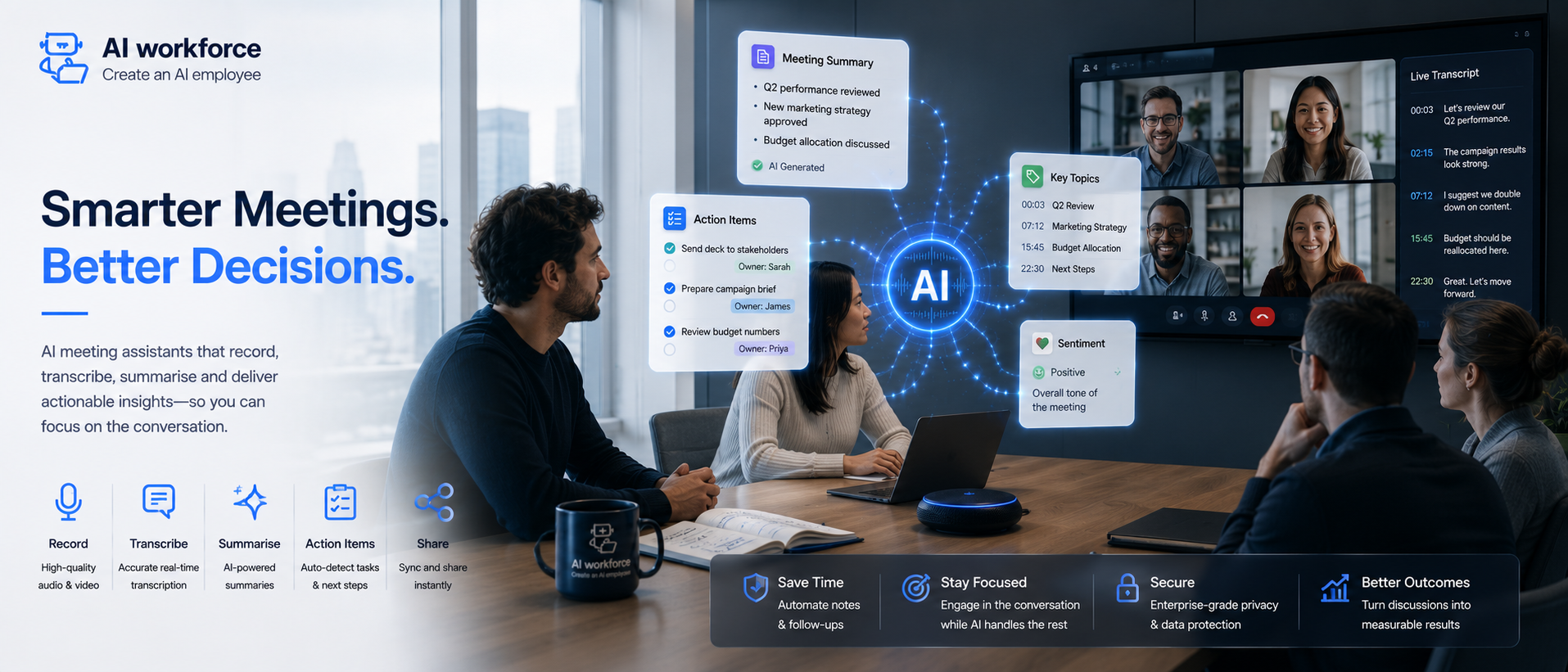
The best AI meeting assistants in 2026 are Otter, Fathom, Krisp, Read AI and tl;dv, but each suits a different use case. Otter is best for general meetings and searchable notes, Fathom is best for teams that want a genuinely capable free tier, Krisp is best for noisy calls and flexible capture, Read AI is best for meeting intelligence beyond transcription, and tl;dv is best for reviewing sales and research calls after the fact.
What is an AI meeting assistant? Software that joins a call, transcribes what is said, and turns that transcript into a structured summary, decisions and action items, which it can then push into a CRM, project tool or Slack channel. Pricing typically follows a per-user, per-recorded-user, per-minute or feature-tier model, and accuracy improves with custom vocabulary for names, jargon and acronyms. Deciding what gets recorded in the first place, and who reviews anything sent externally, should stay with a person.
At a Glance
An AI meeting assistant captures, transcribes and structures a meeting, then extracts actions and distributes them to the tools your team already uses
Not every meeting should be recorded. HR, legal, disciplinary and confidential commercial discussions need tighter controls or no recording at all
Transcription accuracy varies by tool, microphone quality, accent and background noise, though custom vocabulary can improve recognition of names and jargon
Pricing varies by model: per user, per recorded user, per minute, feature tier or enterprise quotation
UK GDPR applies directly to meeting recordings and transcripts, since they routinely contain identifiable personal information about attendees
Access and permissions matter as much as the tool itself: what gets recorded automatically, what needs manual activation, and what should never be recorded
Best AI Meeting Assistants at a Glance
Tool | Best for | Key strength | Free option |
|---|---|---|---|
Otter | General meetings and searchable notes | AI chat search across meeting history | Yes, capped minutes |
Fathom | Teams that want a genuinely capable free tier | Unlimited recording and transcription, free | Yes, unlimited recordings |
Krisp | Noisy calls and flexible capture | Noise cancellation combined with transcription | Free or trial tier, check current plan |
Read AI | Meeting intelligence beyond transcription | Engagement and participation analytics | Available on some plans |
tl;dv | Reviewing sales and research calls after the fact | One-click clip creation | Check current plan tiers |
Illustrative summary. Verify every feature and pricing detail directly with each vendor before choosing, since this market changes constantly.
What's Covered
How It Works
Cost, Governance and Rollout
What Is an AI Meeting Assistant?
An AI meeting assistant is software that joins a call, whether as a visible bot, through a desktop app, or through a platform-level integration, and converts the conversation into a searchable transcript, a summary and a set of extracted actions. Instead of someone splitting attention between listening and typing notes, the meeting is captured automatically, and what used to be several minutes of write-up after every call becomes a draft a person reviews in a fraction of that time.
Transcription quality has improved substantially over the past few years, but accuracy still varies by tool, microphone quality, background noise, accent, technical terminology and how much speakers talk over one another. Treat the transcript as a strong working record rather than assuming every word is correct, particularly for anything that will be quoted or relied on later.
In our experience, the most useful part of meeting automation is not the transcript itself. It is what happens immediately afterwards: correctly identifying decisions, assigning actions to the right person, and getting approved information into the systems where the team already works, without someone having to do that by hand.
AI Meeting Assistant vs Notetaker vs Meeting Intelligence
These three terms are often used interchangeably, but they describe different levels of capability, and knowing the difference helps when comparing tools.
AI notetaker: the narrowest category. Focused on producing a transcript and a basic summary from a recording, with limited analysis beyond that.
AI meeting assistant: transcribes, summarises, extracts action items, and typically integrates with a calendar, CRM or messaging tool to distribute what it produces, without a person copying it manually.
Meeting intelligence: the broadest category. Adds analysis across meetings over time, engagement patterns, talk-time balance, sentiment, and how a topic or decision has evolved across several calls with the same group.
Many products combine elements of note-taking, workflow assistance and meeting intelligence, although their capabilities vary by plan. The category label matters less than checking, for your own use case, whether a tool actually does what you need it to do beyond transcription.
If your requirement stops at transcription and summaries, an AI notetaker may be enough. If you need action extraction, CRM updates, follow-up workflows and cross-meeting intelligence, an AI meeting assistant is the broader category.
How to Choose the Best AI Meeting Assistant
Most of the criteria that actually decide which tool fits your business come down to seven things. Check each one against your own workflow before comparing headline pricing.
Transcription quality: how well it handles your typical call conditions, microphones, accents and background noise, not just a vendor's own advertised accuracy figure
Action-item accuracy: whether it correctly identifies decisions, owners and deadlines, or mainly produces a readable transcript
CRM integration: whether summaries and actions can be pushed into the CRM or project tool you already use, and how much manual copying that removes
Follow-up automation: whether it can draft a follow-up email for a person to review, rather than leaving that write-up to you
Capture method: whether it joins as a visible bot, captures audio locally, or integrates at the platform level, and whether that works for calls with external participants
Security and admin: SSO, role-based access, retention controls and a signed data processing agreement, particularly for a company-wide rollout
Pricing model: per user, per recorded user, per minute, feature tier or enterprise quotation, and which one actually matches how your team uses meetings
Test a shortlist of two or three tools against your own terminology, meeting types and integrations before committing to a paid plan across the whole business. For most small teams, the best approach is to trial two or three tools on the same real meetings and choose the one that requires the fewest corrections while fitting the systems you already use.
The 5 Best AI Meeting Assistant Tools in 2026
There is no single AI meeting assistant that is best for every business. The right choice depends on whether you prioritise searchable notes, a strong free plan, audio quality, meeting intelligence or post-call review. Based on the methodology below, these are five of the strongest options to consider in 2026. Verify current features and pricing directly with each vendor before choosing, since this market changes often.
Methodology: AI Workforce compared each platform using official product, integration, security and pricing documentation available in August 2026. We assessed platform compatibility, capture method, transcription and vocabulary features, summaries, action extraction, CRM workflows, security, administration and pricing. We did not rank a universal winner, and we did not test every integration hands-on.
Otter — Best for General Meetings and Searchable Notes
Otter was one of the first tools to make AI meeting notes mainstream, and remains strong on straightforward transcription accuracy and search across past calls. Its AI Chat feature lets you ask a question about a past meeting and get a direct answer, rather than scrolling through a transcript to find it. Otter's free Basic plan currently includes a capped number of transcription minutes per month, which is generous enough to judge real quality before paying, and its paid plans add team vocabulary, taggable speakers and CRM integrations with usage limits by tier.
Fathom — Best for a Genuinely Capable Free Tier
Fathom currently documents unlimited recordings and transcription on its free plan across Zoom, Google Meet and Microsoft Teams, with basic CRM sync (HubSpot, Salesforce, Close) included for up to three users per email domain. Advanced AI summaries beyond the first few calls each month, AI-generated action items, AI follow-up emails, and the "Ask Fathom" search feature currently sit behind the Premium plan. Check the current free-tier limits directly, since AI meeting assistant pricing and feature splits change frequently.
Krisp — Best for Noisy Calls and Flexible Capture
Krisp built its reputation on noise cancellation before expanding into meeting transcription, making it particularly relevant for teams where background noise and audio quality are recurring problems. Krisp offers both bot-based and bot-free capture, meaning it can transcribe without a visible participant joining the call, alongside conversation-level analytics such as talk-time ratios, useful for sales teams reviewing their own call performance.
Read AI — Best for Meeting Intelligence Beyond Transcription
Read AI positions itself around meeting intelligence rather than transcription alone. Its Engagement Score analyses talk time, sentiment and participation to rate how actively people contributed to a meeting, and it surfaces analytics a plain transcript would not show on its own, such as engagement heatmaps and talk-time balance across a call.
tl;dv — Best for Reviewing Sales and Research Calls
tl;dv is built more for teams that review calls after the fact: sales demos, user interviews, and situations where a specific clip matters more than the full recording. It supports Zoom, Google Meet and Microsoft Teams, offers one-click clip creation from any point in a transcript, and connects directly to CRM tools such as Salesforce and HubSpot for pushing meeting notes and next steps into existing sales records.
Verify every feature and pricing detail directly with each vendor immediately before publishing or purchasing, because this market changes constantly, and free-tier limits in particular are revised often.
The AI Workforce Meeting Lifecycle Framework
Most AI meeting assistants follow a similar underlying pattern, even where the interface looks different. We call this the AI Workforce Meeting Lifecycle Framework, and it is a useful way to check whether a tool, or a specific meeting, is actually a good fit for automation.
The six stages behind a well-configured AI meeting assistant. Human Review sits across Act and Sync, not as a separate stage.
Prepare: check attendees, agenda, permissions and integrations before the meeting starts
Capture: record and transcribe the approved meeting
Understand: identify decisions, questions, commitments and important moments
Summarise: produce a structured draft record, not just a wall of transcript text
Act: generate proposed actions, owners and follow-up drafts, reviewed by a person before anything consequential goes out
Sync: send approved information to CRM, tasks, calendar or messaging systems
A tool that jumps straight from Capture to Sync, with no review step across Act and Sync, is one to be cautious about, particularly for anything leaving the business or touching a customer relationship. Retention and continuous improvement, refining what the assistant gets right based on past corrections, are covered later in the governance and measurement sections.
What Can AI Meeting Assistants Automate?
It helps to separate this by task type rather than treating "AI meeting assistant" as a single capability.
Transcription and capture
Real-time transcription with speaker identification
Automatic joining once added to a calendar invite
Timestamps linking a note back to the exact moment it was said
Summaries and structure
A structured summary of what was discussed, not just a raw transcript
Identification of decisions made during the call
Highlighting of open questions or unresolved points
Actions and follow-up
Extraction of action items, owners and deadlines
Draft follow-up emails for a person to review and send
Flagging of commitments made out loud that might otherwise be forgotten
Search and archive
A searchable archive across months of past meetings
The ability to ask a question about a past call and get a direct answer rather than rewatching it
Context carried across recurring meetings with the same group
None of this requires the assistant to decide what a meeting meant. It requires the assistant to capture and structure the mechanical parts well, and hand anything requiring judgement back to a person, which is a very different, and more achievable, standard.
What Must Remain Human-Controlled?
Meeting assistants can easily cross the line from recording what happened to deciding what happened, and that distinction matters more than most tool comparisons acknowledge. We call this the Meeting Automation Boundary Matrix.
Illustrative starting point. Your own risk tolerance and the sensitivity of the meeting type should adjust where a task sits.
High automation, spot-checked: transcription, speaker identification, timestamps, draft summaries, searchable archives
AI prepares, a person approves: action items, CRM updates, follow-up emails, summaries shared outside the immediate meeting attendees
Human-led, mandatory verification: legal interpretation, HR matters, commercial commitments, complaints, confidential negotiations, disputed decisions
A meeting summary that stays inside the room it was created for is lower risk than the same summary forwarded externally, or used as the basis for a commercial commitment. The matrix is a starting filter, not a permanent classification. What sits in the top tier for a routine internal meeting may need to move down a tier entirely for a sensitive one.
Should Every Meeting Be Recorded?
No. This is one of the most important decisions a business makes when introducing an AI meeting assistant, and it is worth deciding deliberately rather than letting a tool record everything by default because it technically can.
Illustrative starting filter. Apply your own company recording policy to the meeting types below.
Before enabling auto-record, work through this in order: Is it routine operational work? If yes, are attendees informed? If yes, does it contain sensitive HR, legal or confidential material? If no, recording may be appropriate under your company policy. A "yes" at the sensitivity check, or a "no" at the routine or informed checks, means recording manually with informed consent, or not recording at all.
Some meeting types warrant excluding the assistant entirely, or applying tighter manual controls:
HR and disciplinary meetings
Grievance discussions
Legal advice
Board meetings
Confidential negotiations
Sensitive customer disputes or complaints
Redundancy discussions
Meetings involving health information
Commercially sensitive discussions, such as M&A
AI Workforce insight: the businesses that get this right tend to set the default for common meeting types once, in writing, rather than leaving the decision to whoever happens to be running the call that day.
Accuracy, Speakers, Accents and Custom Vocabulary
Transcription accuracy has improved substantially, but it is not a solved problem, and claims of a single accuracy figure across the whole market should be treated with caution. Individual vendors publish their own figures under specific test conditions. Krisp, for example, advertises real-time transcription accuracy of up to 96% for supported conditions, a figure it presents as a vendor claim describing its own product rather than an independent, category-wide benchmark.
In practice, accuracy varies by tool, microphone quality, background noise, accent, technical or industry-specific terminology, and how often people talk over one another. Treat the transcript as a strong working record rather than assuming every word is correct, especially for anything that will be quoted directly, used as evidence, or relied on for a commercial decision.
Can a Meeting Assistant Learn Industry Terminology?
Several established tools let you add custom vocabulary for terms they might otherwise mishear or mistranscribe. Coverage typically includes:
Custom names and company-specific vocabulary
Product terminology and technical or industry jargon
Acronyms specific to your sector
Speaker names, so transcripts attribute quotes correctly
Team-level dictionaries shared across a workspace, as well as individual dictionaries
Whether manual corrections feed back into future transcription accuracy
Otter's current pricing documentation, for example, lists team vocabulary and taggable speakers as features available on its paid Pro and Business plans, with the free Basic plan offering a smaller custom vocabulary allowance. Test a tool's vocabulary handling against your own terminology, acronyms and speaker names before a full rollout, since accuracy on generic English does not guarantee accuracy on your specific domain. Reviewing the summary and action items against your own memory of the call, particularly for consequential meetings, remains a sensible habit rather than an admission that the tool has failed.
CRM Updates, Action Tracking and Follow-Up Drafts
A meeting assistant that only produces a transcript solves half the problem. The bigger time saving comes from what happens to that transcript afterwards.
Can an AI meeting assistant update a CRM and draft follow-up? Yes. Some platforms can write approved summaries, action items and selected meeting fields into a CRM and prepare a follow-up email. Important commitments and customer-facing messages should be reviewed before they are saved or sent.
Extracting actions, owners and deadlines is only the first half of tracking them properly. Before relying on a tool for this, check:
Whether tasks are created automatically in a CRM or project tool, or only surfaced in a summary for someone to create manually
Where those tasks are tracked, and whether that matches where your team already works
How overdue actions are escalated, if at all
Whether ownership can be corrected when the assistant assigns the wrong person
What happens when no clear owner is identified during the call
Whether completed tasks sync back to the original meeting record
Some tools go further than a static summary, drafting a follow-up email automatically and flagging action items that need a specific person's attention, closer to the kind of admin support covered in our guide to the AI executive assistant, which focuses on leadership preparation and briefings rather than generic post-meeting automation. A summary delivered this way should be something a person would actually reread, short, specific and relevant, rather than an archived file nobody reopens. Where meeting actions feed into a broader agent-driven workflow, for example, an agent that acts on action items once they are logged, our guide on AI agents for small businesses covers how that kind of handoff is typically scoped.
Platform Compatibility
Most leading meeting assistants integrate with Zoom, Microsoft Teams and Google Meet, although the method varies between tools and can change. Some join as a visible bot participant, others capture audio locally or through a platform-specific integration, and some video conferencing platforms have begun applying additional security checks to third-party meeting bots. Check the current setup requirements for your specific platform and tool combination before relying on it, particularly if external participants will be on the call.
AI Meeting Assistant Pricing: How Much Do They Cost?
It depends on the pricing model: per user, per recorded user, per minute, feature tier, or a custom enterprise quotation. Compare providers on the model that matches how your team actually uses meetings, not just the lowest headline price.
AI meeting assistant pricing does not follow one single model. Understanding which model a provider uses matters as much as the headline monthly figure, since it changes how cost scales with your team.
Illustrative summary of common pricing structures. Confirm current pricing directly with each vendor before budgeting.
Pricing model | How it works | What to check |
|---|---|---|
Per user or seat | Monthly charge for every active user, whether or not they record every meeting | Minimum seat counts and guest or viewer access |
Per recorded user | Only users whose meetings are actually captured are charged | Viewer and manager licence differences |
Per minute or meeting | Usage-based charge tied to transcription volume | Overage rates and storage limits once included minutes run out |
Feature-tier pricing | Advanced summaries, CRM sync or admin controls require a higher plan | Exactly which capabilities are gated behind each tier |
Enterprise quotation | Custom pricing tied to security, retention, SSO and support requirements | Implementation timeline and contract terms |
As current examples, Otter prices its Pro plan per user per month with monthly recording-minute caps by tier, moving to a quoted Enterprise plan for SSO, SCIM and custom integrations, while Fathom prices per individual with a genuinely usable free tier and a flat Premium upgrade for advanced AI features. Krisp and other providers publish their own current tiers separately. For the broader cost of implementing AI tools across a business, including staff time and integration work, see our guide to AI automation pricing in the UK.
Enterprise Security, Administration and Retention
Businesses evaluating an AI meeting assistant at scale should look well beyond the headline transcription feature. Before rolling out across an organisation, check a provider's documentation for:
Single sign-on (SSO) and SCIM user provisioning
Role-based access controls for who can view, edit or export meeting content
Audit logs covering access, exports and configuration changes
Custom data retention settings, rather than an indefinite default
Data residency: where recordings, transcripts and derived data are actually stored
Encryption in transit and at rest
A signed data processing agreement covering the vendor's processing of your data
A published subprocessor list, so you know which further parties may handle the data
Admin controls over who can enable recording and who can distribute output automatically
Domain capture, so meetings tied to your organisation's accounts are consistently covered
Export and deletion tools that work at both the individual and organisation level
Legal hold or e-discovery support, where relevant to your sector
Otter's current documentation, for example, lists SSO, SCIM and domain capture as Enterprise-tier features, alongside enhanced admin activity logs and usage analytics available from its Business tier upward. Confirm the exact feature set and current terms directly with any vendor before an organisation-wide rollout, since enterprise feature availability changes between plans and over time.
UK GDPR and Meeting Governance
Meeting recordings, transcripts and summaries routinely contain identifiable personal information about the people on the call, and about anyone discussed during it. UK GDPR applies directly to that processing, in the same way it applies to any other processing of personal data.
Purpose. Be clear about why a meeting is being recorded and what the transcript or summary will be used for. Recording "just in case it's useful" is weaker ground than a defined purpose.
Transparency. Participants should be told clearly that the meeting is being recorded and transcribed, including where an AI meeting assistant is processing the recording to produce summaries or other outputs. If external parties are on the call, check whether their own policies permit an AI note-taker before it joins.
Data minimisation. Not every meeting needs recording. Where a quick verbal update or a routine catch-up does not need a searchable record, that is a reasonable case for leaving the assistant off.
Retention. Set a defined retention period for transcripts and recordings rather than an indefinite default, and apply it consistently.
Access. Be deliberate about who can search the meeting archive. A searchable knowledge base is only a benefit if access is appropriately controlled.
Vendor processing. Understand where the vendor processes and stores meeting data, and whether it is used to improve the vendor's own models. This should be confirmed in writing, not assumed from the product's marketing.
Deletion. Confirm the organisation can genuinely delete a recording or transcript on request, including from any vendor-side storage, not only from your own systems.
Recording and transcribing a meeting is additional processing that requires a defined purpose, an appropriate lawful basis and suitable transparency. The basis and safeguards should be assessed rather than assumed merely because the meeting itself is legitimate. Our dedicated guide to AI and GDPR compliance for UK businesses covers the underlying principles, lawful bases and vendor contract questions in more depth.
Compliance note: this is general information, not legal advice. Check current ICO guidance and take independent advice for anything that could materially affect customers, employees or other individuals.
Need Help Comparing Meeting Assistants?
AI Workforce can assess your meeting types, integration requirements and governance risks before you commit to a platform.
Worked Example: Sales Meeting to CRM to Follow-Up
To make this concrete, here is what a well-configured AI meeting assistant does across a single sales call, following the framework above. For how a rep prepares for and uses this kind of meeting output day to day, see our guide to the AI sales assistant.
A single sales call, shown against each stage of the workflow, with a person reviewing before anything reaches the customer.
10:00 — Meeting starts. The assistant joins automatically from the calendar invite and begins capturing the call.
10:46 — Meeting ends. A full transcript with speaker attribution is available within minutes.
10:47 — A structured summary is generated: discussion points, decisions, and any objections raised during the call.
10:48 — Action items are extracted: a pricing follow-up owned by the rep, a technical question routed to the solutions team, and a proposed next meeting date.
10:49 — The summary and actions are pushed into the CRM record for that account, without anyone copying and pasting.
Before sending — A person reviews the draft follow-up email the assistant has prepared, checking tone, accuracy and anything the transcript may have misheard.
10:52 — The reviewed follow-up email is sent to the customer.
Same day — The pricing follow-up and technical question are visible to the relevant colleagues as CRM tasks with owners and, where set, deadlines.
Ongoing — The call is now part of the searchable archive, so anyone preparing for the next meeting with this account can pull it up directly rather than asking the rep to recall it from memory.
Illustrative example. Actual time saved depends on meeting length, summary quality, integrations and the amount of correction required.
Building a Searchable Meeting Knowledge Base
A searchable archive turns months of calls into something genuinely useful, rather than a folder of recordings nobody reopens. A new hire can search meeting history from before they joined and get real context in minutes instead of asking around the team. An action item from three months ago stays findable with a simple search, rather than buried in someone's notebook or a channel nobody checks any more.
This benefit compounds over time, but it also raises the access question covered in the GDPR section above directly: a searchable archive is only a genuine benefit if the right people can search it and the wrong people cannot. Treat access control as part of setting up the archive, not an afterthought once it already contains months of sensitive content. A meeting assistant that distributes into a CRM, a task tool, and Slack is, in effect, one small piece of a wider digital workforce, where automation and AI handle the predictable parts of a workflow, and people retain the judgement calls. Everyday individual use of an assistant for notes and reminders is a different, narrower job than meeting capture; our guide to the AI personal assistant covers that distinction.
How to Measure an AI Meeting Assistant
The most useful signal is not how many meetings the assistant records, but whether it correctly identifies what actually matters from each one. We call this Action Capture Accuracy, the share of genuine decisions and action items from a meeting that the assistant correctly identifies, assigns and routes, out of everything the meeting actually produced.
Action capture accuracy and correction rate should always be read together, never alone.
This should always be read alongside a correction rate, how often a person has to fix, add or remove an action item the assistant produced, rather than judged on its own. A high action capture accuracy paired with a rising correction rate on distributed summaries is a sign the assistant is being trusted with more than its current reliability supports. A low action capture accuracy, where people are still writing their own notes as a backup, is a sign the tool is not yet earning the trust it needs to actually save time.
Reviewing both figures every few weeks, alongside a periodic spot check of automatically distributed summaries against the original recording, gives a far more honest picture than judging a new tool by how polished its interface looks in the first few days.
Common Mistakes
Common mistakes to avoid: recording every meeting by default without deciding which types should be excluded, treating the transcript as a verbatim legal record without spot-checking it, giving every employee unrestricted access to the searchable archive, sending an AI-drafted follow-up externally without a person reviewing it first, not telling external participants an AI note-taker is joining the call, skipping custom vocabulary setup for names and jargon the tool will otherwise mishear, and never reviewing correction patterns to see where the assistant is consistently getting things wrong.
A Four-Week Rollout
If you are still deciding whether this is the right moment to introduce an AI meeting assistant, our AI readiness assessment is a useful starting point before committing to the rollout below. Before expanding what the assistant can distribute automatically, it also helps to document its responsibilities, boundaries and escalation rules in writing. Our guide to writing an AI agent brief explains how to structure those instructions.
Week one: decide which meeting types are automatically recorded, which need manual activation, and which are excluded entirely. Connect the tool to one team's calendar only.
Week two: review the transcripts, summaries and extracted actions it produced. Add custom vocabulary for names and jargon it consistently mishears, and note where the assistant still struggles.
Week three: extend to automatic CRM or Slack distribution for internal summaries only, keeping anything customer-facing in draft-only mode for a person to review before sending.
Week four: review action capture accuracy and correction rate together, decide whether to extend distribution permissions, and set a recurring review date rather than leaving the configuration to run indefinitely unreviewed.
Sources and Further Reading
Otter: Pricing and Plan Comparison
Read AI: Pricing and Plan Comparison
tl;dv: Pricing and Plan Comparison
Fathom: Free vs Premium Plan Comparison
Named-tool features, pricing and accuracy figures referenced in this guide are vendor-published and change frequently. Confirm current details directly on each provider's own documentation before choosing.
Sources reviewed and current as of August 2026.
Frequently Asked Questions
What is the best AI meeting assistant?
There is no single universal winner; the right choice depends on your use case. Otter suits general meetings and searchable notes, Fathom suits teams wanting a genuinely capable free tier, Krisp suits noisy calls and flexible capture, Read AI suits meeting intelligence beyond transcription, and tl;dv suits reviewing sales and research calls after the fact.
What should I look for in an AI meeting assistant?
Check transcription quality against your own call conditions, action-item accuracy, CRM integration, follow-up automation, capture method, security and admin controls, and which pricing model matches how your team actually uses meetings, rather than choosing on headline price alone.
Do I need an AI meeting assistant on every call?
No. Save it for calls where a summary and action items genuinely matter: client calls, planning sessions, and anything you would want to reference later. A quick informal catch-up rarely needs a full transcript.
Is an AI meeting assistant safe for sensitive conversations?
Not by default. Most tools let you pause recording or exclude specific meetings entirely, and this should be standard practice for HR, legal, disciplinary and confidential commercial discussions, not an occasional exception.
Do Zoom, Teams and Google Meet all support AI meeting assistants the same way?
Most leading meeting assistants integrate with all three, although the method varies between tools and can change. Some join as a visible participant, others capture audio locally or through a platform-specific integration, and some video conferencing platforms have begun applying additional security checks to third-party bots. Check the current setup requirements for your specific platform and tool combination before relying on it.
How accurate are AI meeting transcriptions?
It varies by tool, microphone quality, background noise, accent and how often speakers talk over one another. Individual vendors publish their own accuracy figures under specific conditions; treat the transcript as a strong working record rather than a verbatim guarantee.
Can a meeting assistant learn our terminology?
Several established tools support custom vocabulary for names, jargon and acronyms, although availability and limits vary by provider and plan. Test this against your own terminology before a full rollout.
How much does an AI meeting assistant cost?
It depends on the pricing model: per user, per recorded user, per minute, feature tier, or a custom enterprise quotation. Compare providers on the model that matches how your team actually uses meetings, not just the lowest headline price.
Is there a genuinely good free AI meeting assistant?
Several established tools offer a free tier generous enough to judge real quality, not just a crippled trial. Testing two or three before committing to a paid plan is a reasonable way to find the right fit, though free-tier limits change often and are worth checking directly.
Does UK GDPR apply to AI meeting transcripts?
Yes. A transcript is personal data when it identifies people. Recording, transcribing and analysing a meeting are additional processing activities that require a defined purpose, an appropriate lawful basis and clear information for participants. The lawful basis may relate to the wider meeting purpose, but it should be assessed and documented rather than assumed.
Can an AI meeting assistant update our CRM automatically?
Yes, many tools push summaries and action items directly into CRM platforms such as Salesforce or HubSpot. Whether this should happen automatically or go through a review step first depends on how consequential the content is and who else can see it.
What should never be automated in meeting notes?
Legal interpretation, HR matters, commercial commitments, complaints, confidential negotiations and disputed decisions should stay human-led, with the assistant, at most, providing a draft for a person to check rather than acting alone.
Key Takeaways
The best AI meeting assistant depends on use case: Otter for general meetings, Fathom for a free tier, Krisp for noisy calls, Read AI for meeting intelligence, tl;dv for sales and research review
An AI meeting assistant captures, transcribes, structures and distributes meeting content, but deciding what a decision means still needs a person
Not every meeting should be recorded. Decide deliberately which types are automatic, which need manual activation, and which are excluded entirely
Transcription accuracy varies by tool, microphone, accent and background noise, and custom vocabulary can meaningfully improve results for names and jargon
Pricing follows different models, per user, per recorded user, per minute, feature tier or enterprise quotation, so compare on the model that fits your team
UK GDPR applies directly to meeting recordings and transcripts, including clear transparency to participants about the recording and how an AI assistant processes it
The Meeting Automation Boundary Matrix separates high-automation tasks like transcription from human-led ones like legal interpretation and HR matters
Enterprise rollouts should check SSO, role-based access, audit logs, data residency and retention controls, not just the headline transcription feature
Measure action capture accuracy alongside a correction rate, not meetings recorded alone
Verify every tool's features and pricing directly before choosing, since this market changes constantly
About the Author and Reviewer
Clara Miller is a Content Marketing Specialist at AI Workforce, where she researches and writes about business automation and AI adoption for UK small and medium-sized businesses, drawing on vendor documentation, regulatory guidance and direct testing of the tools she covers.
Rodi Taze is Co-Founder of AI Workforce, with operational experience implementing AI workflows, including meeting automation, CRM integration and governance controls, for client businesses. This article was reviewed for product accuracy, governance considerations, implementation practicality and commercial relevance.
Not Sure Which Meetings Should Be Automated?
We'll help you identify which meeting types are suitable for AI capture, where human review should remain, and what to check before connecting a meeting assistant to your business.
Related Guides
Reviewed: August 2026