How to Reduce Admin Work With AI: A UK Small Business Guide
Posted On: August 15, 2026
Written by Luca Controlo, AI Adoption and Marketing Automation Lead at AI Workforce · Reviewed by Rodi Taze, Co-Founder of AI Workforce · Last updated: September 2026
Quick Answer
AI can reduce admin work in a small business by drafting routine emails, summarising meetings, extracting information from documents, updating business systems and preparing follow-ups. The safest approach is to automate one repetitive, rules-based task at a time while retaining human review for payments, sensitive information, complaints and decisions that could materially affect a customer or employee.
At a Glance
Among UK businesses already using or planning to use AI, administration is one of the most commonly identified areas of application.
AI works best on repeatable, high-volume, low-risk tasks, not on judgement calls.
A simple scoring method helps identify which admin task to automate first.
AI should prepare actions such as drafts and reminders; a person should approve anything consequential.
UK data protection rules apply in full when personal information passes through an AI tool.
Time saved through automation is a capacity gain, not automatically a cash saving.
What's Covered
Understanding the Problem
Method and Application
Cost and Measurement
Governance and Reference
A significant part of a small-business owner's working week can disappear into routine administration: invoices, follow-up emails, meeting notes, enquiry replies, spreadsheet updates. Much of it does not directly generate revenue, even though it remains necessary for the business to operate. AI is changing how much of that work a person has to do by hand. UK businesses are already using AI for activities such as summarising information, drafting correspondence and improving administrative processes, and this guide sets out how small businesses can approach it safely.
This guide is worth reading because it goes beyond "use AI tools" advice. It sets out a repeatable method for choosing which admin task to automate first, draws a clear line between tasks AI can prepare and tasks that need human approval, and works through UK examples so the numbers are grounded rather than abstract.
What Counts as Admin Work in a Small Business?
Admin work covers the recurring operational tasks that keep a business running but are not usually the primary revenue-generating activity: data entry, scheduling, invoice processing, replying to routine enquiries, updating a spreadsheet, filing documents, and chasing people for information. In most small businesses, this administrative work is spread across whoever has time, which often means the business owner handles it outside normal working hours.
The problem is not that admin work is difficult. It is that it is repetitive and slow when done manually. A single admin task, such as updating a CRM after a call, might take two minutes. Multiply that by every call, every week, and it becomes a meaningful share of the working day. This problem is particularly visible in sales teams, where CRM updates, disconnected systems and repetitive admin can consume selling capacity; our guide to why sales teams waste time breaks down where that time goes. This is the kind of repeated work that AI tools are well suited to taking off a business owner's plate.
Why Does Admin Work Become Such a Big Burden for Small Businesses?
Small businesses rarely have a dedicated admin team. Administrative tasks get absorbed by whoever is available, often the owner or someone in a customer-facing role who should be spending their time elsewhere. This creates an administrative burden that grows quietly until it becomes a genuine constraint on business growth.
The burden is heavier for service businesses and B2B businesses, where every enquiry, quote and follow-up requires manual admin: checking a mailbox, updating a spreadsheet, drafting a reply, then repeating the process for the next contact. DSIT research found that 72% of UK businesses already using or planning to use AI identified administration as a current or planned area of application, and that businesses reporting productivity improvements frequently linked them to a reduction in repetitive or administrative work.
The AI Workforce Admin Reduction Method
Choosing the right task to automate first matters more than choosing the most impressive AI tool. AI Workforce uses a six-step method to bring some structure to that decision.
List: record recurring administrative tasks for one working week.
Score: assess each task by time spent, frequency, predictability and risk.
Select: choose one high-volume, low-risk task to start with.
Pilot: test it with human approval before allowing any automatic action.
Measure: compare time, cost, error rate and completion quality against the baseline.
Expand: automate adjacent steps only once the first workflow is reliable.
The scoring step is where most businesses go wrong, usually by picking the task that looks most exciting to automate rather than the one that scores best against the criteria below.
Factor | Lower-priority task | Strong automation candidate |
|---|---|---|
Frequency | Occasional | Daily or weekly |
Process | Changes frequently | Follows repeatable steps |
Input | Highly inconsistent | Generally recognisable |
Consequence of error | Financial or sensitive | Easily corrected |
Human judgement | Central to the task | Needed mainly for exceptions |
A task that scores well across most of these factors, such as drafting a first response to a routine enquiry, is a far safer starting point than a task that scores badly on several, such as agreeing contract terms. For more examples to score against this framework, our Small Business Automation Ideas guide covers practical workflows including invoice reminders, lead acknowledgement, appointment reminders and CRM updates.
How Can AI Reduce Admin Work Day to Day?
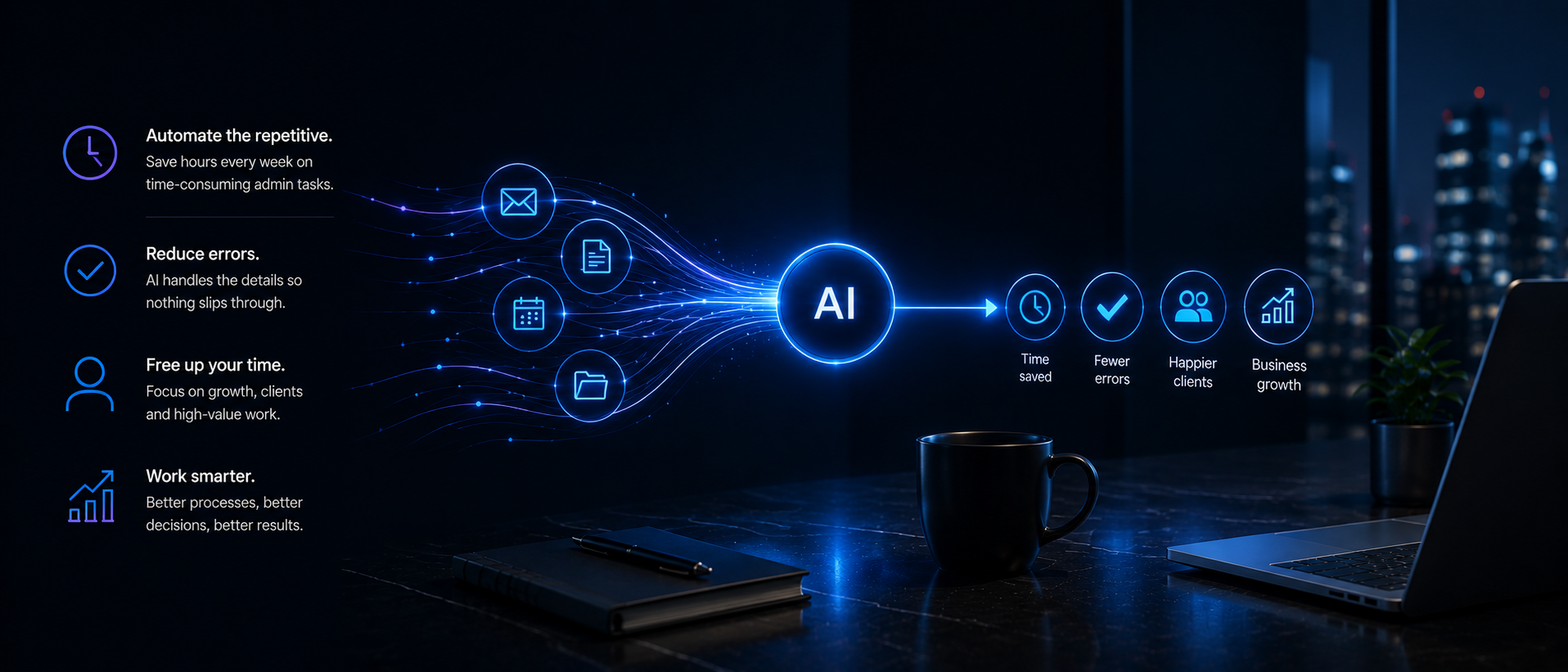
AI can reduce admin work by handling the repetitive steps that sit in front of a decision: drafting routine emails, summarising long threads, organising incoming enquiries, and flagging missing information before it becomes a problem. Rather than replacing judgement, AI in this context removes the mechanical work that a person would otherwise do before making a call.
If email is one of the main sources of admin workload, our guide to the best AI email assistants compares 15 tools for inbox triage, drafting, summarisation, follow-ups and Gmail or Outlook integration.
A good AI assistant can read an inbox, classify each enquiry, draft a first response, and hand the final decision back to a person.
If the workload extends beyond inbox management into scheduling, meeting preparation and cross-tool administration, our guide to AI executive assistant tools compares the main options and use cases.
AI handles the repeatable first steps, while a person reviews the result and manages exceptions, rather than AI quietly making the final call. Used this way, AI can help reduce the time spent on the parts of the job nobody enjoys without removing the oversight a small business still needs.
Which Admin Tasks Should Not Be Fully Automated?
Some admin tasks are suitable for substantial automation. Others should stop at a draft or a flagged item, with a person making the final decision. The distinction that matters most is between AI preparing an action and AI executing it.
Suitable starting tasks: meeting summaries, routine email drafting, enquiry classification, extracting information and preparing validated CRM updates, document extraction, appointment reminders, invoice and payment-reminder preparation, internal task creation.
Tasks requiring approval or escalation: sending or changing invoices, making payments, changing customer records, handling complaints, processing health, financial or other sensitive information, making employment decisions, agreeing contracts or commercial terms, deleting records, sending unusual or high-value communications.
The Small Business Commissioner's guidance on using AI for payment administration reflects this same boundary: AI can prepare invoice reminders and prioritise payment-related emails, but a person should still review outputs for accuracy and tone before anything goes out.
Not Sure Which Admin Tasks to Automate First?
Take the AI Readiness Assessment.
How Do You Use AI to Manage Enquiries and Follow-Ups?
Every small business deals with a stream of enquiries that need a fast response, and a slow reply can allow a potential lead to lose interest or choose another provider. Use AI to read incoming enquiries, sort them by urgency or type, and draft a first response automatically, so the business owner is reviewing a suggested answer rather than starting from a blank page.
Follow-up is where this becomes even more valuable. AI tools can track who has not replied, draft a polite follow-up message, and queue it for approval, which means fewer enquiries fall through the cracks simply because nobody had time to chase them. Faster response times, driven by automation rather than a bigger team, are one of the clearest returns a small business gets from adopting AI for this kind of repetitive work.
Worked Example: What Could Automation Actually Save?
A small consultancy spends eight hours a week processing enquiries, updating its CRM and preparing follow-ups. At a fully loaded cost of £25 an hour, that task costs 8 × 52 × £25 = £10,400 a year.
If AI reduces the manual portion of the work to three hours a week, the remaining human review and exception-handling cost becomes 3 × 52 × £25 = £3,900 a year. The AI workflow costs £2,400 annually for its subscription, usage and ongoing maintenance, bringing the ongoing AI-assisted cost to £6,300, against the original £10,400. Any one-off setup or integration expenditure should be added separately when calculating the first-year result.
That releases capacity worth approximately £4,100 a year. It is not automatically a cash saving: it becomes cashable only if the business reduces overtime, contractor spending or another current cost. For the full method behind this kind of calculation, including how to separate cash savings from capacity gains, see our guide to AI vs Employee Cost. Businesses weighing up the wider investment in AI tools for a small business should apply this same distinction across every task under consideration.
A Second Worked Example: A Small Team Rather Than a Solo Operator
The single-person example above understates the case for many small businesses, where several people each lose smaller amounts of time to admin across the week. A five-person service business where each person spends roughly five hours a week on admin, scheduling, status updates, document chasing and basic correspondence, at a blended fully loaded cost of £22 an hour, totals 5 × 5 × 52 × £22 = £28,600 a year.
If AI-assisted drafting, summarisation and follow-up automation cut that shared admin load to two hours a person per week, the remaining human time costs 5 × 2 × 52 × £22 = £11,440 a year. For illustration, assume the shared AI admin workflow across the team, covering email drafting, meeting summaries and CRM updates, costs £4,800 a year for tooling, integration and light ongoing maintenance across five users, well under the value of the time it frees.
That puts the ongoing AI-assisted cost at £16,240 against the original £28,600, a released capacity of roughly £12,360 a year. As with the solo example, this is a capacity gain rather than an automatic cash saving until the business redirects that time into billable work, reduces overtime, or avoids a hire it would otherwise have needed. The team-wide version also tends to surface a second benefit the solo example does not: more consistent admin quality across the team, since everyone is working from the same drafting and summarisation workflow rather than their own individual habits.
How Should Savings Be Measured?
Measuring the value of admin automation properly means comparing the same task before and after, using a consistent method rather than a general impression that "things feel faster." Track the time spent on the task, the direct cost of the AI tool, and the error or rework rate, both before automation and after a pilot period.
A simple, well-defined workflow may begin producing time savings quickly, although reliable automation usually requires testing and adjustment before it can be trusted to operate with approval or exception controls rather than close supervision. The UK Business Data Survey found that summarising information and drafting reports or correspondence were among the most common uses businesses reported for AI, but also that only a minority of AI-using businesses had fully integrated AI into their existing systems, which is exactly the gap the measurement step is meant to close.
UK Data Protection and Security
Connecting an AI tool to an inbox, CRM or finance system is not risk-free, and UK data protection rules apply in full whenever personal information passes through an AI system. Before rolling out a new AI tool, a small business should:
Check whether emails, recordings or documents being processed contain personal information.
Review the supplier's data-processing agreement.
Check where information is stored and processed.
Review retention and deletion settings.
Confirm whether submitted information is used for model training.
Use approved business accounts rather than personal AI accounts for anything involving customer or supplier data.
Limit access to connected inboxes, CRMs and finance systems to what each tool actually needs.
Keep human approval in place for any consequential action, such as a payment or a record change.
Inform meeting participants when transcription or recording is being used.
Verify extracted invoice and payment details before acting on them.
Remove access when a tool is no longer required.
This is not a substitute for full legal advice, but a small business should treat AI access to customer or financial data with the same care it would apply to giving a new member of staff that same access. The Information Commissioner's Office publishes detailed guidance on applying UK GDPR principles to AI systems for businesses that want to go further.
Common Mistakes When Automating Admin Work
The most common mistake is automating a broken process. If a workflow is inconsistent or poorly defined, adding AI on top of it will only produce the same mistake faster and at greater scale. Fixing the process first, then applying AI, produces far better results than automating a workflow nobody has reviewed in years.
The second common mistake is trying to automate too much at once, buying a broad AI agent platform that promises to handle every admin task and never gets fully configured for any of them. The third is skipping the measurement step: without a before-and-after comparison, it is easy to assume a tool is saving time when it is really just moving the same work to a different part of the day.
FAQs
Can AI fully replace admin staff in a small business?
Rarely. AI is best suited to automating specific repetitive tasks within a role, such as drafting emails or updating records, while a person retains responsibility for judgement calls, exceptions and anything consequential.
Is it safe to connect AI tools to a business inbox or CRM?
It can be, but the business should assess the supplier's security, data-processing terms, retention settings and use of submitted information. Access should be limited to what the tool needs, approved business accounts should be used, and consequential actions should retain human approval. UK data protection obligations continue to apply.
How do I know which admin task to automate first?
Score each recurring task by frequency, predictability, consequence of error and how much genuine judgement it requires. Start with the task that is frequent, predictable, low-risk and needs the least judgement.
How long does it typically take to see results from admin automation?
A well-scoped pilot on a single task, such as enquiry triage or meeting summaries, often shows a measurable time difference within two to four weeks. A team-wide rollout across several workflows usually needs a full pilot-and-measure cycle on each task before results across the whole team become reliable.
Should a small business build a custom AI workflow or buy an off-the-shelf tool?
Off-the-shelf tools are usually the faster and lower-risk starting point for a single, well-defined task such as email drafting or meeting notes. A custom workflow becomes worth considering once several tools need to work together around one process, since that is where integration effort and ongoing maintenance start to matter more than the underlying AI capability itself.
What happens if the AI gets an admin task wrong?
This is exactly why suitable starting tasks stop at a draft, summary or flagged item rather than an executed action. A wrong draft costs a moment of editing; a wrong invoice sent automatically costs a lot more. Keeping human approval on anything consequential is what keeps the downside of an AI mistake small while the pilot is still being tested.
Want to reduce the time your business spends on repetitive admin?
Get help identifying and prioritising the right workflows.
Key Things to Remember
Admin work in a small business is repetitive and slow to do manually, which makes it a strong candidate for automation, though not all of it is genuinely low-value.
Use the List, Score, Select, Pilot, Measure, Expand method to choose which admin task to automate first, rather than picking the most exciting-looking tool.
AI should prepare actions such as drafts, summaries and reminders; a person should approve anything consequential, such as a payment or a record change.
A worked comparison of human task cost against AI-assisted cost shows whether automation produces a capacity gain or a genuine cash saving, whether for one person or a whole team.
UK data protection rules apply in full when personal information passes through an AI tool, so access should be limited and outputs checked.
Fix a broken process before automating it, since AI will only speed up existing mistakes otherwise.
The clearest payoff is freed-up time for higher-value work, not the complete elimination of administrative work.
Sources and Further Reading
Small Business Commissioner: Using AI to outrun late payments
Related reading: AI for Small Business · AI Automation Pricing UK · AI Productivity in the UK · Cost of AI for UK Small Businesses · AI vs Employee Cost · AI Agent Cost · AI Readiness Assessment · AI and GDPR · AI Workforce pricing
Want to Reduce the Time Your Business Spends on Repetitive Admin?
Get help identifying and prioritising the right workflows.
About the Author
Luca Controlo is AI Adoption and Marketing Automation Lead at AI Workforce. Luca researched the administrative workflows, automation opportunities and implementation methodology covered in this guide.
About the Reviewer
Reviewed by Rodi Taze, Co-Founder of AI Workforce. Rodi reviewed the implementation advice, business-process boundaries and human-oversight recommendations.
Reviewed September 2026.