AI Personal Assistant: What It Can Do and How to Choose One
Posted On: July 31, 2026
Last updated: August 2026 · Written by Seth Ayush · Reviewed by Rodi Taze, Co-Founder of AI Workforce
Quick Answer
An AI personal assistant is software that helps an individual organise and complete everyday tasks such as drafting emails, managing a calendar, setting reminders, summarising information and preparing for meetings. Some assistants can take approved actions through connected apps, but important correspondence, financial commitments, confidential decisions and destructive actions should remain under human control.
This guide compares the AI personal assistant options built into everyday tools, ChatGPT, Claude, Gemini and Copilot among them, and covers what they can realistically do with your inbox, calendar and daily tasks. It does not cover coding assistants, marketing automation or multi-system AI agents in detail; those are separate categories. If you're comparing AI across a wider range of business needs, our Best AI Tools for Small Business UK guide covers assistants, workflow automation, marketing, coding, meetings, customer service and phone reception in one comparison.
At a Glance
What it is: software that helps an individual organise and complete everyday tasks, drafting emails, managing a calendar, tracking reminders and summarising information
Best suited to: anyone managing their own inbox, schedule and task list who wants routine admin handled faster without hiring extra support
What it is not: an executive-support system for leadership scheduling and stakeholder briefings, a coding assistant, or an autonomous multi-system agent; those are separate categories
Core value: less time on routine admin, faster first drafts, and fewer things forgotten
Biggest risk: granting broad email, calendar or document access before understanding what the tool can see, retain and act on
What's Covered
Fundamentals
Everyday Use Cases
Comparing Tools
Risk and Control
What Is an AI Personal Assistant?
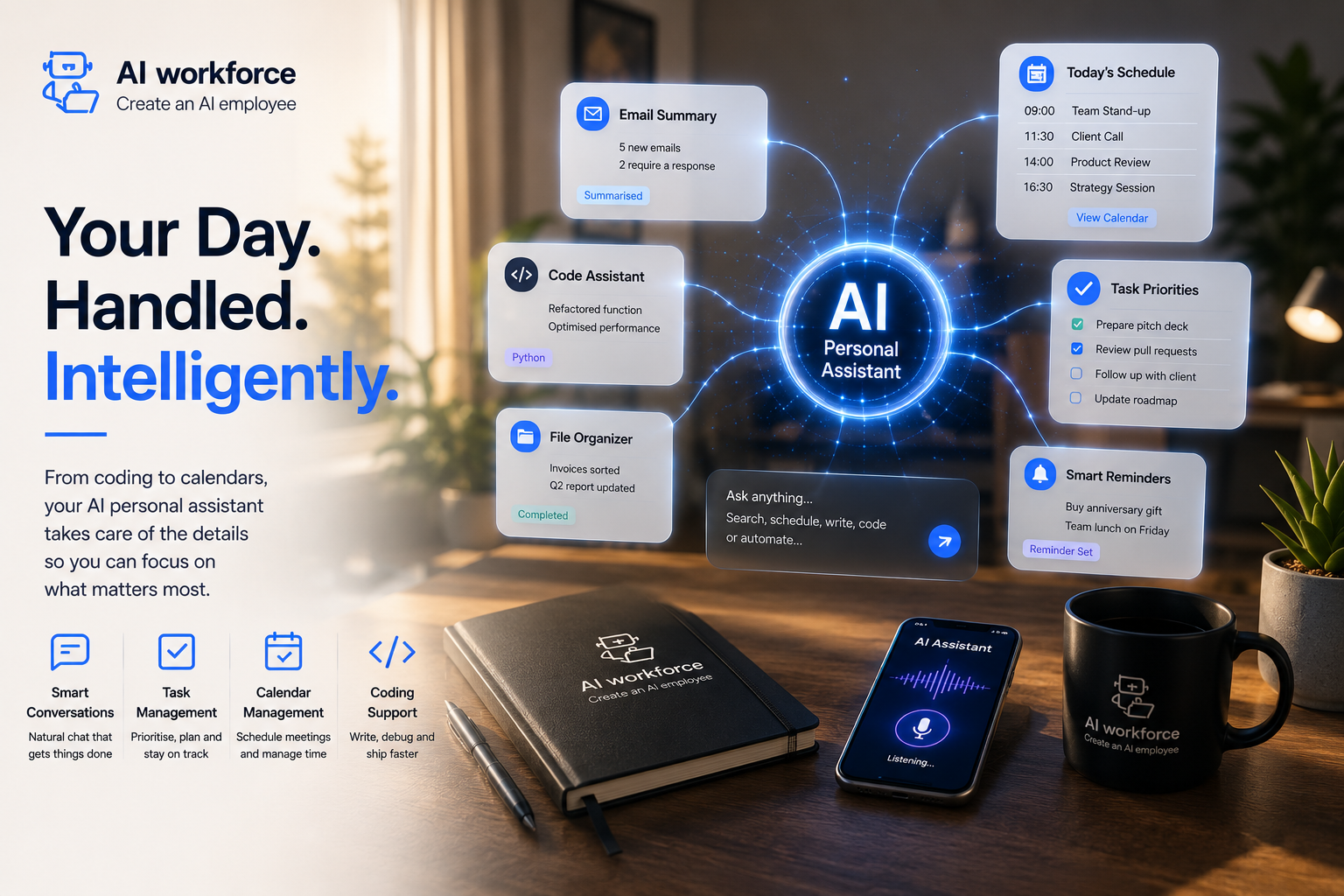
An AI personal assistant can go beyond answering a question by helping complete an everyday task, although its ability to take actions depends on its integrations and permissions. That follow-through, chaining a few small steps together such as checking a calendar, drafting a reply and confirming a booking, is what separates an assistant from a plain chatbot.
Most personal assistants are still fundamentally conversational: built to be asked rather than to act entirely on their own, though the more capable tools increasingly work out the steps themselves once given a goal, where the necessary integration exists.
AI Personal Assistant vs Chatbot vs Executive Assistant vs AI Agent
These terms get used loosely, which makes it harder to know what you are actually evaluating. The table below separates them by primary purpose and typical autonomy.
Type | Primary purpose | Typical level of autonomy |
|---|---|---|
Chatbot | Answers questions and generates content in a conversation | Normally responds to individual prompts |
AI personal assistant | Helps organise and complete everyday individual tasks | May retrieve information, draft and take approved actions |
AI executive assistant | Supports leaders with executive schedules, briefings and stakeholder workflows | May manage defined leadership-support processes |
AI agent | Executes defined multistep workflows across connected systems | Greater operational autonomy within permissions |
These categories overlap in practice and are not absolute product boundaries; the same underlying model often powers more than one of them. An AI personal assistant organises an individual's everyday tasks. An AI executive assistant is designed around leadership responsibilities, executive scheduling, stakeholder context and business briefing workflows, which this guide does not cover in depth. Where a tool starts executing multistep workflows across several connected systems with less direct oversight, it moves closer to an AI agent, covered separately.
What Can an AI Personal Assistant Do?
The best tools for everyday use tend to share a few traits: fast responses, a genuinely useful memory of past requests, and integration with the apps you already use rather than a walled garden. Not every assistant needs to be the most advanced option available to be useful; sometimes the simplest tool handles most of what you actually need.
Common everyday uses include drafting and triaging email, managing a calendar and reminders, summarising documents or long threads, preparing brief notes ahead of a meeting, and answering quick research questions. None of this replaces a person entirely: judgement calls, relationships and anything genuinely ambiguous still need a human. Many routine requests, however, can now be drafted or prepared without a person completing every step manually.
The AI Workforce Capture-Prioritise-Prepare-Assist-Remind-Escalate Framework
This framework separates what a personal assistant does at each stage of everyday task management from what stays a human decision, so useful automation never quietly expands into unsupervised action on anything sensitive.
Stage | Assistant role | Human control |
|---|---|---|
Capture | Collects tasks, notes, messages and deadlines | Chooses what information can be accessed |
Prioritise | Suggests what needs attention first | Confirms importance and urgency |
Prepare | Produces summaries, drafts and meeting context | Checks accuracy and appropriateness |
Assist | Helps complete routine administrative work | Approves important external actions |
Remind | Tracks deadlines, follow-ups and commitments | Decides whether priorities have changed |
Escalate | Stops and asks when a request is sensitive or ambiguous | Makes the final decision |
Illustrative framework. The assistant prepares and assists; the person decides, approves and controls anything sensitive.
How Can It Help With Inbox and Email?
Inbox management is one of the clearest everyday wins: drafting replies to routine messages, triaging what has landed overnight, and flagging anything that genuinely needs attention first. You can ask an assistant to write in a specific tone, formal for a client, casual for a teammate, and to summarise a long thread into a few lines before you even open it.
If email is the main part of your workload, our guide to the best AI email assistants compares 15 tools for inbox triage, drafting, summarisation, follow-ups and Gmail or Outlook integration.
A useful pattern is to keep the assistant on draft-only for anything external at first, reviewing and sending yourself until you trust its tone and accuracy for your particular contacts and context.
How Can It Manage Calendars, Tasks and Reminders?
Calendar and time management is where a good assistant tends to save the most daily friction. With suitable calendar integration and permissions, some assistants can turn a natural-language request into a proposed or confirmed calendar event, with conflicts flagged before you double-book yourself. Scheduling stops needing manual back-and-forth over email once an assistant can see your actual availability.
Time-zone handling has also improved: a meeting scheduled across zones now shows the correct local time to everyone involved without anyone doing the maths by hand. Reminders and simple task tracking work similarly, surfacing what is coming due rather than relying on memory.
How Can It Support Research, Summaries and Meeting Preparation?
Assistants are well suited to quick research questions, condensing a long document into a short summary, or pulling together brief notes ahead of a meeting so you are not starting cold. A short meeting-preparation summary, drawn from past notes and any relevant documents, is a genuinely useful everyday output.
Detailed call and meeting recording, live transcription, participant consent and platform-specific comparisons are covered in more depth in our AI meeting assistant guide, since that is a distinct category with its own privacy considerations.
Which Types of AI Personal Assistant Are Available?
Personal assistants broadly fall into a few groups: general-purpose chat assistants such as ChatGPT, Claude and Gemini that work across almost any request; voice assistants such as Siri and Google Assistant built for hands-free use; and productivity-suite assistants such as Microsoft Copilot and Google Workspace's built-in AI, which live inside the documents, email and calendar you already use rather than as a separate destination.
Google Workspace bakes AI assistance directly into Docs, Sheets and Gmail, so the same tools you already use get access to it without switching apps. Microsoft 365 takes a similar approach from the other direction, with Copilot available inside Word, Excel and Teams rather than requiring you to copy content elsewhere first. Native integration tends to reduce the friction of switching between a chat window and the document or inbox you are actually working in, though exact capabilities depend on your specific plan and licence.
Siri and Google Assistant remain useful for voice-first tasks such as timers, reminders, basic questions and supported device controls, although their capabilities vary by device, region and software version.
How Do ChatGPT, Claude, Gemini and Copilot Differ?
Methodology: AI Workforce compared each provider using official product, integration and pricing documentation available in August 2026. We assessed ecosystem positioning, email and calendar connectivity, free availability, and paid-plan requirements. We did not rank an overall winner because functionality varies by account type, region and connected application, and AI Workforce did not test every integration hands-on.
Tool | Ecosystem positioning | Calendar and email actions | Free option | What to check before relying on it |
|---|---|---|---|---|
ChatGPT | Standalone assistant with an expanding app and integration ecosystem | Depends on the connected app, plan, region and confirmation settings | Yes, with usage limits on the free plan | Which apps are available on your plan and in your region, and what data and actions each app can access |
Claude | Standalone assistant with supported integrations on eligible plans | Depends on the connected app, plan, region and confirmation settings | Yes, with usage limits on the free plan | Whether the integration you need is available on your plan, and the usage limits for your typical task size |
Gemini | Google Assistant with functionality across eligible Google services and plans | Depends on the connected Google account, plan and region | Yes, with usage limits on the free plan | Whether you are on a personal Google Account or a Workspace account, since settings differ |
Microsoft Copilot | Microsoft assistant available through consumer and Microsoft 365 offerings | Depends on the connected Microsoft 365 account, licence and plan | A free tier exists; deeper Word, Excel, Outlook and Teams integration typically requires a Microsoft 365 Copilot licence | Which Microsoft 365 product and licence tier is required for the specific features you want |
There is no universal winner here; the right choice depends more on which ecosystem your email, calendar and documents already live in than on any single feature. Paid tiers generally add higher usage limits and, on some plans, deeper integration or priority access, but exact terms vary by provider, region and account type and change over time, so confirm current details directly on each provider's own site before subscribing.
How Should You Choose an Assistant?
Start with the ecosystem you already use for email, calendar and documents rather than picking a tool in isolation
Test the free tier on your actual daily tasks before paying for anything
Check which specific permissions it needs, and whether you can grant read-only access before write access
Confirm the tone and quality of drafted replies against your own writing before trusting it with real contacts
Look for a clear way to review, undo or turn off any action it takes
What Should You Connect It To?
Connect one thing at a time rather than granting broad access up front. Email and calendar cover most everyday value on their own; documents and contacts add capability but also add exposure, so they are worth connecting only once you trust how the assistant handles the first two.
Connection | Benefit | Risk | Safer starting permission |
|---|---|---|---|
Summaries and draft replies | Exposure of sensitive messages | Read selected folders; draft only | |
Calendar | Scheduling and reminders | Unwanted changes or disclosure | Availability access before write access |
Contacts | Recipient context | Broad personal-data access | Selected contacts where possible |
Documents | Research and summaries | Confidential file exposure | Specific folders only |
Connected apps | Multistep assistance | Expanding access across systems | Add one integration at a time |
What Are the Privacy, Permission and Security Risks?
An assistant that can read your inbox, calendar, contacts and documents is handling meaningful personal and, often, business data, so the permissions question deserves more attention than a single settings toggle.
Exact email permissions requested: read-only, draft-only or full send access
Calendar read versus write access, and whether it can create or move events unattended
Contact access, and whether it is limited to selected contacts or your full address book
Document and cloud-storage access, including which folders or drives are in scope
Which other connected applications the assistant can reach once granted access
Data retention: how long conversations, drafts and connected data are kept
Model-training controls: whether your content can be used to train future models, and how to opt out
Workspace or business-account settings versus personal consumer-account defaults, which often differ significantly
Least-privilege access: granting only what a task genuinely needs, not the broadest option by default
How sensitive personal or business information is handled if it appears in a request or a connected document
How to revoke access cleanly if you stop using the tool
Whether an audit history of actions taken is available to review
Where the assistant processes information relating to an identifiable person, including named contacts in business emails, calendars or documents, UK GDPR may apply regardless of whether a person or an AI system handled it. This section is general information rather than legal advice; for a fuller treatment of UK obligations, see our guide to AI and GDPR compliance.
What Should Always Remain Human-Controlled?
Some actions should never be left to an assistant's judgement alone, regardless of how confident its output looks.
Sending important or sensitive correspondence without review
Financial commitments, purchases or payment authorisation
Confidential business or personal decisions
Deleting files, messages or calendar events
Sharing access to accounts, documents or contacts with a third party
Anything where the assistant flags genuine ambiguity rather than a clear instruction
Legal decisions or submissions
HR and employment decisions
Not Sure Which Permissions to Grant First?
AI Workforce can help you map your everyday workflow and decide what a personal AI assistant should access first, and what should stay under manual control. Talk to AI Workforce.
How Do You Set Up a First Workflow?
Start narrow. Pick one recurring task; email triage or calendar booking are good first choices, and connect only what that task needs. Run it in draft-only or recommend-only mode for a week or two, review what it produces, then widen access once you trust the output. Adding a second connected task before the first one is working well tends to make problems harder to trace.
How Do You Measure Whether It Is Saving Time?
Objective | Useful measure |
|---|---|
Reduce admin time | Minutes saved per day on routine email and scheduling |
Improve response speed | Time from message received to reply sent |
Improve reliability | Missed deadlines or forgotten follow-ups per month |
Measure trust | How often you edit or reject a drafted reply before sending |
Measure adoption | How many days a week you actually use it |
A falling correction rate alongside steady daily use is a better sign of genuine value than any single time-saved estimate, since it shows the output is becoming reliable enough to trust with less editing.
What Are the Common Mistakes?
Granting full email and calendar access on day one instead of starting read-only or draft-only
Expecting a general-purpose assistant to handle specialist work, such as coding or executive-level briefings, as well as a dedicated tool
Never checking the provider's data retention or model-training settings
Letting drafted replies go out unread because the tone was right a few times in a row
Connecting several apps at once, which makes it hard to trace where a mistake came from
Related Guides
Sources and Further Reading
ICO: UK GDPR Guidance and Resources
ICO: A Guide to Lawful Basis
ICO: Storage Limitation
OpenAI: ChatGPT Pricing and Plans
OpenAI: Apps in ChatGPT
Anthropic: Claude Pricing and Plans
Anthropic: Using Research and Google Workspace
Google: Gemini and Google AI Subscriptions
Google: Gemini in Gmail, Docs and Google Workspace Apps
Microsoft: Microsoft 365 Copilot Pricing
Microsoft: Microsoft Copilot Help and Learning
Named-tool capabilities, pricing and permission settings referenced in this guide change frequently. Confirm current features and terms directly on each provider's own documentation before making a decision.
Sources reviewed and current as of August 2026.
Frequently Asked Questions
What is an AI personal assistant?
An AI personal assistant is software that helps an individual organise and complete everyday tasks such as drafting emails, managing a calendar, setting reminders, summarising information and preparing for meetings. Some assistants can take approved actions through connected apps, but important correspondence, financial commitments, confidential decisions and destructive actions should remain under human control.
Do I need to pay for an AI personal assistant?
A free tier may be sufficient for occasional drafting, research and summarisation, but connected-app access, higher usage limits and administrative controls often depend on the provider and plan. It is usually worth upgrading once you are hitting daily usage limits or need a feature gated to a paid tier.
Is my data safe with an AI personal assistant?
Check each provider's data retention and model-training policy before connecting it to your email, calendar or documents, since permissions and defaults vary a lot between tools and account types.
Can an AI personal assistant replace a human assistant entirely?
For most people, no. It can draft a first pass of nearly everything else, freeing up time for the parts that genuinely need a person, such as judgement calls, relationships and anything ambiguous.
What is the difference between an AI personal assistant and an AI executive assistant?
An AI personal assistant organises an individual's everyday tasks. An AI executive assistant is designed around leadership responsibilities, executive scheduling, stakeholder context and business briefing workflows.
Will an AI personal assistant sound like me?
Most tools let you set a tone or provide examples of your own writing, so drafted replies read closer to something you would actually send rather than obviously generated text.
Key Takeaways
An AI personal assistant organises everyday individual tasks: email, calendars, reminders, research and meeting preparation, distinct from executive support, coding assistants and multi-system AI agents
The Capture, Prioritise, Prepare, Assist, Remind, Escalate framework keeps useful automation from quietly expanding into unsupervised action on anything sensitive
Deep integration with the apps you already use matters more than any single flashy feature
Start with read-only or draft-only access and widen permissions gradually as trust builds
Named-tool comparisons date quickly; confirm current features and pricing directly with each provider
Sending, financial commitments, confidential decisions and deletions should always stay human-controlled
A free tier can help assess basic fit, although connected-app access and administrative controls frequently depend on the plan
This article is general information rather than legal advice. Take independent advice on data protection obligations specific to your own use of these tools.
Ready to Put an AI Personal Assistant to Work?
If you're still doing everything manually, one email, one calendar entry, one task at a time, we'll help you find the right starting point and the right permissions to grant first.
About the Author
Seth Ayush writes about practical everyday AI adoption at AI Workforce, with a focus on tools that genuinely save time without requiring readers to hand over more access than a task actually needs.
About the Reviewer
This guide was reviewed by Rodi Taze, Co-Founder of AI Workforce, for accuracy and alignment with how AI Workforce advises clients on personal AI tool adoption and permissions.
Reviewed: August 2026.
© 2026 AI Workforce Ltd. All rights reserved.