Why Employees Spend Too Much Time in Email, and How to Reduce It
Posted On: August 20, 2026
Written by Clara Miller, Content Specialist at AI Workforce · Reviewed by Rodi Taze, Co-Founder of AI Workforce · Last updated: August 2026
Quick Answer
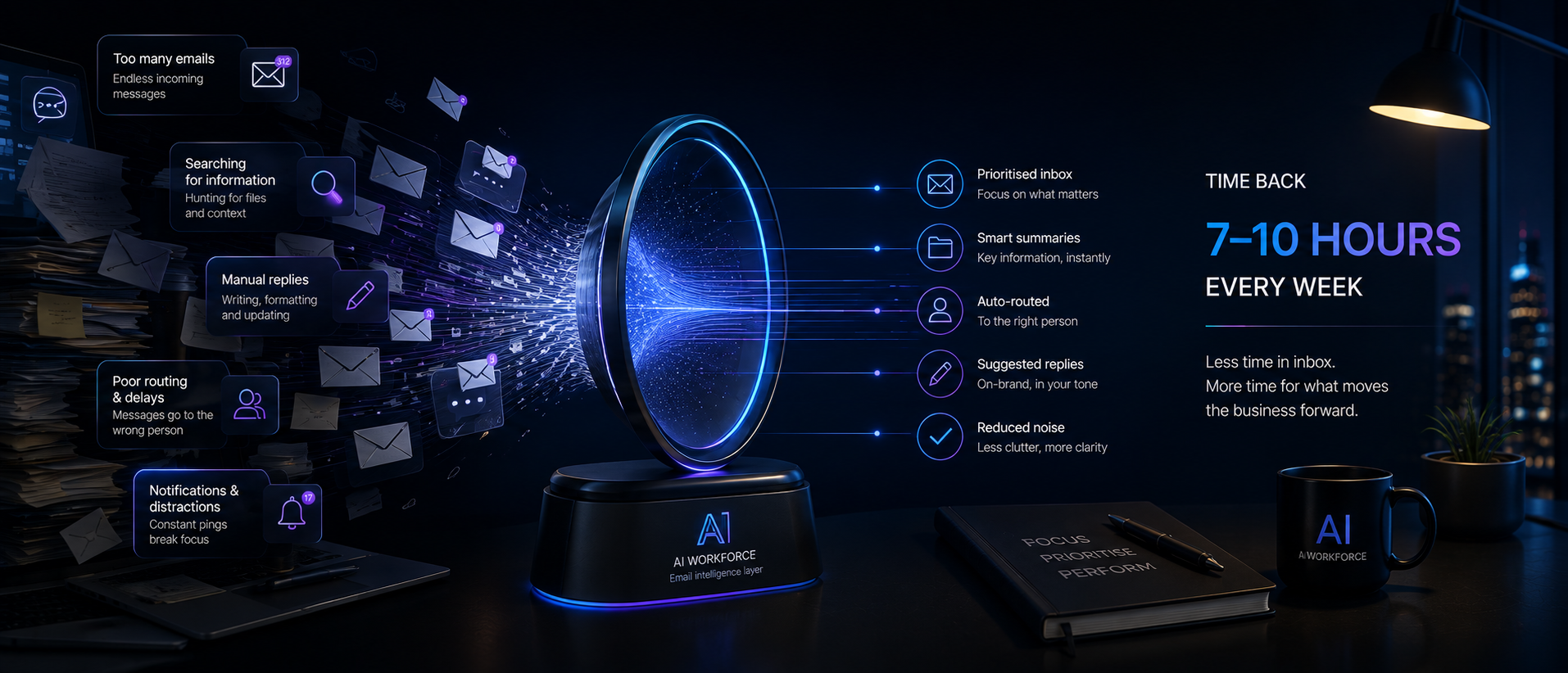
Email consumes a meaningful share of the working week for most employees, though the exact figure varies by role, industry and how it is measured. A widely cited 2012 McKinsey estimate put it at around 28% of the week for "interaction workers," and Microsoft's 2025 telemetry found an interruption approximately every two minutes among the top 20% of Microsoft 365 users by notification volume, combining meetings, email and chat. Businesses that want to reduce email workload should not start with AI. They should first measure how much time email actually takes, classify which of it is necessary, and remove or route what is not, before deciding where automation genuinely helps.
How Much Time Do Employees Spend on Email?
There is no single, current, universally reliable figure for how much time employees spend on email, and any article that states one with confidence should be treated with caution. The most widely repeated statistic, that professionals spend approximately 28% of the working week on email, comes from a 2012 McKinsey Global Institute report, The Social Economy: Unlocking Value and Productivity Through Social Technologies. It referred specifically to "interaction workers," a defined category in that research, not the entire workforce, and it predates the widespread adoption of Slack, Microsoft Teams and hybrid working patterns. It should be treated as a dated historical estimate rather than a current UK benchmark.
More recent evidence comes from Microsoft's 2025 Work Trend Index report, Breaking Down the Infinite Workday, which is based on anonymised product telemetry from Microsoft 365 users rather than a self-report survey. Its methodology shows that the top 20% of Microsoft 365 users by notification volume received a meeting, email or chat interruption approximately every two minutes across an eight-hour working day. This is a high-volume group rather than the average user, and the figure combines several communication channels, not email interruptions alone, so it should not be presented as an average email-interruption rate. The report separately found that Microsoft 365 users received well over 100 emails a day on average within its measured population, with a share of that activity happening before or after normal hours. Because this data comes from Microsoft's own user base, it reflects organisations that rely heavily on Microsoft 365 and may not generalise to every business or communication tool.
A separate strand of research looks at how employees experience email rather than how many hours it consumes. A 2025 study published in Information & Management, based on a survey of 1,372 employees, found associations between perceived email overload, higher job stress and lower job or life satisfaction, and that overload spilling into personal time carried similar associations. Although the article was published in 2025, the underlying employee survey was conducted in 2019, so it should not be treated as a measurement of current workplace email behaviour. This is self-reported, cross-sectional survey evidence about perceived overload and wellbeing. It is a meaningful signal that email workload matters to employees, but it is not a direct measurement of hours spent.
Why There Is No Single Reliable Email-Time Benchmark
Three different types of evidence get blended together in most articles on this topic, and keeping them separate matters for anyone trying to act on the numbers. Historical analytical estimates, such as McKinsey's 2012 figure, use their own worker definitions and modelling assumptions rather than a simple survey question, which is useful for capturing a broad pattern but does not translate cleanly into a current, precise number. Telemetry-based data like Microsoft's 2025 report measures actual product usage but is limited to the tools and user base being tracked, so it says more about Microsoft 365 users, and often about the heaviest-volume subset of them, than about employees generally. Academic wellbeing research, such as the 1,372-employee study, measures associations between perceived overload and stress rather than counting hours at all.
None of these approaches produces a single number that applies cleanly to every UK business, every role or every industry. A reasonable working assumption is that email occupies a substantial and often underestimated share of many employees' weeks, broadly in the range suggested by the sources above, and that the only way to know the real figure for a specific organisation is to measure it directly rather than borrow a headline statistic from elsewhere.
When Email Is Valuable Work, and When It Becomes Waste
Not all time spent on email is wasted, and treating it that way leads to the wrong fixes. Some email work is genuinely valuable: negotiating terms with a client, resolving a complaint, or communicating a decision that requires judgement and context. Some is necessary but repetitive: logging information into a CRM, confirming an appointment, or forwarding a routine update. And some is avoidable: duplicate CC chains, questions that keep recurring because information is not documented elsewhere, or threads that continue long after a decision has already been made.
The mistake many businesses make is treating all of this as one undifferentiated problem to be solved with a single tool or habit. A complaint that requires careful, human-judged wording is not the same category of work as a scheduling confirmation that could be handled automatically. Reducing email workload starts with telling these categories apart, not with a blanket instruction to "check email less."
Why Workplace Email Workload Grows
Email workload rarely grows because of one dramatic change. It builds gradually as more tools, more stakeholders and more default habits funnel communication into the inbox. A few common drivers stand out in most businesses.
Unclear ownership is one of the most common causes. When it is not obvious who is responsible for a shared inbox or a recurring request, messages get forwarded, re-read and duplicated across several people before anyone actually acts on them. Using email as the default communication tool for almost everything is another driver: quick questions, formal decisions and long-running project updates all end up in the same channel, with no way to tell urgency apart at a glance. Repetitive administrative tasks, such as manually logging the same type of request into a CRM or spreadsheet every time it arrives, add volume without adding value. And the absence of a shared triage process means every employee invents their own ad hoc system, which makes workload inconsistent and hard to measure across a team.
The AI Workforce Email Load Audit
Businesses that want to reduce email workload sustainably should follow a structured sequence rather than jumping straight to an AI tool. We call this the AI Workforce Email Load Audit, and it has eight stages: Measure, Classify, Remove, Route, Assist, Approve, Reallocate, Review.
Measure means establishing an honest baseline: how many emails a team handles, roughly how long they take, and which categories of messages make up the bulk of the volume. Classify means separating messages into human-critical, routine, assistable and wasteful categories, using something close to the table below. Remove means eliminating unnecessary messages and duplicated processes before any automation is introduced, since automating a wasteful process only makes it faster to be wasteful. Route means making ownership clear and directing each type of message to the right workflow or person. Assist is where AI tools genuinely help, through summarisation, triage, extraction or drafting support. Approve means keeping a human decision point wherever risk, sensitivity or judgement requires it. Reallocate means deciding, in advance, where released time will actually go, whether that is higher-value client work, reduced overtime or capacity for growth, rather than leaving it to be absorbed by default. Review means measuring the results, checking accuracy and response quality, confirming the reallocation actually happened, and adjusting the process rather than assuming the first version is final.
The final three stages matter as much as the first five. Released time creates little value if nobody redirects it toward useful work, and a process that is never reviewed tends to drift back toward the habits that caused the workload in the first place.
The AI Workforce Email Load Audit framework, eight stages in sequence.
What Businesses Should Fix Before Using AI
Introducing AI into a disorganised email process usually makes the disorganisation faster, not better. Before automating anything, it is worth fixing the structural issues that create unnecessary volume: unclear ownership of shared inboxes, missing documentation that causes the same questions to be asked repeatedly, and communication habits that default to email when a shared task list or a quick conversation would resolve something faster. Only once these fixes are in place does it make sense to look at where AI assistance adds genuine capacity rather than automating a broken workflow.
AI Drafting vs Triage vs Extraction vs Automation
AI can assist with email in several different ways, and these carry different levels of risk. It helps to be specific about which capability is being used for which task, rather than describing all of it loosely as "AI email automation."
Capability | What it does | Relative risk |
|---|---|---|
Summarisation | Condenses long threads into a short overview | Lower |
Triage | Classifies and prioritises incoming messages | Lower to moderate |
Extraction | Captures dates, names, actions or reference numbers | Moderate |
Drafting | Prepares a suggested reply for a human to review | Moderate |
Workflow automation | Triggers a defined process, such as updating a CRM field | Moderate to high |
Autonomous sending | Sends a reply without human review | Highest |
Autonomous sending should not be the default setting for complaints, legal matters, HR issues, contractual commitments, financial instructions or unusual customer requests. Lower-risk capabilities like summarisation and triage are a more sensible starting point for most businesses.
Relative risk by AI email capability, from summarisation to autonomous sending.
If you want a tool focused specifically on inbox triage, drafting, summarisation and follow-ups, our guide to the best AI email assistants compares 15 options for Gmail, Outlook and shared inbox workflows.
Which Email Tasks Can AI Assist With?
The activities most suited to AI assistance are the ones with clear structure and low judgement requirements: sorting incoming messages by category or urgency, extracting appointment details or reference numbers into a system, drafting a first-pass response for a routine, low-risk enquiry, and summarising a long internal thread so the owner can catch up quickly. In each case, AI is reducing the effort required to process a message, not making the final decision about how to respond.
Email activity | Business value | AI assistance | Human judgement |
|---|---|---|---|
Contractual negotiation | High | Summarisation or draft support only | Required |
Complaint handling | High and sensitive | Classification and draft support | Required |
Appointment request | Routine but necessary | Extraction, routing and scheduling | Review exceptions |
Standard status request | Routine | Suggested response or controlled automation | Risk-dependent |
CRM logging | Necessary support | Extraction and field updates | Sample review |
Long internal thread | Variable | Summarisation and action extraction | Owner confirms decisions |
Duplicate CC chain | Low | Not the solution | Remove the process |
Repeated internal question | Avoidable | Knowledge suggestion may help | Fix the information source |
Which Emails Must Remain Human-Controlled?
Some categories of email should stay firmly human-led regardless of how capable the underlying AI tools become. Complaints and disputes require empathy and judgement that automated drafting cannot reliably supply. Legal, HR and contractual communication carries obligations and risks that need a person accountable for the exact wording. Anything involving an unusual or ambiguous customer request is a poor candidate for automation, because the value of a human response is precisely that it can handle the exception the system was not designed for. Treating these categories as off-limits for autonomous handling, while allowing AI to assist with drafting or summarising even here, is a reasonable middle ground.
Worked Example: Email Capacity in a Ten-Person SME
The table below is an illustrative scenario, not a benchmark for any specific business. It is intended to show how the classification approach translates into numbers a business can act on.
Calculation | Illustrative result |
|---|---|
Ten employees, three hours of email work weekly each | 30 hours |
Necessary human-critical communication | 14 hours |
Routine, potentially assistable work | 10 hours |
Avoidable process waste | 6 hours |
Human review retained after changes | 4 hours |
Potential capacity released | 12 hours weekly |
Illustrative breakdown of a 30-hour weekly email workload for a ten-person SME.
This does not mean the business has saved 12 paid hours or automatically generated 12 hours of productive output. Value is only created if the organisation successfully redirects the released capacity towards useful work and maintains service quality while doing so. Without a deliberate plan for reallocation, released time tends to be quietly absorbed rather than turned into measurable benefit.
How to Measure Email Productivity
Measuring whether an email workload reduction effort is working requires tracking more than just volume. The number of emails automated is not a sufficient success metric on its own. A more complete set of indicators includes total inbound email volume, time spent managing email by category, the correct-routing rate, the rate of unresolved or missed messages, how often the same enquiry gets repeated because it was not resolved properly the first time, the AI draft acceptance rate, the average amount of editing a drafted response still needs, how much CRM logging still requires manual correction, the escalation and override rate for AI-assisted work, response time broken down by message category, employee-reported perception of interruptions and workload, and any change in complaints or quality errors.
A drop in email volume that comes with a rise in complaints, missed deadlines, or an increase in overrides and corrections is not a genuine improvement; it is a different problem in disguise. Reviewing these indicators together, rather than any single one in isolation, gives a much more honest picture of whether the effort is actually working.
A 30-Day Email Workload Pilot
A useful way to test this approach without committing to a full rollout is a bounded 30-day pilot with a single team. In the first week, measure current volume and categorise a representative sample of messages using the classification table above. In the second week, remove clearly wasteful processes and clarify ownership for shared inboxes. In the third week, introduce lower-risk AI assistance, such as summarisation or triage, for the categories identified as suitable. In the fourth week, review the results against the baseline and decide whether to extend the pilot, adjust it, or stop.
Thirty days can be enough to establish an initial baseline and test a bounded set of changes, but businesses with seasonal workloads, longer service cycles or complex approval processes may need a longer window before drawing firm conclusions.
When AI Email Automation Goes Wrong
AI-assisted email processes fail in fairly predictable ways. Automation applied to a disorganised process tends to accelerate the disorganisation rather than fix it. Autonomous sending on sensitive categories, such as complaints or contractual matters, can create real business and reputational risk if a poorly judged reply goes out without review. Over-reliance on AI-generated drafts without spot-checking can allow factual errors or tone problems to reach customers at scale rather than one at a time. And treating AI assistance as a one-off project, rather than something that needs ongoing review, tends to see quality quietly decline as edge cases accumulate.
UK GDPR and Data Protection
Businesses introducing AI-assisted email processing in the UK need to consider data protection alongside efficiency. The Information Commissioner's Office published guidance on monitoring workers in October 2023, which makes clear that monitoring email content can involve processing personal, and sometimes special category, data, and must be lawful, fair, proportionate and transparent to employees. A data protection impact assessment is required where the proposed monitoring or AI processing is likely to result in a high risk to people's rights and freedoms. Even where that threshold is not clearly met, documenting the purpose, lawful basis, proportionality, access controls and retention approach remains sensible practice. The ICO has also published broader guidance on AI and data protection, covering fairness, lawfulness, transparency and the limits on fully automated decision-making under UK GDPR. Any business introducing AI-assisted email triage, drafting or automation should review both sets of guidance and ensure staff are informed about how their email activity and message content may be processed.
This is factual guidance, not legal advice. Organisations with complex data flows should seek their own legal review before implementation.
FAQs
How much time do employees really spend on email?
There is no single reliable current figure. A widely cited 28% estimate comes from 2012 McKinsey research on "interaction workers." Microsoft's 2025 telemetry found an interruption approximately every two minutes among the top 20% of Microsoft 365 users by notification volume, combining meetings, email and chat, not an average figure across all users. Treat both as directional rather than precise, and measure your own organisation directly if the figure matters to a business decision.
Is the 28% McKinsey statistic still accurate?
It should not be presented as current. It is a 2012 estimate for a specific worker category, predating widespread use of Slack, Teams and hybrid working, and is best treated as historical context rather than a live benchmark.
Should businesses automate all routine email?
No. Routine does not automatically mean safe to automate without review. Even low-risk categories benefit from periodic sampling and review, and high-risk categories such as complaints, legal matters and contractual communication should keep a human decision point.
What is the safest place to start with AI and email?
Lower-risk capabilities such as summarisation and triage are generally a sensible starting point, since they reduce effort without removing human review from the final decision.
Does UK GDPR affect AI email tools?
Yes. Monitoring or processing email content, including with AI, can involve personal data. A data protection impact assessment is required where the processing is likely to result in a high risk to people's rights and freedoms, and documenting the basis for lower-risk processing is still good practice. Businesses should review ICO guidance on monitoring workers and on AI and data protection before implementation.
Key Takeaways
There is no single reliable statistic for how much time employees spend on email. Survey estimates, product telemetry and wellbeing research all measure different things.
The commonly cited 28% figure is a dated 2012 estimate for a specific worker category, not a current universal benchmark.
Not all email is equal. Separating human-critical, routine, assistable and wasteful work is the necessary first step before considering automation.
Fix ownership, documentation and process issues before introducing AI, since automation applied to a disorganised process just speeds up the disorganisation.
Match the AI capability to the risk of the task, and keep autonomous sending away from complaints, legal, HR and contractual communication.
Released capacity only creates value if it is deliberately redirected and measured, not assumed.
UK GDPR considerations apply to AI-assisted email processing, and ICO guidance on monitoring workers and AI should be reviewed before rollout.
Where This Fits With AI Workforce
Reducing email workload is usually one part of a broader administrative burden. For a wider view of where AI can reduce repetitive business tasks beyond the inbox, see Reduce Admin Work With AI. For day-to-day support with scheduling, triage and routine correspondence, see our guide to the best AI personal assistant tools. Leadership teams managing high-volume executive correspondence may find more specific guidance in best AI executive assistant tools. For the cost of implementing this kind of automation, see AI automation pricing, and for a comparison against the ongoing cost of additional headcount, see AI vs employee cost.
Not sure where your business is losing time to Email?
Evidence note: The McKinsey figure is a dated historical estimate, not a current measurement. Microsoft's findings come from aggregated Microsoft 365 telemetry, with the two-minute interruption figure specifically reflecting the top 20% of users by notification volume rather than an average, and do not represent every workplace or communication tool. The email-overload study reports associations from a cross-sectional employee survey conducted in 2019 and published in 2025, and does not prove that email causes stress. The Email Load Audit and the ten-person worked example are AI Workforce frameworks and illustrative calculations, not independently validated benchmarks.
Sources and Further Reading
Microsoft WorkLab, Breaking Down the Infinite Workday, Work Trend Index Special Report (2025)
Information & Management, volume 62, issue 2, email overload and employee wellbeing study, 1,372 employees (published March 2025, survey fieldwork conducted 2019)
Information Commissioner's Office, guidance on AI and data protection
About the Author and Reviewer
Clara Miller is a Content Specialist at AI Workforce, researching workplace communication patterns and AI adoption trends to help businesses separate durable evidence from recycled statistics.
Rodi Taze is Co-Founder of AI Workforce. This article was reviewed for evidence sourcing, risk framing and commercial accuracy before publication.