Cost of AI for UK Small Businesses: Complete 2026 Guide
Posted On: August 15, 2026
Written by Luca Controlo, AI Adoption and Marketing Automation Lead at AI Workforce · Reviewed by Rodi Taze, Co-Founder of AI Workforce
Last updated: August 2026
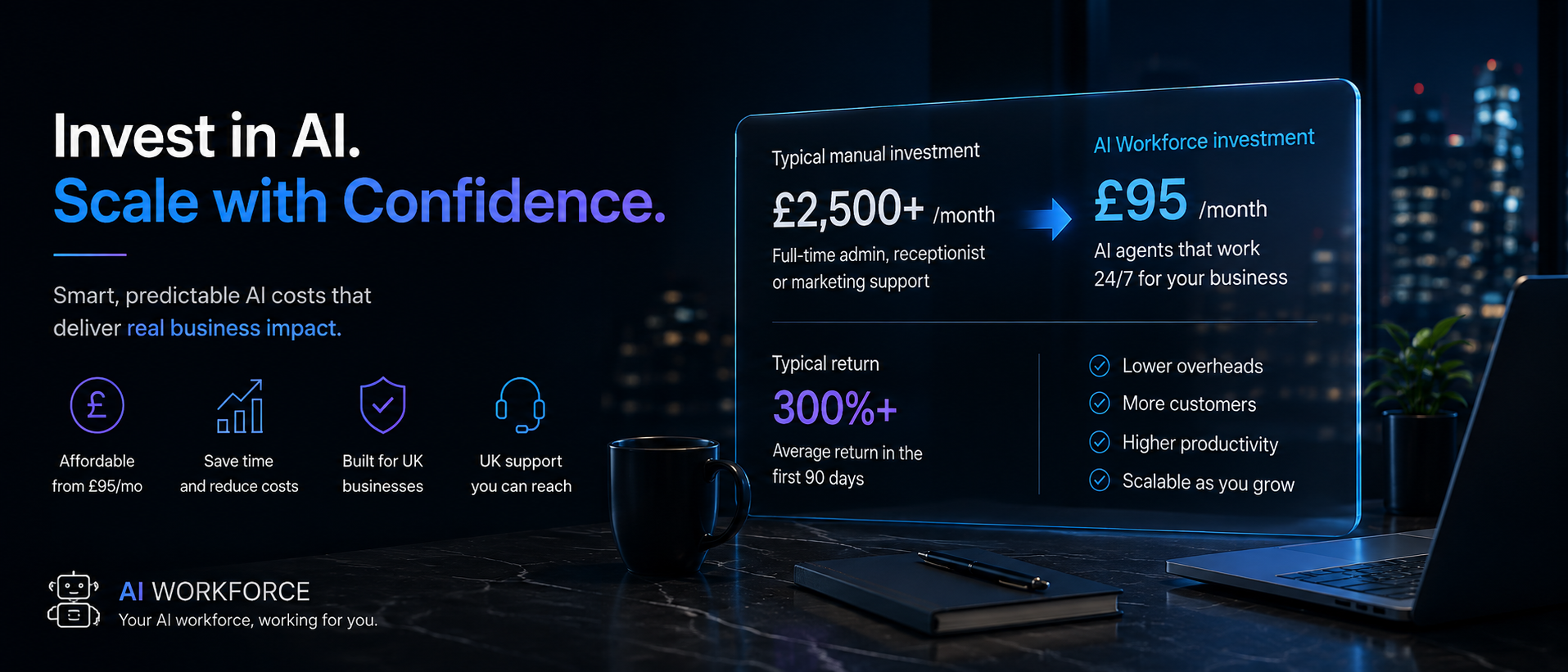
Quick answer: AI Workforce's illustrative planning bands range from £500 for a simple workflow to £10,000 or more for complex or multi-system automation, while bespoke AI systems require a detailed quotation. Below that level, free tools cost nothing but are limited; per-user AI assistants range from a few pounds a month when bundled into an existing productivity suite up to around £15 to £22 a month for named ChatGPT plans, and packaged AI agents range from low-cost single-function products to several hundred pounds a month for a multi-agent platform. The right starting point depends on the task you're automating and how much volume it handles, not which option sounds the most advanced.
At a Glance
AI cost generally falls into five levels, from free tools to bespoke systems, forming the AI Workforce Small Business AI Cost Ladder
Per-user AI assistant pricing varies widely by vendor, currency and licence requirement; there is no single reliable per-user range across ChatGPT, Copilot and Gemini
Packaged AI agents range from under £50 a month for a single-function product to several hundred pounds a month for a multi-agent platform
Automation project costs follow an AI Workforce planning taxonomy that is being standardised across its pricing guides: simple workflows, configured chatbots, integrated agents and complex multi-system builds
Maintenance budgeting should be modelled as a range, low, central and high, treated as planning scenarios rather than verified industry averages
ROI is only meaningful when calculated against the complete annual cost of AI, not just the subscription or build fee
What's Covered
Level 2 in Detail: What Do Per-User AI Assistants Actually Cost?
Level 3: Packaged AI Agents, Including AI Workforce's Own Pricing
Levels 4 and 5: What Does an AI Automation Project Actually Cost?
What Are the Best Use Cases for AI Automation in a Small Business?
Every small business owner asking about AI eventually asks the same question: what does this actually cost? The honest answer is that AI pricing spans a huge range, from AI already included in existing software to bespoke systems priced through a detailed project quotation, and most guides online either quote a single misleading number or avoid the topic entirely. This guide is AI Workforce's central pricing reference for UK small businesses: it sets out what each level of AI investment actually costs in 2026, with sourced, dated figures, and links out to more detailed guides on specific tools and project types.
The AI Workforce Small Business AI Cost Ladder
Rather than treating "AI cost" as one number, it helps to think in levels. Each level solves a different kind of problem and carries a different pricing model. This is the framework we use across our own pricing guides.
Level 1: Included or free AI. AI features already bundled into tools you use, or a free tier of a general AI assistant. Cost: £0. Good for light, occasional use and for testing whether a use case is worth pursuing further.
Level 2: Per-user AI assistants. Paid seats for general-purpose AI tools such as ChatGPT, Microsoft 365 Copilot or Google Gemini for Workspace. Cost: from a few pounds per user per month for AI capabilities included in an existing productivity suite, up to around £15 to £22 per user per month for named ChatGPT plans, converted from their published US dollar prices. The total depends on currency, VAT, billing term and any underlying software licence.
Level 3: Packaged AI agents. A pre-built AI agent for a specific job, answering calls, qualifying leads, handling bookings, sold as a monthly subscription rather than a bespoke build. Packaged AI agents range from low-cost single-function products starting below £50 a month to broader multi-agent platforms costing several hundred pounds a month. Usage allowances, integrations and support make these products difficult to compare on headline price alone. AI Workforce's own multi-agent plans sit at this level.
Level 4: Integrated workflow automation. A configured or custom-built automation connecting AI to your CRM, phone system, calendar or other software, typically delivered as a one-off project with an ongoing hosting or support cost.
Level 5: Bespoke AI systems. A fully custom AI model or multi-system platform built and trained for one business specifically. Custom-quoted, and potentially substantially higher than the levels below.
Not sure which level fits your business?
Talk to AI Workforce about the right starting point for your budget and use case.
Level 2 in Detail: What Do Per-User AI Assistants Actually Cost?
This is the level where pricing claims online are least reliable, because vendors group very different products under one rounded figure and publish in different currencies. Here is what each product's own pricing page actually states, checked in August 2026.
Product | Public price | Billing basis | Existing licence required? |
|---|---|---|---|
ChatGPT Plus | Approximately £14.80 a month (converted from $20) | Individual monthly plan | No; consumer or individual workspace, API usage billed separately |
ChatGPT Business | Approximately £18.50 per user per month billed annually, or £22.20 per user per month billed monthly (converted from $25 and $30) | Per-user business workspace | No; includes business administration and data controls |
Microsoft 365 Copilot Business | From £13.80 per user per month, excluding VAT | Annual subscription | Yes, a separate qualifying Microsoft 365 plan is required |
Google Workspace Business Starter | £5.90 per user per month | One-year commitment | No; includes Gemini in Gmail and Gemini app access |
Google Workspace Business Standard | £11.80 per user per month | One-year commitment | No; includes broader Gemini features across Gmail, Docs and Meet |
Google Workspace Business Plus | £18.40 per user per month | One-year commitment | No; adds expanded storage, security and administration on top of Standard |
Sources: OpenAI ChatGPT pricing and OpenAI Plus guidance; Microsoft 365 Copilot pricing; Google Workspace UK pricing; all checked August 2026. ChatGPT prices are published by OpenAI in US dollars and have been converted here at an indicative rate of $1 = £0.74, checked August 2026; the exact sterling amount a UK cardholder is charged depends on their card provider's own exchange rate and any foreign transaction fee at the time of billing.
A few things to note when comparing these prices directly. Microsoft's £13.80 figure is not a standalone AI add-on: it requires a separate qualifying Microsoft 365 plan, so the real monthly cost per user is higher once that underlying licence is included. Google's prices are for the whole Workspace package, not a standalone AI seat, and the depth of Gemini features differs by edition, from Gemini in Gmail on Starter to broader access across Docs and Meet on Standard and Plus. Always check the exact plan name, currency and billing basis before comparing tools as if they were the same purchase.
What's a Realistic Starting Budget? Three Worked Examples
Rather than a single average figure, here's what Level 1 to 3 spending actually looks like for three common team shapes, using named products and stated assumptions so the arithmetic can be checked.
Scenario | Assumptions | Illustrative monthly cost |
|---|---|---|
Sole trader | One Google Workspace Business Starter seat | £5.90 |
Five-person team | Three Google Workspace Business Standard seats, plus a single-function packaged AI agent such as an IONOS AI receptionist plan at £39 a month | £74.40, excluding any applicable VAT |
Ten-person team | Five Microsoft 365 Copilot Business seats plus their qualifying underlying Microsoft 365 licences, plus one AI Workforce Basic plan | At least £319 a month plus VAT, before the cost of the qualifying Microsoft licences is added |
These examples deliberately mix different vendors to show how the total changes with team size and tool choice. Figures for Microsoft and Google exclude VAT unless stated; the AI Workforce figure excludes VAT. Always check whether a quoted price includes VAT before comparing it against another vendor's figure, and treat these as illustrative starting points rather than a guarantee of what any specific business will pay.
Level 3: Packaged AI Agents, Including AI Workforce's Own Pricing
Packaged AI agents sit between a general per-user tool and a bespoke build: a specific job (answering calls, qualifying leads, managing bookings) delivered as a ready-made product on a monthly subscription. When one of these systems is configured around an ongoing business role rather than a single isolated task, it may also be marketed as an AI employee. Our guide to what an AI employee is explains that role-based concept and how it differs from an AI agent, digital worker and traditional automation. Pricing here varies significantly by vendor and by how much usage, integration and support is included, from single-function products under £50 a month to broader multi-agent platforms costing several hundred pounds a month.
AI Workforce publishes its own pricing at this level: a Basic plan at £250 a month plus VAT, and a Standard plan at £480 a month plus VAT; Pro is custom-priced. We're including these figures here for transparency, since AI Workforce is one of the vendors a reader comparing packaged AI agents would reasonably consider, alongside AI Workforce's dedicated guides to AI receptionist pricing and AI SDR pricing, which cover lower-cost single-function products such as Moneypenny (from £25 a month) and IONOS (fixed tiers from £39 a month) in more detail.
Levels 4 and 5: What Does an AI Automation Project Actually Cost?
Where a small business wants AI to do genuine work, connecting to a CRM, processing documents, running a multi-step workflow, cost moves beyond a subscription into project pricing. Pricing at this level can also be structured differently from a subscription: as a one-off fixed project fee, as a monthly retainer or managed-service arrangement covering ongoing support and iteration, or, less commonly, on an outcome basis tied to a measurable result such as leads booked or calls handled.
AI Workforce uses one consistent set of illustrative planning bands across our guides, so figures don't conflict between articles.
Project type | Illustrative planning range |
|---|---|
Simple no-code workflow | £500 to £2,000 |
Configured AI chatbot | £2,000 to £5,000 |
Integrated workflow or agent | £3,000 to £10,000 |
Complex or multi-system build | £10,000 or more |
Bespoke AI model development | Custom; potentially substantially higher |
These bands are AI Workforce's own planning assumptions, not a published national dataset, and form the taxonomy AI Workforce intends to use consistently across its pricing guides. The older automation and AI-agent cost guides are being brought in line with this taxonomy; where an older AI Workforce guide currently contains different figures, use its stated publication date and methodology, and always obtain a current written quotation from any provider before budgeting. Our dedicated guide to AI automation pricing in the UK and our AI agent cost guide go into far more depth on what moves a project from one band to the next than is useful to repeat here.
AI Pricing Models: How Are You Actually Charged?
Across every level of the Cost Ladder, AI tools and projects are typically sold under one of several pricing structures.
Per-seat subscription pricing charges a flat monthly fee per user. Predictable, but can become expensive as headcount grows, even with light individual usage. Most Level 2 tools use this model.
Usage-based pricing charges according to volume: responses generated, calls handled, or API calls made. Rewards light users with a low bill, but needs monitoring against a budget since a busy month can produce an unexpectedly high one.
Tiered platform pricing groups features into tiers: a basic tier with limited capability, a mid-tier with more integration, a top tier with custom features or dedicated support. AI Workforce's own Basic, Standard and Pro plans follow this structure, as do most packaged AI agent vendors at Level 3.
One-off fixed project pricing charges a single build fee for a defined piece of work, typical of Level 4 and Level 5 automation projects, usually alongside a smaller ongoing hosting or support cost.
Monthly retainer or managed-service pricing bundles ongoing support, iteration and maintenance for a custom build into a recurring fee, rather than charging separately for each change.
Outcome-based pricing, where a provider charges according to a measurable result such as leads booked, calls handled or documents processed, is less common but worth asking about for high-volume Level 4 and Level 5 work.
Hidden Costs to Budget For
The advertised price of an AI tool or project is rarely the full picture, and these costs can cause UK SMEs to exceed their original budgets.
Common hidden costs include connecting an AI tool to existing systems, migrating data and configuring workflows around how the business operates. Staff also need time to learn the system, review its output and correct mistakes. Ongoing support may involve a vendor contract or internal time spent maintaining the system as business processes change.
Maintenance allowance: rather than a single fixed percentage, it's more honest to model a small number of planning scenarios and confirm the real figure against your provider's written quotation. A low scenario of around 10 per cent of the initial project cost can be used as a sensitivity test for a simple, stable workflow with little ongoing change. A central scenario of around 20% can be used as a midpoint for sensitivity testing on an integrated build. A high scenario of around 30 per cent, sometimes with an additional integration contingency on top, can be used for complex or multi-system builds likely to need regular adjustment. These figures are scenario inputs for your own planning, not verified industry averages; always ask your provider for their actual maintenance terms in writing.
Free AI vs Paid AI: Is a Free AI Tool Ever Enough?
Many general AI platforms offer a genuinely usable free tier, and for a very small business testing a single use case, that can be enough to prove the concept before spending anything. A sole trader drafting the occasional email or social post can often get real value from a free AI writing tool without ever upgrading.
The limits show up once a business tries to use AI for anything approaching daily workflow. Free tiers typically cap request volume, restrict access to the most capable model, and rarely include the integration needed to connect the tool to a CRM, calendar or phone system. For many small teams, a free tier works best as a way to test a use case before deciding whether the additional capacity, controls or integrations of a paid plan are justified.
How Do You Choose the Right Level of the Cost Ladder for Your Business?
Choosing the right AI starts with the problem you're trying to solve, not whichever tool is currently the most talked about. A business struggling with missed calls needs a different level of AI investment than one struggling with slow content production, even though both might get pitched the same general-purpose platform.
Ask what specific task should be automated, how much volume it involves each month, and which existing systems the AI genuinely needs to connect to. Level 1 and 2 tools are usually the right starting point for broad, low-volume tasks like drafting and summarising. Level 3 packaged agents suit a single, well-defined customer-facing task. Level 4 and 5 investment makes sense once a task is happening at real volume and needs to plug into other software. If you're not sure which level fits, our AI Readiness Assessment is a useful starting point before comparing specific platforms, and our guide to AI agents for small businesses covers Level 3 in more depth.
Businesses handling personal or sensitive customer data at any level should also check our guide to AI and GDPR before choosing a tool, since data-handling terms vary significantly between vendors.
How Do You Calculate ROI on AI Investment?
ROI on an AI investment is only meaningful when it's tied to a measurable metric and calculated against the complete annual cost, not just the headline subscription or build fee.
Annual AI value = time-cost savings + gross profit from additional conversions + avoided external costs
ROI = (annual AI value − complete annual AI cost) ÷ complete annual AI cost × 100
The "complete annual AI cost" should be itemised, not assumed. It typically includes the subscription or licence cost, any usage-based charges, setup and integration fees amortised over the first year, training time, and the ongoing maintenance allowance set out above. Leaving any of these out inflates the apparent ROI.
Time saved per week is often the easiest input for a small business to track honestly: multiply the hours genuinely recovered by the employee's fully loaded hourly cost, including relevant employer costs, to estimate the time-cost saving element. A genuinely useful AI project should show a defined payback period, the point at which cumulative savings cover the complete annual cost, even if that period is longer than twelve months for a larger build. If a project shows no realistic payback period on any reasonable assumption, that's a signal to revisit the use case or the tool rather than assuming the technology simply needs more time.
As a worked illustration: a team automating a task currently done by three people for ten hours a week each, at a fully loaded hourly cost of £20, has a current annual labour cost of 3 × 10 × 52 × £20 = £31,200. If an AI tool automates 60 per cent of that work at a cost of £250 a month (£3,000 a year), the gross annual labour saving is £31,200 × 60% = £18,720, giving a net annual saving of £18,720 − £3,000 = £15,720 and an ROI of £15,720 ÷ £3,000 × 100 = 524%. The payback period is £3,000 ÷ (£18,720 ÷ 12) = approximately 1.9 months. This example covers software cost only; it excludes setup, training and oversight time, which should be added to the complete annual AI cost for a genuinely accurate ROI figure.
What Are the Best Use Cases for AI Automation in a Small Business?
Not every part of a small business benefits equally from AI. Customer-facing use cases such as an AI chatbot handling routine enquiries, or an AI receptionist managing calls and bookings, can deliver measurable value when call volume, task stability and conversion value are sufficient to justify the cost.
Back-office automation is the other consistently strong candidate: document processing, data entry between existing systems, and drafting first-pass content or replies for a person to review. These tasks rarely need a Level 5 bespoke build; a Level 3 or 4 automation connected properly to your existing systems is usually sufficient.
Not sure where to start?
Talk to AI Workforce about the right level of AI investment for your business.
Frequently Asked Questions
How much does AI typically cost for a UK small business?
AI Workforce's illustrative project bands begin at £500 to £2,000 for a simple workflow and reach £10,000 or more for complex or multi-system builds. Below that level, free tools cost nothing, per-user AI assistants range from a few pounds a month when bundled into an existing productivity suite to around £15 to £22 a month for named ChatGPT plans, and packaged AI agents range from under £50 a month to several hundred pounds a month.
What is the highest hidden cost of AI for small businesses?
Setup and integration time is the most commonly underestimated cost, followed by staff training and ongoing support. Always ask for a written maintenance quotation rather than assuming a single fixed percentage.
Is free AI good enough for a small business?
A free AI tool is genuinely useful for light, occasional use and for testing a use case before spending anything, but volume limits and a lack of integration mean many businesses move to a paid tier once AI becomes part of a daily workflow.
Key Things to Remember
AI cost for a UK small business is best understood as five levels, from free tools to bespoke systems, not one number
Per-user AI assistant pricing varies significantly by vendor, currency, VAT treatment and any underlying licence required; there is no single reliable per-user range across ChatGPT, Copilot and Gemini
Packaged AI agents range from under £50 a month for a single-function product to several hundred pounds a month for a multi-agent platform
A realistic starting budget varies by team size; the worked examples above use named products and stated assumptions so the arithmetic can be checked
Automation project costs follow an AI Workforce planning taxonomy from simple workflows through to bespoke development, intended for consistent use across the company's pricing guides
Model maintenance as a range of planning scenarios (low, central, high) and confirm the real figure against your provider's written quotation
ROI should be calculated against the complete annual AI cost, itemised in full, with a defined payback period rather than a vague "return within the first year" claim
Sources and Further Reading
AI Automation Pricing UK: Costs, ROI and Budget Guide, AI Workforce
AI Agent Cost, AI Workforce
AI Agents for Small Businesses, AI Workforce
AI Readiness Assessment, AI Workforce
AI Receptionist Pricing UK: Costs in 2026, AI Workforce
AI SDR Pricing UK, AI Workforce
AI and GDPR, AI Workforce
OpenAI ChatGPT pricing, checked August 2026
OpenAI, what is ChatGPT Plus, checked August 2026
Microsoft 365 Copilot pricing, checked August 2026
Google Workspace UK pricing, checked August 2026
Luca Controlo is AI Adoption and Marketing Automation Lead at AI Workforce, covering how UK small businesses evaluate the cost and value of AI tools and automation.
Reviewed by Rodi Taze, Co-Founder of AI Workforce, for pricing accuracy and alignment with how UK SMEs actually budget for AI. Reviewed August 2026.