What Is an AI Employee? A Practical Guide for UK Businesses
Posted On: August 25, 2026
Last updated: August 2026 · Written by Seth Ayush, Co-Founder of AI Workforce · Reviewed by Rodi Taze
Quick answer: An AI employee is software configured to carry out recurring work within a defined business role. It may use AI agents, company data and connected tools to complete multi-step tasks, but its permissions, autonomy and escalation rules are set by the business. An AI employee is not legally an employee, and responsibility for its actions remains with the organisation deploying it.
The term "AI employee" is informal business shorthand for an AI system configured around a recurring role. It may research information, use connected tools, complete multi-step tasks and escalate exceptions, but its autonomy depends entirely on its permissions, integrations and human-review rules. It is software, not a legal employee, and the business remains responsible for its actions and outputs. Businesses may deploy several AI employees across sales, reception, support or administration, creating what is sometimes described as an AI workforce or digital workforce. This guide explains what the term actually means, how an AI employee differs from an AI agent, an AI worker and a chatbot, what it can safely do, what it should never do alone, how UK data protection and employment law apply, what it costs, and how to measure whether hiring one was worth it.
What's Covered: Definition · How It Works · AI Employee vs AI Agent · AI Employee vs AI Worker / AI Staff · What It Can Do · Example · What It Should Never Do · UK Law · Choosing One · Deployment · Cost · ROI · Digital Workforce · FAQs
What Is an AI Employee?
An AI employee is best understood as a packaging decision rather than a distinct technology. Underneath the label sits an AI agent, or a small group of connected agents, wrapped in a role: a job title, a scope of responsibility, a set of tools it can use, and rules about what it can decide without asking a person. Vendors use the term because "AI employee" communicates the idea of ongoing ownership of work more clearly than "software feature" does, but the label alone does not prove a particular level of autonomy, memory or technical sophistication.
The practical distinction is usually responsibility and flexibility, not simply intelligence. Traditional software and workflow automation can run automatically, but they normally execute predefined functions or rules. An AI employee is configured to handle a broader role, interpret changing context and choose between permitted actions within defined boundaries, checking its output against rules it has been given, escalating when something falls outside its authority, and reporting back once the task is done. Most implementations are built on large language models connected to a CRM, calendar, inbox or other systems, with clear escalation rules for anything ambiguous and a defined scope so it knows exactly which decisions it is allowed to make on its own.
It is worth being precise here because "AI employee" is not a standard technical category. Systems described this way range from human-reviewed assistants that draft work for a person to approve, through to agents with bounded autonomy that act and only escalate exceptions. Two products both marketed as an AI employee can behave very differently in practice, so the specific permissions and review process matter more than the label on the box.
Is "AI Employee" a Technical or Legal Term?
No. It is marketing shorthand, and treating it as anything more precise can create real confusion. Legally, an AI employee is not a legal employee. It has no contract of employment, no employment rights and no statutory protections. Deploying an AI employee does not transfer the business's responsibility for governance, oversight or compliance. The precise allocation of legal liability may depend on the use case, contractual arrangements and applicable law.
Technically, the term also isn't standardised. Some products marketed as an AI employee are a single configured agent; others orchestrate several agents and tools behind one interface. AI employee usually describes how an AI system is packaged and managed around a business role rather than a specific architecture. When evaluating a product, ask what happens under the label, not what the label implies.
This matters for governance. If a business treats an AI employee as though it were a real member of staff, with informal trust and no named human owner, it tends to under-invest in access controls and oversight. Treating it as software with a defined role makes access, ownership and review requirements easier to specify and audit.
How Does an AI Employee Actually Work?
In most modern generative-AI deployments, an AI employee combines three things: a language model that can reason and generate text, a set of tools it is permitted to use, and rules that define what it can decide alone versus what needs a person. When it receives a task, it breaks the task into steps, checks the relevant systems, takes the actions it is authorised to take, and pauses to ask a human when it hits a decision outside its remit.
Traditional workflow automation follows predefined logic and integrations. It does not normally decide independently how to pursue a goal beyond the rules and branches designed into the workflow: if X happens, do Y. Agentic AI can interpret less structured inputs and select between permitted actions, so its next move can vary depending on what it finds. That said, reliable deployments normally combine AI reasoning with deterministic rules, validations and approval controls, rather than leaving every decision to the model. A new AI employee handling inbound leads, for example, might qualify one contact instantly against fixed rules and escalate another because the enquiry doesn't match any pattern it has been configured to handle.
Integration is what makes this work in practice. A digital worker that can only chat is not much more useful than a simple message tool. One that can read a CRM, check a calendar, send an email and update a record is performing recurring operational work rather than simply answering questions. Most deployments improve over time not because the system learns continuously on its own, but because people refine its instructions, documentation, examples, tools and rules as they see how it performs.
AI Employee vs AI Agent vs Chatbot vs Automation
People use AI employee, AI agent, digital worker and chatbot almost interchangeably, but they describe different things, and the distinction matters when you choose the AI employee that's right for a given role.
An AI agent can pursue a defined goal, use tools and complete multi-step tasks with varying levels of autonomy. "AI employee" usually describes how one or more agents are packaged around an ongoing business role, with a job scope, access permissions, performance measures and named human oversight. The difference is primarily operational framing rather than a universally accepted technical boundary. It may maintain context or memory where configured, but this is not guaranteed by the label alone. Traditional automation, by contrast, follows a fixed script of rules and conditions with no reasoning involved.
Term | What it typically means | Typical autonomy |
|---|---|---|
Chatbot | Responds through a conversational interface | Usually reactive |
AI agent | Pursues a defined goal using tools and permitted actions | Assistive to bounded autonomy |
AI employee / AI worker | Commercial label for agents configured around an ongoing role | Depends on permissions and review rules |
Workflow automation | Executes predefined conditions and integrations | Deterministic within its workflow |
Chatbots still have a place for simple, low-stakes queries that need an instant answer. An AI employee is designed to be more proactive: it follows up without being asked, flags a stalled deal, or restarts a workflow that stopped partway through, and is assigned responsibility for a defined operational outcome rather than a single exchange. That is a meaningfully bigger scope of responsibility than a single exchange, which is exactly why "AI employee vs AI agent" keeps coming up as a real question rather than just marketing language. For a deeper technical breakdown, see our guide to what an AI agent actually is.
Is an AI Employee the Same as an AI Worker or AI Staff?
Broadly, yes. AI employee, AI worker, digital worker and AI staff are often used by vendors and businesses for closely related ideas: AI systems configured to carry out recurring operational work within defined roles. There is no formal technical taxonomy that separates these terms; the choice of wording is largely a matter of branding and audience rather than a guaranteed difference in capability. When comparing products described with different labels, judge them on the same criteria: what systems they connect to, what they are permitted to decide alone, and how they are reviewed, rather than on which term the vendor prefers to use.
What Can an AI Employee Actually Do?
The honest answer is: it depends on what work it is configured for. Some deployments are generalists pointed at almost any repetitive process. Others are specialised AI built for one function, such as sales outreach, customer support, appointment booking or invoice processing. Many businesses end up running a small AI workforce made up of a few different specialists rather than one do-everything worker; see our guide to what a digital workforce actually is and how that tends to be structured.
Common use cases include responding to inbound enquiries, qualifying leads before they reach a human team, scheduling and rescheduling appointments, chasing unpaid invoices, updating a CRM after a call, and handling first-line customer support. In each case, the digital employee handles the repetitive, well-defined parts of the job, while a person still owns judgement calls, exceptions and anything involving real risk.
It performs best on work that is high-volume, has clear rules most of the time, and produces a lot of frustration when handled inconsistently by people under time pressure. This kind of routine work is easier to test against a baseline because volume, completion time, accuracy and correction costs can be measured, provided capacity, accuracy and availability are properly monitored against the underlying models, integrations and infrastructure they depend on.
What Does an AI Employee Look Like in Practice?
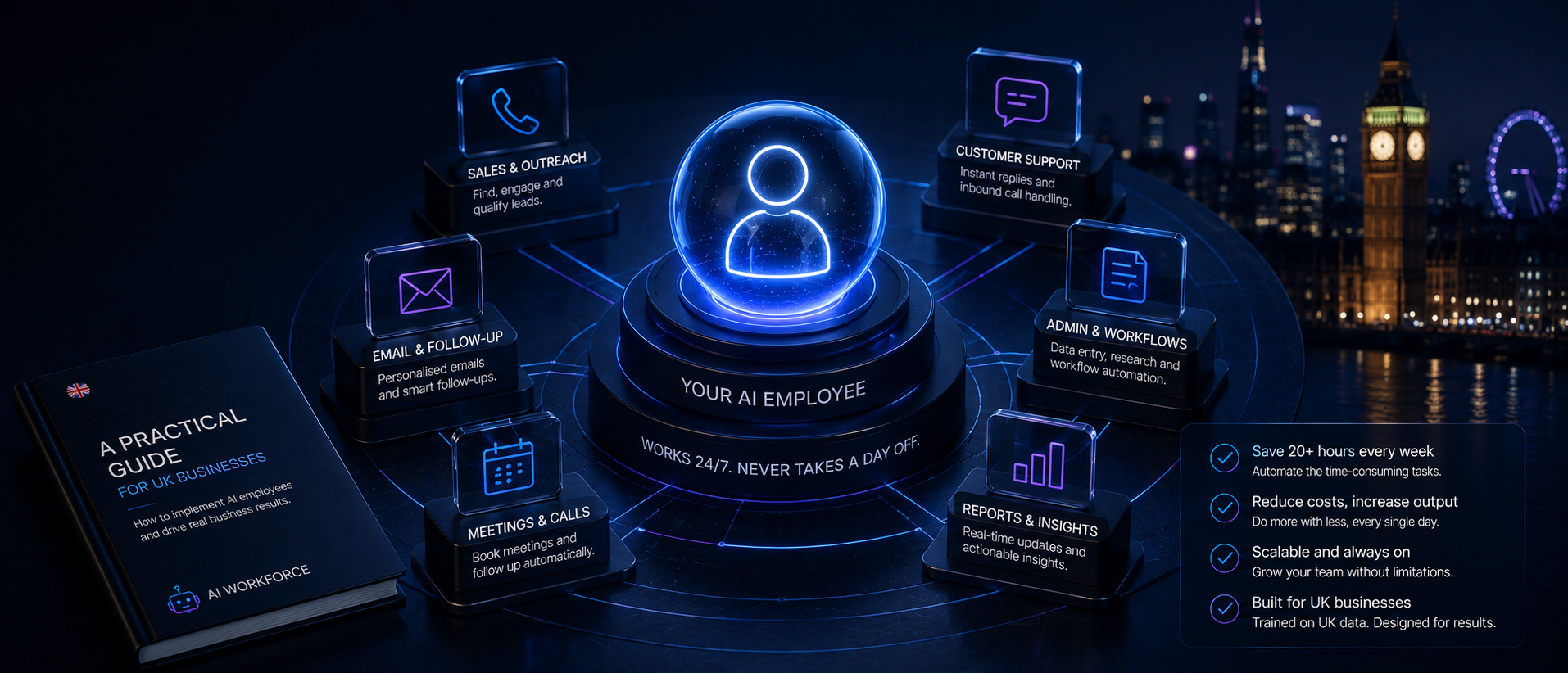
The definition above is easier to picture with a concrete example. An AI receptionist is a common first role: it answers an incoming call, identifies what the caller needs, checks approved business information, either answers the query or captures the caller's details, checks the calendar, books an appointment, escalates anything unusual to a person, and records the interaction for the team to review.
It is not "pretending to be a person." It has been assigned a defined operational role, connected to the specific systems that role requires, such as the phone line, calendar and CRM, and given rules for when it can act on its own and when a person must take over. The same pattern applies to other roles: an AI SDR follows a similar shape for outbound sales, and an AI administrator follows it for back-office tasks, each with its own systems, rules and escalation points.
Identify the right first AI role for your business
Not sure which task to hand over first? We'll help you find the highest-value, lowest-risk starting point.
Where AI Workforce Fits
AI Workforce builds AI agents around real business roles such as sales development, reception, marketing and administrative support. The aim is not to give an AI system unrestricted control of a business, but to configure each agent around a defined job, approved systems and clear human handoff rules, in line with the governance principles set out in this guide. See AI Workforce's agents for the specific roles currently available.
What Should an AI Employee Never Do Alone?
Giving an agent access to email, a CRM, financial records and customer systems creates real security and governance risk, and that risk deserves more than a brief mention of escalation. As a starting point, an AI employee should not independently:
Give legal, medical, financial or other regulated advice
Make sensitive HR decisions, including hiring or dismissal
Agree custom pricing or commercial commitments
Approve high-value refunds or unverified financial transactions
Handle a complaint or a customer showing signs of distress without human review
Process unusual or sensitive personal data outside its defined scope
Take an irreversible action, such as permanently deleting records
Make a low-confidence decision it cannot support with evidence
Continue when a person has explicitly asked to speak to a human
Supporting this in practice means designing for least-privilege access, so the AI employee only reaches the systems and data its role actually needs, with its own separate system identity rather than a shared login. It also means keeping an audit log of what it did and why, setting approval thresholds for anything above a defined value or risk level, having a clear data retention policy, checking any subprocessors and international data transfers involved, being aware of prompt-injection risk from untrusted inputs, having a way to suspend it immediately if something goes wrong, naming a specific human owner for the role, and reviewing its access periodically rather than leaving it unchanged indefinitely.
What Do UK Businesses Need to Consider Before Deploying an AI Employee?
Any AI employee that processes personal data is subject to UK GDPR in the same way any other system would be. That means identifying a lawful basis for the processing, being transparent with individuals about how their data is used, keeping data collection to what is genuinely needed, setting a defined retention period, and applying proper access controls. Where the AI employee relies on external providers, the business needs to assess those processors and any subprocessors, and check whether personal data will be transferred internationally.
Where the role sends marketing messages or makes outbound calls, PECR rules on electronic marketing apply in addition to UK GDPR. Where the AI employee monitors, scores or evaluates staff in any way, employment-law considerations come into play, alongside equality and discrimination risk if it plays any role in recruitment or people decisions. Any monitoring of staff should be necessary, proportionate and transparent. Consider whether a data-protection impact assessment is required, particularly where monitoring or automated evaluation could create a high risk to employees' rights and freedoms. Consequential decisions affecting an individual should have a human review point built in rather than being left entirely to the system.
The Data (Use and Access) Act 2025 also changed the UK's rules on significant decisions made solely through automated processing. Organisations can use automated decision-making in a wider range of circumstances than before, but safeguards apply, including informing affected individuals, allowing them to challenge or make representations about a significant decision, and enabling human intervention. Additional restrictions apply where special-category data is involved.
None of this makes an AI employee unusual compared with other business software that touches personal data; it simply means the same discipline applies. It is not a legal employee, holds no employment rights, and does not reduce the business's own accountability for the outcomes it produces. For a fuller walkthrough, see our dedicated guide to AI GDPR compliance for UK businesses.
How Do You Choose the AI Employee That's Right for Your Business?
Choosing the right role starts with the job, not the technology. Write down the outcome actually wanted, not the tool you think you need. "Reduce time-to-first-response on inbound leads" is a role; "buy some software" is not. Once the outcome is clear, candidates can be judged against it, rather than being chosen because a demo looked impressive.
Next, check what systems the role needs to connect to. If it needs to read and write to a CRM, confirm that integration is genuinely supported, not just theoretically possible. The same applies to a calendar, an inbox, a support desk or accounting software. A brilliant candidate that cannot talk to tools a business already runs on will create more manual work, not less.
Finally, ask how the provider expects it to learn a business. A generic model with no context about products, tone of voice or a typical customer will produce generic output. The strongest deployments are onboarded much like a new human hire: given documentation, examples of good work, and a probation period where a person reviews output closely before trust increases. If a vendor cannot explain their onboarding process in concrete terms, that is a signal to keep looking.
How Do You Deploy Your First AI Employee, Step by Step?
Deploying an AI employee follows a surprisingly similar shape to hiring a person. Define the role, agree on the responsibilities, set expectations for output, and build in a probation period before handing over full autonomy. Skipping these steps is a common reason first deployments underperform.
A useful way to structure this is a simple five-step framework worth calling the AI Workforce First AI Employee Framework: Role, Access, Rules, Review, Measure. Define the role and the outcome it owns. Grant only the access it needs to do that job, nothing more. Set explicit rules for what it can decide alone and what must escalate. Review its early outputs closely before trust increases. Measure successful outcomes and correction costs on an ongoing basis, not just at launch.
Start narrow. Rather than deploying digital workers across the whole business on day one, pick a single, well-defined job, such as qualifying inbound leads or handling routine support tickets. Run it alongside the existing process for a few weeks, compare outcomes against a baseline, and only expand scope once it can be seen reliably making good decisions. This staged approach reduces risk and gives real data before committing further budget to using AI employees more widely. See our related guide on AI agents for small businesses for further practical starting points, and our guide to building AI agents without code if a custom build is being considered rather than an off-the-shelf product.
Set escalation rules explicitly from the start. Decide, in writing, what it is allowed to decide alone and what must go to a person, whether that is a refund above a certain value, a legal question, or a customer who sounds upset. Good AI staff are designed with this boundary built in, and the best ones make it easy to adjust where that line sits as trust builds over the following months.
What Does an AI Employee Cost?
Costs vary widely depending on whether the business buys a commercial product or commissions a custom build, and by how much integration and ongoing support the role needs. For a detailed breakdown of software, implementation, integration, human review, and ongoing operating costs, see our AI employee cost guide, which sets out a full total-cost-of-ownership model, worked examples and the questions worth asking a vendor before signing. Our AI automation pricing guide for UK small businesses covers the broader picture across different project types, and our AI agent KPIs guide is a useful companion once a role is live, for tracking the ongoing operating cost against the value it returns.
If you're specifically budgeting for the underlying agent rather than comparing an AI role with a human employee, our AI Agent Cost guide breaks down implementation, model and API usage, integrations, human review, maintenance and cost per successful outcome.
As a general rule, a narrow, well-scoped first role costs less to deploy and evaluate than a broad, generalist one, and starting narrow also makes the ROI calculation below far easier to run cleanly.
How Do You Measure ROI From an AI Employee?
The clearest way to measure this is to track a specific metric before and after deployment against a defined baseline, rather than relying on vague productivity claims. A simple model for monthly value is:
Monthly value = hours recovered × loaded hourly cost + incremental contribution − software, implementation, review and correction costs
In practice, this means tracking a mix of the following: successful outcomes completed, time returned to the team, accuracy and correction rate, escalation rate, average completion time, failure rate, time spent on human review, cost per successful outcome, customer satisfaction, and any revenue or retention effect that can be causally supported rather than assumed. A controlled pilot of several weeks can provide enough evidence to compare these figures against a baseline, although the time required varies materially by workflow and data quality. For a more detailed measurement framework, see our guide to AI agent KPIs.
A successful deployment may create secondary value by returning time to employees for more judgement-heavy work. Measure this separately rather than automatically including it in the primary ROI calculation above.
Plan a controlled AI employee pilot
Get a scoped, low-risk pilot plan built around a real role in your business, with clear success measures from day one.
How Do AI Employees Work Together as a Digital Workforce?
Yes, and this is where the idea of a genuine digital workforce comes in. Rather than one deployment bolted onto one team, businesses are increasingly building out a small AI workforce that works across sales, support, operations and finance, each one owning a specific slice of the business rather than trying to do everything.
This matters because different functions need different skills. One handling customer support needs deep knowledge of a product and a calm, consistent tone. One chasing overdue invoices needs a very different set of rules around escalation and tone. Building this out function by function, rather than trying to create one master AI worker, tends to produce better results across the business. AI digital workers can operate across industries just as human staff do; what changes between a dental practice and a professional services firm is the specific rules, tone and systems each role needs to plug into, not the underlying approach. That portability is part of why interest in AI in the workplace has continued to grow throughout 2026. Our AI personal assistant comparison is a useful related read if the starting point is individual productivity rather than a business-wide role.
Frequently Asked Questions
Is an AI employee the same as a chatbot?
No. A chatbot answers messages reactively. An AI employee owns an outcome, takes action across connected systems, and follows up without being asked, which is a meaningfully bigger scope of responsibility.
Is an AI employee a real employee?
No. It is software configured around a role. It has no contract, no employment rights and no personal liability. The business deploying it remains accountable for what it does.
Do I need technical skills to deploy an AI employee?
Not necessarily. Most AI services in this space are built for business owners rather than developers, though someone on the team should still own the role and review early output.
Does an AI employee need human supervision?
Yes, particularly in the early weeks. Ongoing spot-checks and a named human owner are standard practice even once trust increases.
What happens when an AI coworker doesn't know what to do?
A well-built one escalates to a human rather than guessing. This behaviour is one of the most important things to check before buying, since it directly affects how much a business can trust it with real customers.
Is an AI employee GDPR compliant by default?
No product is automatically compliant. Compliance depends on how it is configured, what data it processes, and the lawful basis and safeguards the business puts around it. See the UK section above for the main considerations.
What is the difference between an AI employee and an AI agent?
An AI agent is the underlying technology: it pursues a goal, uses tools and completes multi-step tasks. An AI employee is a packaging decision built on top of one or more agents, with a defined role, access permissions, review rules and a named human owner.
Can an AI employee replace a human employee?
Not in the legal or accountability sense; it has no employment status, and the business remains responsible for its actions. In practice, it typically takes over defined, repetitive parts of a role rather than replacing the role in full, freeing a person for judgement-heavy work.
How much does an AI employee cost?
Costs range from low-cost off-the-shelf subscriptions to fully custom builds with ongoing support, depending on scope and integration needs. See the cost section above and our dedicated AI employee cost guide for a full total-cost-of-ownership model and typical UK ranges.
How long does an AI employee take to deploy?
A narrow, well-scoped role can often be piloted within a few weeks. Broader or more integrated deployments, particularly custom builds, typically take longer, and the timeline depends heavily on data quality and integration complexity.
Key Takeaways
An AI employee is an informal business term for an AI-powered system configured around a role, not a distinct technical or legal category
It is software, not a legal employee: no contract, no employment rights, and the business remains accountable for its outputs
The practical difference from a narrower AI agent is operational scope: an AI employee is configured around an ongoing role rather than a single task
AI employee, AI worker, digital worker and AI staff describe the same underlying idea; judge products on access, rules and oversight, not the label
Traditional automation follows a fixed script; agentic AI reasons about context, but reliable deployments still combine that reasoning with rules and approval controls
Some decisions, from legal advice to irreversible actions, should never be made by an AI employee alone
UK GDPR, PECR and employment-law considerations apply wherever personal data or staff monitoring is involved
Use the Role, Access, Rules, Review, Measure framework to deploy a first AI employee safely and narrowly
Measure results against a specific baseline metric and a real ROI model, not vague productivity claims
A genuine digital workforce is usually built function by function, with several specialised roles rather than one generalist worker
Sources and Further Reading
Information Commissioner's Office: guidance on AI and data protection
ICO: Privacy and Electronic Communications Regulations (PECR) guidance
GOV.UK: Data (Use and Access) Act 2025, data protection and privacy changes
About the Author
Seth Ayush is Co-Founder of AI Workforce, where he works with UK businesses on deploying and governing AI agents across sales, support and operations.
About the Reviewer
Rodi Taze reviewed this article for accuracy and UK relevance based on hands-on experience evaluating AI automation tools for small and mid-sized businesses.
Reviewed: August 2026
Book an AI Workforce assessment
See exactly where an AI employee could save time in your business, and what it would take to deploy one safely.