LinkedIn Connection Request Automation: Limits, Workflows and Risks
Posted On: September 29, 2026
Last updated: September 2026
Written by Seth Ayush, Sales Automation Specialist at AI Workforce · Reviewed by Clara Miller, Content Specialist at AI Workforce
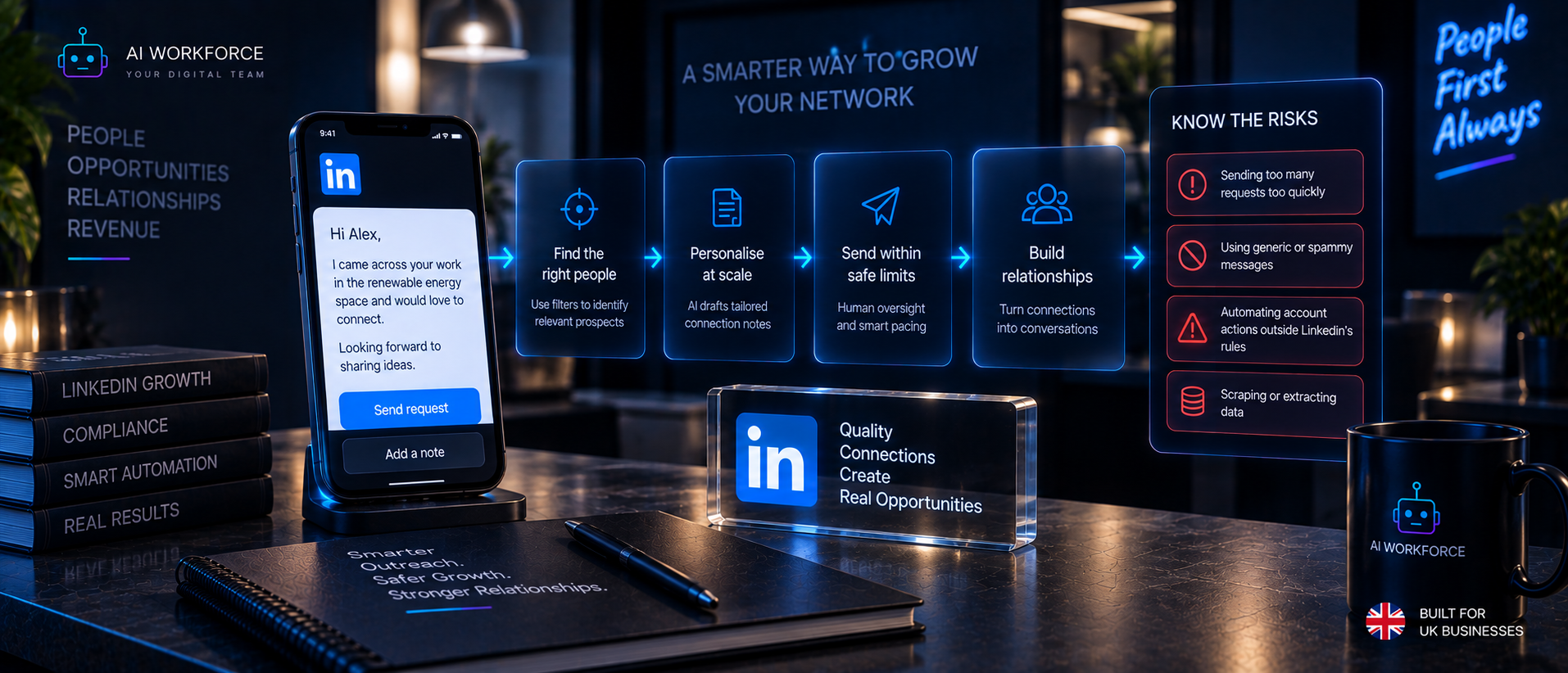
Quick answer: AI can assist with selecting appropriate prospects, verifying context and preparing a connection note. That is different from software automatically sending connection requests through the LinkedIn account. LinkedIn documents invitation restrictions based on invitation activity and states that suspected automation used alongside excessive invitations may result in account suspension or restriction. A governed workflow separates Decision, Preparation, Review, LinkedIn Action, Connection State and Next Action, and does not optimise simply for the number of requests sent.
What Is LinkedIn Connection Request Automation?
The phrase covers several genuinely different activities. Prospect-selection automation identifies who might be worth connecting with. AI connection-note drafting prepares the wording for a request. Human-approved preparation combines both with a person reviewing the result. Human-performed connection requests are sent by a person clicking send. Approved LinkedIn integration access, where LinkedIn has specifically granted it, is a separate category. Unauthorised software performing the account action itself is different again, and is the category LinkedIn's platform rules restrict. These are not equivalent forms of automation, and this article treats them separately throughout.
Connection Request Automation vs LinkedIn Outreach Automation
Connection request automation is one stage, deciding whether and how to initiate the connection.
LinkedIn outreach automation is the broader workflow before and after the connection request, covered in AI Workforce's LinkedIn Outreach Automation guide.
Message generation is researching and drafting the words used, covered in AI Workforce's AI LinkedIn Message Generator guide.
Platform automation is software performing LinkedIn account actions, governed by the rules covered in AI Workforce's LinkedIn Automation Limits guide.
This article focuses specifically on the connection-request stage.
The AI Workforce LinkedIn Connection Request Model
The following is an AI Workforce implementation framework rather than an official LinkedIn process or industry standard.
Select → Verify → Decide → Prepare → Review → LinkedIn Action → Observe State → Route
Select. Choose a prospect already judged relevant.
Verify. Confirm current company, role, and suppression or existing-contact state.
Decide. Determine whether a connection request is appropriate at all.
Prepare. Choose note or no note, and draft context where required.
Review. A person checks evidence, tone and prior contact state.
LinkedIn Action. The permitted action occurs through the person or specifically authorised functionality.
Observe State. Record what actually happened.
Route. Move the prospect into the appropriate next state without inferring interest from acceptance or rejection of a pending request.
A Connection Request Is a State Transition
The following states are an AI Workforce workflow-state model, not a claim that LinkedIn exposes every one of them as a formal platform status.
Eligible, Ready for Review, Ready to Send, Pending or Unresolved, Accepted, Withdrawn, Restricted or Blocked, Suppressed, Human Review Required. Recording state explicitly in a CRM or workflow tool matters because a connection request is not a single, finished event; it opens a sequence that needs to be tracked accurately. The central idea worth protecting: a connection request is a state transition, not a volume target.
Who Should Receive a LinkedIn Connection Request?
A prospect should have passed basic checks before reaching this stage: the account fits the ICP, the contact's role is relevant, current employment is verified, there is no duplicate record, there is no existing conversation already underway, there is no conflict with an existing salesperson owner, there is no suppression or prior objection on file, and there is enough business context to justify contact. How a prospect reaches this point is covered in AI Workforce's LinkedIn Lead Generation guide; this article assumes that work has already happened.
Should You Add a Note to a LinkedIn Connection Request?
There is no universal answer. This guide does not claim that notes always increase acceptance, that notes reduce it, that sending no note always performs better, or that one template wins across every situation. A note can be useful where it provides genuine context the recipient would otherwise lack. No note may also be entirely appropriate, where the context is already obvious, where the person already knows the sender, or where there is no useful factual context worth forcing into the request. The decision should turn on whether the note adds truthful, relevant context, not on a rule of thumb about acceptance rates.
The AI Workforce Connection Note Decision Test
An AI Workforce editorial and implementation framework.
Test 1, Context. Does the recipient have a clear reason to understand why this connection is being requested?
Test 2, Evidence. Is any personalisation fact in the note verified?
Test 3, Relevance. Does the detail relate to the professional reason for connecting?
Test 4, Restraint. Can the note establish context without turning into a sales pitch?
If the note adds no useful context, do not manufacture personalisation simply to fill the field. Sending no note is a legitimate outcome of this test.
LinkedIn Connection Request Examples
No-pitch professional connection:
"Hi James, I work with sales leaders at growing UK software companies and wanted to connect."
Evidence used: none beyond the recipient's professional field. Avoids: any claim about the recipient's specific situation. Human check: confirm the professional field described is accurate.
Verified role change:
"Hi Priya, saw you've recently moved into the sales leadership role at [Company]. I work in a similar space and thought it'd be worth connecting."
Evidence used: a verified current role change. Avoids: any assumption about what that role change means for the business. Human check: confirm the role change is current, not stale.
Relevant company event:
"Hi Tom, congratulations on the new office opening. I work with growing UK teams and thought it'd be good to connect."
Evidence used: a verified, current public announcement. Avoids: linking the event to an assumed need. Human check: confirm the announcement is accurate and recent.
Mutual professional context:
"Hi David, noticed we're both connected to [Name] and work in similar areas, thought it'd be worth connecting."
Evidence used: a verified mutual connection. Avoids: implying that connection amounts to an endorsement. Human check: confirm the mutual connection is genuine, not miscounted.
Existing first-party interaction:
"Hi Claire, saw your comment on [Name]'s post about outbound process, thought it'd be worth connecting."
Evidence used: a genuine first-party interaction the sender actually observed. Avoids: exaggerating the closeness of the exchange. Human check: confirm the interaction happened as described.
Bad LinkedIn Connection Request Examples
Fake compliment: "Hi Sarah, I noticed your incredibly impressive profile and wanted to reach out." Fails the truth and relevance tests; it is generic and applies to anyone.
Immediate hard pitch: "Hi Marcus, we help companies like yours 10x their sales pipeline, let's connect, and I'll show you how." The request moves immediately into a sales claim without first establishing why the connection is relevant, and the "10x" outcome is unsupported.
Fabricated company trigger: "Hi Tom, congrats on your recent Series A!" sent to a company that has not raised funding. Fails the truth test outright.
Intrusive personal detail: "Hi Priya, saw your recent post about a family matter, hope things are improving. Anyway, wanted to connect." Fails the appropriateness test; sensitive personal information has no place here. For the deeper personalisation framework these examples draw on, see AI Workforce's AI LinkedIn Message Generator guide.
Can AI Write Connection Requests?
Yes, AI can prepare a draft note. AI drafting is not the same as LinkedIn sending, and a governed workflow should retain the source behind any factual claim, the date it was checked, the draft itself, any human edit, and the approval or rejection decision. The working rule from AI Workforce's message generation guide applies here too: no source, no factual personalisation claim.
Can You Automate Sending LinkedIn Connection Requests?
A person can manually initiate a connection request through LinkedIn's own interface. Native LinkedIn functionality does not itself send a request without a person clicking send. A specifically authorised integration might support a relevant action if LinkedIn has documented that permission; this guide does not assume such an integration exists for a particular action unless it has been verified. Unauthorised third-party software controlling the account to send connection requests sits within LinkedIn's restrictions on prohibited software and automated activity. This guide does not provide guidance on working around those restrictions. For the full policy analysis, see AI Workforce's LinkedIn Automation Limits guide.
What Are LinkedIn's Connection Request Limits?
LinkedIn's own Help Centre page on restrictions for sending invitations, checked directly in September 2026, does not publish a universal daily or weekly connection-request number. This guide does not manufacture one either. What LinkedIn does document is the reasoning behind restrictions rather than a fixed count: an account may be temporarily restricted from sending invitations if it has sent many invitations within a short amount of time, or if many of its invitations have been ignored, left pending, or marked as spam by recipients. LinkedIn states that if it suspects the use of an automation tool alongside an excessive number of invitations, it may suspend or restrict the account. LinkedIn also documents a separate, unrelated figure, a maximum network size of 30,000 first-degree connections, which is not an invitation-sending limit. All LinkedIn members, Basic and Premium, are subject to invitation limits and restrictions, and LinkedIn states that restrictions cannot be purchased away. As documented by LinkedIn in September 2026, most restrictions are automatically removed within one week, and LinkedIn Support states it cannot disclose the type or reason for a specific restriction. Standard invitations and personalised invitations to connect are subject to separate restrictions. Numbers published by third-party vendors or community sources claiming a specific "safe" daily or weekly figure are not LinkedIn's own documentation, and this guide does not repeat them.
Pending LinkedIn Connection Requests
A pending invitation is one that has been sent but not yet accepted, declined, or withdrawn. Pending does not equal accepted, and it does not equal rejected; it is its own state and should be tracked as one. A workflow should not automatically move a pending request into a follow-up sequence that assumes a connection exists, because no connection exists until the request is actually accepted.
What Happens When a Connection Request Is Accepted?
Acceptance changes the state to Accepted, and nothing more should be inferred from it automatically. Acceptance does not mean the person is qualified, interested, ready to buy, has given permission for unlimited messaging, or has expressed any commercial intent. It means the connection was accepted. From there, the appropriate next steps are a context review and a decision about the first message, both covered in AI Workforce's LinkedIn Outreach Automation guide; this article does not repeat that sequence.
What Happens When a Connection Request Is Not Accepted?
LinkedIn does not expose a clean "declined" state in the way this term is sometimes used informally; a request that has not been accepted is typically still pending or has gone unanswered. The absence of acceptance is not evidence that the offer was rejected, that there is no need, or of any particular sentiment, and a workflow should not invent a reason where none is known. The realistic state to record is pending or unresolved. From there, a business may reasonably choose to leave it alone, review it again later, suppress the contact due to another signal entirely, or use another lawful channel where that is independently appropriate. This guide does not encourage repeated invitation attempts to the same person.
Withdrawing LinkedIn Invitations
LinkedIn's own Help Centre documentation, checked directly in September 2026, confirms that a sent invitation can be withdrawn any time before it is accepted, that the recipient is not notified when this happens, and that withdrawn invitations cannot be restored. LinkedIn documents a waiting period after withdrawal: you won't be able to send a new invitation to the same member for up to three weeks. LinkedIn also states that bulk withdrawal is not supported through its own interface. Withdrawal should be recorded in CRM or workflow state so the business knows not to attempt a new invitation to that contact before the documented waiting period has passed. This guide does not recommend mass withdrawal tactics aimed at working around invitation limits.
Connection Requests and Sales Navigator
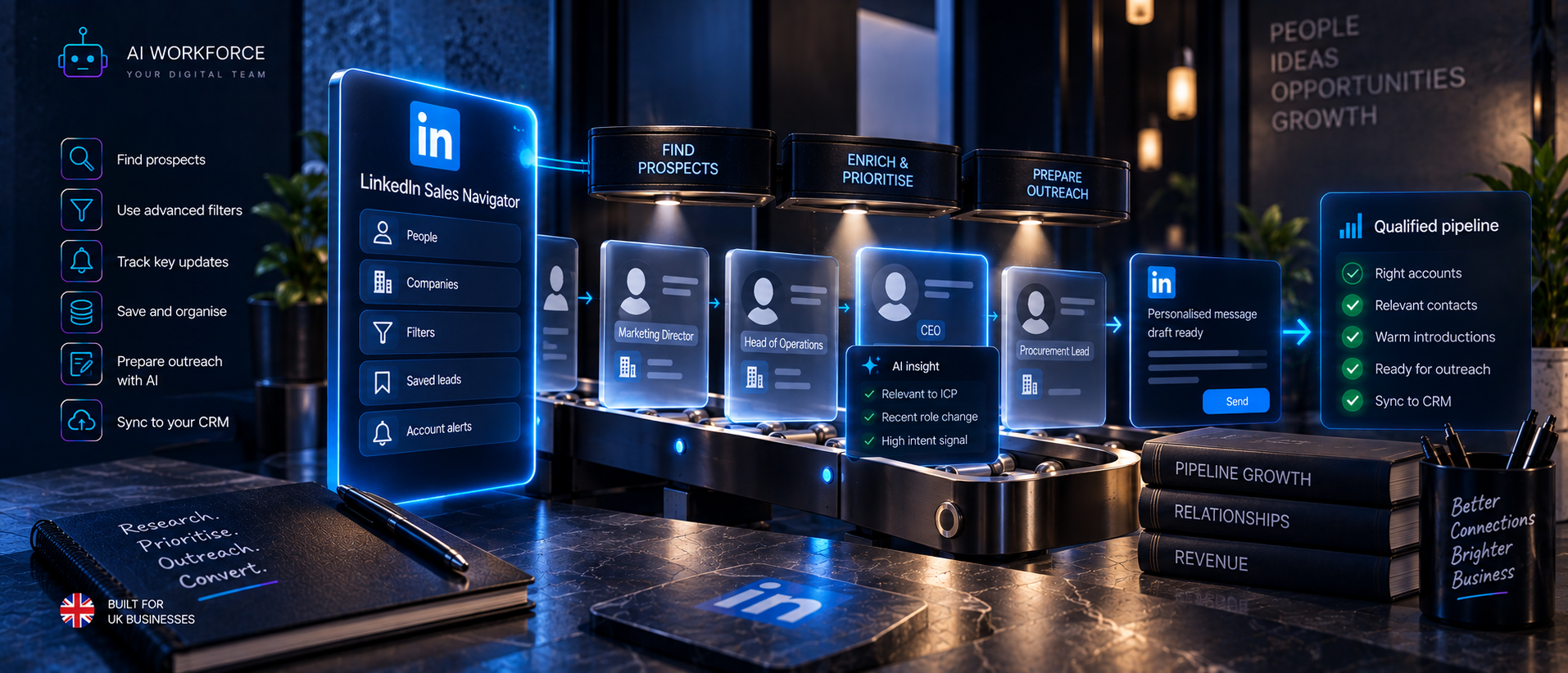
Sales Navigator can help identify and research relevant prospects; its search, saved leads and alerts support the selection and verification stages of this workflow. A Sales Navigator subscription does not itself authorise unauthorised automated connection-request sending; that remains governed by the same platform rules regardless of which LinkedIn product is used. For the fuller detail on what Sales Navigator does and does not enable, see AI Workforce's LinkedIn Sales Navigator Automation guide.
Connection Requests and CRM State
Recommended fields: prospect ID, LinkedIn profile reference, account, role, ICP status, connection eligibility, connection note source, connection note version, human reviewer, request date, current connection state, acceptance date where applicable, suppression status, existing owner, next action, date of last state change, and source or provenance. Recording these matters because the business should always be able to answer who was contacted, why, and what happened as a result, without relying on one person's memory of the conversation.
The AI Workforce Connection Request Stop Conditions
The following is an AI Workforce implementation framework.
Stop or pause before sending if the contact is suppressed, a previous objection exists, another salesperson owns an active conversation with that contact, a duplicate contact or request already exists, role or company verification fails, evidence conflicts, the personalisation source is stale, the account has received a LinkedIn warning or restriction, the prospect is already connected, the context has become sensitive, or a human reviewer rejects the request.
After sending, stop or pause further connection action if the request remains pending; do not initiate another connection request to the same person while it is unresolved; the prospect blocks or restricts the sender; an objection arrives through another channel; the contact becomes irrelevant to the current ICP; or the account receives a warning or restriction.
UK GDPR and LinkedIn Connection Requests
LinkedIn profile data can be personal data, and its public availability does not remove UK GDPR obligations. A lawful basis is required to process it, and where legitimate interests are relied on, this requires a genuine assessment rather than an assumption. Transparency about how the data is used matters; the right to object must be respected; a suppression list should be actively maintained; only the personal data genuinely needed should be collected; and the source of each record should be preserved. Connection acceptance does not equal consent for all future marketing channels, and moving a contact to email, SMS or phone introduces separate considerations that should be assessed on their own terms. For the fuller compliance picture, see AI Workforce's AI GDPR Compliance UK guide.
How to Pilot a Connection Request Workflow
The following is an AI Workforce implementation methodology, not an industry standard.
Stage 1, Manual Baseline. Document current selection, notes and outcomes before changing anything.
Stage 2, AI Preparation. AI assists with verification and note drafting; a person performs every account action.
Stage 3, State Management. Add CRM state, duplicate prevention, suppression checks and acceptance tracking.
Stage 4, Controlled Approved Integration. Introduce only specifically authorised integrations or actions where LinkedIn permits them.
Stage 5, Expand or Hold. Expand only if the evidence and platform compliance from earlier stages support it.
How to Measure Connection Requests
The number of requests sent is an activity count, not a measure of quality. Relevant measures include: eligible prospects reviewed, human approval rate, human rejection rate, factual correction rate, duplicate-prevention rate, acceptance rate, pending rate, downstream reply rate, qualified reply rate, meetings generated, accepted opportunities, objections, suppression events, account warnings or restrictions, CRM-state accuracy, and cost per accepted opportunity. Acceptance rate should be evaluated alongside downstream replies, qualified conversations and accepted opportunities, because an accepted request does not establish a commercial outcome on its own.
Worked Example
A UK SaaS company is targeting Heads of Sales. An outreach-ready prospect, already verified and prioritised through the lead generation process, reaches this stage. The role and company are re-verified as current. CRM and suppression checks confirm the contact is eligible. The system decides a connection request is appropriate. AI drafts a note using verified context: a recent, confirmed leadership hire at the target company. A person reviews the note, removes one phrase that overstated the connection, and sends the request themselves. The state becomes Pending. Several days later, the prospect accepts, and the state becomes Accepted. The prospect is then routed to AI Workforce's LinkedIn Outreach Automation workflow for the next message.
At that point, this example stops.
How to Evaluate a LinkedIn Connection Request Automation Tool
Does it directly send connection requests? If so, what LinkedIn permission authorises that action? Does it rely on browser automation? Does it scrape data? Can it prepare a draft without sending it? Can every request require human approval before it goes out? Does it preserve the evidence behind the note? Can users edit or reject a draft? Can it prevent duplicate requests? Can it check suppression status? Can it detect existing connections? Can it maintain pending and accepted state accurately? Can it be paused immediately? What prospect data does it retain? Can it integrate with a CRM? What happens if LinkedIn restricts the account while it is in use? Does it market an unofficial number as a "safe" limit? For a comparison of specific tools against these questions, see AI Workforce's Best AI LinkedIn Automation Tools guide.
Common Connection Request Automation Failure Modes
Sending to unverified prospects. A broad, untested ICP. Duplicate requests to the same contact. Stale role data used in a note. Fabricated personalisation. Adding a note where none was needed. An immediate pitch inside the request. Assuming acceptance means commercial intent. Treating a pending request as a rejection. Repeated invitation attempts to the same person. Ignoring suppression flags. Unauthorised account automation. Chasing an unofficial "safe" volume number instead of LinkedIn's actual documented guidance. No CRM state kept after sending. No ability for a person to override the system. Measuring volume sent rather than downstream outcomes.
Sources and Methodology
The LinkedIn Help Centre pages above were checked directly in September 2026 and quoted or summarised from their current published wording, and are subject to change. The AI Workforce LinkedIn Connection Request Model, workflow-state model, Connection Note Decision Test, stop-condition model, pilot methodology and measurement framework are AI Workforce implementation and editorial frameworks rather than official LinkedIn processes, industry standards or independently verified benchmarks.
Frequently Asked Questions
Can you automate LinkedIn connection requests?
Preparation, research and note drafting can be AI-assisted. Sending the request through unauthorised third-party software is restricted under LinkedIn's platform rules, covered in AI Workforce's LinkedIn Automation Limits guide.
Does LinkedIn allow automated connection requests?
LinkedIn's Prohibited Software and Extensions policy and User Agreement restrict unauthorised third-party tools that automate activity on the platform, including sending invitations.
How many LinkedIn connection requests can I send?
LinkedIn does not publish a universal daily or weekly connection-request number that this guide can responsibly present as a platform-wide limit. LinkedIn instead documents that accounts sending many invitations in a short period, or with a high rate of ignored, pending or spam-reported invitations, may be temporarily restricted.
Does LinkedIn have a weekly connection limit?
LinkedIn does not publicly document a fixed universal weekly number. Restrictions are described in terms of invitation volume and pattern rather than a published fixed figure.
Can LinkedIn restrict my account for sending too many requests?
Yes, LinkedIn documents that accounts may be temporarily restricted from sending invitations, and that a suspected automation tool combined with an excessive number of invitations may lead to suspension or restriction.
Should I add a note to a LinkedIn connection request?
Only where the note adds truthful, relevant context; there is no universal rule that a note always helps or always hurts.
Can AI write LinkedIn connection requests?
Yes, AI can prepare a draft note based on verified context; a person should review it before it is sent.
Can Sales Navigator automate connection requests?
Sales Navigator supports research and prospect identification. It does not itself authorise unauthorised automated sending of connection requests.
What happens when a LinkedIn connection request is pending?
It has been sent but not yet accepted, declined or withdrawn. This is a distinct state and should not be treated as either an accepted connection or a rejection.
Should I withdraw old LinkedIn connection requests?
This depends on the business's own process. LinkedIn confirms a sent invitation can be withdrawn any time before acceptance, but that a new invitation to the same person cannot be sent for up to three weeks afterwards.
Can I resend a withdrawn LinkedIn invitation?
Not immediately; LinkedIn documents a waiting period of up to three weeks before a new invitation can be sent to the same member after withdrawal.
Does accepting a LinkedIn connection request mean the person is interested?
No, acceptance means the connection was accepted; it does not on its own indicate interest, need or buying intent.
Does accepting a connection request count as marketing consent?
No, connection acceptance is not the same as consent for other marketing channels, and moving contact to email, SMS, or phone introduces separate considerations.
Should LinkedIn connection requests be tracked in CRM?
For a team-based sales workflow, recording connection-request state in CRM can make ownership, suppression, duplicate prevention and next actions visible beyond one person's LinkedIn account.
Key Takeaways
A connection request is a state transition, not a volume target. The prospect should already be outreach-ready before this stage begins. Whether to include a note is a contextual decision, not a rule of thumb. AI drafting a note is not the same as software sending it. Every factual personalisation claim needs a source. Acceptance does not mean buying intent, and a pending request does not mean rejection. Connection acceptance does not amount to blanket marketing consent. CRM state should be recorded accurately at every stage. LinkedIn's platform rules govern the account action itself, regardless of how the note was prepared. Evaluate connection-request activity alongside downstream replies, qualified conversations and accepted opportunities rather than request volume alone.
Written by Seth Ayush, Sales Automation Specialist at AI Workforce · Reviewed by Clara Miller, Content Specialist at AI Workforce