LinkedIn Outreach Automation: A Practical Guide for B2B Sales
Posted On: September 29, 2026
Last updated: September 2026
Written by Seth Ayush, Sales Automation Specialist at AI Workforce · Reviewed by Luca Controlo, Co-Founder of AI Workforce
Quick answer: LinkedIn outreach automation is most useful when automation handles the preparation and state-management work around outreach, finding relevant prospects, verifying information, researching accounts, drafting personalised messages, classifying replies, maintaining CRM state and preparing follow-ups, rather than blindly automating the LinkedIn account actions themselves. A governed workflow can use automation for preparation, classification and state management while keeping human review and appropriate LinkedIn access controls around account actions. This guide sets out how to design that workflow end to end.
What Is LinkedIn Outreach Automation?
LinkedIn outreach automation covers a wide range of activities, and treating it as one thing leads to poor decisions. It can mean automating the preparation behind outreach, research, prioritisation, drafting and personalisation, while a person still sends every message. It can mean automating the internal workflow around outreach, reply classification, CRM updates, task creation and follow-up preparation. Or it can mean automating the LinkedIn account actions themselves, connection requests, messages and profile visits performed by software rather than a person.
These are not the same thing, and they carry different considerations. Automating preparation and internal workflow speeds up a person's own work without changing who is acting on LinkedIn. Automating the account action itself is a different category, governed by LinkedIn's own platform rules. This article focuses primarily on preparation and internal workflow, while treating direct LinkedIn account automation separately because different platform rules apply.
LinkedIn Outreach vs LinkedIn Prospecting vs AI SDR
These three terms get used interchangeably, which causes confusion when choosing tools or designing a process.
LinkedIn prospecting is finding, researching and prioritising the people and accounts worth contacting. It is the input to outreach, not the conversation itself.
LinkedIn outreach is initiating and managing the actual conversation through LinkedIn, the connection request, the first message, and the exchange that follows.
AI SDR describes a wider role that may span LinkedIn, email, calls, qualification, follow-up and meeting booking; LinkedIn outreach is typically one channel within it, not the whole of it.
This article is specifically about the LinkedIn outreach workflow. For the research and targeting layer that feeds it, see AI Workforce's guide to AI sales prospecting. For the broader multi-channel role, see the AI SDR guide.
The AI Workforce LinkedIn Outreach Workflow
The following is an AI Workforce implementation framework rather than an official LinkedIn process or industry standard.
ICP → Target → Verify → Research → Prioritise → Draft → Human Review → LinkedIn Action → Classify → Follow Up → Qualify → Handoff / Suppress → CRM
ICP. Define who should actually be contacted, before anything else.
Target. Identify candidate accounts and contacts that match the ICP.
Verify. Check that company, role and contact context are current, not stale.
Research. Collect relevant business context that will make the message worth reading.
Prioritise. Decide which prospects deserve attention first, based on fit and signal, not just list order.
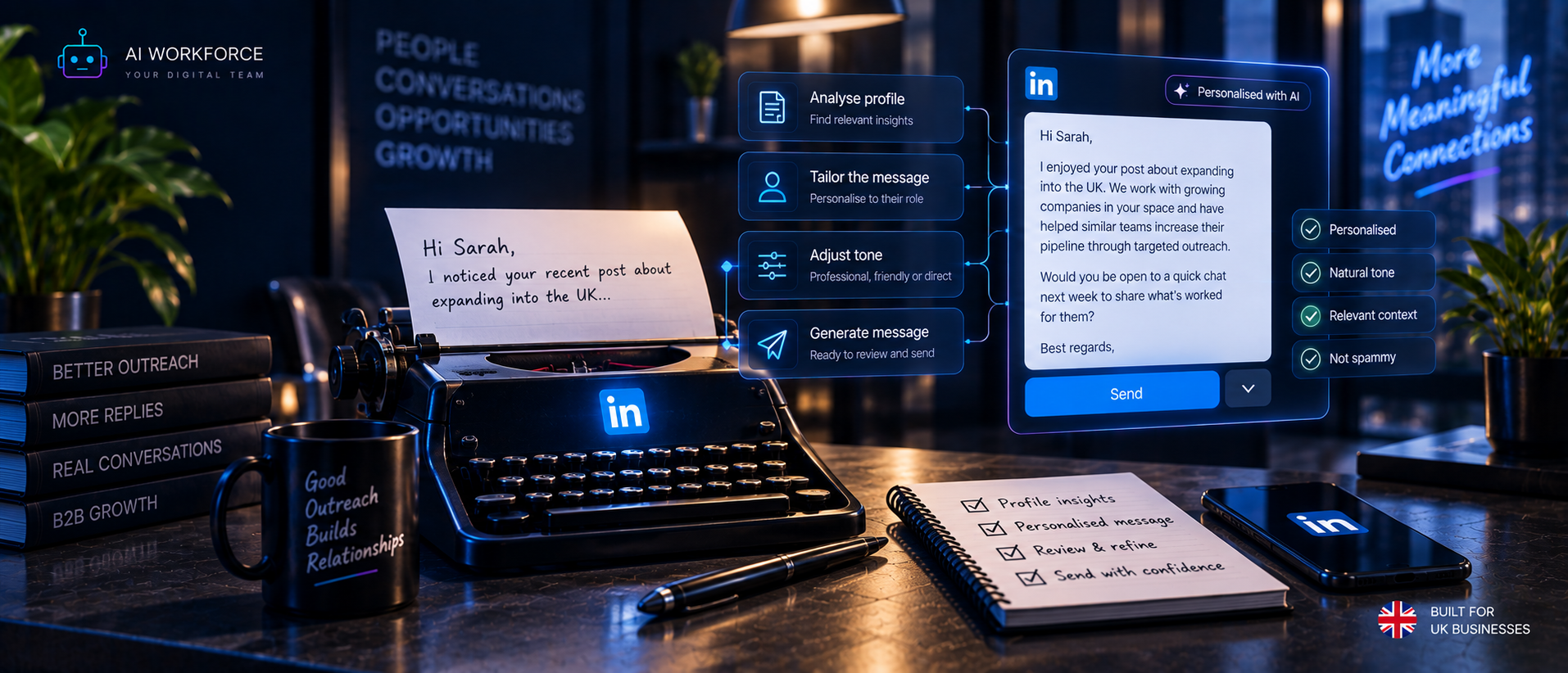
Draft. AI prepares a first message using the research collected.
Human Review. A person checks relevance, factual accuracy, tone and appropriateness before anything happens on LinkedIn.
LinkedIn Action. The permitted LinkedIn action occurs through the appropriate human or authorised workflow.
Classify. Replies are categorised so the system knows what to do next.
Follow Up. The next permitted action is prepared according to conversation state, not a fixed schedule regardless of context.
Qualify. Factual qualification information is captured without pretending the AI can infer buying intent with certainty.
Handoff / Suppress. Engaged prospects are passed to a salesperson, or contact is stopped where required.
CRM. The current state, owner, last action and next action are recorded.
Step 1: Define the ICP Before Automating Anything
Automation does not correct a poorly defined target market. If the ICP is too broad or inaccurate, automating later stages can propagate that targeting problem across more outreach. An ICP worth automating around should specify company size, industry, geography, role, seniority, relevant business characteristics such as growth stage or current tooling, and explicit exclusion criteria, competitors, existing customers, or accounts already being handled elsewhere.
More data does not automatically improve targeting. A narrow, testable ICP, for example "UK-based SaaS companies with 20 to 200 staff hiring for a first dedicated sales role", gives the team clearer inclusion and exclusion criteria and makes later performance easier to evaluate than a category such as "UK business owners".
Step 2: Build and Verify the Prospect List
Finding a possible contact is not the same as confirming they are the right one. Building a usable list involves separate steps: identifying a candidate, verifying their current role is accurate, confirming the account fits the ICP, and deciding whether they should actually be contacted given any exclusions or prior interactions.
This guide does not recommend scraping LinkedIn to build lists. LinkedIn's own search and Sales Navigator, which LinkedIn describes as an "AI-powered B2B sales tool" offering advanced search filters, account intelligence and lead research features, can form part of a legitimate research workflow, as can approved data providers and other lawfully sourced business data, depending on the permissions and terms that apply. For the platform and data-extraction boundaries that govern this step, see AI Workforce's LinkedIn Automation Limits guide.
Step 3: Research Before Personalising
AI Workforce LinkedIn Personalisation Ladder, an AI Workforce implementation framework.
Level 1, Generic. "Hi Sarah, I help businesses with AI." No relevance; could be sent to anyone.
Level 2, Role-Relevant. References the person's actual role or area of responsibility.
Level 3, Company-Relevant. References a verified business characteristic or current company context.
Level 4, Trigger-Relevant. References a genuine, verified event or situation that makes the outreach timely, a new hire, a funding round, an open vacancy.
Level 5, Intrusive or Unverified. Uses personal details with no clear business relevance, fabricated facts, inferred sensitive information, or unverifiable claims.
Level 5 is not a higher level of personalisation to aim for, it is a boundary to avoid. Good personalisation should be able to answer a simple test: why this person, why this company, and why this conversation, now. Fake personalisation, claiming to have "noticed" something an AI system generated rather than a person observed, is not recommended.
Step 4: Write the Connection Request
A connection note is not always necessary, and there is no single universal best template, what works depends on whether the person already has context on you, your company or a mutual connection. Three short examples for different situations:
No-pitch connection request:
"Hi James, I work with sales leaders at growing UK software companies and wanted to connect. No pitch, just keen to follow your updates."
Relevant-context connection request:
"Hi Priya, saw you're building out the sales function at [Company]. I work in a similar space and thought it'd be worth connecting."
Existing-context or mutual-interest request:
"Hi Tom, we're both connected to [Name], and I noticed your recent post on outbound process; it would be good to connect."
Avoid fake compliments, "I noticed your impressive profile", exaggerated familiarity, an instant hard sell in the note itself, or presenting AI-generated research as something a person personally observed. Message testing should be based on actual acceptance rates and the quality of the conversations that follow, not on subjective preferences about copy.
Step 5: Write the First LinkedIn Message
One practical structure: Context, why you're reaching out, Relevance, why this person specifically, Reason, what you're offering or asking, and a Low-Friction Next Step, something easy to say yes or no to.
Founder / SME example:
"Hi Claire, congrats on the recent product launch. We help SME founders manage inbound enquiries without hiring a full support team. Would it be useful to see how that's worked for a similar business?"
Sales leader example:
"Hi Marcus, noticed [Company] is hiring for its first BDR. We help sales leaders automate the prospecting research that usually eats into a new hire's ramp-up time. Worth a quick look?"
Recruitment business example:
"Hi Ellie, saw your team's grown this year. We help recruitment firms keep candidate pipelines warm between roles using automated but reviewed outreach. Happy to share how it works if useful."
Avoid "10x", "game changer", "revolutionise", fake urgency, excessive emojis, long paragraphs and generic compliments. Do not promise outcomes the business cannot substantiate.
Step 6: What Should AI Personalise?
Signal | Useful? | Why | Verification required? |
|---|---|---|---|
Current role | Yes | Confirms relevance of the message | Yes, roles change often |
Company industry | Yes | Shapes the framing of the offer | Yes |
Company size | Yes | Affects whether the ICP actually fits | Yes |
Current hiring | Yes | Can indicate a relevant trigger | Yes, listings expire |
Recent company announcement | Yes | Can provide timely business context when directly relevant to the reason for contact | Yes, must be current and accurate |
Relevant job vacancy | Yes | Direct evidence of a business need | Yes |
Technology stack, where legitimately known | Conditional | Useful only if sourced lawfully and accurately | Yes |
Mutual connection | Conditional | Provides shared context but should not imply a relationship that does not exist | Yes |
Recent public post | Conditional | Useful if genuinely relevant, not just recent | Yes |
Personal interests | No | Rarely relevant to a B2B reason for contact | N/A, avoid |
Sensitive personal information | No | Intrusive and inappropriate for outreach | N/A, avoid |
Step 7: Human Review Before LinkedIn Action
Before a message or connection request goes out, a person should be able to check the correct prospect has been identified, the role and company are accurate, there is no fabricated claim, the tone is appropriate, there is no sensitive inference in the message, there has been no prior objection or suppression flag on that contact, the conversation state is correctly understood, and the action about to be taken is actually the permitted one.
Human review should not be a meaningless approval click. The reviewer needs the ability to genuinely edit, reject or stop the action, and a workflow that makes rejection harder than approval defeats the purpose of the step.
Step 8: Reply Classification
A useful reply-state taxonomy needs more categories than positive or negative: Interested, Question, Objection, Not Now, Wrong Person, Not Relevant, Already Using Alternative, Human Review Required, Do Not Contact, Booked, Closed.
What happens next depends entirely on which state applies. An objection and a request for more information should never be handled the same way, and collapsing every reply into a binary outcome loses the information needed to respond appropriately.
Step 9: LinkedIn Follow-Up Automation
This section covers LinkedIn-specific follow-up at a high level. For the wider follow-up automation framework, see AI Workforce's AI Follow-Up Automation guide.
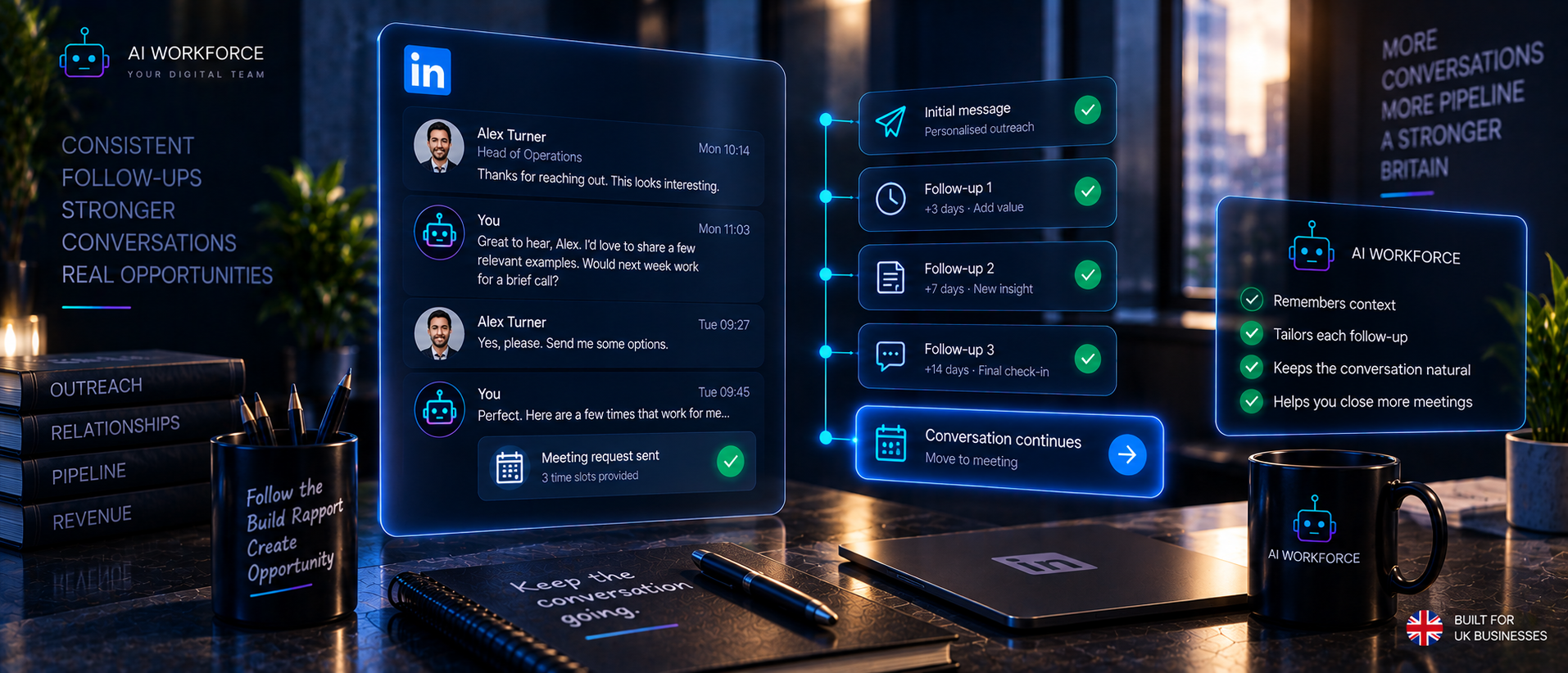
A state-driven flow: Awaiting Reply → Reply Received → Classify → Draft Next Action → Human Review Where Required → LinkedIn Action → Handoff / Suppress.
Stop conditions should include an explicit objection, a do-not-contact request, a conversation that has turned sensitive, a prospect who has already engaged with a salesperson through another channel, any account or platform warning, missing context that prevents a confident next step, an ambiguous reply that needs human judgement, a meeting already booked, or a contact who is no longer relevant to the ICP.
There is no universal number of follow-ups or fixed number of days supported by authoritative evidence, and this guide does not prescribe one. Cadence should be defined for the specific sales process in use and adjusted whenever the conversation state changes.
Step 10: Qualification and Handoff
AI can collect factual information explicitly stated by the prospect: team size, current process, a stated requirement, a stated timeline, an existing solution mentioned, and an agreed next step.
It should not infer budget, authority, buying intent, urgency or willingness to purchase unless those facts are explicitly supported by the conversation or another approved source. These are judgements, not facts a message exchange reliably establishes.
A simple handoff rule: qualified factual criteria are met, the prospect has engaged, and a next step has been agreed, then the conversation moves to a human salesperson. AI cannot reliably determine a "good lead" from intuition, and this guide does not claim otherwise.
Step 11: CRM State Management
LinkedIn outreach should not live only inside LinkedIn inboxes, where it is invisible to the rest of the business and dependent on one person's memory. Fields worth tracking include the LinkedIn profile or contact reference, company, role, ICP status, last LinkedIn action, last message date, reply category, qualification fields, owner, next action, suppression status, meeting status, and the source or provenance of the contact.
LinkedIn outreach becomes easier to govern when each prospect has an explicit, visible state rather than relying on what a salesperson remembers about a conversation from three weeks ago.
LinkedIn Outreach Stop Conditions
A workflow that only knows how to continue is not a governed workflow. It needs to know when to stop or pause: when a prospect opts out, objects, or asks to be left alone; when the conversation becomes sensitive; when the prospect asks to speak to a person rather than continue with automated preparation; when information conflicts and confidence is low; when the account receives any warning or restriction from LinkedIn; when the prospect is already being handled elsewhere in the business; when a meeting is booked; or when the prospect is no longer relevant to the ICP. These conditions should halt or pause outreach automatically, not depend on someone noticing.
LinkedIn Platform Rules
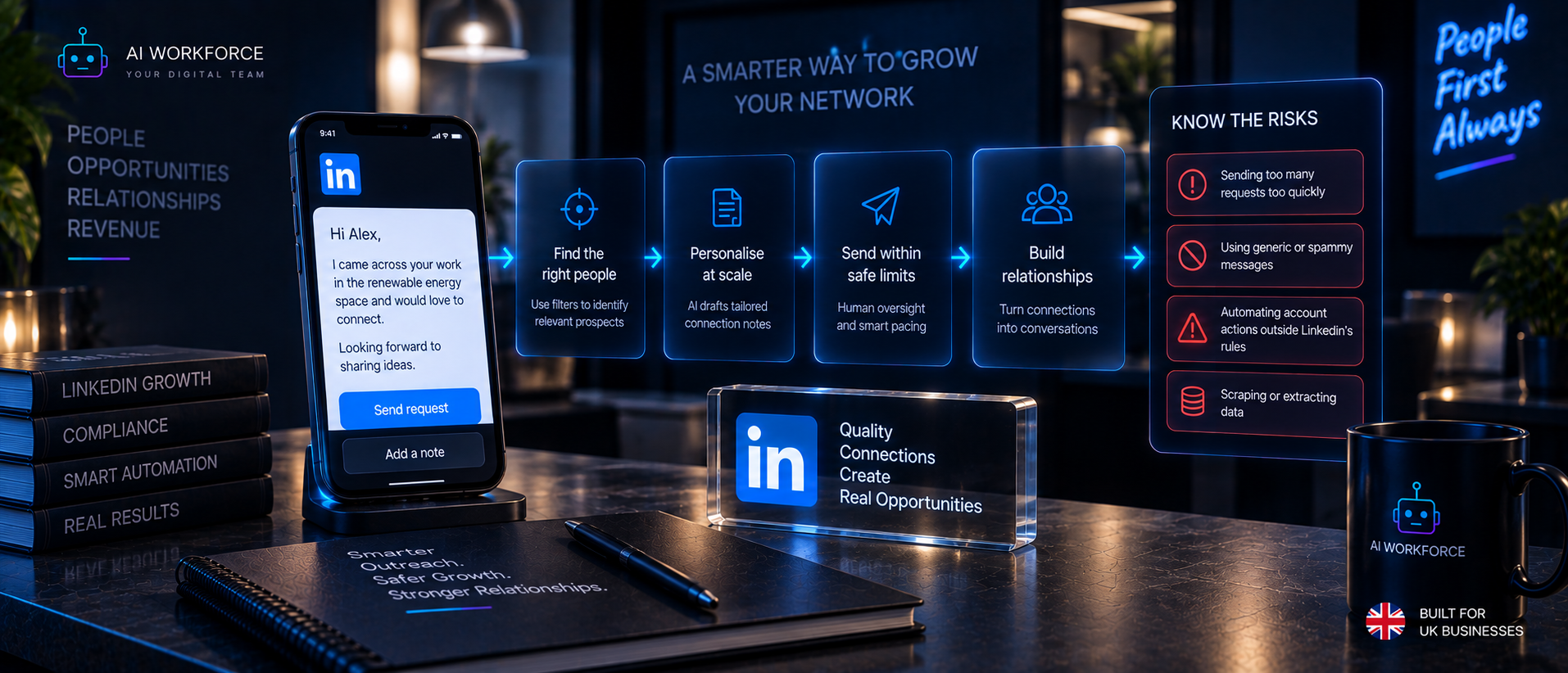
AI assisting a person with research and drafting is different from unauthorised software directly performing actions on a LinkedIn account. LinkedIn's Prohibited Software and Extensions policy and its User Agreement restrict third-party tools that scrape, modify the appearance of, or automate activity on LinkedIn's platform without authorisation. Approved integrations operating under LinkedIn's own Developer Program terms are treated differently. LinkedIn does not publish a fixed numerical limit on connection requests or messages, so this guide does not invent one. For the full detail on what is and is not permitted, see AI Workforce's dedicated guide, LinkedIn Automation Limits: What Is Safe and What Can Get Your Account Restricted?
UK GDPR and PECR
LinkedIn profile information, name, job title, employer, is personal data, and the fact that a profile is publicly visible does not remove UK GDPR obligations. A lawful basis is required to process it for outreach purposes, and where legitimate interests is relied on, this needs a genuine assessment rather than an assumption that B2B contact is automatically permitted. The right to object must be respected, and a suppression list should be actively maintained, not just theoretically available. Moving a prospect from LinkedIn to email, SMS or phone introduces separate PECR considerations that should be assessed on their own terms. For the fuller compliance picture, see AI Workforce's AI GDPR Compliance UK guide.
How to Pilot LinkedIn Outreach Automation
The following is an AI Workforce implementation methodology, not an industry standard.
Stage 1, Baseline. Document the current manual workflow and its baseline metrics before changing anything.
Stage 2, Research and Drafting. AI researches and drafts messages; a person performs every LinkedIn action.
Stage 3, Classification and State. Add reply classification, CRM updates and follow-up preparation to the workflow.
Stage 4, Controlled Expansion. Add only permitted integrations or actions where the evidence from earlier stages and LinkedIn's platform rules actually support it.
Expansion to the next stage should depend on evidence gathered, not a fixed number of weeks passing.
How to Measure LinkedIn Outreach
Messages sent, connection requests sent and profiles viewed are activity counts. These should be evaluated alongside downstream outcomes rather than treated as evidence of success on their own. Worth tracking instead: connection acceptance rate, reply rate, qualified reply rate, meetings generated, accepted opportunities, the human correction rate on AI drafts, the rate of incorrect personalisation, the rate of inappropriate messages, the objection or opt-out rate, the duplicate-action rate, CRM data accuracy, any account warnings or restrictions, and cost per accepted opportunity. Activity volume is an input to the process, not proof that it is working.
What Does Good LinkedIn Outreach Look Like?
A worked example. A UK B2B software company is targeting Heads of Sales at companies of 50 to 300 staff. The ICP is defined and agreed. A candidate contact is identified through a Sales Navigator search and matched against the ICP. Their current role is verified as accurate. Research surfaces that the company recently posted a vacancy for a BDR, a genuine trigger. AI drafts a message referencing that vacancy and the ramp-up challenge it creates. A person reviews the draft, edits one line for tone, and sends the connection request themselves. The prospect accepts and replies with a question about integration. The reply is classified as Question, and AI drafts a response answering it directly, which the person reviews and sends. The prospect agrees to a call. The conversation is handed to a salesperson, and the CRM is updated with the full history, the owner, and the next scheduled action. This is a realistic outcome for a single well-targeted contact, not a claim about typical conversion rates across a list.
Common LinkedIn Outreach Failure Modes
A broad, untested ICP that makes every subsequent step less effective. Stale role or company information that undermines an otherwise good message. Generic AI copy that reads the same for every recipient. Fabricated personalisation presented as if a person had noticed it. Overlong messages that lose the reader before the point is made. Pitching immediately with no context for why the message arrived. Treating a profile view or a passive open as evidence of buying intent. Continuing to message after an objection has been raised. Failing to update the CRM, so the next person to touch the account has no visibility. Duplicate outreach from more than one rep contacting the same prospect. Automating LinkedIn account actions without understanding the platform rules that apply. Measuring activity volume instead of commercial outcomes.
How to Evaluate a LinkedIn Outreach Tool
A practical checklist for evaluating a vendor: What stage of the workflow does it actually automate? Does it directly perform LinkedIn account actions, or does it prepare work for a person to action? Does it use an authorised LinkedIn integration or API, or unauthorised third-party access? Can a human genuinely approve or reject messages and actions before they happen? Can it classify replies rather than treating every response the same way? Does it enforce stop conditions automatically? Does it sync with a CRM, or does data stay trapped in the tool? Does it preserve the source and provenance of the research behind each message? Can it prevent duplicate outreach to the same contact? Can it be paused immediately if something goes wrong? How is prospect data retained, and for how long? Can it show why a particular prospect was prioritised? What happens to the workflow if LinkedIn changes its platform rules? For a comparison of specific tools against these questions, see AI Workforce's Best AI LinkedIn Automation Tools guide.
Sources and Methodology
All sources above were checked directly in September 2026 and quoted or summarised from their current published wording. The AI Workforce LinkedIn Outreach Workflow, LinkedIn Personalisation Ladder, message structures and examples, reply-state taxonomy, stop-condition model, pilot methodology and measurement framework are AI Workforce implementation frameworks and illustrations rather than official LinkedIn processes, industry standards or independently verified benchmarks.
Frequently Asked Questions
What is LinkedIn outreach automation?
It covers automating any part of the process around a LinkedIn conversation, from research and drafting through to reply classification and CRM updates, and can extend to the account actions themselves, though this guide recommends keeping a person in control of the account action.
Can you automate LinkedIn outreach?
Preparation, research, drafting, personalisation, reply classification and CRM updates can be automated with appropriate human review. Directly automating LinkedIn account actions through unauthorised third-party software sits within LinkedIn's platform restrictions, covered in AI Workforce's LinkedIn Automation Limits guide.
Can AI write LinkedIn messages?
Yes, AI can draft connection requests and messages based on research, provided a person reviews them for accuracy, tone and relevance before they are sent.
How do you personalise LinkedIn outreach with AI?
By grounding messages in verified, business-relevant context, role, company, and genuine triggers, rather than generic templates or unverifiable personal details.
How many LinkedIn messages should I send?
LinkedIn does not publish a universal daily limit, and this guide does not manufacture one. Volume should be set by what a person can genuinely review and by the quality of replies received, not by an arbitrary target.
How many follow-ups should I send on LinkedIn?
There is no authoritative universal number. Follow-up cadence should be defined for the specific sales process and adjusted based on conversation state, not applied as a fixed rule regardless of context.
Is LinkedIn outreach legal in the UK?
There is no blanket UK law prohibiting B2B LinkedIn outreach, but processing personal data for outreach requires an appropriate UK GDPR basis and compliance with applicable direct-marketing rules, and moving contact to other channels can introduce PECR considerations.
Does LinkedIn outreach need consent?
Not always, legitimate interests can apply to B2B outreach in some circumstances, but this requires a genuine assessment rather than an assumption, and the right to object must always be respected.
Can AI qualify LinkedIn leads?
AI can capture factual qualification information stated by a prospect, but should not be relied on to infer budget, authority or buying intent without evidence.
Should LinkedIn outreach go into a CRM?
Yes, keeping outreach state only inside LinkedIn inboxes makes it invisible to the wider business and dependent on individual memory.
What should stop an automated LinkedIn follow-up?
An objection, a do-not-contact request, a sensitive conversation, an account warning, a booked meeting, or a contact who is no longer relevant should all stop or pause further automated follow-up.
What is the difference between LinkedIn prospecting and LinkedIn outreach?
Prospecting is finding and prioritising the right people to contact. Outreach is the actual conversation with them once contact has begun.
Key Takeaways
LinkedIn outreach automation works best when it is designed as a workflow with distinct stages: ICP, targeting, verification, research, prioritisation, drafting, human review, the LinkedIn action, reply classification, follow-up, qualification, handoff and CRM state, rather than as a single automated pipeline from list upload to auto-message. Personalisation should be grounded in verified, business-relevant information, not fabricated or intrusive detail. Stop conditions need to be built in from the start, not added after something goes wrong. Measurement should focus on acceptance, replies and accepted opportunities, not raw activity volume. And the platform and data protection boundaries that apply, covered fully in AI Workforce's dedicated guides, should inform the design from the outset rather than being treated as an afterthought.
Written by Seth Ayush, Sales Automation Specialist at AI Workforce · Reviewed by Luca Controlo, Co-Founder of AI Workforce