Best LinkedIn Automation Tools 2026: 8 Tools Compared
Posted On: July 28, 2026
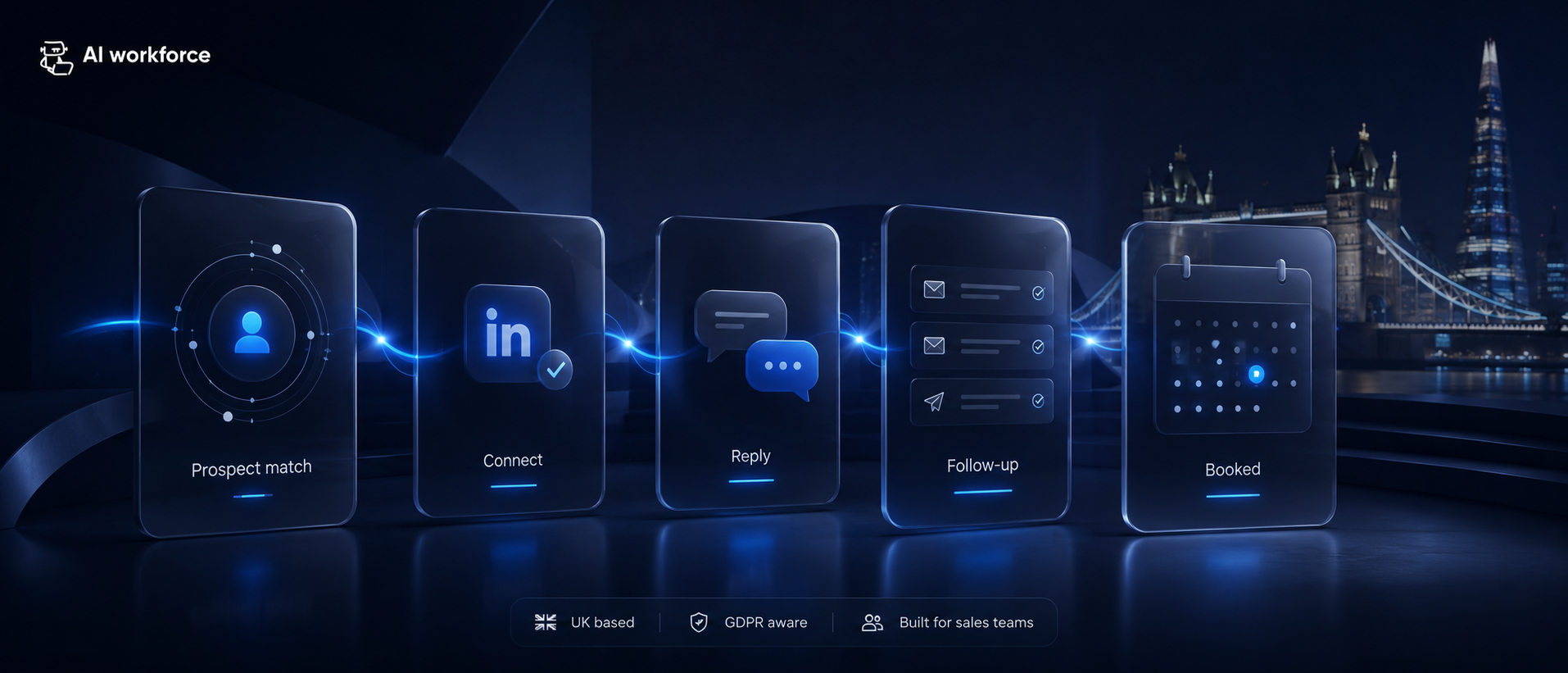
Written by Clara Miller, Content Marketing Specialist · Reviewed by Luca Controlo, AI Adoption and Marketing Automation Lead · Last updated: September 2026
LinkedIn automation tools range from official prospecting products such as Sales Navigator to CRM integrations, AI research tools and third-party platforms that automate connection requests or messages. Those categories are not equivalent. Some help sales teams research, draft and organise outreach without acting inside LinkedIn, while others automate actions on the platform and can create account-policy risk. This guide compares eight LinkedIn automation tools for 2026 across features, pricing, use case, access method and risk, then explains how to build a LinkedIn outreach workflow without relying on tactics designed to avoid detection.
Quick Answer: There is no single best LinkedIn automation tool because the right choice depends on what you are trying to automate. LinkedIn Sales Navigator is the strongest starting point for official prospect research. CRM platforms such as HubSpot and Salesforce can support authorised LinkedIn-connected workflows. Tools such as Clay can help with research and enrichment off-platform. Dedicated LinkedIn sequencing products may automate connection requests, messages or profile activity, but their access method needs careful scrutiny because unauthorised automated activity can conflict with LinkedIn's User Agreement. Compare tools on capability, access method, integration, pricing and account risk rather than sending volume alone.
Best LinkedIn Automation Tools at a Glance
Best overall for official LinkedIn prospecting: LinkedIn Sales Navigator
Best for CRM-connected sales workflows: HubSpot Sales Hub
Best for enterprise CRM teams: Salesforce Sales Cloud
Best for AI-assisted enrichment and research: Clay
Best for prospect data plus off-platform sales workflows: Apollo
Best for LinkedIn contact-data enrichment: Kaspr
LinkedIn sequencing platform requiring platform-policy scrutiny: Expandi
LinkedIn sequencing platform requiring platform-policy scrutiny: Dripify
What it is: using AI to research prospects, draft outreach and keep CRM records current, distinct from third-party tools that automate actions inside LinkedIn itself
What's genuinely safer: AI-assisted research, drafting, CRM enrichment and reminders, with a person sending through LinkedIn's own interface or an authorised integration
What carries real risk: third-party bots or browser extensions that automatically view profiles, send connection requests or send messages, regardless of sending volume
Key legal considerations: UK GDPR for any identifiable contact, and PECR for direct messaging used as marketing, which covers social media messaging under the same rules as email
Common mistake: assuming random delays, low daily volume or a gradual ramp-up make prohibited automation acceptable. They do not change what LinkedIn's terms permit
Best LinkedIn Automation Tools 2026
This comparison covers eight named LinkedIn automation tools, verified against official vendor documentation where available. Where a vendor's access method or current pricing could not be confirmed directly, that is marked "check required" rather than assumed.
Tool | Best for | Main function | Starting price |
|---|---|---|---|
LinkedIn Sales Navigator | Official prospect research | Search, filters, saved leads, account monitoring | $119.99/mo (Core) |
HubSpot Sales Hub | CRM-connected sales workflow | Pipeline, sequencing, CRM sync | Free tier; paid from $20/mo/seat |
Salesforce Sales Cloud | Enterprise CRM teams | Pipeline, forecasting, CRM sync | Check required — confirm current tier pricing directly with Salesforce |
Clay | AI-assisted enrichment/research | Data enrichment, workflow automation | Free tier; paid from $167/mo |
Apollo | Prospect data + sales workflow | Contact database, sequencing, CRM | Free plan available; paid tiers check required |
Kaspr | LinkedIn contact-data enrichment | Chrome extension retrieving phone/email from LinkedIn profiles | Free tier; paid from €45/mo |
Expandi | LinkedIn sequencing | Cloud-based connection/message sequencing | $99/mo ($79/mo annual) |
Dripify | LinkedIn sequencing | Cloud-based connection/message sequencing | $39/mo (Basic, annual billing) |
Tool | LinkedIn access | Platform-policy position |
|---|---|---|
LinkedIn Sales Navigator | Official LinkedIn | Lower platform-policy risk |
HubSpot Sales Hub | Authorised CRM integration | Lower platform-policy risk for the sync itself; sending still needs a human or authorised route |
Salesforce Sales Cloud | Authorised CRM integration | Lower platform-policy risk for the sync itself; sending still needs a human or authorised route |
Clay | Off-platform / check required | Check required: verify data source per workflow |
Apollo | Check required | Check required: verify access method per feature |
Kaspr | Browser extension on LinkedIn profile pages | Check required: confirm the underlying access method before use |
Expandi | On-platform sequencing, cloud-based | Higher platform-policy risk |
Dripify | On-platform sequencing, cloud-based | Higher platform-policy risk |
LinkedIn Sales Navigator
Best for: Official, LinkedIn-native prospect research and account monitoring.
What it does: Advanced search filters, saved leads and accounts, lead recommendations, and (on Advanced Plus) CRM sync. It is a research and list-building layer.
LinkedIn access: Official LinkedIn product.
Price: Core $119.99/mo; Advanced $159.99/mo; Advanced Plus custom (requires a demo).
Main limitation: Does not send connection requests or messages on your behalf.
Platform-policy note: Official LinkedIn product; lower platform-policy risk when used within its intended features and LinkedIn's current terms.
Verdict: The right starting point for any team building a defensible LinkedIn research process.
HubSpot Sales Hub
Best for: Teams wanting LinkedIn research folded into an existing CRM.
What it does: Sequencing, pipeline management and reporting, with a documented Sales Navigator integration path.
LinkedIn access: Authorised CRM integration; does not itself send LinkedIn actions.
Price: Free tier (up to 2 users); Starter from $20/mo/seat (monthly billing); Professional from $100/mo/seat plus a $1,500 onboarding fee; Enterprise from $150+/mo/seat.
Main limitation: CRM sync does not authorise automated LinkedIn outreach.
Platform-policy note: Sync does not equal permission for autonomous LinkedIn sending.
Verdict: A solid fit for a team that already runs its pipeline in HubSpot.
Salesforce Sales Cloud
Best for: Enterprise sales teams standardising CRM and reporting.
What it does: Pipeline, forecasting and CRM data management, with LinkedIn integration options available depending on edition.
LinkedIn access: Authorised CRM integration.
Price: Check required — confirm current tier pricing directly with Salesforce before relying on a figure.
Main limitation: Complexity and cost scale quickly; not itself a LinkedIn outreach tool.
Platform-policy note: Sync does not equal permission for autonomous LinkedIn sending.
Verdict: Consider if your team is already standardised on Salesforce.
Clay
Best for: AI-assisted research and enrichment workflows.
What it does: Pulls from a large data-provider marketplace to build enrichment and research workflows that feed drafting.
LinkedIn access: Check required — Clay's own pricing page does not clearly disclose the LinkedIn-specific data-sourcing method.
Price: Free tier; Launch from $150-167/mo; Growth from $401-446/mo; Enterprise custom.
Main limitation: Cost scales quickly with usage/credits; LinkedIn-specific data provenance needs confirming per workflow.
Platform-policy note: Verify the underlying data source for any LinkedIn-related enrichment before relying on it.
Verdict: Strong for research-heavy teams that will do their own diligence on data sourcing.
Apollo
Best for: Combining prospect data with broader sales workflow tools.
What it does: Contact/company database, email sequencing and CRM export, with LinkedIn listed among its integrations.
LinkedIn access: Check required — vendor does not clearly disclose the underlying access method for LinkedIn-related data.
Price: Free Starter plan; paid tiers check required against apollo.io/pricing directly.
Main limitation: LinkedIn-specific functionality and access method are not clearly documented.
Platform-policy note: Confirm directly with Apollo whether any LinkedIn data feature relies on scraping or an authorised route.
Verdict: Consider for its broader prospect database and email workflow, with LinkedIn features specifically checked before relying on them.
Kaspr
Best for: Retrieving verified contact data directly from LinkedIn profiles.
What it does: A Chrome extension that surfaces available phone numbers and email addresses associated with LinkedIn profiles, groups and events, plus bulk enrichment and CRM integrations. It retrieves contact data; it does not draft or send outreach.
LinkedIn access: Check required — a browser extension operating on LinkedIn profile pages; the underlying access method (authorised integration versus browser-level retrieval) should be confirmed before relying on it for a business account.
Price: Free (limited credits); Starter €45/mo; Business €79/mo; Enterprise custom.
Main limitation: Contact-data retrieval only; does not replace research, drafting or sending.
Platform-policy note: Any browser extension that reads LinkedIn profile pages carries its own access-method risk regardless of how it is marketed; verify the method rather than assuming it is authorised.
Verdict: Consider for contact-data enrichment specifically, with the same access-method scrutiny applied to any browser extension touching LinkedIn.
Expandi
Best for: Teams specifically wanting LinkedIn sequencing, with eyes open on risk.
What it does: Cloud-based sequencing of connection requests, messages and profile actions.
LinkedIn access: No expressly authorised LinkedIn integration was identified in the documentation reviewed; the product automates actions inside LinkedIn, so it should be treated as higher platform-policy risk.
Price: Business $99/mo ($79/mo billed annually); Agency custom.
Main limitation: Automates actions inside LinkedIn without a confirmed authorised integration.
Platform-policy note: Vendor references to "smart limits", warm-up or similar controls do not demonstrate that the underlying automation method is authorised by LinkedIn.
Verdict: Higher platform-policy risk; check required before connecting a real business account.
Dripify
Best for: Same category as Expandi.
What it does: Cloud-based LinkedIn sequencing of connection requests and messages, works with any LinkedIn account type.
LinkedIn access: No expressly authorised LinkedIn integration was identified in the documentation reviewed; the product automates actions inside LinkedIn, so it should be treated as higher platform-policy risk.
Price: Basic $39/mo, Pro $59/mo, Advanced $79/mo (annual billing; monthly billing costs more); Enterprise custom.
Main limitation: Automates actions inside LinkedIn without a confirmed authorised integration, the same category of risk as Expandi.
Platform-policy note: Vendor references to randomised timing or adaptive activity controls do not demonstrate that the underlying automation method is authorised by LinkedIn.
Verdict: Higher platform-policy risk; check required before connecting a real business account.
Sources: official LinkedIn, HubSpot, Clay, Kaspr, Expandi and Dripify documentation, fetched September 2026. Salesforce and Apollo's specific current tier pricing could not be confirmed from official pages at the time of writing and should be checked directly before relying on a figure.
What's Covered
Definitions and Categories
Platform Policy
What AI Can Do
Personalisation and Channels
Implementation
Return and Scaling
Types of LinkedIn Automation Tools
This comparison covers different categories of tools rather than treating every product as equivalent, since an official LinkedIn product, a verified CRM integration and a browser-based automation tool carry very different policy positions. It is desk-based, drawn from each provider's own documentation, reviewed in September 2026, and it is not hands-on testing. Vendor marketing claims (such as "human-like" behaviour or "safe" daily limits) are not evidence of LinkedIn's approval; they are the vendor's own description.
Risk key: Lower risk = official product, authorised connection or off-platform assistance. Check required = access method, data source or integration status must be verified before use. Higher risk = automatically performs actions inside LinkedIn through an unauthorised method.
Tool or category | Type | Best for | LinkedIn actions | CRM connection | Risk assessment |
|---|---|---|---|---|---|
LinkedIn Sales Navigator | Official LinkedIn product | Finding and monitoring prospects | Human-led | Official CRM sync available* | Lower platform-policy risk when used as intended |
HubSpot Sales Hub | Authorised CRM workflow | Managing prospect and deal records | Human-led | Native, via official Sales Navigator sync | Lower risk for authorised sync* |
Data-enrichment tools | Off-platform tools | Verifying contact and company data | None on LinkedIn | Usually CRM or CSV | Check required: verify the provider's data source and GDPR position |
AI research and drafting tools | AI assistance | Researching prospects and drafting messages | None; output needs a person to send | Varies by tool | Check required: verify each tool's access method |
LinkedIn outreach platforms (cloud or browser-based sequencing tools) | On-platform automation | Sending LinkedIn actions at scale | Automated requests, messages, profile visits | Often available, sometimes via CRM export | Higher risk: this is the category LinkedIn's User Agreement addresses directly |
*LinkedIn currently documents CRM integrations for HubSpot, Salesforce, Microsoft Dynamics 365 and Oracle. Check current availability and plan requirements. CRM authorisation does not authorise automated LinkedIn outreach; sending still requires separate human or authorised-route review.
For any tool in the last category, confirm directly with the vendor whether sending is performed through LinkedIn's own interface, an expressly authorised integration, or an unauthorised automated method, and treat "randomised delays" or "safe daily limits" as marketing language rather than confirmation of LinkedIn's approval. See the boundary matrix and risk model below for how to evaluate a specific tool against your own risk tolerance.
Sources: official LinkedIn and provider documentation. Desk-based comparison reviewed September 2026. Features, access methods and integration status can change.
LinkedIn Automation vs Sales Navigator
Sales Navigator is LinkedIn's own prospecting product for finding, saving and monitoring relevant leads and accounts. It does not automatically provide every workflow, enrichment, CRM or outreach capability associated with third-party automation tools; it is a research and list-building layer, not a sending engine.
A defensible combination looks like this: Sales Navigator for finding and monitoring the right accounts and people, an authorised CRM connection to keep that data in one place, off-platform research and drafting tools to prepare a specific message, a human-approved LinkedIn contact sent through LinkedIn itself, and a CRM update to close the loop. Sales Navigator narrows who you are looking at; it does not remove the need for a person, or an authorised route, to actually make contact.
LinkedIn Automation vs AI SDR
LinkedIn automation concerns LinkedIn-specific research, workflows or actions. An AI SDR may work across prospecting, email, calls, CRM updates, qualification and handover, with LinkedIn as one source or channel inside that broader workflow rather than the entire engine. If you are evaluating a platform that promises to run outbound across several channels at once, our dedicated guide to AI SDR tools covers that broader category, including how LinkedIn typically fits inside it.
What Is LinkedIn Automation, and Where Does the Risk Actually Sit?
"LinkedIn automation" gets used to describe two genuinely different categories of tool, and conflating them is where most of the risk in this space comes from.
The first category is AI-assisted productivity: software that researches a prospect's profile, recent posts and shared connections, drafts a first message from that research, and keeps a CRM record updated. Research, drafting and CRM assistance can be separated from automated actions inside LinkedIn, but the access method and data source still need to be checked for each tool.
The second category is third-party automation of LinkedIn itself: a bot or browser extension that logs in as you, then views profiles, sends connection requests or sends messages on a schedule, with or without a person approving each one. This is the category LinkedIn's User Agreement addresses directly, and it is the category this guide treats with real caution.
The practical distinction that matters is not how sophisticated a tool looks or how much it costs. It is whether the tool is automating actions inside LinkedIn's platform, or whether it is helping a person prepare something they then send themselves, through LinkedIn's own interface or an integration LinkedIn has expressly authorised. Our wider guide to AI agents for small businesses covers this same assisted-versus-autonomous distinction across other channels.
Is LinkedIn Scraping Allowed?
Scraping is not the same thing as LinkedIn automation, and it deserves its own answer because it shows up inside several tool categories, including some enrichment and research products.
Scraping means automatically extracting profile, post or connection data from LinkedIn's pages, typically without using an authorised integration. This is against LinkedIn's terms regardless of whether the resulting data is then used for outreach, research or storage elsewhere, and it introduces risk beyond the platform-policy question: privacy and transparency risk, since scraped profile data is still personal data requiring a lawful basis under UK GDPR; technical and security risk, since scraping tools often require credential sharing or browser-level access; data-accuracy risk, since scraped data goes stale quickly and is not validated the way an official sync is; and retention and enrichment risk, where scraped data gets combined with other sources in ways the original profile owner never anticipated. A vendor offering a scraping-based product does not mean LinkedIn approves the method, and a polished interface does not change the underlying access method.
What Is a LinkedIn AI Bot?
The term "LinkedIn AI bot" gets applied to very different things, and the label alone tells you little about the actual risk. It can describe a drafting assistant that only ever produces text for a person to review and send, or it can describe an autonomous system that logs into an account and controls actions, connection requests, messages, profile views, on a schedule. These have very different risk profiles. Rather than relying on the "AI bot" label, ask what the tool actually accesses (your account credentials, an authorised API, or nothing beyond information you supply) and what it actually performs (drafting text, or executing an action on LinkedIn itself).
The AI Workforce LinkedIn Outreach Model
The AI Workforce LinkedIn Outreach Model separates seven stages of the outreach process, from targeting through to CRM recording, so that platform-policy risk is isolated to a single, clearly governed step rather than spread across the whole workflow.
The AI Workforce LinkedIn Outreach Model, an AI Workforce framework, not an industry standard.
Treating LinkedIn outreach as a single step- research and send- is where governance tends to break down. At AI Workforce, we use this seven-stage model to keep the platform-risk decision separate from every other part of the workflow.
Target. Define the ideal customer profile before touching a single profile, so research has a clear filter rather than becoming an unfocused browse; our guide to AI lead qualification covers how to build and apply that filter.
Research. Use information your team has legitimately obtained, such as details a rep has reviewed manually, information supplied through an authorised integration, or relevant detail from other permitted public sources, rather than assuming a profile being publicly visible gives any tool automatic permission to retrieve it.
Draft. AI produces a first message from that approved research, referencing something specific rather than a generic template; see our guide to AI sales outreach for how this drafting step works across channels.
Review. A person checks accuracy, tone and relevance before anything is sent.
Send. The connection request or message goes out through LinkedIn's own interface, or through an integration LinkedIn has expressly authorised, not an unauthorised bot assumed safe because volume is low.
Respond. The sequence stops the moment a prospect replies, objects, or shows they are not interested, rather than continuing on a fixed schedule.
Record. CRM state updates so LinkedIn and email threads with the same prospect don't run independently of each other.
Illustrative model, an AI Workforce editorial framework rather than an industry standard. The Send stage is where platform-policy risk actually sits, and it should never be delegated to volume-based assumptions about safety.
What Does LinkedIn's User Agreement Actually Say?
This is worth stating plainly, because a lot of existing content in this category understates it.
LinkedIn's User Agreement does not permit the use of third-party software, including crawlers, bots, browser plug-ins or browser extensions, that scrape, modify the appearance of, or automate activity on the platform. Its help pages on automated activity and prohibited software and extensions set out that using bots or other automated methods to access the service, add or download contacts, or send or redirect messages is against LinkedIn's terms. Accounts found to be using prohibited tools can be temporarily or permanently restricted, and LinkedIn's own guidance for a restricted account is to disable the automation tool or extension causing the problem.
This means a widely repeated piece of advice in this category, that low daily caps, randomised delays and a gradual ramp-up make third-party LinkedIn automation "safe," does not reflect LinkedIn's actual position. Nothing in LinkedIn's published terms ties permission to a volume threshold. Lower activity volumes or randomised delays do not change whether the underlying automation method is permitted under LinkedIn's terms. Framing slower, more randomised automation as a safety control is not something this guide is willing to present as a legitimate strategy.
AI Workforce Insight: do not treat random delays, low action volumes or a gradual ramp-up as proof that a third-party automation tool is permitted by LinkedIn. Before connecting any tool that acts inside LinkedIn on your behalf, check whether the integration is expressly authorised, and understand that the account-restriction risk sits with the account holder, not just the tool provider.
None of this means AI has no place in LinkedIn outreach. It means the AI should sit in front of the send, doing research and drafting, while the actual LinkedIn action, the connection request or the message, is something a person sends through LinkedIn itself or a tool operating through an approved integration.
What Can AI Safely Help With?
Used for research, drafting and CRM work, AI removes a genuine amount of manual effort from LinkedIn outreach without touching the part of the process that carries platform risk, provided the underlying data reaches the AI through a legitimate route.
AI can help analyse prospect information your team has legitimately obtained, for example details a rep has reviewed manually on a profile, information supplied through an authorised LinkedIn integration, or relevant detail from other permitted public sources, then draft an opening line that references something real rather than a generic first-name swap. Do not assume that information being publicly visible on LinkedIn gives a third-party AI tool permission to scrape or automatically retrieve it; LinkedIn's terms prohibit that regardless of how the data is later used. AI can reduce the manual work involved in turning approved prospect information into a first-pass message or research summary, with the output still needing a read-through before it goes anywhere. AI can also draft a short outreach sequence, not just a single message, adjusting later touches based on whether a prospect replied or has gone quiet, for a person to review and send.
On the CRM side, AI can log LinkedIn activity, replies and connection status automatically where that data is available through an authorised integration or another approved workflow, so a rep is not manually copying information between LinkedIn and a pipeline tool. Where no authorised data source exists, treat this as a manual step: a person records the reply or connection change, and the CRM still drives what happens next. The automation risk here sits in how the data is collected, not in the CRM update itself. See our guide to AI CRM software for how this recording step fits into a wider pipeline workflow.
The LinkedIn Automation Boundary Matrix
The LinkedIn Automation Boundary Matrix sets a separate risk-appropriate approach for each activity in the outreach workflow, rather than applying one blanket rule across research, drafting, sending and CRM work.
Activity | Recommended control | Classification |
|---|---|---|
Define ICP and target list | Use AI with your CRM and approved firmographic data | AI-assisted |
Research prospects | Use legitimately obtained information; do not scrape LinkedIn | AI-assisted |
Draft the first message | AI drafts; a person reviews and edits | Human approval required |
Check personalisation | Verify every specific claim before sending | Human approval required |
Send connection requests | Send manually or through an expressly authorised integration | Human or authorised route |
Send LinkedIn messages | Send manually or through an expressly authorised integration | Human or authorised route |
Automate profile views or scraping | Do not use unless expressly authorised by LinkedIn | Avoid |
Automate requests or messages | Do not use unauthorised bots | Avoid |
Record activity in the CRM | Use an authorised integration or record it manually | Conditional automation |
Send permitted email follow-up | Automate subject to UK GDPR and PECR | Conditional automation |
Stop sequences after replies | Automate from an authorised data source or update manually | Mandatory safeguard |
Handle objections and opt-outs | Suppress further outreach across every channel | Mandatory safeguard |
Illustrative boundary. Your own risk tolerance should determine the exact line, but the send action itself is the one this guide treats as consistently high-risk when routed through an unauthorised tool.
The pattern across this list is consistent: research, drafting and record-keeping are reasonable places for AI to run with real autonomy. The moment an action touches LinkedIn's own platform- sending a request, sending a message, viewing a profile at automated volume- it needs to be either a person's own action or something running through a route LinkedIn has actually authorised.
Not sure which parts of your LinkedIn workflow are safe to automate?
The AI Workforce LinkedIn Automation Risk Model
Before adopting any LinkedIn-related tool, it helps to assess it against a consistent set of factors rather than a single "is this safe" question. This is an AI Workforce editorial framework, not a LinkedIn or regulatory standard.
Data source. Where does the tool's information actually come from, and was it obtained legitimately?
Action. What does the tool actually do: draft text, or perform an action inside LinkedIn?
Access method. Does it use an authorised integration, or credential-based browser automation?
Volume. How much activity does the tool perform, and does the vendor treat volume limits as a safety feature rather than what they are?
Human control. Can a person review and approve before anything is sent?
Account risk. What happens to the connected account if the tool is restricted or the method changes?
Data and privacy risk. Does the tool's data handling meet UK GDPR requirements for lawful basis and minimisation?
Business value. Does the tool solve a genuine bottleneck, or does it just increase volume without improving conversation quality?
Score a shortlisted tool against these eight factors before it touches a real account, and revisit the assessment if the vendor changes its access method or LinkedIn updates its terms.
Three Layers of LinkedIn Outreach Risk
The Three Layers of LinkedIn Outreach Risk model checks a workflow against platform policy, privacy law and sales governance separately, since clearing one layer does not mean the other two are automatically satisfied.
Platform policy. Is the tool actually allowed to perform this action on LinkedIn? An authorised integration answers this question; a browser bot or scraper does not, regardless of how the data is later used.
Privacy and PECR. Are you allowed to use this person's data and send this marketing message? An action can clear the platform-policy layer and still fail here, for example, messaging an individual subscriber without consent or a valid soft opt-in.
Sales governance. Is this message accurate, relevant and appropriate for this specific prospect? A workflow can clear both of the layers above and still produce poor outreach if the AI invents a detail, misreads a signal, or ignores an objection that should have stopped the sequence.
Illustrative model. A workflow needs to clear all three layers, not just the one that happens to be top of mind.
How Does AI Personalisation Actually Work?
Relevant, accurate personalisation can make an outreach message more useful to the recipient than a generic template, although results depend on the audience, offer and context. AI personalisation tools can analyse legitimately obtained prospect information, such as details a rep has reviewed manually, information supplied through an authorised integration, or relevant information from other permitted sources, and use that to draft a more specific opening line, saving a rep the research time without changing what is actually safe to send.
A personalised message may improve relevance, but results vary heavily by audience, offer and sender reputation, and it is worth being honest about that rather than promising a fixed uplift. What is more defensible than a specific reply-rate claim is the underlying logic: a message that demonstrates real, relevant research gives a prospect an actual reason to respond, while a template with a name swapped in does not.
The same caution applies to AI SDR-style platforms that draft an entire outreach sequence rather than a single opening line, adjusting later messages based on whether someone replied or went quiet. The drafting can genuinely save time. Whether the resulting sequence performs better than a manually written one depends on the quality of the research behind it and the review it gets before sending, not on the fact that AI wrote it.
Combining LinkedIn and Email Into One Sequence
Covering LinkedIn and email together reaches two channels most buyers actually check, rather than betting entirely on one inbox. A prospect who does not respond on LinkedIn may still respond by email, and vice versa. Our guide to cold email software covers the email side of this pairing in more depth.
Using LinkedIn and email together can increase the number of legitimate opportunities to reach a prospect, but it also requires shared suppression and reply-state controls to avoid over-contacting them. A prospect replying on LinkedIn while a rep is mid-sequence on email creates an obviously awkward moment, and it is avoidable with a single shared status across both channels rather than two systems that do not talk to each other. Our guide to AI follow-up automation covers this stopping-rule logic in detail.
A simple state flow for a coordinated sequence: prospect identified, LinkedIn research completed, human-approved LinkedIn touch sent, no reply after a defined period, permitted email follow-up sent, reply arrives on either channel, remaining outreach on both channels stops, CRM updated with the outcome.
Illustrative flow. The stopping rule, that a reply on either channel halts outreach on both, is the part most disconnected tools get wrong.
UK GDPR and PECR for LinkedIn Outreach
Platform permission and legal permission are different questions, and this section covers the second one. Something can comply with UK data protection law while still breaching LinkedIn's terms, and the reverse is also true. This section is general information rather than legal advice.
Direct messaging on social media is treated as electronic mail marketing under PECR. The ICO's guidance on key concepts for direct marketing using electronic mail states that the same rule applying to emails and texts also applies to direct messages sent via social media, since electronic mail is defined broadly to include any message that can be stored until the recipient collects it. This means a LinkedIn message used for direct marketing purposes is not outside PECR simply because it was sent through a professional network rather than an inbox.
PECR distinguishes between individual and corporate subscribers. Companies, LLPs and certain other incorporated bodies generally fall into the corporate category, while sole traders and some partnerships are treated as individual subscribers. Applying that distinction to a social-media account may require additional care, because the account may be held by the individual rather than their employer, and LinkedIn does not verify or attach a subscriber category to a personal profile the way a company-issued email address might. Where the subscriber status or applicable PECR rule is unclear, do not assume the corporate-subscriber exemption applies; verify the position, obtain consent or rely on a valid soft opt-in, or seek appropriate legal advice before sending unsolicited marketing. The ICO's business-to-business marketing guidance confirms that social-media direct messages are electronic mail and that individual subscribers require consent or a valid soft opt-in.
UK GDPR applies regardless of subscriber type wherever a record identifies a person, which a LinkedIn profile and any notes taken from it generally will. You need a documented lawful basis, most commonly legitimate interests for B2B contacts, supported by a genuine assessment rather than assumed as a default; the ICO's legitimate interests guidance sets out what that assessment should cover. Any individual has an absolute right to object to their data being used for direct marketing, and that objection needs to be honoured immediately, across every channel a workflow touches, not just the one it arrived on.
Publicly available profile information still requires a lawful basis to use. Reading a LinkedIn profile and using details from it in outreach involves processing personal data, even though the profile is public. Data minimisation still applies: use what is genuinely relevant to a business reason for contacting someone, not everything visible on a profile.
Our guide to AI and GDPR compliance for UK businesses covers the wider framework, including lawful basis and vendor due diligence, in more depth.
How Many LinkedIn Accounts Does a Team Actually Need?
Most teams start with a single seat, and most tools that support genuinely authorised LinkedIn integrations price around one connected account per user on their entry plan. Agencies managing outreach for several clients need a plan built for multiple connected accounts, with the same platform-policy caution applying to every one of them individually, since restriction risk sits with each account holder.
A solo founder running LinkedIn outreach personally is unlikely to need anything beyond a single connected account and a straightforward research-and-drafting workflow. A larger sales team scaling across a department has a different problem: keeping every rep's outreach consistent, reviewed and logged in one place, rather than several people each running an ad hoc process with no shared visibility.
Whatever the account count, a small set of rules should hold across every one: one genuine, personally held LinkedIn account per real user, connected only through LinkedIn's own interface or an expressly authorised integration; never share login credentials between team members or with a third-party tool that is not expressly authorised; never create fake or duplicate profiles to increase outreach capacity; never rotate between accounts to evade a restriction or use limit, since this may breach LinkedIn's rules against bypassing access controls and does not make the underlying outreach method acceptable; and agencies should not treat several client accounts as a shared risk pool, since each connected account needs its own authorised access and governance, not a single blanket assumption that the agency's process makes every account safe.
Adding more accounts never spreads or reduces platform-policy risk. It multiplies the number of accounts individually exposed to that risk, which is exactly why each one needs its own governance rather than a shared assumption.
What Should a Sales Team Look For?
A sales team evaluating this category should weigh research and drafting quality against platform-policy risk, not against connection-request volume alone. More requests sent does not automatically mean more qualified conversations, and a tool optimised purely for volume is optimised for the wrong outcome.
Teams juggling many open LinkedIn conversations need a shared view of who has been contacted, who replied and who is due a follow-up, rather than several reps each running their own disconnected sequence with no visibility for the rest of the team. Where available through an authorised integration or approved workflow, LinkedIn activity such as replies and connection status should flow into whatever CRM the team already uses automatically. Otherwise, reps should record the relevant status manually rather than relying on an unauthorised collection method, so a manager can still see the full picture without piecing together separate exports.
Volume and targeting should improve together. Increasing outreach volume without maintaining targeting quality can reduce the relevance of the conversations generated, whereas a smaller, well-researched list tends to hold up better, and the AI-assisted research stage covered earlier in this guide is precisely where that targeting quality actually gets built. For a wider view of prospecting tool categories beyond LinkedIn specifically, see our guides to AI lead generation and AI sales prospecting. Our AI readiness assessment is a useful starting point for a team deciding whether it has the process maturity to adopt this kind of workflow well.
A Practical B2B Prospecting Workflow
Extending the seven-stage model above into the full pipeline a sales team actually runs looks like this: define the target market, refine it into an ideal customer profile, identify relevant companies, find the relevant people within them, verify and enrich that data through a legitimate source, prioritise the resulting list, draft outreach, route it through human approval, send through the appropriate contact channel, update the CRM, schedule follow-up, and report on outcomes.
This reinforces the point made throughout this guide: LinkedIn is one input or contact channel inside that pipeline, not the entire automation engine. Treating it as the whole system is what leads teams toward unauthorised automation in search of volume, when the actual bottleneck is usually further upstream, in targeting and research quality.
A Twelve-Step Implementation Plan
Define the specific sales objective the workflow is responsible for.
Define the ideal customer profile.
Decide precisely what LinkedIn is being used for within the wider workflow.
Map the existing manual process before changing anything.
Separate research and drafting automation from any action that touches LinkedIn's own platform.
Check LinkedIn's current User Agreement and Help Centre guidance before connecting any tool.
Confirm the UK GDPR and PECR basis for contacting each category of prospect.
Grant only the minimum access a tool actually needs.
Start with research, drafting and CRM support, the lowest-risk parts of the workflow.
Require human approval before any LinkedIn action is sent.
Measure account health, reply quality and lead quality, not just activity volume.
Expand scope only once the value clearly outweighs the risk.
Measuring Results
Track qualified prospects identified, research time recovered, relevant reply rate, positive reply rate, qualified conversations, meetings booked, CRM accuracy, account warnings or restrictions, objections and opt-outs, personalisation correction rate, and pipeline or revenue where it can genuinely be attributed. Do not optimise primarily around connections sent, messages sent or automated actions completed; those numbers can rise while conversation quality and account safety both fall.
Calculating the Return
Monthly LinkedIn automation value = research time recovered + attributable pipeline contribution − software − implementation − review − enrichment − correction − operating and risk costs
Where AI Workforce Fits
AI Workforce is both the publisher of this guide and a provider of AI-supported sales workflows, and it is worth being transparent about both roles. AI Workforce is not presented here as a LinkedIn browser extension, or a tool that sends LinkedIn actions on your behalf, and no direct LinkedIn integration should be assumed unless separately verified for your specific setup. Where we work with clients, the workflow typically runs: LinkedIn or other prospect research, data enrichment, permitted email follow-up, an AI-assisted call where appropriate, CRM workflow updates, and human handover for the actual conversation. LinkedIn sending itself always remains human-led, or routed through an integration LinkedIn has expressly authorised, never through an unauthorised bot.
LinkedIn tool or connected sales workflow?
See how research, enrichment, email, CRM and human follow-up can work together →
Scaling Outreach the Right Way
Scale gradually so message quality, suppression controls and CRM state handling can be verified before the workflow reaches a larger audience. Gradual rollout does not make an unauthorised LinkedIn tool acceptable. It is a quality-control measure for the permitted parts of the workflow: prove one reviewed sequence works, then add a second channel or workflow rather than launching everything on day one.
Managing outreach across a team, multiple accounts, and more than one channel needs a platform built for that from the start, with a single shared view rather than five separate logins nobody checks consistently. Keeping outreach state in one shared system can make reporting and coordination easier than relying on several disconnected tools, since data scattered across systems is one of the most common reasons reporting becomes unreliable.
Every part of this workflow- research, drafting, CRM logging, reply detection- should support a sales leader having one place to see what is actually working, rather than reconstructing the picture from several different exports after the fact.
Is AI-Assisted LinkedIn Outreach Worth It?
AI-assisted LinkedIn outreach is most worth evaluating where teams have enough prospect research and drafting work for the time-saving potential to matter, and where manual profile research and drafting are visibly eating into a rep's day. It is a weaker fit for a very small, high-value target list where a rep can reasonably research and write to every prospect personally without needing the research stage automated at all.
Judge it against reply quality and progressed conversations, not connection-request volume or a reply-rate figure without context behind it. The genuine gain sits in research and drafting time saved, provided the send action itself stays with a person or an authorised route rather than a tool assumed safe because it runs slowly.
Related Guides
Sources and Further Reading
Frequently Asked Questions
Is LinkedIn automation against LinkedIn's rules?
Third-party software or browser extensions that automate actions inside LinkedIn, sending connection requests, viewing profiles or sending messages, are prohibited under LinkedIn's User Agreement, regardless of how low the volume or how randomised the timing. AI-assisted research and drafting, followed by a person sending through LinkedIn itself, is a different category and does not carry the same platform-policy risk.
Do random delays and low daily limits make a LinkedIn bot safe to use?
No. LinkedIn's published terms do not tie permission to a volume threshold or delay pattern. Lower activity volumes or randomised delays do not change whether the underlying automation method is permitted under LinkedIn's terms.
What can AI safely do for LinkedIn outreach?
AI can analyse profile information a rep has manually reviewed or information supplied through an expressly authorised integration, then draft a personalised message and prepare CRM updates. Public visibility does not itself authorise automated scraping or retrieval. The safer version of this workflow keeps a person or an authorised integration responsible for the actual send, rather than delegating that step to an unauthorised bot.
What is the best LinkedIn automation tool?
There is no single best tool; it depends on what you actually need. Sales Navigator is the right starting point for finding and monitoring leads. A verified CRM integration keeps that data usable. Off-platform research and drafting tools help prepare messages. Any tool that automates sending inside LinkedIn itself needs its own policy check before you connect it to a real account. See the comparison above.
Is LinkedIn scraping allowed?
No, not under LinkedIn's own terms. Scraping profile, post or connection data without an authorised integration is against LinkedIn's User Agreement, and it also raises separate UK GDPR, security and data-accuracy concerns, since scraped data is still personal data and goes stale without ongoing verification.
Does UK GDPR or PECR apply to LinkedIn messages?
Yes. The ICO treats direct messaging via social media as electronic mail marketing under PECR, meaning the same consent and soft opt-in rules that apply to marketing emails apply to a LinkedIn message used for marketing. Establishing whether a LinkedIn account counts as an individual or corporate subscriber needs extra care, since the account may be held personally rather than by the employer; where this is unclear, do not assume the corporate-subscriber exemption applies, and verify the position before sending. UK GDPR also applies wherever the message or the outreach process involves an identifiable person's data.
Should I combine LinkedIn and email outreach?
Using both channels can increase legitimate opportunities to reach a prospect, but it needs shared suppression and reply-state tracking so a reply on one channel stops outreach on the other. Running the two channels from separate, disconnected tools is where most of the awkward over-contacting problems in multichannel outreach come from.
How many LinkedIn accounts does a small sales team need?
Most small teams start with one genuine, personally held account per user, connected only through an expressly authorised integration. Agencies managing several client accounts need a plan built for that, but the same platform-policy caution, and the same prohibition on shared credentials, fake profiles and account rotation, applies individually to every connected account, not just to the team as a whole.
What should I ask a LinkedIn automation vendor before signing up?
Ask directly whether the tool sends LinkedIn actions through LinkedIn's own interface or an expressly authorised integration, or through browser-level automation, credential sharing or scraping. A vendor that markets randomised delays or low caps as a safety feature is describing a detection-avoidance method, not a compliance one.
Is LinkedIn automation legal in the UK?
LinkedIn's platform rules and UK law are separate questions. An outreach activity can comply with UK GDPR and PECR but still breach LinkedIn's User Agreement if it uses an unauthorised bot, scraper or automated method. Conversely, using a LinkedIn-authorised method does not remove your UK GDPR and PECR obligations. Both need to be satisfied at the same time, not treated as alternatives.
What is the difference between LinkedIn automation and an AI SDR?
LinkedIn automation concerns LinkedIn-specific research, workflows or actions. An AI SDR typically works across prospecting, email, calls, CRM updates, qualification and handover, with LinkedIn as one channel inside that broader system rather than the whole of it. See our dedicated guide to AI SDR tools for that wider category.
Key Takeaways
LinkedIn automation covers two different things: AI-assisted research and drafting, which is genuinely useful, and third-party automation of LinkedIn itself, which its User Agreement prohibits.
Random delays, low daily caps and gradual ramp-up do not make prohibited LinkedIn automation permitted; those controls do not change whether the underlying method is authorised under LinkedIn's terms.
The tool landscape spans official LinkedIn products, verified CRM integrations, off-platform research and drafting tools, and products that automate on-platform actions; only the last category carries direct policy risk, and it needs its own check before use.
Sales Navigator is a research and list-building layer, not a sending engine; it narrows who you look at, not how you contact them.
Scraping is a distinct risk from automation generally, carrying platform, privacy, security and data-accuracy concerns of its own.
The safer model separates research, drafting and CRM work, which AI can do well, from the send action, which should go through LinkedIn itself or an expressly authorised integration.
Direct messaging on social media is treated as electronic mail marketing under PECR; establishing whether a LinkedIn account is an individual or corporate subscriber needs extra care, and where that status is unclear, do not assume the corporate-subscriber exemption applies without verifying the position first.
Judge outreach quality by relevant conversations and progressed opportunities, not connection-request volume, and measure net value using time recovered and attributable pipeline, not activity counts.
Ready to get started?
About the Author: Clara Miller is a Content Marketing Specialist at AI Workforce. She writes about how UK sales and marketing teams evaluate and adopt AI-assisted outreach tools, with a focus on separating genuine productivity gains from platform-policy and compliance risk.
About the Reviewer: This guide was reviewed by Luca Controlo, who works on AI adoption and marketing automation at AI Workforce, for accuracy against LinkedIn's current platform terms and UK data protection guidance.
Editorially reviewed and updated: September 2026.
This article is general information rather than legal advice, and it is not a statement of LinkedIn's complete or current terms. Platform policies and enforcement practices change, so check LinkedIn's own User Agreement and Help Centre for the current position before connecting any third-party tool to a business account, and take independent legal advice on UK GDPR and PECR obligations specific to your own outreach activity.
© 2026 AI Workforce Ltd. All rights reserved.