Why Sales Teams Waste Time — and How to Give It Back
Posted On: August 20, 2026
Written by Clara Miller, Content Specialist at AI Workforce · Reviewed by Rodi Taze, Co-Founder of AI Workforce
Last updated: August 2026
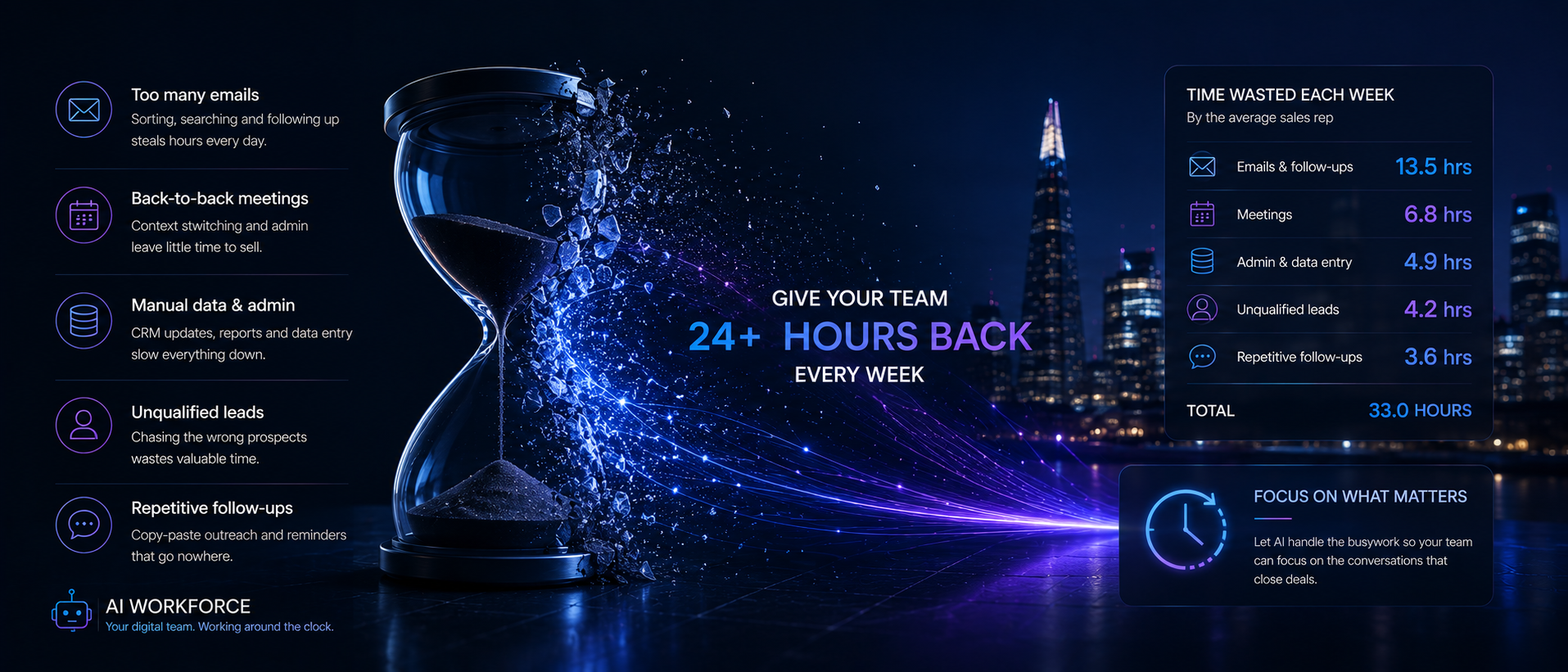
Quick answer: Sales teams waste time mainly on administrative work, CRM updates, searching for accurate contact data, internal meetings and repetitive follow-ups- tasks that can often be reduced through cleaner systems, clearer ownership and targeted automation. Recent Salesforce research suggests sellers spend only about 40% of their working week selling, although not every non-selling activity should be treated as waste.
Sales productivity is the relationship between the resources a sales team uses and the valuable commercial outcomes it produces. Improving productivity does not mean completing more tasks; it means increasing the share of time spent on useful customer conversations and pipeline progress without reducing data quality, compliance or customer experience.
How Much Time Do Salespeople Actually Spend Selling?
Two large Salesforce research surveys provide useful public evidence, although both rely on sales professionals reporting how they spend their time rather than direct time tracking. Salesforce's 2026 State of Sales report found that surveyed sellers reported spending roughly 40% of their working week selling, with the remainder spent on non-selling activity. An earlier 2024 Salesforce survey of 5,500 sales professionals across 27 countries found reps reporting 70% of their time on non-selling tasks, a notably higher figure. The two studies do not define "selling time" identically, so the gap between the two figures should be read as a range across different methodologies and years rather than one precise number.
What both studies agree on is the direction: the majority of a rep's week is not spent with a customer. Administrative work, meeting preparation and internal coordination consistently outweigh live selling activity, and that pattern shows up regardless of which specific survey you use as the reference point.
What Counts as Wasted Sales Time?
Not all non-selling time is wasted. A good discovery call takes real preparation, an accurate CRM record protects the next person who touches that account, and a forecast built on real data helps leadership plan headcount and target setting. None of that is waste, even though none of it is "selling" in the narrow sense.
Genuine waste looks different: entering the same information into two disconnected systems, searching for a document that should already be attached to the record, sitting in a status meeting that could have been a two-line update, or reworking a proposal because the original brief was incomplete. The test is not whether a task involves a customer directly. The test is whether the task adds information, reduces risk or moves a deal forward. Tasks that fail that test, and are also repeated regularly, are the clearest candidates for removal.
Where Does the Rest of the Sales Week Go?
Beyond direct customer contact, a rep's week tends to split across four broad areas: account and deal preparation, CRM and reporting, internal meetings and coordination, and training or onboarding. None of these disappears with better technology, but their proportions vary enormously between well-run and poorly run sales operations.
Microsoft's 2025 workplace telemetry found that, among the highest-volume 20% of Microsoft 365 users measured, meetings, emails and chats produced an average interruption roughly every two minutes. That is workplace-wide evidence, not sales-specific, and it reflects the busiest segment of users rather than a typical working day. Even so, it is useful context: fragmented attention is not unique to sales teams, and a large share of the "where did my day go" feeling comes from constant context switching rather than any single task being unusually slow. For a closer look at one common source of this fragmentation, see our guide to reducing time spent on email.
The Biggest Sources of Lost Sales Capacity
These four categories provide a useful starting point for diagnosing lost capacity, although each team should validate them against its own activity data:
Disconnected systems. When the CRM, calendar, proposal tool and finance system do not talk to each other, someone has to manually reconcile them, and that person is usually the rep.
Unclear ownership. When it is not obvious who updates a record after a call, the update either does not happen or happens twice.
Meeting overload. Recurring status meetings often outlive the reason they were created, consuming hours that never show up as a single obvious cost.
Rework. Rework can consume substantial time when proposals, quotes or follow-ups are based on incomplete information.
These four categories map closely onto the classification below, which is the practical tool for deciding what to do about each one.
Why Does CRM and Contact-Data Admin Waste So Much Sales Time?
Bad CRM data reduces sales productivity because representatives spend time searching for current information, correcting records and checking which system is accurate before they can contact a prospect. Automating data capture and enrichment can reduce repetitive updates, but uncertain changes should be flagged rather than silently overwriting trusted records.
The most common CRM and contact-data problems include:
Manually updating contact records after calls and emails
Duplicate records for the same contact or account
Stale job titles and contact details
Conflicting information across the CRM, inbox and spreadsheets
Reps searching several systems to identify the latest record
Re-entering information already captured elsewhere
Three practical responses reduce this burden without adding risk: automated call and email capture, so a record updates itself rather than waiting for a rep to type it in; contact enrichment and validation, so stale or duplicate records are flagged rather than left to accumulate; and human review of uncertain or conflicting changes, so an automated system corrects obvious errors while a person checks anything ambiguous before it overwrites a trusted record. For a closer look at keeping deal and contact data usable throughout the pipeline, see our guide to AI sales pipeline management.
The AI Workforce Sales Time Audit
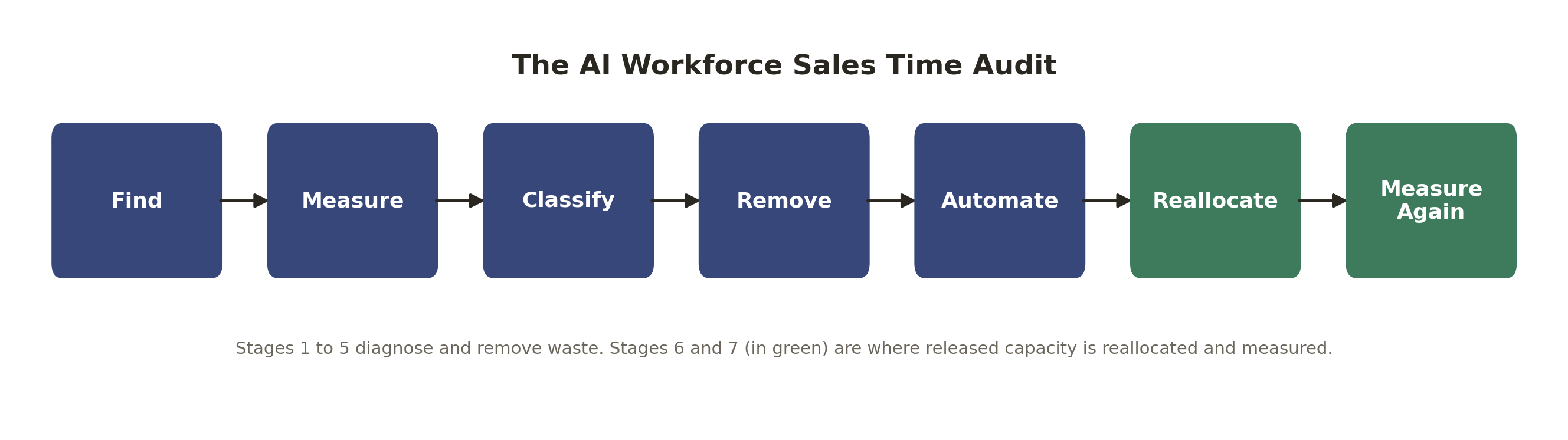
Before introducing any tool, run a short audit. The framework has seven stages. The final two stages are essential because released capacity creates little value unless it is deliberately reallocated and measured.
Find → Measure → Classify → Remove → Automate → Reallocate → Measure Again
Find: Ask a representative sample of reps to log where their time actually goes for one working week, in their own words, rather than guessing from memory.
Measure: Convert that log into hours per activity, so you have a real baseline rather than an impression.
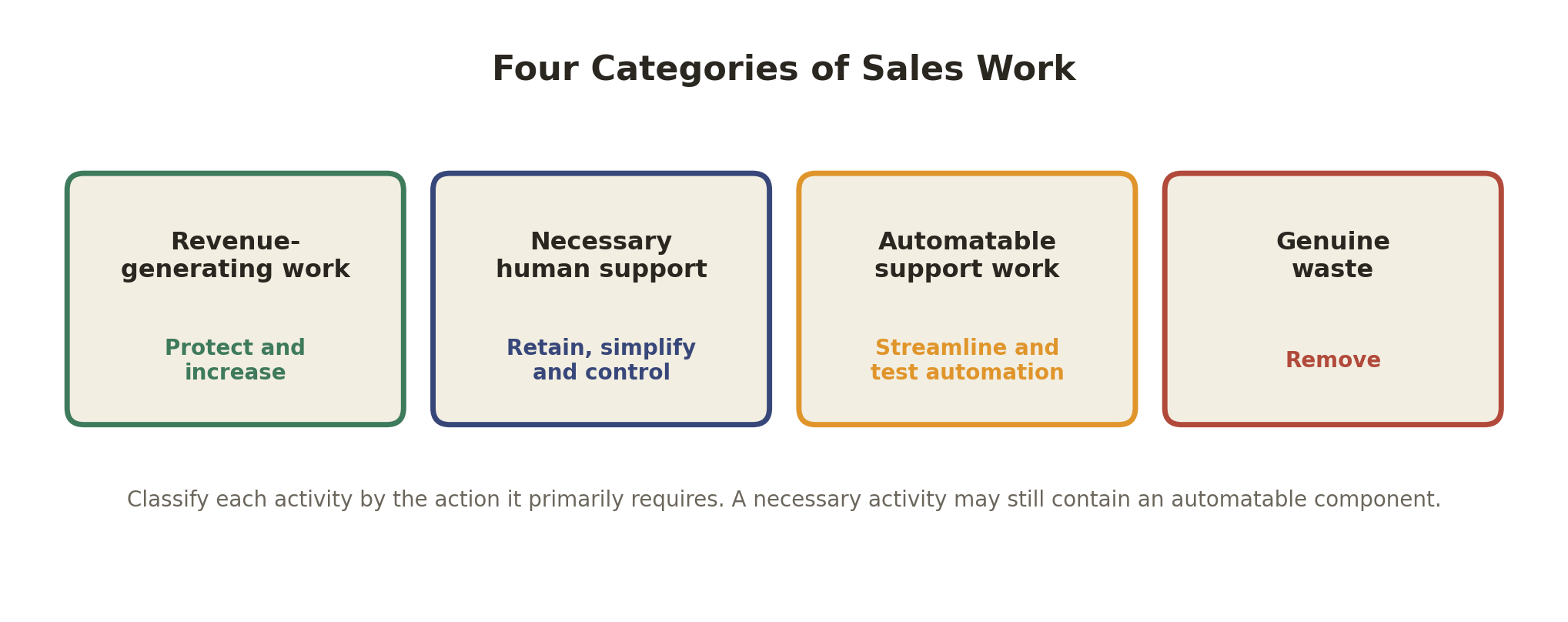
Classify: Sort each activity into one of the four categories in the table below.
Remove: Eliminate steps that add no value before you spend money automating them. Automating a bad process just makes the bad process faster.
Automate: Pilot automation on work that is repetitive, high volume and has a checkable outcome.
Reallocate: Decide explicitly where the released time should go. It will not go there on its own.
Measure Again: Compare selling time and commercial outcomes against the original baseline, not against assumptions.
What Counts as Revenue Work, Support Work, Automatable Work and Waste?
Work category | Examples | Recommended response |
|---|---|---|
Revenue-generating work | Discovery calls, demonstrations, negotiation, relationship building | Protect and increase |
Necessary human support | Call preparation, accurate CRM records, compliance checks, forecasting | Retain, simplify and control |
Automatable support work | Repetitive data updates, meeting scheduling, call transcription, routine reminders | Streamline and test automation |
Genuine waste | Duplicate data entry, meetings with no clear purpose, searching across disconnected systems | Remove first |
Classify each activity according to the action it primarily requires. A necessary activity may still contain an automatable component: an accurate CRM record is necessary human support in principle, but the data entry that produces it can often be automated in practice.
This distinction matters because automating the wrong category wastes budget. Automating necessary human support without simplifying it first just makes an unnecessarily complicated process run slightly faster. Removing genuine waste can avoid new technology costs, although process redesign and change management may still require time.
What Should Sales Teams Remove Before Automating?
Start with anything that fails the value test above and shows up every week. Recurring meetings without a clear agenda or decision to make, duplicate data entry between systems that could be connected instead, and manual chasing for information that should already sit in the CRM are the three most common candidates.
Removing a task is different from automating it. Automation still requires someone to build, monitor and maintain the workflow. Removing unnecessary work can avoid the cost of buying technology to automate it, although process redesign and change management may still require time. A sales operations lead should be able to name at least two or three tasks in the current process that exist only because "that's how it's always been done," and those are the right place to start, before any vendor conversation begins.
What Can Be Automated Safely?
Work that is repetitive, rule-based, and has a predictable, checkable outcome is the safest starting point: CRM field updates after a call, meeting scheduling, call summarisation, and routine follow-up reminders. Each of these has a clear right answer, which makes errors easy to catch and correct. For a fuller breakdown of how this kind of automation works in practice, see our guide to AI sales automation, and for the follow-up piece specifically, see our guide to automating client follow-ups.
Lead scoring is a good example of a task that can be partially automated but should stay under close review: an AI system can rank leads against defined criteria, but the final judgement on which leads a rep prioritises benefits from human context the model does not have. We cover this in more depth in our guide to AI lead qualification.
What Should Remain Human-Led?
Negotiation, reading a customer's genuine hesitation, and building trust in a high-value relationship all depend on judgement that current AI systems do not reliably replicate. These moments benefit from a person who can adjust tone, pace and approach in real time, based on cues a system cannot fully capture.
The practical boundary is not "AI versus human" as a permanent line, but which specific step in a given deal is repetitive versus which step requires judgement. Getting this boundary wrong in either direction- automating a step that needed a person's read on the situation, or leaving a purely mechanical task to be done by hand- is where most automation rollouts underperform.
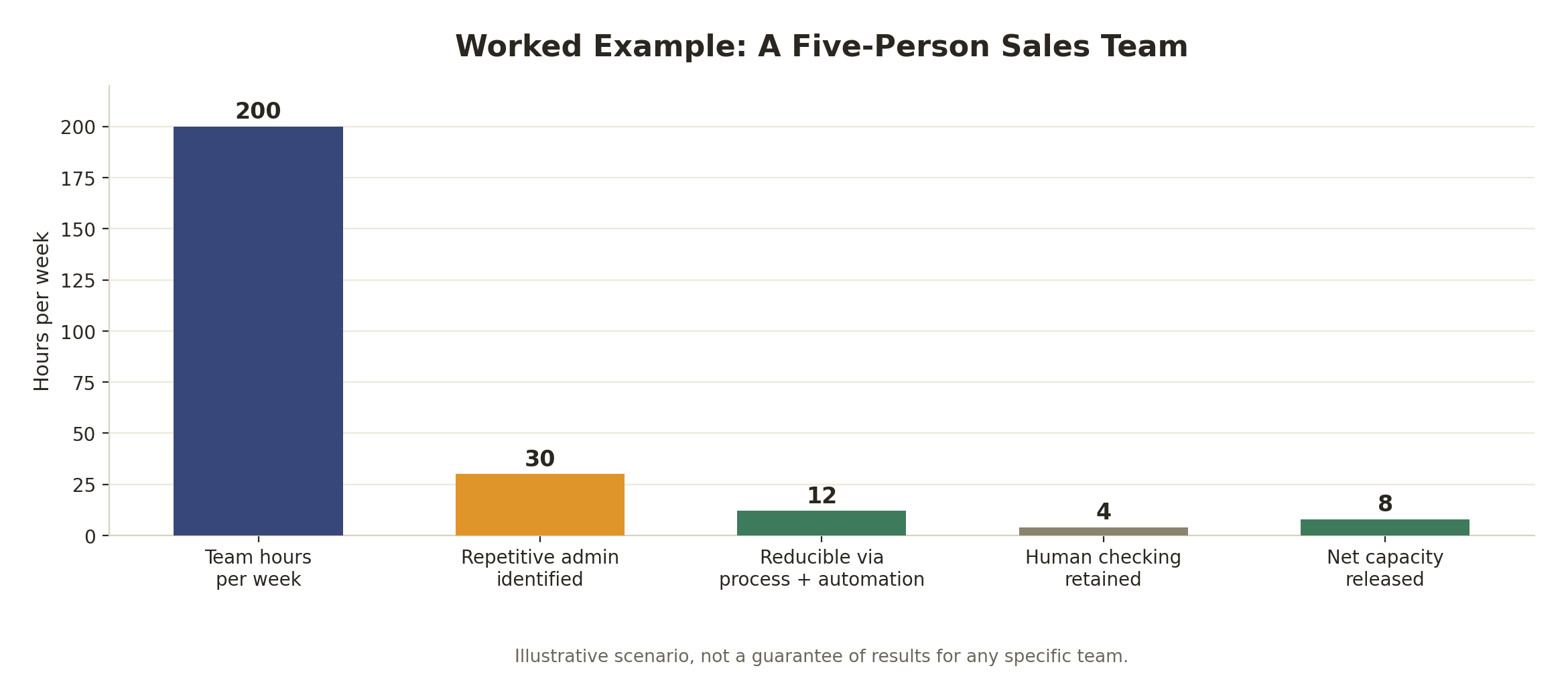
Worked Example: A Five-Person Sales Team
The table below is an illustrative scenario, not a guarantee of results for any specific team. It shows how the audit framework translates into numbers.
Calculation | Illustrative result |
|---|---|
Five representatives × 40 hours | 200 team hours per week |
Repetitive administration identified | 30 hours |
Reducible through process improvement and automation | 12 hours |
Human checking and exception handling retained | 4 hours |
Net capacity released | 8 hours per week |
Eight hours of released capacity is not automatically eight hours of additional selling, revenue or cost savings. The business has to deliberately reallocate that time, for example to overdue follow-ups, proactive customer conversations or account planning, and then measure whether that reallocation actually improved pipeline outcomes. Without deliberate reallocation, released capacity can be absorbed by email, meetings and other existing demands.
How Should Released Capacity Be Reallocated?
Decide in advance, before the pilot starts, where freed-up hours should go. The strongest candidates are usually the activities furthest up the value chain that were previously being squeezed out: proactive outreach to warm accounts, deeper account planning for renewals, and follow-ups that were previously slipping because there was no time to do them properly.
Reallocation should have an owner. If no one is responsible for checking that released time is actually being used for selling rather than absorbed by something else, it usually is absorbed by something else. A short weekly check-in during the pilot period, reviewing what the released hours were actually spent on, is enough to catch this early.
How Do You Measure Whether Productivity Improved?
Track a small set of measures consistently, before and after any change, rather than relying on a single headline number. The most useful ones are: percentage of time spent on revenue-generating work, administrative hours per representative, CRM completeness and correction rate, follow-up completion rate, first meaningful response time to a new lead, opportunities created, pipeline progression by stage, conversion rate by stage, time to close, and representative adoption or override rate for any new tool.
Avoid treating "tasks automated" as a success metric on its own. A tool can automate a large number of tasks without any of them mattering to revenue. The measures above tie the change back to commercial outcomes, which is what a genuine productivity gain has to show.
A 30-Day Sales Productivity Pilot
Run a defined, time-boxed pilot rather than a company-wide rollout. In week one, complete the Find and Measure stages with a representative sample of the team. In week two, classify the logged activities and agree on what gets removed immediately, with no automation involved. In weeks three and four, pilot automation on one or two of the safest candidates identified earlier, with a named owner checking outputs daily.
At the end of the 30 days, compare the measurement set above against the original baseline. A pilot that shows movement on selling time and at least one commercial outcome measure is worth expanding. A pilot that only shows more tasks completed, with no change in selling time or pipeline movement, needs a rethink before it is rolled out further. Thirty days can be enough to establish an initial baseline and test a bounded workflow, but businesses with longer sales cycles may need a longer window before pipeline progression or conversion figures become meaningful.
Where AI Sales Automation Fits
Once the audit has identified genuine waste and removed it, automation becomes a targeted tool rather than a blanket solution. This is the point at which a dedicated AI sales automation platform, an AI sales assistant for call summaries and follow-up drafting, AI-supported pipeline management for CRM hygiene, or AI SDR tools for prospecting and outreach, each become worth evaluating on their own merits. Our guide to AI sales automation covers how these systems work in more detail, and our guide to AI automation pricing covers what this kind of implementation typically costs.
Treat automation as the fifth stage of a seven-stage process, not the first move. Teams that reach for a tool before they understand where their time actually goes tend to automate the wrong things, and end up with a faster version of a process that still wastes hours every week.
FAQs
Why do sales teams waste time?
Sales teams lose time mainly to administrative work, CRM updates, searching across disconnected systems for accurate contact data, internal meetings and repetitive follow-ups. Much of this can be reduced with cleaner systems, clearer ownership of records, and targeted automation of the repetitive parts.
How much time do sales reps actually spend selling?
Public survey findings vary by year and methodology, but recent Salesforce research places direct selling at approximately 30 to 40% of the working week. The remainder includes prospecting, planning, data entry, training and other non-selling activities.
What wastes the most time for sales reps?
Disconnected systems that force manual reconciliation, unclear ownership of who updates a record after a call, recurring meetings without a clear purpose, and rework caused by incomplete information are the most common sources of lost sales capacity.
Why do sales reps spend so much time on admin?
Admin work expands to fill gaps left by disconnected tools and unclear processes. When systems do not talk to each other, and no one owns a task clearly, reps end up doing manual reconciliation that a properly connected process would not require.
Is all non-selling time wasted?
No. Accurate CRM records, real forecasting and genuine call preparation are necessary support work, not waste, even though they are not direct selling activity.
Why is bad CRM data a sales productivity problem?
Bad CRM data reduces sales productivity because representatives spend time searching for current information, correcting records and checking which system is accurate before they can contact a prospect, instead of spending that time on customer conversations.
How can sales teams reduce manual CRM work?
Automate the routine parts, capturing calls and emails automatically, enriching and validating contact records, and flagging duplicates, while keeping human review for uncertain or conflicting changes rather than letting automation silently overwrite trusted records.
How can AI reduce sales admin?
AI can take on repetitive, rule-based tasks with a checkable outcome, such as CRM field updates, meeting scheduling, call summarisation and follow-up reminders, which frees reps to spend more time on judgement-based work like negotiation and relationship building.
How do you improve sales productivity without adding headcount?
Run a short audit to find where time actually goes, remove genuine waste first, automate the repetitive and bounded tasks that remain, and then deliberately reallocate the released time to selling activity rather than letting it be absorbed back into admin.
What should a sales team automate first?
Work that is repetitive, high in volume and has a predictable, checkable outcome, such as CRM updates, scheduling and call summarisation, is the safest starting point.
Does releasing time automatically increase revenue?
No. Released capacity has to be deliberately reallocated to selling activity and then measured. Time that is freed up but not reallocated tends to be absorbed back into other work.
How long should a sales productivity pilot run?
Thirty days is a practical starting period for measuring activity, removing obvious waste and piloting a bounded workflow. It may not be long enough to judge pipeline progression, conversion or revenue in businesses with longer sales cycles.
Key Things to Remember
Public survey data suggests sales reps spend well under half their week on direct selling, though the exact figure varies by study and year.
Not all non-selling time is waste; the useful test is whether a task adds information, reduces risk, or moves a deal forward.
Classify sales work into revenue-generating, necessary support, automatable and genuine waste before deciding what to change.
Remove genuine waste before automating anything; automating a broken process just makes it faster.
Released capacity must be deliberately reallocated to selling activity and then measured, or it tends to disappear back into admin.
Track selling time, CRM quality, follow-up completion and pipeline outcomes together, not automation activity alone.
Run a short, time-boxed pilot before any wider rollout, and compare results against a real baseline.
Find Out Where Your Sales Team Is Losing Times
AI Workforce can help you measure selling activity, identify unnecessary process friction and design a controlled 30-day productivity pilot.
Evidence note: External percentages in this guide come from the named Salesforce surveys and Microsoft workplace telemetry. The Salesforce figures are self-reported survey findings; Microsoft's interruption figure is based on broader workplace telemetry and is not sales-specific. The Sales Time Audit and worked example are AI Workforce frameworks and illustrative calculations, not independently validated benchmarks.
Sources and Further Reading
Salesforce, State of Sales Report, 2026: survey of sales professionals; approximately 40% selling time, 60% non-selling.
Salesforce, Sales AI Statistics, 2024: survey of 5,500 sales professionals across 27 countries; 70% of time reported on non-selling tasks.
Microsoft WorkLab, Breaking Down the Infinite Workday, 2025: Microsoft 365 telemetry data on workplace interruptions; workplace-wide context, not sales-specific.
Sources reviewed and current as of August 2026.
Clara Miller is a Content Specialist at AI Workforce, focused on practical, evidence-based guides for sales and operations teams evaluating AI tools.
Rodi Taze is Co-Founder of AI Workforce, working directly with sales and operations teams on AI implementation and measurement.