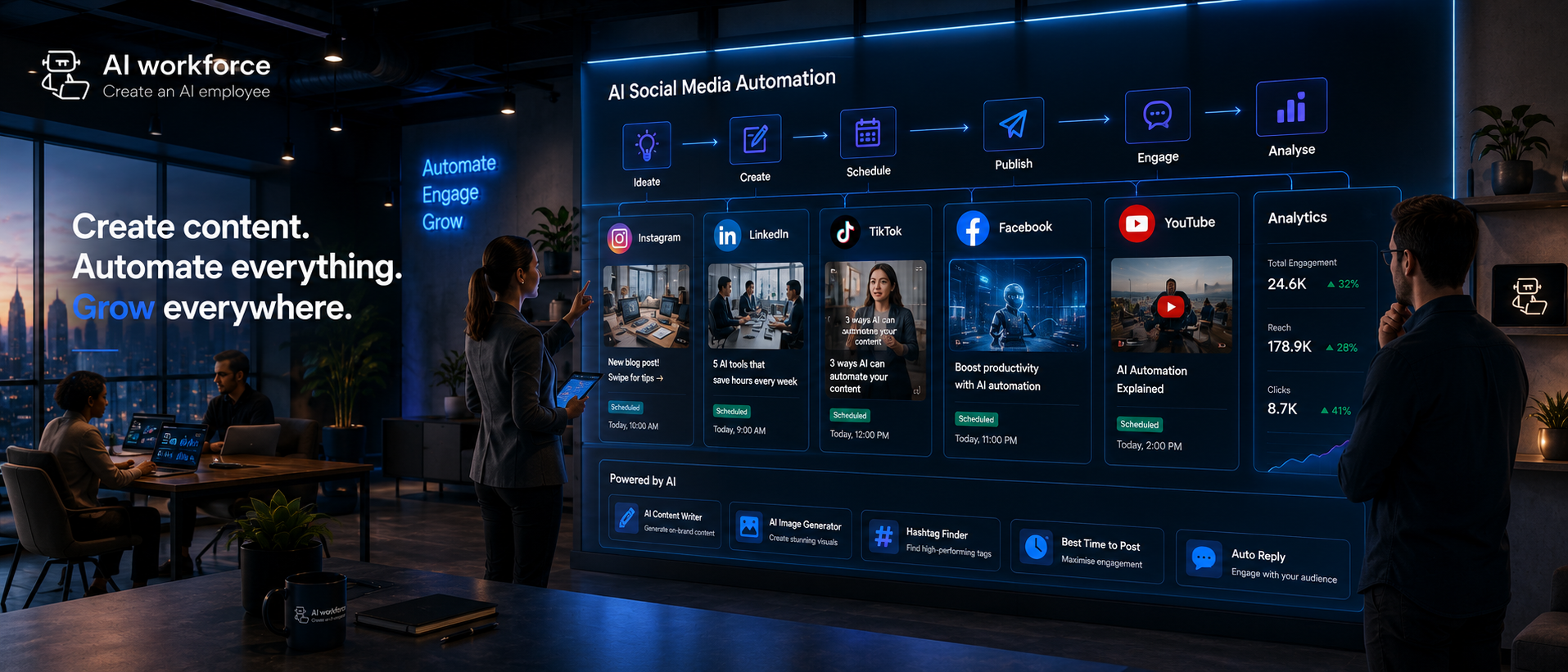
Best Social Media Automation Tools 2026: 8 Compared
Posted On: July 29, 2026
Written by Rodi Taze, Co-Founder of AI Workforce · Reviewed by Luca Controlo, AI Adoption and Marketing Automation Lead at AI Workforce · Last updated: August 2026
Running social accounts across five platforms used to mean five separate logins and a constant scramble to post on time. Social media automation, often backed by AI, now handles a growing share of that repetitive work, but not every part of the job is a safe candidate for automation, and not every tool that mentions AI does the same job. This guide compares named platforms by category, sets out what AI can genuinely take off a team's plate, where a person needs to stay in control, and how to build a governed workflow that keeps a brand's voice consistent.
Quick Answer
The best social media automation tool depends on the job. Buffer and Later suit simple scheduling, SocialBee combines AI content generation with category-based scheduling, Hootsuite and Sprout Social suit multi-channel management with approvals and inboxes, Agorapulse and Sprout Social suit engagement-heavy teams; and Anchorclick offers a managed automation service rather than self-service software. Scheduling pre-approved content is one of the lower-risk tasks to automate heavily; customer conversations, complaints and anything touching a live event or crisis need a person.
Best Social Media Automation Tools Compared
This shortlist covers named platforms across the main buying categories: self-service schedulers, AI-assisted content platforms, full social suites, engagement-focused tools, listening platforms and managed automation services. It is assessed against public vendor documentation rather than hands-on testing of every tool on a live AI Workforce client project, so treat it as a verified starting shortlist rather than a lab-tested ranking. Check each vendor's current site for pricing and feature depth before adopting anything.
Buying overview
Swipe to see all columns →
Tool | Best for | Supported networks | Main automation capability | Main limitation | Human review | Vendor source |
|---|---|---|---|---|---|---|
Buffer | Simple, straightforward scheduling for small teams | Instagram, Facebook, X, LinkedIn, TikTok, Pinterest, Mastodon | Queue-based scheduling and publishing across channels from one calendar | Lighter on listening and inbox features than a full suite | Captions and timing still need a person's review before queuing | buffer.com/features/publishing |
Later | Visual content planning, especially Instagram and TikTok | Instagram, TikTok, Facebook, X, Pinterest, LinkedIn | Visual content calendar with drag-and-drop scheduling and best-time suggestions | Suggested times are a starting point, not a guaranteed optimum | A person confirms visual assets and captions before scheduling | later.com/social-media-scheduling |
SocialBee | Content creation plus category-based scheduling | Instagram, Facebook, X, LinkedIn, TikTok, Pinterest, YouTube, Google Business | AI content generation, category-based queues and automated recycling of evergreen posts | Recycled content still needs periodic review so it stays current and on-brand | A person checks AI-drafted captions and confirms which posts recycle | socialbee.com/features |
Hootsuite | Multi-channel management with approvals for larger teams | Instagram, Facebook, X, LinkedIn, TikTok, Pinterest, YouTube | Multi-profile publishing, approval workflows, AI caption assistance and reporting | Broader platform can be more than a small team needs | Approval workflow still requires a named reviewer for each post | hootsuite.com/platform/publish |
Sprout Social | Multi-channel management with a strong unified inbox | Instagram, Facebook, X, LinkedIn, TikTok, Pinterest, YouTube, Google Business | Advanced scheduling, AI-assisted captions and alt-text, send-time recommendations, multi-level approvals, unified inbox | Pricing and depth of features suit mid-size and larger teams more than solo use | Multi-level approval still puts final sign-off with a person | sproutsocial.com/features/social-media-publishing |
Agorapulse | Engagement-heavy teams managing high comment and message volume | Instagram, Facebook, X, LinkedIn, TikTok, YouTube | Unified inbox with assignment, labelling and response-time tracking, plus scheduling and reporting | Listening depth is lighter than a dedicated listening platform | Assigned team members still decide how to respond to each message | agorapulse.com/features/social-media-inbox |
Brandwatch Consumer Intelligence | Social listening and intelligence at scale | Cross-platform public conversation data | Large-scale sentiment analysis, spike detection and trend and competitor tracking | Assessed here as a listening product, not as a scheduling or publishing tool | A person interprets what a detected pattern actually means | brandwatch.com/products/consumer-intelligence |
Anchorclick | A managed automation service rather than self-service software | Configured according to client accounts and objectives | Workflow configuration, content repurposing, scheduling, publishing and ongoing optimisation delivered as a service | Less direct day-to-day control than running a self-service platform in-house | The client's designated reviewer or the service team confirms output before anything publishes, according to the agreed approval workflow | anchorclick.com/social-media-automation |
Methodology note: platforms in this guide were assessed against public vendor documentation and product pages rather than direct hands-on testing of every tool on a live AI Workforce client project. Inclusion means a tool appears relevant to a common social media automation workflow based on current public documentation; it does not mean every feature, security control or performance claim has been independently validated.
What AI Should Never Decide on a Social Media Account: AI can assist with drafting, classifying, scheduling and reporting. It should never make the final call on a customer complaint, a refund or payment dispute, a legal allegation, a crisis response, or a decision to delete or hide public criticism. Those remain the responsibility of a named, accountable person.
At a Glance
What it is: named platforms and categories that automate scheduling, drafting, listening, inbox management and reporting across social channels, within a workflow a person reviews and approves
Best suited to: marketing teams managing several social channels where manual publishing, monitoring and reporting are visibly eating into time for strategy and creative work
Biggest risk: a queued post or automated reply landing at the wrong moment, during a crisis, a sensitive news event or a live complaint, with nobody positioned to catch it in time
Key consideration: a good social automation system needs a pause button as much as it needs a publish button
What matters most when choosing: matching the tool category to the actual bottleneck, not the tool with the longest feature list
What Is Social Media Automation?
Social media automation means using software to handle repeatable tasks, publishing, basic replies and reporting, without a person clicking through each platform one at a time. AI adds a layer on top of that fixed schedule: rather than only posting at a pre-set time, AI-powered scheduling tools can suggest publishing times based on past audience activity, and generative AI can draft captions, resize assets for different platforms, and flag a post that might need a second look before it goes out. None of that removes the need for a person; it changes where their time goes, from manual publishing toward review and judgment calls.
Feature coverage
Swipe to see all columns →
Tool | Scheduling | AI content creation | Unified inbox | Social listening | Analytics | Approval workflow |
|---|---|---|---|---|---|---|
Buffer | Yes | Basic AI assist | Limited | No | Basic | Limited |
Later | Yes | Basic AI assist | Limited | No | Basic | Limited |
SocialBee | Yes, category-based | Yes | Yes | No | Yes | Basic |
Hootsuite | Yes | Yes | Yes | Add-on | Yes | Yes |
Sprout Social | Yes | Yes | Yes | Yes | Yes | Yes, multi-level |
Agorapulse | Yes | Basic AI assist | Yes, strong | Basic | Yes | Yes |
Brandwatch Consumer Intelligence | No | No | No | Yes, strong | Yes | Not applicable |
Anchorclick | Managed service | Managed service | Depends on configured tools | Monitoring documented; full listening capability not confirmed | Managed reporting | Client approval configured |
Features were checked against publicly available vendor documentation in August 2026. Product capabilities, supported networks, pricing and plan restrictions can change, so buyers should confirm the current position directly with the provider before purchasing.
Best Social Media Automation Tools by Use Case
Swipe to see all columns →
Need | Suitable category | Example tools to evaluate |
|---|---|---|
Simple scheduling | Scheduling-first platform | Buffer, Later |
Content creation and scheduling | AI-assisted content platform | SocialBee, Buffer |
Multi-channel management | Full social suite | Hootsuite, Sprout Social |
Inbox and customer engagement | Unified engagement platform | Sprout Social, Agorapulse |
Social listening | Listening and intelligence platform | Brandwatch, Sprout Social |
Visual content planning | Creator-focused platform | Later |
Evergreen content recycling | Queue and category platform | SocialBee |
Team approvals | Collaboration-focused suite | Sprout Social, Hootsuite |
Managed automation | Implementation service | Anchorclick |
Connected AI workflows | Agent or integration workflow | Evaluate according to permissions and supported APIs |
How Does Anchorclick Compare With Social Media Automation Platforms?
Anchorclick is closer to a managed automation service than a conventional self-service scheduler. It combines workflow configuration, content repurposing, scheduling, publishing and ongoing optimisation, while platforms such as Buffer, SocialBee or Hootsuite primarily provide software that an internal team configures and operates. Anchorclick may suit a business seeking implementation and ongoing management rather than a tool to run itself; a self-service platform may suit a team that wants direct control and already has the resources to run the workflow day to day. Neither model is inherently better; they solve different buying problems, and the right choice depends on whether a team wants to operate the workflow itself or have it operated on their behalf.
Social Media Automation vs AI Social Media Management
These two terms overlap but are not identical. Social media automation refers to the specific tasks that run without a person actively doing them: scheduled publishing, automated reporting, rule-based replies. AI social media management is the broader practice of using AI throughout the whole workflow, drafting, adapting, listening and reporting, with automation as one part of it rather than the whole thing.
The distinction matters because a team can adopt AI assistance for drafting and analysis while still keeping every publish and reply decision in human hands. Automation is a dial, not a switch: a workflow can sit anywhere between fully manual and heavily automated, and the right setting depends on the task, not a blanket policy for the whole account.
Schedulers vs AI-Assisted Platforms vs AI Agents
These three categories get blurred together in marketing copy, but they work differently and carry different risk levels.
Swipe to see all columns →
Type | How it works | Typical capability |
|---|---|---|
Scheduler | Executes predefined queued actions at set times | Publishes already-approved content at set times across channels |
AI-assisted platform | Adds generation, classification or analysis on top of scheduling | Drafts captions, suggests send times, summarises engagement results |
AI agent | Interprets triggers and takes permitted actions across connected tools | Drafts, routes for approval, schedules and records outcomes across a multi-step workflow |
A scheduler does not become an AI agent merely because it includes an AI caption generator. The meaningful difference is whether the system can carry a task across several steps and connected tools on its own, subject to permissions, rather than only executing a single predefined action. For workflows where a system monitors signals and carries work across several steps rather than handling one isolated task, see our guide to AI marketing agents.
The AI Workforce Social Media Model
Most social media automation goes wrong for a familiar reason: there is no consistent process connecting a draft to a reviewed, measured outcome. We use a seven-stage model with every social media workflow we help set up.
The AI Workforce Social Media Model
Plan: decide audience, channel, objective and campaign
Create: AI produces the initial post or campaign concept
Adapt: turn the approved idea into channel-specific versions
Review: check facts, tone, claims, imagery and timing
Publish: schedule or publish approved content through authorised platform integrations
Monitor: watch comments, mentions, sentiment, DMs and emerging issues
Learn: feed reach, engagement, traffic and lead data into the next plan
AI Workforce Insight: the Adapt stage is the one most teams skip, and it is usually where quality drops fastest. Posting an identical caption to LinkedIn, Instagram and X treats three different audiences as one, and it shows. A short review step to adapt tone and format per platform, even a light one, generally produces more natural, platform-appropriate content than copying the same post everywhere.
What Can AI Actually Automate?
Not every social media task is an equally safe candidate for automation, and the honest answer is "it depends on the task," not "yes" or "no" as a blanket rule.
Scheduling and publishing already-approved content is one of the strongest candidates for automation. Once a post has passed review, the publishing action itself is relatively low-risk, provided the business still has a way to pause or withdraw scheduled content when circumstances change. Reporting is similarly strong, since pulling engagement, reach and click data into a plain-language summary removes a manual export step every week. Drafting is a genuine time saver too: a brief goes in, and a first draft of a caption or a few post concepts comes back in seconds rather than sitting on a to-do list for days.
Where this gets more nuanced is anything touching a live conversation. Customer replies can look simple on the surface, a question about pricing or delivery, but can escalate quickly into a complaint or a dispute. That distinction is exactly what the Boundary Matrix below is built to capture.
The Social Media Automation Boundary Matrix
Swipe to see all columns →
Lower-risk to automate heavily | AI drafts, a person approves | Human-led, AI assists at most |
|---|---|---|
Scheduling approved posts | Caption first drafts | Customer complaints |
Best-time recommendations | Platform-specific adaptation | Refund or payment disputes |
Performance reporting | Image generation | Legal allegations |
Engagement summaries | Narrowly defined FAQ replies from approved information | Crisis response |
Sentiment and mention detection | Sensitive current events, brand controversy, deleting or hiding criticism, unsolicited promotional DMs |
Scheduling pre-approved content is one of the lower-risk tasks to automate heavily. Customer replies need tighter boundaries: AI can classify a message, suggest a response, or answer narrowly defined FAQs from approved information, but complaints, disputes, sensitive questions and unusual requests should always reach a person.
AI for Social Media Scheduling and Publishing
This is the most mature and lowest-risk category of social automation. Common capabilities include queue-based scheduling, content calendars, recurring and evergreen post recycling, multi-account publishing, platform-specific formatting, approval steps before anything is queued, suggested publishing times based on audience activity, and an emergency queue-pause function for when circumstances change.
A suggested posting time is a starting point drawn from an audience's past activity, not a universally optimal moment identified by an algorithm. Treat it as one input among several, alongside a team's own knowledge of its audience and the wider news cycle.
How Does AI Help With Content Creation?
The biggest time-saving shows up at the drafting stage: a brief goes in, and a first draft of a caption or a few post ideas comes back in seconds rather than sitting on a to-do list for days. This is the same shift covered in our guide to AI in content marketing, applied specifically to short-form social copy. If your workflow also includes promotional ads, campaign copy or conversion-focused social variants, our Best AI Copywriting Tools comparison covers specialist platforms for producing and testing persuasive commercial copy.
For teams also automating the search side of their content workflow, our guide to SEO automation tools compares platforms for Search Console analysis, rank tracking, technical monitoring, content optimisation and internal linking.
Content still needs a person reviewing tone and accuracy before anything is published. A draft that starts with AI still needs a human check for brand voice and factual claims. An AI draft may reduce time spent producing an initial version, but the total saving depends on how much factual, tonal and brand correction the output requires.
One Idea, Multiple Platforms: How AI Adapts Content
The more interesting question is not "should the same post go to all five platforms" but "should it go out unchanged." Usually not. A single approved idea reads differently depending on where it lands: LinkedIn favours a professional context with more explanation, Instagram is visual-first with a concise supporting caption, TikTok needs a hook in the first second and a short-form script rather than a caption, Facebook suits a more conversational, community-oriented angle, and X rewards a concise observation, often building toward a short thread.
AI's real value here is not "post this everywhere." It is adapting one approved idea intelligently for each channel, so the same underlying message reads naturally on every platform rather than looking like a single caption pasted five times.
AI for Social Inbox and Engagement Automation
Comments and direct messages sit closer to customer service than to publishing, and they should be governed that way. Commercial inbox tools typically offer message classification, routing to the right team member, priority identification, suggested replies, sentiment signals, response-time tracking, complaint escalation, and a clear record of ownership and handoff when a conversation moves between people.
AI can triage incoming messages, classify what they are about, and answer narrowly defined questions from an approved source of truth, opening hours, shipping timelines, and a documented FAQ. Anything outside that narrow scope, and anything with an emotional or financial edge to it, should route to a person. A unified inbox that pulls messages from every channel into one place is genuinely useful here, not because it lets a business reply faster to everything automatically, but because it stops a message from being missed while a person is still the one deciding how to respond.
AI for Social Media Analytics and Reporting
Measuring a workflow is different from automating the reports themselves. AI-assisted analytics tools can produce weekly and monthly summaries, identify trends across a longer time window, compare post performance, summarise a campaign's results, flag an anomaly worth investigating, and suggest a first-pass recommendation for what to try next.
Every figure in an AI-generated report should be traceable back to its source data, and a person should check a flagged anomaly or recommendation before it shapes a decision. A dashboard that pulls from several platforms is only as reliable as the weakest source feeding it.
Social Monitoring vs Social Listening
These two terms get blurred together, but they answer different questions. Monitoring answers "what is happening": for example, monitoring might show that brand mentions increased sharply during a particular week, or that a specific post is generating an unusual volume of comments. Listening answers "why it is happening": most of that increase relates to complaints about a product update released yesterday, not to the campaign the team actually launched.
AI is particularly useful for the classification and detection work underneath both: spotting a spike, tagging sentiment, grouping similar comments together. The business still needs to retain judgement over what the pattern actually means and how to respond, because the same spike in mentions can be a viral win or an early warning sign, and only a person with full context can usually tell which.
What Should Never Be Automated Without Review?
Some categories of activity should never be published, sent, or resolved automatically, regardless of how confident a tool's classification is: customer complaints, refund or payment disputes, legal allegations, crisis response, sensitive current events, brand controversy, deleting or hiding public criticism, and unsolicited promotional direct messages.
The principle behind this list is the same one that applies across AI Workforce's guidance elsewhere: AI can classify a message and draft a response. It should not assume its classification is definitely correct, or that its draft is the right thing to send, when the cost of getting it wrong is a damaged relationship or a compliance problem.
When Should Social Media Automation Pause?
A scheduled post can be completely appropriate at eight in the morning and genuinely damaging by eleven, not because anything about the post changed, but because something happened in the world or inside the business. Define clear pause triggers in advance, rather than deciding in the moment: major breaking news or a national tragedy, a serious incident involving the company, a product recall or major outage, a sudden surge in negative sentiment, a legal or regulatory issue, executive controversy, a security breach, or a major customer complaint gaining traction.
A good social automation system needs a pause button as much as it needs a publish button. Assign a named person the authority to pull the queue immediately when a trigger fires, and make sure more than one person on the team actually knows how to do it.
UK GDPR and Social Media Automation
Social media automation touches personal data more often than teams expect. The ICO treats direct messaging via social media as capable of falling within the PECR concept of electronic mail marketing. The exact rules depend on whether the recipient is an individual subscriber, a sole trader, a partnership, or a corporate subscriber, and marketing to individual subscribers generally requires consent or a valid soft opt-in. UK GDPR requirements can still apply even where a particular PECR consent rule does not, wherever identifiable personal data is being processed.
This becomes relevant specifically where AI is profiling individual users based on their activity or engagement, building custom or lookalike audiences from customer data, analysing identifiable comments or messages, sending promotional direct messages, or enriching CRM records with information gathered from social platforms.
A general post broadcast to followers is treated differently under PECR from a private marketing message sent to a specific recipient. Publicly available social media data does not remove UK GDPR obligations; profiling or enriching records from public posts still counts as processing personal data. For the fuller picture of how UK GDPR applies to AI systems generally, including lawful basis and vendor due diligence, see our guide to AI GDPR compliance.
Compliance note: this is general information rather than legal advice. Take independent advice for anything involving profiling, targeted DMs or audience-building at scale.
Platform Rules and Authorised Integrations
Not every form of social automation is permitted by every platform. Scheduled publishing through an authorised integration, the kind most reputable social media management tools use, is different from a third-party bot acting inside a personal account to scrape data, add contacts, or send messages on someone's behalf. LinkedIn prohibits unauthorised third-party software, bots and browser extensions that scrape data or automate activity on its website. Publishing through an approved API integration is a different workflow, but a business should still confirm that the specific tool and activity comply with LinkedIn's current rules. Our dedicated guide to AI LinkedIn automation covers this distinction in more depth.
Before connecting any tool to a business social profile, confirm it uses the platform's official API or an authorised partner integration rather than a workaround that mimics a person clicking through the interface. The distinction is not cosmetic: unauthorised automation carries real account-level risk regardless of how careful or well-intentioned the underlying use case is.
Best Tools for Different Types of User
Swipe to see all columns →
User type | Reasonable starting point |
|---|---|
Content creators and solo consultants | A scheduling-first tool such as Buffer or Later, kept simple and low-cost |
Small businesses | SocialBee or Buffer, adding a lightweight inbox once message volume grows |
Marketing teams | Hootsuite or Sprout Social, for approvals, reporting and multi-channel publishing in one place |
Agencies and multi-brand teams | Sprout Social or Hootsuite, prioritising client separation, approvals and reporting |
Customer-service-heavy businesses | Agorapulse or Sprout Social, prioritising inbox assignment and response-time tracking |
Businesses wanting a managed service | Anchorclick or a comparable managed automation provider, where implementation and ongoing management are handled externally |
How Should You Choose a Social Media Automation Tool?
Work through this checklist before committing to a platform:
What is the exact bottleneck the tool needs to solve
Which networks and account types does it actually support
How reliable is its publishing record
Does it support a genuine approval workflow before anything goes live
What AI controls exist, and can outputs be reviewed before they are used
Does it offer a usable inbox for comments and messages
Does it offer social listening, or would a separate tool be needed
How useful and exportable is its reporting
Does it support the API and integrations the business already relies on
Can user permissions be set per team member
Does it keep an audit history of who published or approved what
Does it support genuine team collaboration, not just individual use
What does it cost at the usage level the business actually needs
How is data handled, stored and, where relevant, used to train models
How easy is it to review and correct AI-generated output before it publishes
Does it have a fast, reliable emergency pause control
Not Sure Which Social Workflow to Automate First?
AI Workforce can help you assess publishing, content, inbox and reporting workflows before you commit to a platform.
How Should You Measure Social Media Automation?
Followers and posts published are the two metrics teams reach for first, and they are the two least useful on their own. A useful measurement approach tracks outcomes and the quality of the automation itself, not just activity:
Scheduling administration time: how long it takes to plan and queue a week of content
Approval turnaround time: how long a draft waits before it is approved or rejected
Human review time: how long it takes to check AI output relative to the time it saved
Publishing consistency: the percentage of planned posts actually published on schedule
Production time per approved post: how long it takes from brief to publish-ready
Engagement rate: interactions relative to reach, tracked over time rather than per post
Response time: how quickly a genuine customer message gets a reply
Sensitive items correctly escalated: whether items that should have reached a person actually did
Escalation accuracy: whether sensitive interactions actually reached a person rather than being handled automatically when they should not have been
Correction or deletion rate: how many automated or AI-assisted posts needed fixing or removing after publishing
Publication failure rate: how often a scheduled post failed to go out as planned
Wrong-account or duplicate-post incidents: how often content was published to the wrong profile or repeated unintentionally
Net time saved: the actual time saved once review and any corrections are accounted for
Correction and deletion rate is worth calling out specifically. If automation doubles output but causes four times as many posts to need correcting or removing, the team has not actually improved productivity, it has just moved the cost from drafting time to damage control. Posting volume should remain a supporting operational metric, not evidence of success on its own.
A Four-Week Rollout Plan
Week one, Map: audit current channels, content types, approval steps, existing metrics and the kinds of customer interaction that come in regularly.
Week two, Draft: introduce AI for caption drafts, repurposing and platform-specific adaptation. Everything is still manually approved before anything publishes.
Week three, Schedule: allow already-approved posts to publish automatically. Introduce listening and reporting automation alongside it.
Week four, Expand: allow tightly bounded, low-risk workflows more autonomy, while complaints, sensitive comments, current events and high-risk posts remain firmly human-controlled.
If you are unsure whether your data, tooling and review process are ready for this level of automation, our AI readiness assessment is a reasonable place to start before committing to a full rollout. Documenting the workflow's inputs, permitted actions and escalation rules using our framework for writing an AI agent brief is a useful step before configuring any tool.
Is Social Media Automation Worth It?
Social media automation can be worthwhile for UK marketing teams managing several active channels, particularly where scheduling, reporting and first-draft production create measurable administrative work, provided the workflow includes a genuine review stage and the boundaries in this guide are respected. The clearest opportunities are scheduling, reporting and first-draft content, repetitive tasks where a controlled automation workflow may reduce administrative effort without transferring final judgement to the software.
The weaker case is for teams expecting automation to handle judgement calls: what tone fits a sensitive moment, how to respond to a genuine complaint, whether a scheduled post still makes sense given the news that morning. Those decisions stay with a person. Social media automation is strongest as a way to free that person's time for exactly those calls, not as a way to avoid making them.
Frequently Asked Questions
What are the best social media automation tools?
There is no single best tool. Buffer and Later suit simple scheduling, SocialBee combines AI content generation with category-based scheduling, Hootsuite and Sprout Social suit multi-channel management with approvals, Agorapulse suits engagement-heavy teams, Brandwatch suits large-scale listening; and Anchorclick offers a managed automation service rather than self-service software.
Is it safe to fully automate social media replies?
No, not across the board. Scheduling pre-approved posts is one of the lower-risk tasks to automate heavily. Replies need tighter boundaries: AI can handle narrowly defined FAQs from approved information, but complaints, disputes and anything with an emotional or financial edge should always reach a person.
How does Anchorclick compare with self-service platforms like Buffer or SocialBee?
Anchorclick is a managed automation service rather than software a team configures itself. It combines workflow configuration, content repurposing, scheduling and ongoing optimisation, while Buffer and SocialBee are self-service platforms an internal team operates directly.
What is the difference between a scheduler and an AI agent?
A scheduler executes predefined queued actions, such as publishing a post at a set time. An AI agent interprets triggers and can carry a task, drafting, routing for approval, scheduling and recording outcomes, across several steps and connected tools. A scheduler does not become an AI agent just because it includes an AI caption generator.
Does social media automation apply to LinkedIn the same way as other platforms?
Not entirely. Scheduled publishing to a company page through an authorised integration is standard practice. LinkedIn prohibits unauthorised third-party tools and browser extensions that scrape data or automate activity such as connection requests or messaging inside personal accounts, which is a different and stricter question.
What is the difference between social monitoring and social listening?
Monitoring tells you what is happening: a spike in mentions or comments. Listening tells you why it is happening. AI is strong at detecting the pattern; a person is still needed to interpret what it means and decide how to respond.
Does UK GDPR apply to social media marketing?
Yes, where personal data is involved. Direct messages aimed at a specific person can fall within the PECR concept of electronic mail, with the exact rules depending on whether the recipient is an individual subscriber or a corporate subscriber, and profiling or building audiences from social data still counts as processing personal data even when that data was publicly posted.
What is a correction or deletion rate, and why does it matter?
It is the share of automated or AI-assisted posts that needed fixing or removing after publishing. A high rate is a sign that automation is generating rework rather than genuine time savings, even if output volume has gone up.
Should a business automate everything on day one?
No. A staged rollout, starting with drafting and reporting before allowing automatic publishing, and keeping complaints and sensitive moments human-led throughout, produces far more durable results than granting broad automation immediately.
How should a small business choose between these tools?
Start with the actual bottleneck rather than the longest feature list. A solo consultant or small business usually needs a scheduling-first tool such as Buffer or SocialBee; a team fielding a high volume of comments and messages needs a strong inbox such as Agorapulse or Sprout Social; a business that wants the workflow run for it should consider a managed service such as Anchorclick.
Key Takeaways
There is no single best social media automation tool; the right choice depends on the category, scheduling, content creation, inbox, listening or managed service, that matches the actual bottleneck
Named platforms such as Buffer, Later, SocialBee, Hootsuite, Sprout Social, Agorapulse and Brandwatch each specialise in a different part of the workflow, and Anchorclick offers a managed service rather than self-service software
A scheduler, an AI-assisted platform and an AI agent are different things; adding an AI caption generator does not turn a scheduler into an agent
Scheduling pre-approved content is one of the lower-risk tasks to automate heavily; customer replies, complaints and sensitive moments need a person
A good social automation system needs a pause button as much as it needs a publish button, defined in advance rather than decided in the moment
Monitoring detects what is happening; listening explains why. AI is strongest at detection, a person is still needed for interpretation
UK GDPR and PECR apply to social media automation wherever personal data is profiled, targeted or used to build audiences, not only to email and text
Correction or deletion rate is a clearer sign of genuine productivity than output volume alone
Ready to Automate Social Media the Right Way?
If your team is still drafting, scheduling and reporting across every social channel manually, it's worth seeing how much of the repetitive work can be automated without losing your brand voice or control.
Related Guides
AI LinkedIn Automation
About the Author
Rodi Taze is Co-Founder of AI Workforce. He works with UK businesses to design AI-assisted marketing workflows that stay on-brand, properly governed and genuinely useful day to day.
Reviewed by Luca Controlo, AI Adoption and Marketing Automation Lead at AI Workforce.
Reviewed: August 2026