Best AI Sales Assistant Software 2026: 6 Tools Compared
Posted On: July 8, 2026
Last updated: August 2026 · Written by Luca Controlo · Reviewed by Rodi Taze, Co-Founder of AI Workforce
Quick Answer
An AI sales assistant is software that helps a human salesperson prepare for conversations, capture notes, draft follow-ups, update CRM records and decide what to work on next. Unlike an AI SDR, it normally works as a copilot: it recommends and drafts while the salesperson retains responsibility for prospect communication, relationships, negotiation, pricing and commercial decisions. There is no single best platform for every team. HubSpot Breeze suits teams already on HubSpot, Gong and Clari suit larger teams that need conversation and pipeline intelligence, Fathom suits smaller teams that mainly need meeting capture, and Microsoft 365 Copilot suits organisations built around Microsoft 365 and Dynamics 365. The right choice depends on CRM, team size, workflow and budget, not a single universal winner.
AI is becoming part of daily work for more sales teams, but the term "AI sales assistant" gets applied loosely to a wide range of tools, from ones that just draft an email to ones that run entire outreach sequences. This guide is about the narrower, more useful category: software that supports a salesperson who is still doing the selling, rather than software that tries to replace them.
At a Glance
What it is: a copilot that drafts emails and CRM updates, summarises calls, and recommends next steps for a salesperson who remains in control of the conversation
Best suited to: sales teams where reps lose meaningful time to admin, note-taking and CRM upkeep rather than to lead volume or prospecting capacity
What it is not: an autonomous system that runs outreach, qualifies leads or manages the pipeline on its own; those are separate categories covered in dedicated guides
Core value: less time on paperwork, more time in front of buyers, with consistent follow-through even on a busy week
Biggest risk: letting a drafting tool quietly take over commercially significant decisions, such as pricing, qualification or forecast commitments, without human review
Best AI Sales Assistant Software: Shortlist
Best CRM-native assistant: HubSpot Breeze
Best for meeting intelligence: Gong
Best for pipeline inspection and forecasting: Clari
Best for Salesforce-based teams: Salesforce Sales Cloud AI and Agentforce
Best for smaller sales teams: Fathom
Best for Microsoft-based organisations: Microsoft 365 Copilot
These are strong starting points based on the categories below, not a single ranked winner. The right choice depends on your CRM, team size and budget. Confirm each provider's current features and official pricing before you commit, since AI sales software pricing changes frequently.
What's Covered
Best AI Sales Assistant Software Compared
This shortlist draws on publicly documented product pages, vendor pricing pages, and independent 2026 pricing analyses. Where a vendor does not publish pricing, that is stated explicitly rather than estimated as fact.
Swipe to see all columns →
Platform | Best for | Core assistance | Human control | UK price (approx) | Main limitation |
|---|---|---|---|---|---|
HubSpot Breeze | CRM-native teams already on HubSpot | Breeze Assistant drafts, summarises and answers CRM questions; Prospecting Agent is a separate, more agentic product that researches accounts | Breeze Assistant is draft-and-recommend by default; Prospecting Agent can run in review-first or fully autonomous mode, set per workflow | Assistant included on all editions; Prospecting Agent available on eligible Starter, Professional and Enterprise subscriptions, from £0.78 per lead via HubSpot Credits | Agent availability and included credits vary by Hub and edition; usage costs add up |
Gong | Meeting and revenue intelligence at scale | Call recording, transcription, deal and rep coaching insights | Recommends and flags; does not act on deals directly | Custom quote; per-user licence plus a platform fee based on users supported | Expensive, opaque pricing, not built for small teams |
Clari | Pipeline inspection and forecasting | Conversation intelligence, forecast roll-ups, deal-risk flags | Recommends forecast changes; a person confirms commitments | Custom quote; modular products (Copilot, Forecast, Groove) sold individually or bundled | Pricing not published; stacking modules raises cost quickly |
Salesforce Sales Cloud AI and Agentforce | Teams standardised on Salesforce | In-CRM drafting, summarisation, predictive scoring; Agentforce is a separate, more autonomous layer for agentic workflows | Draft and recommend inside existing approval workflows; Agentforce autonomy is separately configured | Published UK Sales Cloud pricing ranges from £20/user/mo (Starter) to £440/user/mo (Agentforce 1 Sales) | AI capabilities are split across editions and add-ons rather than one consistent price |
Fathom | Smaller sales teams | Call recording, transcription, AI meeting summaries | Captures and drafts; no autonomous CRM actions | Free tier available; paid plans roughly £11 to £25/user/mo (Team to Business), billed annually | Lacks the pipeline and forecasting depth of a full revenue-intelligence platform |
Microsoft 365 Copilot (Copilot for Sales) | Microsoft 365 and Dynamics 365 organisations | Drafts emails, meeting prep, Teams and Outlook integration, CRM context | Draft and recommend inside Microsoft 365 workflows | From £23.10/user/mo paid yearly (£24.26 paid monthly), excluding VAT; requires a qualifying Microsoft 365 plan | Sales-specific packaging has changed and should be confirmed directly with Microsoft |
Prices are approximate and change frequently. Gong and Clari do not publish standard prices; both require a custom quote. Fathom's plans are converted into pounds using an indicative September 2026 exchange rate, exclude VAT, and should be treated as indicative only.
Individual AI Sales Assistant Reviews
HubSpot Breeze
Best suited to: sales teams already using, or planning to standardise on, HubSpot's CRM.
Primary sales-assistant functions: Breeze Assistant drafts emails, summarises records and answers questions about CRM data conversationally. This is distinct from Prospecting Agent, a separate, more agentic product that researches accounts, and from Data Agent, which answers questions about CRM data. Breeze Assistant should not be treated as evidence that every Breeze workflow is agentic; Prospecting Agent is the more autonomous piece and is configured separately.
Integrations: native to HubSpot's CRM, Sales Hub, Marketing Hub and Service Hub.
What still requires a person: setting the agent's permissions, reviewing sensitive or consequential communication, monitoring outputs and approving commercial decisions.
Pricing: Breeze Assistant is included at no extra cost across HubSpot editions, including the free CRM. Prospecting Agent is billed through HubSpot Credits at approximately £0.78 per lead. Confirm exact subscription requirements on HubSpot's own pricing page.
Verdict: a sensible default for any team already committed to HubSpot, with low switching cost since the assistant is bundled in.
Gong
Best suited to: larger sales organisations that want systematic call analysis and coaching across many reps.
Primary sales-assistant functions: call recording, transcription, deal-risk flagging and rep-coaching insights drawn from analysed conversations.
What still requires a person: acting on any flagged risk, coaching conversations themselves, and all commercial decisions.
Pricing: licences priced per user plus a platform fee based on users supported. Gong does not publish standard prices, contract lengths or onboarding fees.
Verdict: strong for organisations that need conversation intelligence at scale and can absorb enterprise pricing and contract terms.
Clari
Best suited to: revenue teams that need pipeline inspection and forecast accuracy alongside conversation intelligence.
Primary sales-assistant functions: Clari Copilot provides call recording, transcription and coaching workflows; the wider Clari platform adds forecast roll-ups and deal-risk visibility.
What still requires a person: confirming forecast commitments and acting on flagged deals. A forecast recommendation is an input, not a commercial commitment, until a person confirms it.
Pricing: does not publish pricing and requires a sales conversation. Modular products (Clari Copilot, Clari Forecast, Clari Groove) can be purchased individually or bundled.
Verdict: a strong option where pipeline and forecast visibility matter as much as call coaching, provided the budget supports a multi-module deployment.
Salesforce Sales Cloud AI and Agentforce
Best suited to: organisations already running, or planning to standardise on, Salesforce Sales Cloud.
Primary sales-assistant functions: in-CRM drafting, record summarisation and predictive lead and opportunity scoring; Agentforce is a separate, materially more autonomous layer that extends this into agentic workflows. Sales Cloud AI and Agentforce should not be treated as the same level of autonomy; Agentforce's permissions and autonomy are configured separately.
What still requires a person: approving any commercially significant change and all customer-facing decisions.
Pricing: published UK Sales Cloud pricing ranges from £20/user/month (Starter Suite) to £440/user/month (Agentforce 1 Sales), excluding implementation.
Verdict: a logical choice for teams already committed to Salesforce, worth scoping edition by edition rather than assuming a flat add-on price.
Fathom
Best suited to: smaller sales teams that mainly need reliable meeting capture without a full revenue-intelligence platform.
Primary sales-assistant functions: call recording, transcription in multiple languages, and AI-generated meeting summaries.
What still requires a person: everything beyond the meeting itself.
Pricing: Free plan includes unlimited recordings, storage, transcription and instant AI call summaries. Paid tiers add advanced summaries, action items and CRM sync: Team runs from around £11/user/month billed annually (2-user minimum) and Business from around £25/user/month billed annually; a solo Premium plan and a custom-quoted Enterprise tier are also available. Figures are converted from Fathom's published US dollar pricing. Checked September 2026 against Fathom's official pricing page.
Verdict: a low-cost, low-friction way for a small team to stop losing meeting notes, without the cost or complexity of an enterprise revenue-intelligence suite. Its narrower scope than Gong or Clari is exactly why it suits smaller teams rather than being a shortcoming.
Microsoft 365 Copilot (Copilot for Sales)
Best suited to: organisations already standardised on Microsoft 365 and, ideally, Dynamics 365.
Primary sales-assistant functions: drafts emails and meeting preparation inside Outlook and Teams, and surfaces CRM context during those workflows.
What still requires a person: sending messages, updating records with commercially significant changes, and all customer decisions.
Pricing: from £23.10/user/month paid yearly, excluding VAT, requiring a qualifying Microsoft 365 plan.
Verdict: a strong option for Microsoft-first organisations, weaker as a standalone choice for teams built around a different CRM and productivity stack.
Not Sure Which of These Fits Your Team?
AI Workforce can help you map your reps' daily workflow and decide which of these categories, or which platform, genuinely fits how your team sells.
How We Selected These Tools
This shortlist draws on publicly documented product pages, vendor pricing pages, and independent 2026 pricing analyses. Where a vendor does not publish pricing, that is stated explicitly rather than estimated as fact. We assessed each platform against:
Sales-assistant functionality: drafting, summarising, recommending, not autonomous execution
Integration depth with CRM, calendar, email and meeting platforms
Quality and transparency of recommendations
Human-control and approval options, including configurable autonomy
Data retention, security and UK data-protection support
UK availability and whether pricing is published in GBP or requires conversion
Transparent pricing versus sales-only quotes
Practical limitations reported by users and independent reviewers
This is a desk-based review of publicly available information, not hands-on testing of every plan and tier. Prices originally published in another currency have been converted into pounds using an indicative August 2026 exchange rate. Figures exclude VAT unless stated and may change. Always confirm current pricing directly with the provider before budgeting.
What Is an AI Sales Assistant?
At its core, an AI sales assistant helps a salesperson complete preparatory and administrative work while leaving consequential decisions with the person: drafting a follow-up, summarising a call, or suggesting what to do next. It relies on generative AI to write emails, summarise calls and recommend next steps, so a rep no longer starts every message from a blank page.
It connects to your CRM, calendar and email, and reads incoming data, such as emails and call transcripts, to turn that into something useful for the rep working the deal. The assistant drafts and recommends; a person reviews and decides. That distinction is what separates an assistant from the broader automation and autonomous-agent categories covered elsewhere on this site.
A sales assistant will not fix a broken sales process on its own. It works best when a team already has a clear way of moving deals forward and simply wants fewer manual steps along the way. Our guide to why sales teams waste time breaks down where CRM admin, disconnected systems, meetings and repetitive work consume selling capacity before deciding what should actually be automated. If your requirement goes beyond assisting individual reps and into automating several parts of the sales process, our Best AI Sales Automation Tools comparison covers platforms across CRM automation, prospecting, enrichment, engagement, conversation intelligence, forecasting, proposals and scheduling.
AI Sales Assistant vs AI SDR: What Is the Difference?
These two categories get confused often, and the confusion matters because it affects how much a business should trust the software to act without review.
Swipe to see all columns →
Category | Primary role | Typical autonomy |
|---|---|---|
AI sales assistant | Helps a salesperson complete daily work | Drafts, summarises and recommends |
AI SDR | Performs parts of prospecting, outreach and qualification | May execute bounded workflows |
Sales automation platform | Connects and automates multiple sales processes | Depends on workflow permissions |
Meeting assistant | Records, transcribes and summarises conversations | Primarily captures meeting information |
Illustrative comparison. Actual autonomy depends on the specific product and its configured permissions.
An AI sales assistant can draft outreach for a salesperson to review. A sales-outreach system or AI SDR can send, sequence and manage prospect contact with varying levels of autonomy.
If email is the main outbound channel, our guide to the best cold email software compares dedicated platforms on deliverability, sending infrastructure, personalisation, pricing and UK compliance.
If your main problem is finding and contacting new prospects at scale, our AI SDR Tools and Best AI Sales Prospecting Tools guides are a better starting point than an assistant.
AI Sales Assistant vs CRM AI vs AI SDR vs AI Sales Agent
Swipe to see all columns →
Technology | Main role | Typical autonomy |
|---|---|---|
AI sales assistant | Supports an individual salesperson | Low to moderate |
CRM AI | Improves records, forecasts and recommendations | Low to moderate |
AI SDR | Conducts parts of prospecting and outreach | Moderate to high |
AI sales agent | Executes multi-step sales workflows | Potentially high |
Illustrative comparison. These categories overlap in practice, and some products span more than one row.
If you are comparing costs rather than capabilities, our guide to AI sales agent pricing in the UK explains the broader cost stack for agents that can qualify leads, run follow-up, use email or voice and act inside the CRM, while the AI sales assistant category on this page is primarily a copilot model with lower autonomy.
The AI Workforce Prepare-Assist-Capture-Update-Recommend Framework
This is an AI Workforce framework, not a universal industry standard. It separates what an assistant does at each stage of a sales interaction from what stays a human responsibility, so autonomy never quietly expands past drafting and recommending.
Prepare → Assist → Capture → Update → Recommend
Prepare: AI summarises the account, CRM history and previous conversations. Human selects objectives and decides the approach.
Assist: AI retrieves context and captures important moments during sales activity. Human conducts the conversation and exercises judgement.
Capture: AI produces transcripts, notes, objections and action items. Human checks important details for accuracy.
Update: AI drafts CRM fields, summaries and tasks. Human approves material or commercially significant changes.
Recommend: AI suggests follow-ups, priorities and next steps. Human makes the final decision and takes responsibility.
Every one of these stages ends with a person, not the software, taking responsibility for the outcome. That is the difference between a copilot and an autonomous system, and it is worth checking against any tool you evaluate, including the six above.
The Autonomy Ladder
Not every assistant feature carries the same level of autonomy. This ladder is a useful way to check what a vendor's default settings actually allow, rather than assuming every feature sits at the safest end. Moving higher on the ladder is not automatically better: more autonomy simply means more need for defined permissions and controls.
Suggests: recommends an action, such as a next step or a priority order
Drafts: creates content, such as an email or CRM note, for a person to approve
Prepares: researches and organises information ahead of a call or task
Updates: changes authorised CRM fields, usually after a person reviews the draft
Acts: performs predefined actions within defined limits, such as a bounded agent workflow
Escalates: sends uncertain or sensitive cases to a person rather than proceeding alone
Most of the assistants reviewed above operate mainly at rungs one to four. Products that move further up the ladder, executing actions with less direct review, drift toward the AI SDR or AI sales agent categories covered in our other guides. Checking where a specific feature sits on this ladder, rather than trusting a vendor's general "AI-powered" label, is the clearest way to avoid a drafting tool quietly becoming an autonomous one.
A Day in the Life of an AI-Assisted Salesperson
Start of day: the assistant prioritises accounts and opportunities based on activity and deal stage, and the rep reviews that list before acting
Before a meeting: it pulls together account research, CRM history and prior conversation summaries so the rep walks in already briefed
During a meeting: a meeting assistant can join a video call, transcribe it in real time and flag important moments, such as a mentioned budget, without the rep needing to take notes. Our AI Meeting Assistant guide covers transcription accuracy, recording consent and platform comparisons in more depth
After a meeting: the assistant turns a transcript or notes into a clean summary, drafts a follow-up email and suggests a next step, all for the rep to review before anything is sent or saved
End of day: it surfaces stalled deals and recommended next actions, leaving the rep to decide what to prioritise tomorrow
A single call rarely closes a deal on its own, and most opportunities move through several conversations across a full sales cycle. Having an assistant capture what was said in each one, without asking the rep to remember every detail, makes later conversations noticeably easier to prepare for.
What Should Remain Human-Led?
Some decisions should never be delegated to a drafting tool, regardless of how confident its suggestion looks. Vendors that let an assistant act on any of the following without review are effectively selling an automation or agent product, not a copilot.
Pricing exceptions
Commercial commitments
Negotiation positions
Sensitive customer responses
Strategic-account decisions
Final qualification decisions
Closing a deal
Forecast commitments
Sending consequential messages without review
Keeping this list explicit, and checking it against any vendor's default settings, is the clearest way to avoid a drafting tool quietly becoming an autonomous one.
Which Tool Type Matches Your Problem?
Swipe to see all columns →
Business problem | Suitable tool type |
|---|---|
Reps spend too long updating CRM | CRM-native assistant, such as HubSpot Breeze or Salesforce Sales Cloud AI and Agentforce |
Meeting notes are incomplete | Meeting assistant, such as Fathom, or a broader conversation-intelligence platform |
Managers lack pipeline visibility | Revenue-intelligence platform, such as Clari |
Emails require too much rewriting | Drafting-focused assistant embedded in your CRM or productivity suite |
Reps do not know what to do next | A guided-selling assistant that recommends priorities and next actions |
If the real problem is a shortage of leads or outbound capacity rather than admin time, an assistant is the wrong starting point. See our Best AI Sales Prospecting Tools and AI SDR Tools guides instead.
How Do You Evaluate AI Sales Assistant Software?
With so many options on the market, start by mapping your team's actual pain points onto the tools you are considering. If reps lose time on note-taking, prioritise an assistant that handles transcription well. If CRM upkeep is the weak point, look for strong, reviewable write access instead. Test a range of real scenarios, from a simple email draft to a full call summary, before buying anything.
CRM integration: does it connect natively to your CRM, or rely on a fragile sync?
Email and calendar compatibility with your existing tools
Meeting-platform support for the video tools your team actually uses
Research sources: where does account and contact data come from, and how current is it?
CRM draft versus automatic write access, and whether that is configurable
Human approval controls for anything commercially significant
Permissions: can autonomy be set differently by user, team or field?
Audit logs showing what changed, when, and on what basis
Accuracy testing against your own real call and email data, not a demo script
Data retention periods for transcripts, notes and enrichment data
UK GDPR support, including the vendor's data-processing terms, retention controls, subprocessors and international-transfer arrangements
Pricing and usage limits, including which features sit behind higher tiers
Ease of adoption for reps who are not technical
Data export and vendor switching, in case you need to move platforms later
What Are the Common Implementation Mistakes?
A single assistant will not fix a broken sales process on its own. It works best when a team already has a clear way of moving deals forward and simply wants fewer manual steps along the way. Rolling one out on top of an undefined process usually just automates the inconsistency that was already there.
Buying based on a polished demo rather than testing against real, messy call and email data
Giving the assistant automatic CRM write access before trusting its accuracy
Rolling it out to the whole team at once instead of piloting with a smaller group
Not defining which decisions require human approval before go-live
Assuming reps will adopt it without any training on what to review and what to trust
Choosing a tool that duplicates a capability the CRM already provides natively
Ready to Plan a Pilot?
We can help you plan a focused AI sales-assistant pilot, from scoping which reps and workflows to include, to defining what should require human approval before go-live.
What Do UK GDPR and Data Governance Require?
This section is general information rather than legal advice.
Call transcripts, notes and CRM records are personal data whenever they relate to an identifiable person, which covers most sales conversations. UK GDPR applies to that processing regardless of whether a person or an AI assistant produced the record.
A documented lawful basis is required for processing personal data. Legitimate interests may be appropriate for some B2B sales activities, but the purpose, necessity and effect on the individual should be assessed rather than assumed, alongside data minimisation so an assistant is not retaining more than it needs. Before recording or transcribing calls, establish the appropriate lawful basis, provide suitable transparency information and check any additional legal, contractual or platform requirements that apply. Our AI GDPR Compliance UK guide covers this in more depth.
How Should You Measure an AI Sales Assistant?
Adoption and time saved matter more here than pipeline-level metrics, since an assistant's job is to support the rep rather than move deals on its own.
Swipe to see all columns →
Objective | Useful KPI |
|---|---|
Reduce administration | Admin time saved per salesperson |
Improve CRM quality | Percentage of required fields completed accurately |
Improve preparation | Average meeting-preparation time |
Improve follow-through | Follow-up completion rate |
Measure usefulness | Percentage of suggestions accepted |
Measure accuracy | Correction or override rate |
Measure adoption | Weekly active salesperson rate |
Protect selling time | Percentage of time spent actively selling |
A low, stable correction rate alongside high adoption is a stronger signal of success than any single productivity claim, since it shows reps trust the assistant's output enough to use it without constantly rewriting it. Pipeline revenue alone is not the right sole success measure for a copilot whose primary job is rep productivity, not independently moving deals.
Related Guides
Sources and Further Reading
Official product and pricing sources
UK data-protection sources
Sources reviewed and current as of August 2026. Where a specific vendor's features, security posture or platform capabilities are referenced in this guide, confirm current functionality and pricing directly on the vendor's own documentation before making a purchasing decision.
Frequently Asked Questions
What is the best AI sales assistant software?
There is no single best platform. HubSpot Breeze suits teams already on HubSpot, Gong suits larger teams that need conversation intelligence at scale, Clari suits teams focused on pipeline and forecast accuracy, Salesforce Sales Cloud AI and Agentforce suits teams standardised on Salesforce, Fathom suits smaller teams that mainly need meeting capture, and Microsoft 365 Copilot suits organisations built around Microsoft 365 and Dynamics 365.
What is an AI sales assistant?
An AI sales assistant is software that helps a human salesperson prepare for conversations, capture notes, draft follow-ups, update CRM records and decide what to work on next. It normally works as a copilot: it recommends and drafts while the salesperson retains responsibility for prospect communication, relationships, negotiation, pricing and commercial decisions.
What does an AI sales assistant do?
It typically drafts emails and CRM updates, summarises calls and meetings, retrieves account context ahead of a conversation, and recommends next steps or priorities. A person reviews and approves anything commercially significant before it goes out or gets saved.
Is an AI sales assistant the same as an AI SDR?
No. An AI sales assistant helps a salesperson complete daily work by drafting, summarising and recommending. An AI SDR performs parts of prospecting, outreach and qualification and may execute bounded workflows with less direct human review of each individual action.
Can AI sales assistants update a CRM?
Most assistants can draft CRM updates, such as call notes or a suggested next step, for a rep to approve. Whether it can write directly to certain fields without review depends on the platform's permission settings, and commercially significant changes should generally require human approval.
Can they prepare sales meetings?
Yes. Most assistants can pull together account research, CRM history and prior conversation summaries so a rep is not starting cold before a call.
Can they summarise sales calls?
Yes, this is one of the most common features across the category, usually combined with transcription and a suggested follow-up email.
What is guided selling?
Guided selling describes an assistant recommending the next best action, such as which deal to prioritise or which follow-up to send, based on CRM data and activity patterns, while leaving the final decision to the salesperson.
Should an AI sales assistant contact customers without approval?
No. Sending consequential messages, closing a deal, agreeing pricing exceptions and making forecast commitments should remain human-led, regardless of how confident a tool's suggestion looks.
How much does AI sales assistant software cost?
Pricing varies widely by vendor and is typically charged per user, per month, often with tiered plans that gate features like call transcription or CRM write access behind higher tiers. Some platforms, such as Gong and Clari, do not publish pricing at all. Confirm current pricing directly on the vendor's page before budgeting.
Does an AI sales assistant replace a salesperson?
No. An AI sales assistant is designed to reduce administrative work so a salesperson has more time to sell. Judgment, relationship building, negotiation and final decisions remain with the person, not the software.
Is AI sales assistant software GDPR compliant?
AI sales assistant software can be used in a UK GDPR-compliant way, but compliance depends on both the vendor and how the business configures and uses the system. The business, as controller, must identify and document an appropriate lawful basis, provide suitable transparency information, minimise the data processed and define retention and access controls.
Key Takeaways
An AI sales assistant helps a human salesperson prepare, sell, capture information and complete administrative work; it does not independently run the sales process
There is no single best platform: HubSpot Breeze, Gong, Clari, Salesforce Sales Cloud AI and Agentforce, Fathom and Microsoft 365 Copilot each suit a different situation
The clearest distinction from an AI SDR is autonomy: an assistant drafts and recommends, an SDR may execute bounded workflows
The autonomy ladder, from suggests through to escalates, is a useful way to check what a vendor's default settings actually allow
The Prepare, Assist, Capture, Update, Recommend framework keeps every stage ending with a human decision
Pricing, qualification, negotiation and forecast commitments should always stay human-led, regardless of how confident a suggestion looks
Evaluate software against your team's actual pain points and real call and email data, not a polished demo
Track adoption and correction rate alongside time saved to judge whether reps actually trust the tool
This article is general information rather than legal advice. Take independent advice on data protection obligations specific to your own sales process and customer base.
Ready to Give Your Sales Team an AI Copilot?
We'll help you map your reps' daily workflow, define what should stay human-led, and choose or build an assistant that fits how your team actually sells.
About the Author
Luca Controlo writes about practical AI adoption for sales teams at AI Workforce, with a focus on where automation genuinely saves time and where human judgement should stay firmly in control.
About the Reviewer
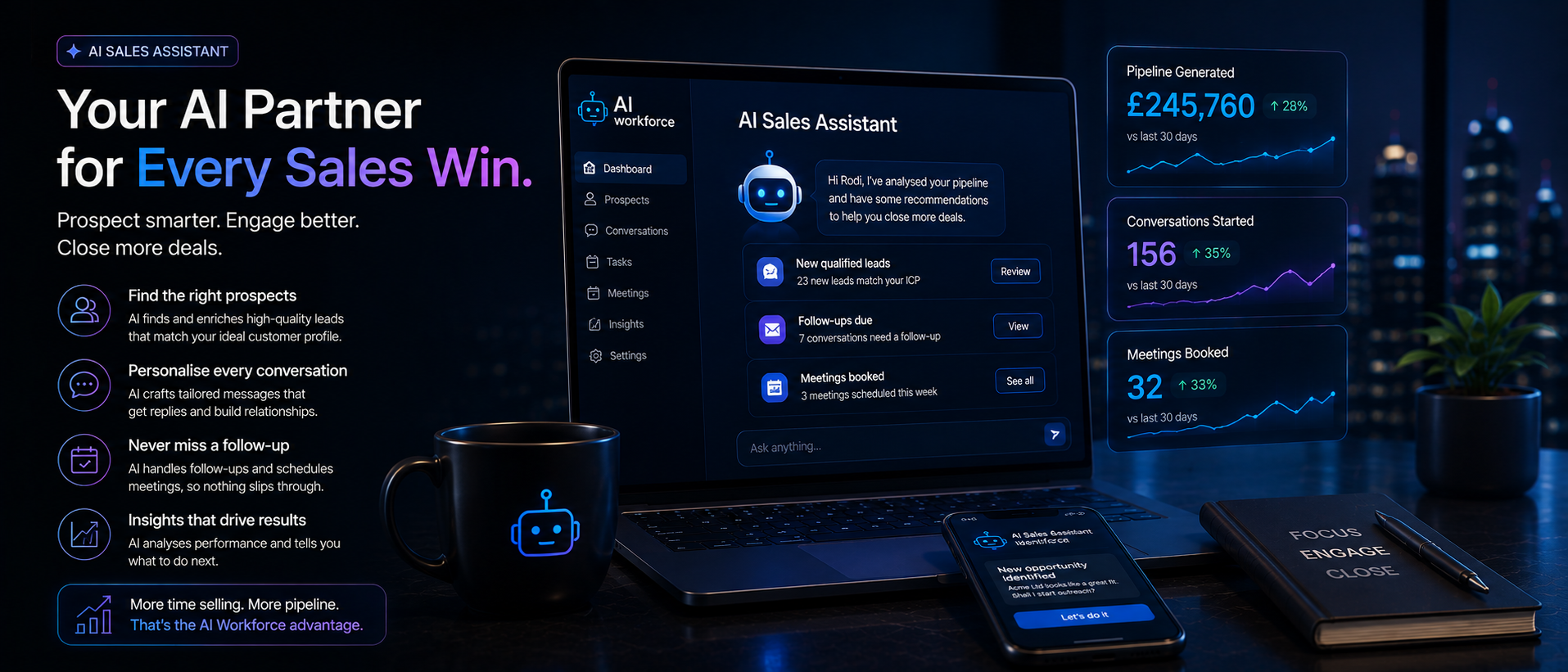
This guide was reviewed by Rodi Taze, Co-Founder of AI Workforce, for accuracy and alignment with how AI Workforce's own sales assistant and copilot tools are designed and governed.
Reviewed: August 2026.
© 2026 AI Workforce Ltd. All rights reserved.