AI Receptionist for Dentists: Calls, Bookings, Costs and Safety
Posted On: July 28, 2026
Written by Clara Miller, Content Marketing Specialist · Reviewed by Rodi Taze, Co-Founder of AI Workforce · Last updated: September 2026
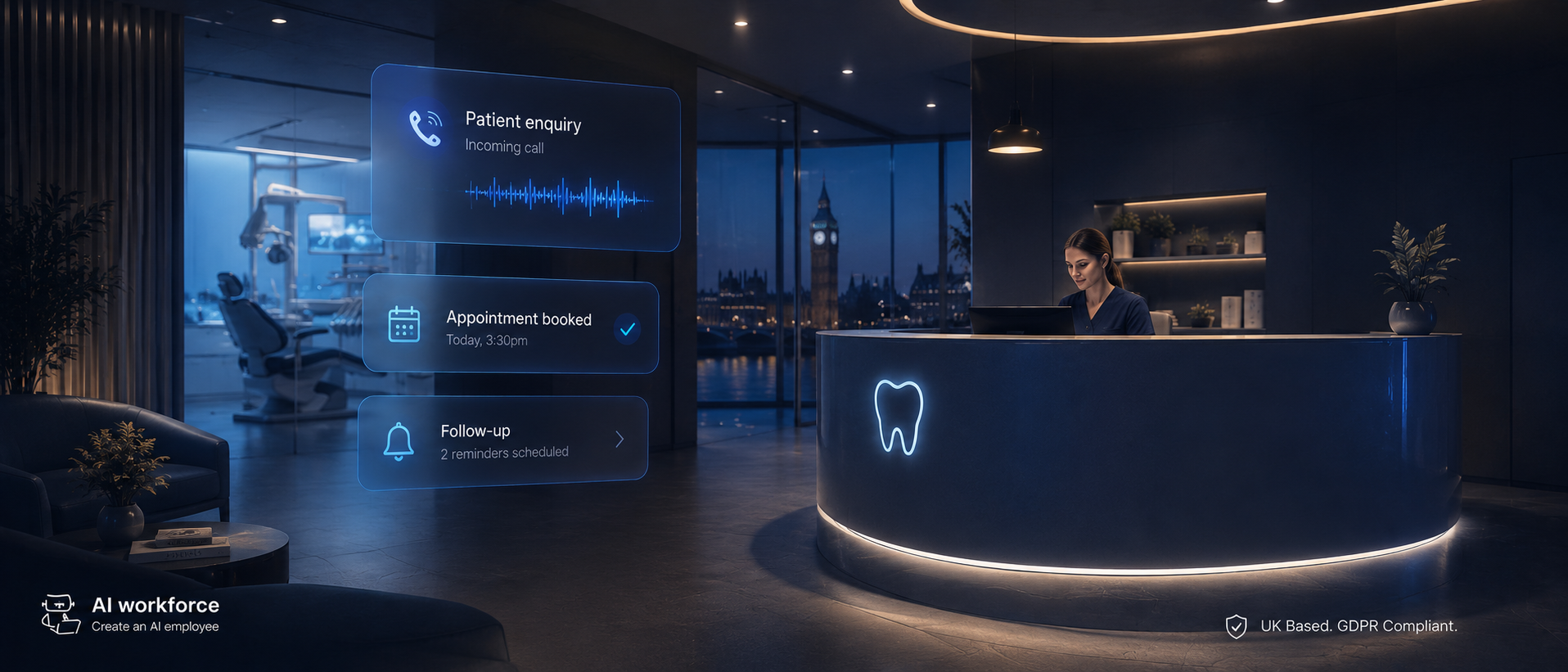
A busy dental practice can lose calls when reception staff are helping patients, taking lunch, working on admin or dealing with several enquiries at once. An AI receptionist can answer routine calls, book and reschedule appointments, provide approved practice information and handle overflow or out-of-hours enquiries. The important boundary is clinical judgement: the system should recognise predefined urgent-call triggers and follow the practice's agreed escalation procedure rather than deciding for itself how serious a dental problem is. This guide explains what dental AI receptionists can do, what they cost, which systems they can connect to and what to check before choosing one.
Quick Answer: An AI receptionist for dentists can answer routine calls, book and reschedule appointments, provide approved information about services, opening hours and pricing, and route calls according to predefined rules. It can be useful for overflow and out-of-hours coverage, but it should not diagnose patients or independently decide whether a caller has a dental emergency. Before choosing a provider, check practice-management integration, human handoff, urgent-call escalation, patient-data controls, call logs and total cost.
At a Glance
What it is: AI software that answers routine dental calls, books and reschedules appointments, and routes calls according to predefined rules
Best suited to: practices losing calls during busy periods, lunch, after-hours or while reception staff are dealing with patients
Typical cost: from tens of pounds a month for basic products, rising considerably for customised practice-management integrations
Biggest benefit: more consistent handling of routine patient calls and less manual telephone administration
Biggest risk: the system attempting to handle a clinical or urgent situation that should have been escalated
Recommended rollout: after-hours or overflow first, then expand after reviewing real transcripts and escalation accuracy
What Should a Dental Practice Look for in an AI Receptionist?
Live Appointment Booking — checks real diary availability, books and reschedules the correct appointment type where a tested integration exists.
Dental-Specific Knowledge — approved practice information: appointment types, hours, locations, new-patient policies, treatment terminology, approved pricing.
Urgent-Call Escalation — the practice defines the trigger symptoms and phrases; the AI routes according to those rules and never makes a clinical judgment.
Human Handoff — a caller can reach a person when the request is outside the approved workflow or on request.
Practice-Management Integration — ask which systems are actually integrated and tested, not just "supported".
Patient-Data Controls — recordings, transcripts, retention, sub-processors, processing location and training exclusion.
Call Logs and Auditability — staff can review what was heard, answered and actioned, and why a call escalated.
Overflow and Out-of-Hours Modes — start with limited coverage, such as after-hours or overflow, before expanding.
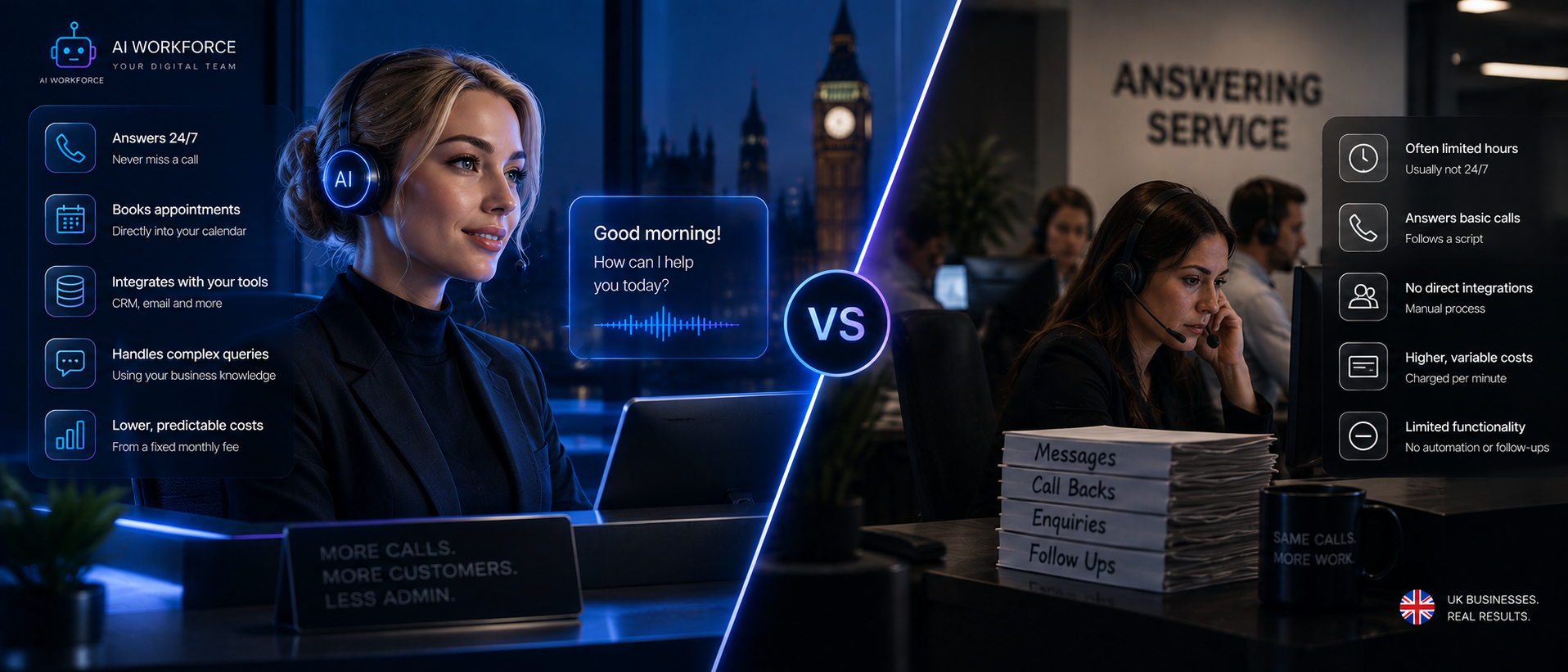
AI Receptionist vs Dental Receptionist vs Answering Service
These terms overlap heavily in vendor marketing, which makes it harder to know what a specific dental-focused product actually does versus a generic tool with a dental label attached.
A general AI receptionist, covered in our AI Receptionist UK guide, handles the fuller front-desk job for any small business: answering, booking, routing and basic coordination with a calendar. A dental-specific AI receptionist does the same underlying job but is trained on dental vocabulary, appointment types and the emergency-recognition boundary set out above, which a generic assistant will not have out of the box.
A traditional dental answering service typically means a shared, human-staffed call centre answering for multiple practices at once, often working from a generic script that does not reflect your specific practice's services, hours or policies. The level of practice-specific knowledge and diary integration varies between answering-service providers. A purpose-built dental AI receptionist, by contrast, is configured specifically around your own practice information, which can allow it to answer routine questions from an approved knowledge base rather than relying on a generic script.
For the broader underlying call-handling mechanics, including how routing, transfer and record-keeping actually work, see our AI Call Handling guide, and for the general technology behind the voice itself, see our AI Voice Agents guide. This guide focuses specifically on what changes when the front desk answering the phone is a dental practice.
Option | Best for | Booking | 24/7 potential | Human judgement | Typical cost model |
|---|---|---|---|---|---|
AI receptionist | Routine calls, booking, overflow | Yes, with tested integration | Yes | Limited; escalation required | Subscription/usage /setup |
In-house dental receptionist | Full front desk, patients, complex calls | Yes | Usually working hours unless extra cover | High | Employment cost |
Answering service | Overflow and after-hours answering | Varies | Often | Human, but external team | Per-call / minute / package |
What's Covered
The Basics
Calls and Urgency
Systems and Data
Cost and Evaluation
Rollout and Results
What Is an AI Receptionist for Dental Practices?
A dental AI receptionist is software built to answer a practice's phone line, work out what a patient needs, and act on it, whether that is booking a hygiene appointment, rescheduling a check-up, or answering a question about opening hours. It uses speech recognition to convert what a caller says into text and natural language processing to work out intent well enough to book, reschedule or transfer a call without forcing the patient through a rigid menu of options.
What separates a dental-specific system from a generic call-handling tool is the vocabulary and workflow it is built around: appointment types, common treatment names, insurance and NHS versus private terminology, and the particular rhythm of a dental practice's day, where a routine booking call and a genuine emergency can arrive back to back. This kind of system does not take a lunch break or a day off, but that consistency only has value if it is paired with clear rules about what it should never attempt to decide on its own, covered in the next section.
What Can a Dental AI Receptionist Actually Do?
Appointment booking is one of the clearest routine workflows a dental AI receptionist can handle. A patient can book, reschedule or confirm an appointment over the phone in a short call, with the system checking real-time availability in the practice's diary rather than promising a slot and hoping it is still free. Linked to appointment history, it can also help avoid an obvious double-booking, something a busy front desk can miss during a hectic morning.
Beyond booking, a well-configured system can answer routine questions consistently: opening hours, location, accepted payment methods, general pricing ranges, and whether the practice is currently accepting new patients. It can take a message when a query falls outside what it is approved to answer, and it can hand a call to a person the moment a caller asks for one. Practices can experience periods where incoming calls overlap with a busy front desk, staff breaks or patients being dealt with in person, and this is exactly the kind of predictable, repetitive load a properly configured system can absorb without tying up the front desk.
None of this replaces the receptionist for in-person patients standing at the desk, or for the calls that genuinely need judgement rather than a lookup. The next section sets out where that line should sit.
What Should It Never Handle Without a Person?
This is the most important governance decision in a dental AI receptionist deployment, and it deserves a written policy rather than an assumption that the system will simply know when something is beyond it. The following should always reach a person, or follow a predefined urgent-care procedure, rather than being resolved by the AI alone:
Suspected dental emergencies, including uncontrolled bleeding, significant facial swelling, or dental trauma
Any request for clinical advice, a diagnosis, or an opinion on treatment suitability
Medication questions, including dosage or interactions
Complaints or disputes about treatment or billing
Safeguarding concerns
Payment disputes or unusual discount requests
Complex insurance or payment queries outside standard, approved answers
Anything outside the practice's approved knowledge base
A caller who explicitly asks to speak to a person
A dental AI receptionist can ask approved intake questions and recognise predefined emergency terms or symptoms, but it should not diagnose the patient or independently decide how clinically urgent a case is. Where a call triggers one of the criteria above, the workflow should follow the practice's own defined urgent-care procedure, not a judgement the system made on the spot. That boundary is what makes the automated part of the system trustworthy, because it means every call the system does resolve on its own was one it was actually equipped to handle.
Illustrative split. Your own practice policy and clinical judgement should determine exactly where each task lands.
How Does Dental Appointment Booking and Call Handling Work?
A dental call is not one decision; it is a short sequence of them: understanding who is calling and what they need, checking whether the request is routine or something that should escalate, retrieving the right information, and either completing the booking or handing the call to a person. Our AI Answering Service guide covers this underlying call-handling sequence, the AI Workforce Call Model, in full technical depth; the same governing principle applies here: answer from approved information, never invent an answer the knowledge base does not contain, applied specifically to a dental front desk.
Two worked examples make the distinction concrete:
Routine call: A new patient asks for a hygiene appointment. The system confirms the practice location, checks approved appointment types and live availability, books the correct slot, captures the required details and sends a confirmation.
Escalation case: A caller describes significant facial swelling and asks whether they should wait until their scheduled appointment. The system does not offer clinical advice or tell the caller whether to wait. It recognises the trigger, follows the practice's defined urgent-call procedure, and connects the caller to a person or the practice's on-call route as configured.
The difference between those two calls is not how naturally the system speaks. It is whether the underlying workflow correctly tells the two calls apart and treats them differently.
How Should Urgent Dental Calls Be Handled?
Dental pain and dental emergencies do not follow office hours, and a caller in genuine distress deserves a fast, clear response rather than a recorded message telling them to call back on Monday. An AI receptionist can help here, but only within a carefully defined boundary: it can ask a short set of approved intake questions, recognise predefined emergency terms and symptoms, and route the call according to the practice's own urgent-care procedure. It should not attempt to assess clinical urgency itself.
Patients with an urgent dental problem are directed to call 111 or use the NHS 111 online service, where a trained assessment determines how quickly they need to be seen, and patients are advised to go to A&E specifically where swelling around the eyes, neck or mouth is affecting breathing, swallowing or speech. NHS 111 itself performs a genuine clinical assessment, and that is precisely the part an AI receptionist should not attempt to replicate. The useful principle is not to recreate clinical triage inside the receptionist. It is to recognise predefined warning signs and route the patient into an appropriate human-led urgent-care pathway, whether that is the practice's own clinician, an out-of-hours service or NHS 111.
For calls outside surgery hours, this typically means the system can take routine bookings and messages as normal, while an urgent-call trigger, a defined list of symptoms and phrases agreed with the practice's clinical team, routes the caller to the practice's own on-call or emergency procedure rather than leaving them until the next working day.
Illustrative routing logic. The specific triggers and escalation route should be agreed with the practice's own clinical team.
Which Dental Practice Systems Can AI Connect To?
Practice-management integration is where a lot of the real time saving happens: a booking made over the phone should update the same diary the whole team already works from, rather than needing to be re-entered by hand later. Whether that is possible, and how well it works, depends on the specific practice-management system in use and the provider's own integration capability, not on AI receptionists as a category.
Open Dental is a useful concrete example of what this kind of integration can look like. Open Dental publishes a documented API that supports creating, retrieving, updating and confirming appointments, including checking open scheduling slots and syncing appointment status. That makes a connected voice workflow technically feasible where the integration has been properly built and tested, rather than something dental practices should assume comes bundled with every AI receptionist product by default.
Practice-management integration depends on the specific system and provider, and it is worth confirming directly with any vendor which systems they have actually built and tested against, rather than a general claim that integration is supported. Where a genuine connection exists, a patient record can update automatically once a call ends, so the next person who picks up the phone, whether that is a person or the AI, already has full context rather than starting from nothing.
Illustrative flow. Confirm which specific systems a provider has built and tested integrations against before committing.
What Patient Data Does the System Process, and What Does UK GDPR Require?
An AI receptionist for a dental practice records, transcribes and processes patient information from the first call it answers, so it carries real UK data protection obligations. This section is general information rather than legal advice.
Routine call content, a patient's name, phone number and the appointment details discussed, is personal data and UK GDPR applies to it in the same way it applies to any other patient record your practice holds. Where a call goes further, for example a caller describing symptoms, medical history or a specific health condition, that content can amount to health data, which is special category data under UK GDPR and needs a specific Article 9 condition in addition to a standard lawful basis. This is one of the clearest reasons the emergency-recognition boundary set out earlier matters for compliance as well as safety: the system's intake questions should be limited to what is genuinely necessary for the defined workflow, rather than collecting detailed clinical information simply because the caller is willing to provide it.
Practices should confirm, before going live, how call recordings and transcripts are retained and for how long, whether the AI provider or any sub-processor is itself acting as a data processor on the practice's behalf, and where that data is actually stored. Callers should be told clearly, and early in the call, that they may be speaking with an automated assistant and that the call may be recorded. Our AI GDPR Compliance guide covers the underlying UK GDPR framework, including lawful basis, retention and vendor due diligence, in more depth than is useful to repeat here, and is worth working through directly with any provider before granting it access to patient calls.
How Much Does an AI Dental Receptionist Cost?
Rather than quoting a single vendor price, which changes often and varies by provider, it is more useful to understand the components that make up the cost of a dental AI receptionist deployment:
Platform fee: the core monthly or per-seat charge for the answering software itself
Telephony: the cost of the phone line or number the system answers on
Call minutes and transcription: usage-based charges for the volume of calls actually handled
Practice-management integration: connecting the system to your specific diary and patient records
Setup and knowledge base build: configuring appointment types, pricing information and escalation rules specific to your practice
Maintenance: ongoing monitoring and updates as services, pricing or opening hours change
Off-the-shelf receptionist products can start in the tens of pounds per month for a basic configuration, while a customised dental workflow connected to a practice-management system, with proper booking rules and an agreed escalation procedure, can cost considerably more once integration and setup are included. Our AI Receptionist UK guide covers current UK vendor pricing patterns for general AI receptionists, and our AI Automation Pricing UK guide breaks down UK implementation cost drivers more broadly.
A staffed dental receptionist carries salary plus employer National Insurance, pension contributions, recruitment, training and cover for holidays and sickness, so the fair comparison is against the total employment cost of the role, not salary alone. An AI receptionist may have a lower ongoing direct cost than employing additional reception capacity, but the comparison depends on call volume, integration requirements, setup costs and how much human cover the practice still requires. Our AI Receptionist UK guide covers this cost comparison in more depth.
How to Evaluate a Dental AI Receptionist
Put these questions to a vendor directly before committing budget, and expect specific answers rather than marketing language:
Before You Sign
Which practice-management systems has the provider actually built and tested integrations against, not just claims to support?
What triggers an escalation to a person, and can those rules be configured around your own practice's urgent-care procedure?
Does the system answer strictly from approved practice information, or can it generate an answer when it does not have one?
How is patient call data retained, and for how long, and who else can access it?
What happens if the practice-management integration is unavailable? A safe answer is that the system takes a message rather than continuing to act as though it can still book or confirm something
How is caller disclosure handled, and can the wording be configured to your own standard?
Can the knowledge base be updated quickly when opening hours, pricing or services change?
Can health-related call content be excluded from model training, and which sub-processors receive transcripts or audio?
A provider that cannot answer these clearly, or treats the questions as unusual, is a signal to test further before trusting it with live patient calls.
Who Owns the AI Receptionist After Launch?
A dental AI receptionist is not a set-and-forget system. Someone inside the practice should own its knowledge base, appointment rules and escalation policy, with the same update discipline applied to changes in opening hours, pricing, clinicians, appointment durations or urgent-call procedures as would apply inside the practice-management system itself.
A simple governance model works well here: one operational owner and one clinical reviewer. The operational owner maintains routine information and booking logic. The clinical reviewer approves any change to urgent-call triggers or health-related wording. Failed calls and incorrect answers should be reviewed on a regular schedule, rather than waiting for a patient complaint to expose a rule that has fallen out of date.
A Four-Week Dental Practice Pilot
Rolling out a dental AI receptionist against a properly built and tested knowledge base is considerably safer than switching on full call coverage from day one.
Illustrative roadmap. Expand coverage only once earlier stages have proven themselves against real calls.
Week one, map calls: review recent call history to identify common request types, booking patterns, and the specific situations that should always escalate, building the emergency-trigger list with input from the practice's clinical team rather than guessing at it.
Week two, build and test: configure the knowledge base, appointment types, pricing information and escalation rules, then run test calls covering both routine bookings and the edge cases identified in week one.
Week three, controlled launch: put the system live on after-hours or overflow calls first, while the existing team continues to handle calls during surgery hours, and review every transcript from this period.
Week four, expand: increase coverage only after reviewing transcripts, escalations and any missed or mishandled calls from the controlled launch, and only where that review shows the system is escalating correctly and consistently.
How Should You Measure It?
Call volume answered is not a sufficient measure on its own, since a system can process a large number of calls while quietly mishandling bookings or escalating inconsistently. Track a broader set of indicators:
Answer rate, the share of inbound calls actually picked up
Booking completion rate for calls where booking was the goal
Escalation accuracy, how reliably a call meeting an urgent-care trigger was actually recognised and routed correctly
Successful transfer rate, how often an escalated call reaches a person cleanly
Incorrect-answer rate, how often the system gave information that was wrong or not grounded in approved practice information
Double-booking or scheduling-conflict rate
Repeat-call rate, patients who call back because the first call did not resolve their need
Patient feedback or complaint rate specifically relating to the automated system
Escalation accuracy is worth watching particularly closely for a dental deployment, since it is the clearest signal of whether the system is respecting the boundary between recognising a defined trigger and attempting to judge clinical urgency itself.
Is It Worth It for Your Practice?
A dental AI receptionist tends to deliver the most value for a practice juggling a high volume of routine enquiries, bookings, rescheduling and pricing questions, alongside a smaller number of genuinely complex or urgent cases that still need a person. A single-site practice with modest call volume will get a different level of value from this than a multi-site group managing several diaries at once, and the right configuration should reflect that rather than applying a one-size-fits-all setup.
The technology can increase the proportion of routine calls that are answered when reception staff are unavailable, provided sufficient call capacity and appropriate routing are configured, and can reduce routine admin sitting on the front desk. It works best alongside the team already in place, not instead of it, with in-person patients, complex cases and anything touching clinical judgement remaining a person's job. If a growing patient list and a stretched front desk are starting to show, addressing the call-handling process with a defined escalation policy can make routine enquiries easier to manage consistently. If you are weighing this against other early automation priorities for the practice, our AI Agents for Small Businesses guide covers where call answering typically fits against other options.
Related Guides
AI Receptionist UK: How Virtual Receptionist Services Help Small Businesses
AI Answering Service: A Practical Guide for UK Small Businesses
AI Appointment Setter: A Practical Guide to Automated Booking
Ready to Stop Missing Patient Calls?
We'll help you map your practice's real call patterns, agree a written escalation policy with your clinical team, and build a properly piloted rollout before it ever answers a live patient call.
Frequently Asked Questions
Can an AI receptionist decide whether a patient has a dental emergency?
No, and it should not be configured to try. It can recognise predefined emergency terms and symptoms and follow the practice's agreed urgent-care procedure. Clinical assessment and judgement should remain with an appropriately qualified person.
Will patients be able to tell they are speaking to AI?
Modern voice systems can sound close to natural on routine calls, but this should not be relied on instead of clear disclosure. Callers should be told early in the call that they may be speaking with an automated assistant.
Does it work with our existing practice-management software?
That depends on the specific system and provider. Some systems, including Open Dental, publish a documented API supporting appointment creation, updates and confirmation, which can support a connected workflow where the integration has been properly built and tested. Confirm directly with a vendor which systems they have actually integrated with.
What happens if the system cannot answer a question?
A properly configured system should say so and either transfer the call or take a detailed message, rather than generating a plausible-sounding answer that is not grounded in approved practice information.
Is patient data handled by an AI receptionist covered by UK GDPR?
Yes. Names, contact details and appointment information are personal data, and any content that reveals a health condition or symptom can amount to special category data requiring extra care. See the UK GDPR section above and our dedicated GDPR guide for the fuller framework.
How much does a dental AI receptionist cost?
Off-the-shelf options can start in the tens of pounds a month, while a fully customised deployment connected to a practice-management system and a defined escalation policy can cost considerably more once setup and integration are included. See the cost section above for the components that typically make up the total.
Key Takeaways
A dental AI receptionist can increase how many routine calls get answered and absorb routine booking, rescheduling and pricing questions
It should never independently judge clinical urgency; it should recognise predefined triggers and follow the practice's own urgent-care procedure
Practice-management integration depends on the specific system and provider; Open Dental's documented API is one concrete example of what this can look like when properly implemented
Call content can include special category health data under UK GDPR, which needs specific care beyond standard personal data handling
Realistic costs range from tens of pounds a month for a basic configuration to considerably more for a fully customised, integrated deployment
Escalation accuracy, not call volume, is the metric that shows whether the system is respecting the clinical boundary
Roll out on after-hours, or overflow calls first, reviewing real transcripts before expanding to full call coverage
The strongest setups blend AI for volume with people for judgement, in-person patients and complex cases
About the Author: Clara Miller is a Content Marketing Specialist at AI Workforce. She writes guides that explain how AI automation actually works in practice, translating technical capability and risk into terms a business buyer can use to make a decision.
About the Reviewer: This article was reviewed by Rodi Taze, Co-Founder of AI Workforce. Rodi works with UK businesses to design call-handling systems that separate what AI can safely automate from what should always reach a person.
Editorially reviewed and updated: September 2026.
This article is general information rather than legal or clinical advice. Take independent advice on data protection and patient safety obligations specific to your own practice.
© 2026 AI Workforce Ltd. All rights reserved.