What Is an AI Agent? A Plain-English Guide for Business
Posted On: May 12, 2026
Last updated: August 2026 · Written by Clara Miller, Content Marketing Specialist · Technical review by Seth Ayush, Co-Founder and Head of Design and Product at AI Workforce
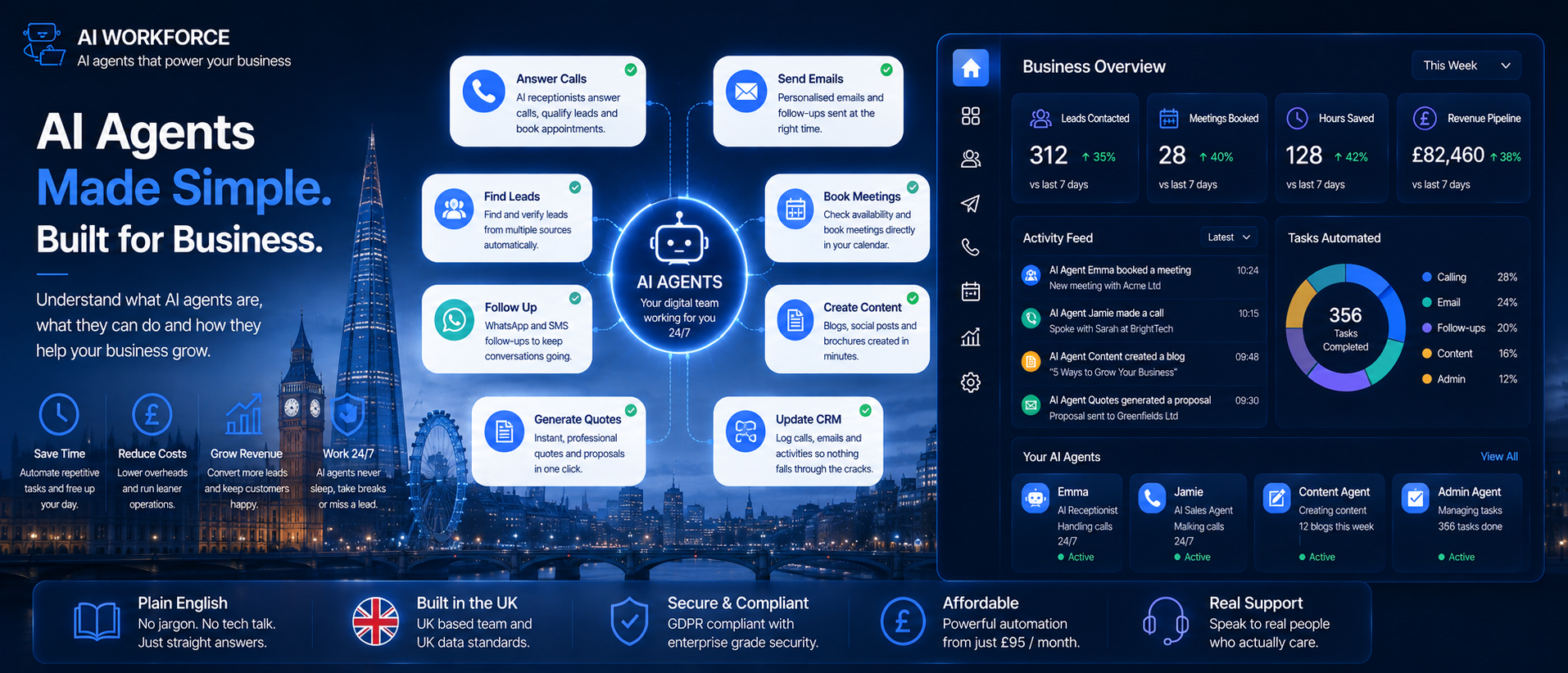
AI agents are everywhere right now, and most explanations make them sound more complicated than they are. This is a plain-English guide for business owners who want to understand what an AI agent actually does, how it differs from a chatbot, and how to decide if and how it belongs in your business, without the jargon.
Quick Answer: An AI agent is software designed to work towards a defined goal by interpreting information, choosing from approved actions and using connected tools. Depending on how it is configured, it may complete several steps without a person directing each one, while escalating uncertain or higher-risk cases for review. It is not the same as a chatbot, though the two overlap, and it is not fully autonomous by default. How much it can do on its own is a setting you control, not a fixed property of the technology.
At a Glance
What it is: software that works towards a goal using approved actions and connected tools, with defined boundaries around what it can do unsupervised
How it differs from a chatbot: a chatbot is mainly built around conversation; an agent is mainly built around completing an outcome, often across several tools and steps
Where it tends to fit first: repetitive, well-defined processes with reliable data and a clear outcome, not judgement-heavy or high-stakes decisions
What it needs beyond a good prompt: permissions, approval rules, logging and monitoring enforced by the system itself
Biggest risk: giving an agent more autonomy or access than the business has tested and is ready to monitor
What's Covered
What Is an AI Agent, in Plain English?
An AI agent is software designed to work towards a defined goal by interpreting information, choosing from approved actions and using connected tools. Depending on how it is configured, it may complete several steps without a person directing each one, while escalating uncertain or higher-risk cases for review.
Where a basic AI tool waits to be asked something and answers once, an AI agent can be set up to monitor a situation, decide on the right response, and carry a task through multiple steps. A useful analogy is a narrowly scoped digital worker. It can follow an approved process and use selected tools, but it does not have an employee's general judgement, accountability or contextual understanding. That distinction matters, because it shapes how much you should trust it with, and how closely it needs checking early on.
This is worth understanding because the technology is likely to appear increasingly across the software, suppliers and services businesses already use, so understanding it helps you assess those changes rather than adopting them blindly.
AI Agent vs Chatbot
This is one of the most common points of confusion, and it is worth being precise about it rather than drawing too hard a line.
A chatbot is built mainly around a conversational interface. It may answer questions, collect information, or use connected tools to look something up or complete a simple transaction, but its primary interaction model remains a conversation. An AI agent is usually designed around completing an outcome, potentially using several tools and steps, and it can often act without a person directing each individual step.
A useful shorthand is: a chatbot mainly answers, while an AI agent is designed to act. Real systems often sit somewhere between the two. Some chatbots can query databases, update records and trigger workflows, which starts to look a lot like agent behaviour. The categories overlap: a chatbot connected to tools and given permission to act may begin to behave like an agent. Our separate guide on AI agent vs chatbot covers this distinction in more depth, including cost and where each tends to fit best.
Illustrative comparison. Many real systems sit somewhere between the two, depending on what they are connected to.
How an AI Agent Actually Works
In plain terms, an AI agent is given a goal, a set of approved tools it can use, and rules about what it can and cannot do. The process also needs a trigger: a new email arriving, a form being submitted, an invoice becoming overdue, a customer calling (our AI voice agents guide covers agents triggered this way), or a person explicitly assigning the task.
From there, it follows a defined workflow or determines the next appropriate step, selects from the tools it is permitted to use, takes an action, checks the result, and either continues, retries safely or escalates. Some agents dynamically select or reorder approved steps based on the context they encounter. Others use AI only for specific decisions inside a substantially predetermined workflow. Both may be described as agents, but their autonomy and risk profiles differ. A simple way to picture the shape of it: trigger, then context, then decision, then tool, then validation, then continue or escalate.
Not every automated workflow is an AI agent. A conventional automation follows predetermined rules: when A happens, do B. An agent introduces a degree of interpretation or decision-making, for example deciding which category an enquiry belongs to or which approved tool should be used next. In practice, reliable systems often combine both: conventional automation for predictable steps, and AI only where interpretation is genuinely useful.
A quick way to compare the three:
Conventional automation: follows predefined rules and conditions, can connect multiple systems, and runs a predetermined sequence rather than interpreting ambiguous inputs or choosing dynamically between approved actions
Chatbot: built mainly around a conversational interface; it may answer questions, collect information or use connected tools, but its primary interaction model remains a conversation
AI agent: built mainly to complete an outcome, selects from approved actions, commonly uses several connected tools, handles multiple steps within defined boundaries, best suited to bounded, multi-step tasks
Not every AI feature is an AI agent. A system is not necessarily an AI agent merely because it uses a language model, generates text, follows an automated sequence, answers questions, or connects to one database. The more useful question is whether it interprets context, selects from approved actions, and works towards a defined outcome.
The tools an AI agent uses are often APIs: connections that allow two pieces of software to exchange information automatically. These APIs connect the agent to business systems such as a calendar, an email platform or a CRM. Each individual action the agent asks a connected system to perform is sometimes called a tool call. The agent can work with information from several of these in a single run, without a person manually copying data between them. A language model may interpret the input and select the next step, while workflow logic, permissions and connected tools determine what actions are actually available to it. The model does the interpreting; the surrounding system decides what it is actually allowed to do.
For readers who want the underlying technical concepts in one place, the table below covers the terms used throughout this guide.
Term | Plain-English meaning |
|---|---|
Goal | The outcome the agent is meant to achieve |
Trigger | The event that starts the workflow |
Context | Information used to understand the task |
Tool | A connected system the agent can use |
Tool call | A request for that system to perform an action |
Guardrail | A technical rule limiting what the agent may do |
Escalation | Passing an uncertain or higher-risk case to a person |
Agents are designed to handle multi-step tasks with a degree of autonomy, but they should operate within technically enforced boundaries. Those boundaries need to be implemented through permissions, validation and approval controls rather than assumed from prompt instructions alone. Within well-enforced boundaries, agents can work without needing constant prompting from a person, and that is where the practical value tends to come from.
What an AI Agent Needs Beyond a Prompt
A strong prompt alone does not make an agent reliable. It explains the role and instructions, but it is not what stops the agent from doing something it should not. That job belongs to the technical controls built around it:
Approved knowledge sources it is allowed to draw on, rather than open-ended access to everything
Authentication and access control, so it can only reach the systems and records the task requires
Structured output validation, checking that the agent's response is in the expected format and contains sensible values before it is allowed to act on it
Explicit tool permissions, defined per action rather than granted broadly
Logging of inputs, tool calls, outputs, approvals and failures, so its actions can be reviewed
Human approval workflows for higher-risk or higher-value actions
Ongoing monitoring, not just a one-off check at launch
A kill switch or rollback process to stop the system or recover from an incorrect action
Data-retention rules for anything it logs or stores
A named business owner and technical owner responsible for performance, permissions and changes
Evaluation tests run against normal, edge and failure cases before go-live
Spending limits, deletion rights, CRM permissions and approval requirements should be enforced by the application itself, not trusted to prompt wording alone. Our guide on how to write an AI agent brief covers how to define these permissions and escalation rules before a system is built.
AI Workforce Insight: teams often spend most of their early effort on the prompt and assume that is the agent's real safety net. The systems that hold up in practice are the ones where permissions, approval and logging are enforced by the application itself.
Types of AI Agents
There are several types of AI agents, and the differences matter for planning. A single-purpose agent handles one well-defined job, such as qualifying inbound leads or checking invoices against a set of rules before flagging them for approval. A workflow agent manages a sequence of connected tasks from end to end within one process. A multi-agent system uses multiple specialised agents working together, where one might research, another drafts, and another sends, each handing off to the next.
You will also hear about autonomous agents, designed to operate with limited human involvement across longer, more complex tasks. These require the most careful setup, since more autonomy means more that can go wrong before a person notices. Autonomous systems are increasingly discussed in sectors such as logistics and finance for well-bounded, heavily monitored processes, but most small businesses will get more practical value starting with a narrower, single-purpose agent or workflow agent, and that is a reasonable place to begin.
Most small businesses should start with one narrowly scoped agent or workflow. Multi-agent systems can help where responsibilities genuinely require different tools, policies or expertise, but they also introduce more handoffs and more places for something to go wrong. Add that complexity only after the simpler version has been tested and shown to be insufficient. Our digital workforce guide covers the broader question of how automation, agents and people should divide labour as you add more of these systems over time.
Practical Small Business Use Cases
The most useful examples are rarely the dramatic ones. They are the repetitive tasks that eat up hours every week. An agent can handle inbound enquiries, route them to the right person, and log everything in your CRM. Another can handle invoice chasing: checking what is overdue, drafting a follow-up, sending it, and escalating to a person when something does not match the expected pattern.
Agents are also commonly used for onboarding sequences, appointment reminders, contract renewal reminders, and routine reporting summaries. The tasks that tend to work best are the ones with clear steps, reliable data and a predictable outcome.
A sales example: an agent can research a prospect against your ideal customer profile, pull relevant details from your CRM, and draft an email ready for a rep to review before sending. The businesses seeing genuine results tend to be the ones who started with one clear workflow rather than trying to automate everything at once.
A worked example helps bring the pieces together. A new enquiry arrives through a website form. The agent checks whether the required contact details are present, compares the company against approved qualification criteria, creates or updates the CRM record, drafts a reply and suggests an available appointment time. If key information is missing, or the enquiry mentions a complaint, a legal issue or an unusual request, it stops and assigns the case to a person rather than guessing.
Could One of Your Workflows Suit an AI Agent?
Use the AI Readiness Assessment to check whether the process, data, systems and ownership are ready before choosing a platform.
For a fuller look at where AI agents fit specifically in a small business, including suitability and implementation options, see our guide to AI agents for small businesses. This article focuses on what an agent actually is and how it works; that one covers use cases and adoption in more depth.
What AI Agents Still Struggle With
Processes with clear steps, reliable inputs, accessible systems and a defined outcome are often good candidates for agent-assisted automation. Being able to write the process down as a checklist is a useful starting point, but it does not by itself establish that the process is safe or technically practical to automate. Several things can still get in the way:
Unavailable or poor-quality data feeding the process
Systems with no suitable API to connect to
Steps that genuinely require subjective judgement
Identity or verification checks that are hard to automate reliably
Exceptions that are difficult to model in advance
Regulatory or contractual restrictions on how a task can be carried out
Actions that are difficult or costly to reverse if something goes wrong
Integrations that fail silently rather than raising a clear error
Exceptions, permissions, data quality, integrations and failure handling all need to be assessed before assuming a checklist-shaped process is ready to hand over.
How Much Autonomy Should You Allow?
This is arguably the most important question in this guide. Autonomy is a dial, not an on/off switch. You decide how much an agent can do on its own and where it needs a person to approve. Start narrow, and give it autonomy first over tasks where a mistake is low-stakes and easy to reverse.
The AI Workforce Five-Level Agent Autonomy Scale:
Level 1, Recommend: the agent suggests an answer or action; a person decides and carries it out
Level 2, Draft: the agent prepares the output; a person reviews it before it goes anywhere
Level 3, Complete low-risk actions: the agent executes defined, reversible tasks on its own; a person monitors exceptions
Level 4, Manage a bounded workflow: the agent completes several approved steps in sequence; a person handles uncertain cases
Level 5, High autonomy within a defined domain: the agent can make a wider range of decisions inside tightly controlled systems, limits and monitoring; suitable only for well-tested workflows with strong governance, not unlimited organisational discretion
Most small businesses should begin around level two or three, and move up deliberately as the agent proves itself, not by default.
Illustrative scale. Most small businesses should begin around level two or three and expand only once the system has proven itself.
Agentic systems work best when the permission structure is clear from the start. What can the agent do? What does it need approval for? What is off-limits entirely? Answer those three questions before you deploy anything. Some tasks should always keep a person in the loop: anything involving a sensitive client relationship, a significant financial commitment, or a decision with legal implications. The agent can do the legwork; the person makes the call.
What Can Go Wrong?
Every production system should assume failures and unexpected cases will occur eventually. Common failure modes include the agent acting on inaccurate data, misunderstanding the task, selecting an inappropriate action, receiving an incorrect result from a connected tool, or encountering an exception the workflow was never designed to handle.
A guardrail is a rule that limits what an agent can do without approval, for example allowing it to draft a communication but not send it, or update a record but not delete anything. Clear escalation paths, knowing exactly when to hand off to a person, separate a well-deployed agent from a risky one, and the same logs used for this often surface workflow gaps a manual process would never have revealed.
What It Takes to Deploy One
To deploy an AI agent, you generally need three things: a clearly defined workflow to hand over, access to your business systems via APIs, and a plan for what happens when something does not go as expected. The workflow should be documented clearly enough that a competent colleague could understand the steps, required information, exceptions and escalation points without relying entirely on unwritten knowledge. If you cannot explain the process clearly in writing, the agent will not be able to follow it reliably either.
The API connections are what allow an agent to act across multiple systems: your CRM, your email, your project management tool, your accounting software. Many widely used business platforms provide APIs or supported integrations, although access, functionality, pricing and reliability vary considerably. Some systems allow information to be read but not changed, while older or specialist software may need a custom integration or may not be practical to connect at all. The complexity of setup depends on the number of systems involved, the quality of their APIs, the sensitivity of the data, and the consequences of an incorrect action, rather than being uniformly simple or complex. Many platforms now provide low-code or no-code configuration options, although connecting systems, defining permissions, handling failures and evaluating performance still require careful implementation work.
Illustrative loop. A production system also needs monitoring, logging and a tested escalation path around each step.
How Much Do AI Agents Cost?
The cost question is where a lot of coverage of this topic loses the plot, either ignoring it entirely or reducing it to a single headline number. Total cost usually includes the software subscription or model usage, implementation, system integrations, data services, monitoring and human review time. A simple off-the-shelf workflow may be available through a monthly subscription, while a custom agent connected to several business systems will typically need a separate implementation budget on top of any ongoing fees.
Based on AI Workforce's indicative August 2026 ranges, a defined, custom-built agent workflow may cost approximately £3,000 to £10,000 to implement, with ongoing monitoring, maintenance and usage often adding £200 to £800 a month. These are indicative implementation ranges rather than a market-wide tariff, and subscription products may be priced very differently. Entry-level automation software can start from roughly £20 to £50 a month, although the final capability depends on the workflow, integrations, configuration and in-house implementation time, so a lower software cost does not necessarily mean a less capable result, and it is not a like-for-like comparison with a custom build. Compare the full cost against the value and time of the specific process being automated, not against the salary of an entire employee. Our guide to AI automation pricing covers this in more detail, including what drives the price up or down.
Illustrative cost drivers. Actual pricing depends on scope, integrations and how much of the process is automated end to end.
How to Measure Whether It Is Working
Running a regular audit of what an agent is doing is useful, but it is not the same as knowing whether the deployment is actually succeeding. A clearer picture comes from tracking a specific set of indicators over time:
Task-completion rate
Incorrect-action rate
Human correction rate
Escalation accuracy: whether it hands over the right cases rather than simply escalating more or fewer of them over time
Tool-call failure rate
Processing time per task
Cost per completed task
Complaints or policy breaches linked to the agent's output
Time saved, measured against a real baseline rather than assumed
Our AI Agent KPI framework explains how to combine an outcome KPI, quality measure, cost measure and risk guardrail for each agent, if you want to build a fuller measurement plan than the list above.
Review these over several weeks of real activity before deciding whether to expand an agent's scope or autonomy. A system that looks impressive in a demo can still perform poorly against these numbers once it meets real, messy business data.
Production-Readiness Checklist
Before an agent goes live on a real workflow, it is worth confirming:
The task and successful outcome are clearly defined
The agent uses approved sources of information
Permissions are limited to what the task actually requires
Irreversible or high-value actions require human approval
Tool failures produce a safe, predictable response rather than a guess
Unsupported cases escalate to a person rather than being handled anyway
Actions and failures are logged
Any personal data involved has been assessed for lawful basis, purpose limitation, data minimisation, transparency, security, retention and individual-rights handling, with a DPIA (a Data Protection Impact Assessment, a formal review of privacy risk) completed where the processing is likely to create a high risk, covered in more depth in our AI and GDPR guide
A named person owns monitoring and review
A kill switch or rollback process exists
The system has been tested against normal, edge and failure cases, not just the happy path
Frequently Asked Questions
What is an AI agent, in one sentence?
Software designed to work towards a defined goal using approved actions and connected tools, which may complete several steps without a person directing each one, while escalating uncertain or higher-risk cases for review.
Is an AI agent the same as a chatbot?
No, though the two overlap. A chatbot is mainly built around conversation; an agent is mainly built around completing an outcome across one or more tools and steps. A chatbot connected to tools and given permission to act can start to behave like an agent.
How much autonomy should I start with?
Most small businesses should begin around level two or three on the autonomy scale covered above, drafting outputs for review or completing low-risk, reversible actions, and expand only once the system has proven itself against real data.
Can an AI agent really do anything I can write down as a checklist?
Not automatically. A written process is a useful starting point, but data quality, system access, exceptions, regulatory restrictions and how reversible the actions are all need to be assessed before assuming a process is ready to automate.
What is the biggest risk of deploying an AI agent?
Giving it more autonomy or system access than the business has tested and is genuinely ready to monitor. Clear guardrails, a defined escalation path and regular review reduce this risk considerably.
How much does an AI agent cost for a small business?
Based on AI Workforce's indicative August 2026 ranges, a defined, custom-built workflow may cost approximately £3,000 to £10,000 to implement, with ongoing monitoring, maintenance and usage often adding £200 to £800 a month. Simpler DIY automation can start from roughly £20 to £50 a month, though the final capability depends more on the workflow and implementation than on the licence cost alone.
Do I need to be technical to deploy one?
Not necessarily. Many platforms allow configuration without code, but you still need to be able to describe the process, its exceptions and its boundaries clearly, which is a thinking exercise more than a technical one.
Should I start with one agent or several working together?
For most first deployments, start with one narrowly scoped agent or workflow. Add multiple agents only where different responsibilities genuinely require separate tools, permissions or expertise, since a multi-agent system also adds handoffs and failure points that are worth taking on deliberately rather than by default.
Key Takeaways
An AI agent works towards a defined goal using approved actions and tools; how much it does unsupervised is a setting you control, not a fixed trait
The chatbot-versus-agent distinction is better understood as a spectrum of access and autonomy than as a rigid boundary between two completely separate categories
A good prompt is not enough; permissions, approval workflows, logging and monitoring need to be enforced by the system itself
Processes with clear steps and reliable data are good candidates for automation, but data quality, exceptions and reversibility still need checking
Autonomy is a dial. Most small businesses should start around level two or three and expand deliberately
Start with one narrowly scoped workflow rather than a multi-agent system, and add complexity only once it is genuinely needed
Based on AI Workforce's indicative August 2026 ranges, a defined, custom-built agent workflow may cost approximately £3,000 to £10,000 to implement, with ongoing monitoring, maintenance and usage often adding £200 to £800 a month
Track task-completion rate, correction rate, escalation accuracy and cost per completed task, not just whether the agent is technically running
Confirm a production-readiness checklist, covering permissions, logging, escalation and testing, before any agent goes live
Sources and Further Reading
Find Your First AI Workflow and the Right Level of Autonomy
We'll help you identify a suitable process, decide whether the agent should recommend, draft or act, and scope a controlled pilot with clear permissions and escalation points.
About the Author
Clara Miller is a Content Marketing Specialist at AI Workforce, a British AI company building AI agents for UK businesses. She writes blogs, whitepapers and guides that explain technical AI concepts to everyday business buyers, working closely with AI Workforce's product and engineering teams to keep the explanations accurate.
About the Reviewer
Seth Ayush is Co-Founder and Head of Design and Product at AI Workforce. He leads the design and technical build of AI Workforce's agent platform and reviews client-facing guidance for technical accuracy against how agents are actually implemented and governed in production.
Reviewed: August 2026.
Frequently Asked Questions
Everything you need to know about this topic
In most cases, no. An AI agent replaces repetitive tasks, not roles. It means your people spend less time on data entry, follow-ups, and scheduling, and more time on the work that requires human judgment. That is a better use of everyone.
Every AI agent will eventually take an action that was not quite right. This is why logging, guardrails, and human review steps matter. Design your workflow so that the agent can fail safely. An agent triggers a review rather than proceeding autonomously when something looks unusual. That design choice catches most problems before they become actual issues.
It is absolutely worth understanding.