Best AI Tools for Construction Project Management in 2026
Posted On: August 1, 2026
Written by Seth Ayush, Co-Founder of AI Workforce · Reviewed by Luca Controlo, AI Adoption and Marketing Automation Lead at AI Workforce · Last updated: August 2026
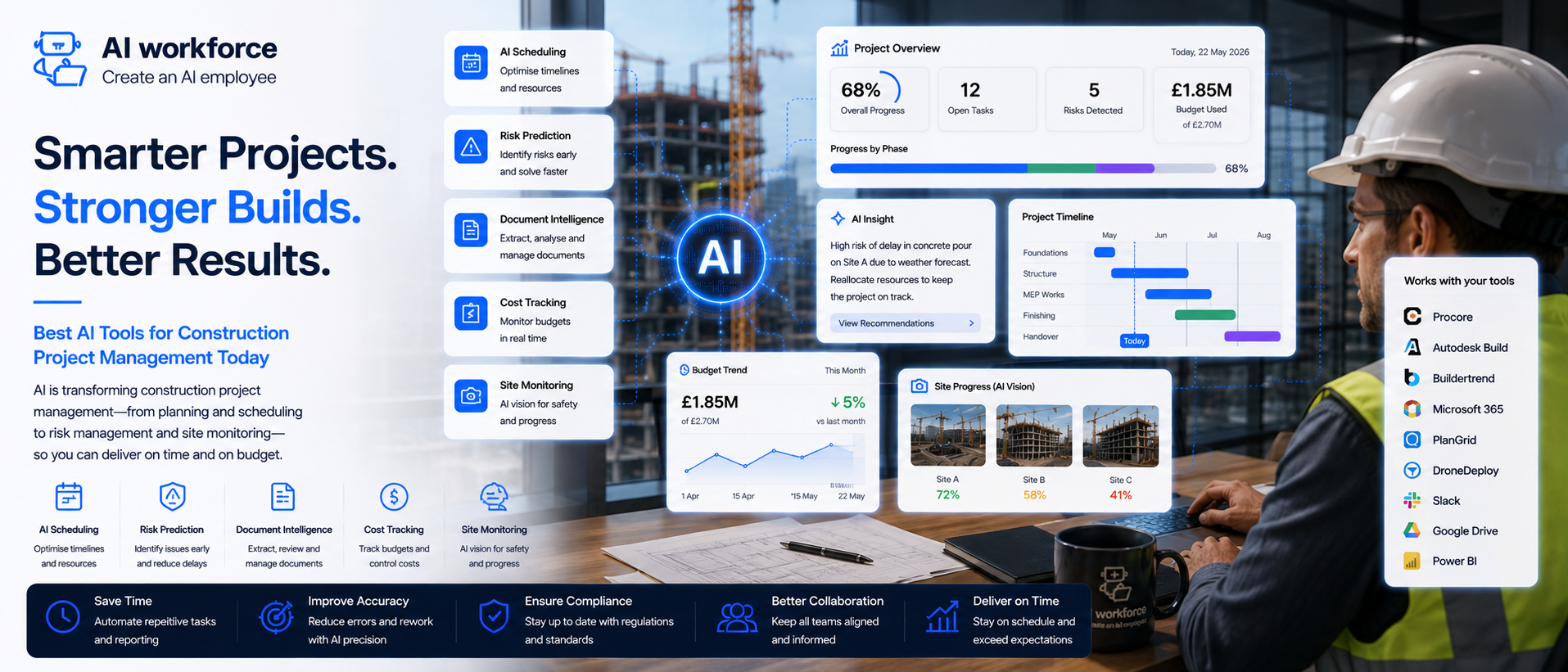
AI-assisted tools are moving from pilot use into everyday construction project-management workflows, particularly in planning, progress capture, document handling, meeting administration and reporting. Some of the platforms below use generative AI or machine-learning analysis; others are conventional project management or planning software with automation and selected AI features layered on top. This guide compares named platforms by workflow, sets out where AI genuinely helps and where a project manager's judgement has to stay in control, and gives a practical way to pilot one workflow before committing to a platform.
Quick Answer: The best AI tool for construction project management depends on the workflow. Programme and look-ahead planning, site progress capture, document and RFI management, meeting capture, reporting, and cost and commercial support each have different specialist tools, and most firms get the most value from picking one narrow, well-defined workflow rather than a single platform that claims to do everything. AI can flag a likely delay, summarise a meeting or organise site photos; a project manager still verifies the output, makes the judgement call and remains accountable for contractual and safety decisions.
What AI Should Never Decide on a Construction Project
AI can assist with organising information, flagging patterns and drafting first-pass summaries. It should never make the final call on contractual commitments, formal progress or quality acceptance, safety decisions, valuation and final cost decisions, or a technical or contractual response to an RFI. Those remain the responsibility of the project manager, the contract administrator or another named accountable professional.
At a Glance
What it is: named AI-assisted platforms that speed up programme planning, site progress tracking, documents, meetings, reporting and cost support on a construction project
Where it helps most: repetitive admin, first-pass summaries, pattern-spotting in programme and progress data, and organising information that used to live in someone's inbox
Where it should not be trusted alone: contractual commitments, safety decisions, formal progress or quality acceptance, and valuation or final cost decisions
Biggest risk: treating an AI-flagged risk score or delay prediction as a reliable forecast rather than a prompt to investigate
What matters most in year one: pick one narrow workflow, measure it properly, and expand only once it has proven itself
What's Covered
1. What Are the Best AI Tools for Construction Project Management? | 11. AI for Progress Reports and Stakeholder Updates |
2. Best Construction AI Tools Compared | 12. AI for Cost and Commercial Support |
3. Best AI Construction Software by Use Case | 13. AI for Quality, Snagging and Safety |
4. How Is AI Used in Construction Project Management? | 14. What Should AI Never Decide on a Construction Project? |
5. AI for Programme Planning and Scheduling | 15. How Should Construction Firms Choose an AI Tool? |
6. AI for Site Progress Monitoring | 16. How Should Construction Firms Measure Value? |
7. AI for Documents, RFIs and Submittals | 17. How to Pilot Construction AI in Four Weeks |
8. Can AI Analyse Construction Drawings and Project Documents? | 18. Data, Privacy and Site Recordings |
9. AI for Meetings and Action Tracking | 19. Frequently Asked Questions |
10. AI for Delay, Risk and Issue Detection | 20. Key Takeaways |
What Are the Best AI Tools for Construction Project Management?
There is no single best tool, because construction project management covers several distinct workflows that different products specialise in. Programme and look-ahead planning, site progress capture, document and RFI management, meeting capture and reporting, and cost and commercial support each tend to be served best by a different category of tool, often used alongside a firm's existing project management or common data environment rather than replacing it.
What has changed since the early pilot period is how these tools connect to each other: a scheduling tool feeding data to a reporting dashboard, a site-capture app feeding photos into a progress record, so information entered once shows up everywhere it is needed instead of being re-entered into three separate systems.
Best Construction AI Tools Compared
This shortlist covers named platforms across the core project management workflows. It is assessed against public vendor documentation and product pages rather than hands-on testing of every tool on a live AI Workforce client project, so treat it as a verified starting shortlist rather than a lab-tested ranking. Named products, pricing and features change frequently; check the vendor's own site before adopting anything.
Swipe to see all columns →
Platform | Best for | Main workflow | AI or automation capability evaluated | Main limitation | Human review | Vendor source |
|---|---|---|---|---|---|---|
Procore | End-to-end project management for mid-size and large contractors | Documents, RFIs, budgets, scheduling, quality and safety in one platform | Conventional platform with selected AI. Machine-learning analysis and automated classification within a broader conventional project management platform | Broad platform can be more than a smaller firm needs; implementation takes time | Contractual, financial and safety decisions stay with the accountable professional | |
Autodesk Construction Cloud (Build) | Firms already using Autodesk design and BIM tools | Document management, RFIs, submittals, model coordination | Conventional platform with selected AI. Automated classification and rules-based workflow automation, with selected AI features in specific modules | Most value depends on already being in the Autodesk ecosystem | Model and document conclusions still need a qualified reviewer | |
PlanRadar | Site inspections, snagging and defect tracking | Quality, punch lists and site documentation with photo-based reporting | Automation/planning platform. Automated classification and rules-based workflow automation for inspection and defect tracking | Best suited to inspection and defect workflows rather than full programme management | Formal quality and defect sign-off remains with the inspecting professional | |
Fieldwire | Task management and punch lists for site teams | Task assignment, plan markups and punch-list tracking | Adjacent construction software. Conventional workflow software with limited automation; not marketed as an AI-analysis product | Lighter on programme-level scheduling than dedicated planning tools | Task completion and quality checks still need on-site verification | |
OpenSpace | Automated site photo capture and progress documentation | 360-degree site walkthroughs matched to the model or plan over time | AI-led platform. Computer vision, matching captured imagery automatically to the model or plan | Photographic progress capture, not a substitute for formal progress valuation | Formal progress acceptance still requires a project manager's review | |
ALICE Technologies | Generative construction scheduling and sequencing options | Testing multiple programme sequencing options against constraints | AI-led platform. Generative scheduling, testing sequencing options against defined constraints | Output quality depends heavily on the constraints and data fed into it | Final programme commitments remain a planner's and project manager's decision | |
Aphex | Collaborative look-ahead planning for major projects | Weekly planning, field scheduling, production tracking and site coordination | Automation/planning platform. Rules-based automation and construction-planning software with automated coordination features; no specific generative or machine-learning claim is documented on the vendor's site | Not a replacement for the contractual master programme or the planner's judgement | Planners and project managers confirm sequencing, constraints and programme commitments | |
Document Crunch | Contract and RFI language analysis | Flagging contract clauses and RFI language that need attention | AI-assisted platform. Machine-learning text analysis for contract and correspondence review | Flags language for review; it does not provide a legal or contractual conclusion | A contract administrator or legal adviser must confirm any contractual interpretation |
Aphex is a collaborative planning and field-scheduling platform rather than a cost-estimating tool, and is not described here as an "AI tool" unless a specific documented AI capability can be confirmed on the vendor's site. Oracle acquired the Smartvid.io and Newmetrix safety-analytics assets in October 2022 for its Construction and Engineering Intelligence Cloud; current Oracle documentation no longer markets a standalone "Newmetrix" product, and the equivalent capability now appears to sit within Oracle's Advisor for Safety application. Because current availability, packaging and purchasing routes could not be confirmed on the live Oracle site, it has been left off the active shortlist rather than presented as a readily available standalone platform; firms interested in AI-assisted safety analytics from Oracle should confirm the current offering directly with Oracle. Check each vendor's current site before adopting anything, as product ownership and feature sets change.
For each platform a firm shortlists, it is worth documenting what it is best at, which team or project type it suits, its main limitation, what must be independently verified before relying on it, whether a free trial genuinely exists, and the date pricing and features were last checked against the vendor's own site.
Best AI Construction Software by Use Case
Swipe to see all columns →
Construction workflow | Useful tool category | Required human check |
|---|---|---|
Programme and look-ahead planning | Generative scheduling software | Planner confirms final sequencing and commitments |
Site progress capture | 360-degree capture and progress-comparison tools | Project manager confirms formal progress acceptance |
Document and RFI management | Document platform with AI classification | Technical or contractual response confirmed by a qualified reviewer |
Drawing and model coordination | BIM-integrated document platform | Model conflicts verified by a qualified coordinator |
Meeting capture | AI meeting assistant | Decisions, actions and commitments confirmed before distribution |
Delay and risk detection | Programme analytics tools | Flagged risks treated as prompts for investigation, not forecasts |
Progress reports and updates | Reporting and dashboard tools | Stakeholder-facing figures checked before issue |
Cost and commercial support | AI-assisted estimating and cost-benchmarking tools | Cost consultant verifies assumptions and final figures |
Quality and snagging | Photo-based inspection tools | Formal quality acceptance confirmed by the inspecting professional |
Safety observations | Image and video hazard-detection tools | Safety decisions and statutory duties remain human-led |
How Is AI Used in Construction Project Management?
It helps to separate this by workflow rather than treating "AI in construction" as one single capability. Programme planning, site progress capture, documents and RFIs, meeting capture, delay detection, reporting, cost support, and quality and safety observations are distinct problems, usually served by different specialist tools rather than one platform doing everything well.
Firms that get the most value tend to start with a narrow, well-defined workflow rather than trying to automate everything at once. A tool built around one specific job, scheduling, progress capture, RFI triage, is often easier to evaluate and implement than a broad platform covering multiple workflows, and it is easier to measure whether a narrow pilot is actually working.
AI for Programme Planning and Scheduling
Generative scheduling tools can test many sequencing combinations against a project's constraints, weather patterns, crew capacity and material delivery windows, faster than a person working through options manually. This is genuinely useful for early programme development and for testing "what if" scenarios when a delay or a design change forces a resequence.
A programme built this way still needs a planner to review the logic, check that the constraints fed into the tool were correct, and confirm the final sequence before it becomes a commitment to the client or the supply chain. The tool expands the options considered; it does not make the scheduling decision.
AI for Site Progress Monitoring
Automated site-capture tools, typically a 360-degree camera or a phone used during a regular site walk, can build a visual progress record that is matched automatically against the model or the plan over time. This can shorten the time spent manually documenting progress and gives a project team a visual history to refer back to when a dispute or a query comes up later.
A photographic progress record is not the same as formal progress valuation or acceptance. What the camera captured still needs a project manager's review before it is used to support a valuation, a milestone sign-off or a client update.
AI for Documents, RFIs and Submittals
Document platforms with AI classification can sort incoming RFIs and submittals, flag which ones look urgent or high-risk based on their content, and draft a first-pass summary or routing suggestion. This reduces the manual triage work that used to fall on a project engineer or document controller.
The technical or contractual response to an RFI still needs a qualified reviewer. AI can flag contract clauses or RFI language that need attention, our guide to AI document automation covers the underlying extraction and version-control pattern in more depth, but it does not provide a legal or contractual conclusion.
Can AI Analyse Construction Drawings and Project Documents?
AI tools built into document and BIM-integrated platforms can help a project team find references across a large drawing set, compare revisions to show what changed between issues, identify inconsistent information across documents, summarise long specifications, link an RFI back to the source drawing or clause it relates to, support model coordination by surfacing potential clashes, and search project records far faster than a manual review.
AI can help locate and compare information, but any technical, design-compliance or coordination conclusion must be checked against the current source document by a suitably qualified person. This matters most where the drawing set spans multiple design disciplines. Our guides to AI for architects and AI tools for surveyors cover how these document and drawing-analysis capabilities are used on the design side, which feeds into the same coordination process a contractor relies on.
AI for Meetings and Action Tracking
AI meeting tools can transcribe a site or design meeting, produce a structured summary and draft an action list automatically. This is one of the clearest, fastest wins available to a project team, provided decisions, actions and commitments are confirmed by a person before they are distributed. Our guide to AI meeting assistants covers the current tools in this category in more depth.
AI for Delay, Risk and Issue Detection
Some platforms analyse programme, progress and historical project data to flag patterns associated with delay risk, comparing a live project against a firm's own past projects rather than generic industry averages. These indicators depend on the quality and completeness of the underlying data and should be treated as prompts for investigation, not reliable predictions of project outcomes.
Used well, this gives a project manager an earlier signal to act on, reassign a crew, reorder material, adjust a sequence, rather than only documenting a delay after it has already happened. A flagged risk is a starting point for a conversation, not a conclusion.
AI for Progress Reports and Stakeholder Updates
Reporting tools can pull data automatically from site sensors, timesheets, supplier systems and progress-capture tools into a dashboard, rather than someone manually compiling a weekly report from several inboxes. AI can also draft a first-pass written summary from that data for a client or stakeholder update.
Every stakeholder-facing figure and conclusion should be checked before it is issued. A dashboard that pulls from several sources is only as reliable as the weakest source feeding it, and a project manager is best placed to catch a figure that looks wrong before a client sees it.
AI for Cost and Commercial Support
AI-assisted estimating and benchmarking tools can help produce an early-stage estimate or benchmark comparison more quickly in suitable workflows, drawing on a firm's own historical project data rather than building one line by line in a spreadsheet. This is most useful early in a project, when a fast, directionally useful number matters more than final precision.
A qualified cost consultant should verify assumptions, data quality and comparability before an AI-assisted estimate is relied on for a client-facing figure or a commercial decision. This guide keeps cost and commercial support as a supporting workflow rather than a full estimating methodology; if cost planning is the main bottleneck, that deserves its own dedicated evaluation.
AI for Quality, Snagging and Safety
Photo-based inspection tools can categorise a snag or defect from a site photo and build a punch list automatically, and image or video analysis tools can surface a potential safety hazard from footage already being captured on site. Both reduce the manual work of reviewing large volumes of site imagery.
Formal quality acceptance and safety decisions remain with the responsible professional. An AI-flagged hazard or defect is a prompt to investigate, not a substitute for a safety inspection or a statutory duty, and should never be treated as a compliance decision in itself.
What Should AI Never Decide on a Construction Project?
Not every task on a project carries the same risk, and treating them all the same is where AI adoption in construction project management tends to go wrong. The table below sets out where AI can genuinely help, where a person needs to review the output, and where the decision has to stay entirely human-led.
Swipe to see all columns →
AI can assist with | Human review required | Must remain human-led |
|---|---|---|
Meeting transcription | Extracted actions and deadlines | Contractual commitments |
Programme summaries | Delay and dependency flags | Final programme commitments |
RFI classification | Draft routing and summaries | Technical or contractual response |
Progress-photo comparison | Deviation flags | Formal progress acceptance |
Cost-data organisation | Variance indicators | Valuation and final cost decisions |
Snag categorisation | Image-based issue suggestions | Formal quality acceptance |
Safety observation support | Potential hazard flags | Safety decisions and statutory duties |
A task sitting in the "AI can assist" column today is not necessarily permanent, and moving a task into fuller automation should be a deliberate decision based on evidence from a pilot, not something that happens because a tool technically could do it.
How Should Construction Firms Choose an AI Tool?
Work through this checklist before committing to a platform:
Does it solve a specific, named bottleneck rather than promising to do everything
Does it integrate with the project management or document system the firm already uses
Can the firm control how project and site data is stored and used
Does the supplier offer suitable contractual and data-processing terms
Can outputs be traced back to their source data
Can a project manager reproduce or verify the result
Is responsibility clear when the output is wrong
Can it be tested on a low-risk historical or current project
Does it work well on a phone or tablet if it needs to be used on site
Can success be measured beyond how often the tool is used
Not Sure Which Construction Workflow to Automate First?
AI Workforce can help you assess programme, reporting, meeting and document workflows before you commit to a platform.
How Should Construction Firms Measure Value?
Whether an AI tool is actually helping is a different question to whether it is being used. How often the tool is opened says little on its own; a team can use a tool daily without it saving real time or catching anything useful. Track a small set of outcome-based indicators together rather than relying on any single number:
Programme-Update Preparation Time: how long it takes to prepare a programme update before and after the tool is introduced
Look-Ahead Planning Administration Time: how much administrative time weekly look-ahead and field-scheduling routines take
Meeting Administration Time: how long it takes to turn a meeting into a distributed, actioned summary
RFI Triage and Turnaround Time: how quickly RFIs are classified, routed and answered
Progress-Report Preparation Time: how long it takes to compile a stakeholder-facing progress report
Number of Useful Exceptions Detected: how many flagged risks, deviations or hazards actually led to a useful investigation, as distinct from noise
Project-Manager Review Time: how long it takes to check AI output relative to the time it saved
Correction Rate: how often a project manager has to correct an AI-generated summary, estimate or flagged risk
Net Time Saved: the actual time saved once review and any corrections are accounted for, not the raw time the tool took to produce an output
Rework Reduction: only claim a reduction in rework where a clear causal link to the AI-assisted workflow can be demonstrated; otherwise treat it as unproven
A useful workflow shows rising Net Time Saved alongside a low or declining Correction Rate, with a rising share of Useful Exceptions Detected rather than noise. How often the tool is used is worth watching, but it should never stand in as proof of value on its own. If correction rates stay high while time saved keeps rising, the workflow is probably producing output faster but pushing more work into review and rework, which is worth investigating rather than treating as a good sign.
How to Pilot Construction AI in Four Weeks
Week one: pick one workflow, most commonly meeting capture, RFI triage or progress reporting, and test it on a real but low-stakes project with a defined verification step. Before configuring the workflow, document its inputs, permitted actions, verification point and escalation rules using our framework for writing an AI agent brief.
Week two: review what the tool produced against what the team would have produced manually. Note where it needed correction and why.
Week three: extend to a second, related workflow, keeping the same verify-before-issue discipline, and start tracking the indicators above.
Week four: review Correction Rate and Net Time Saved together, decide whether to extend the pilot to more projects, and set a recurring review date rather than leaving the setup unreviewed indefinitely.
If you are still deciding whether now is the right moment, our AI readiness assessment is a useful starting point before committing to the rollout above.
Data, Privacy and Site Recordings
Construction projects generate site photos, video, worker attendance data and occasionally personal data captured through consultation or site access records. UK GDPR applies to any AI tool processing that information in the same way it applies to any other processing of personal data. Before using a tool that captures or analyses site imagery or worker data, check whether the vendor retains and trains on that data, where it is processed and stored, and whether a proper data processing agreement is in place. Workers should be informed that site cameras or safety-monitoring tools are in use, consistent with UK GDPR transparency requirements.
Informing workers is a starting point, not the whole task. Before relying on a tool that observes or scores worker behaviour, a firm should also check it has a defined lawful basis for the processing, that the monitoring is necessary and proportionate to the safety or operational aim, that only the data actually needed is collected, that retention periods are set and enforced rather than left open-ended, and that access to footage or scores is restricted to people who need it. It is also worth checking how the tool handles accuracy and false positives, whether a Data Protection Impact Assessment is required given the scale and nature of the monitoring, how a worker can question or challenge a flagged observation, whether the monitoring feeds into employment or disciplinary decisions, and whether the workforce has been properly consulted and site signage put up before monitoring begins. Where monitoring could influence an employment or disciplinary outcome, that raises the stakes considerably and deserves its own specific review rather than being treated as a routine safety tool.
Our dedicated guide to AI and GDPR compliance for UK businesses covers the underlying principles in more depth.
Compliance note: this is general information, not legal advice. Take independent advice for anything that could materially affect a worker, a client or a construction project.
Methodology note: platforms in this guide were assessed against public vendor documentation, product pages and pricing pages rather than direct hands-on testing of every tool on a live AI Workforce client project. Inclusion means a tool appears relevant to a common construction project management workflow based on current public documentation; it does not mean every feature, security control or performance claim has been independently validated.
Frequently Asked Questions
What are the best AI tools for construction project management?
There is no single best tool. Procore and Autodesk Construction Cloud suit end-to-end document and project management, PlanRadar and Fieldwire suit site inspections and task tracking, OpenSpace suits automated progress capture, and ALICE Technologies suits generative scheduling. The right choice depends on which workflow is the actual bottleneck.
Can AI help with construction scheduling?
Yes. Generative scheduling tools can test many sequencing combinations against a project's constraints faster than manual planning. A planner still reviews the logic and confirms the final programme before it becomes a commitment.
Can AI predict project delays?
AI-assisted tools can flag emerging schedule risks and deviations that a project manager should investigate, based on programme, progress and historical project data. These are prompts for investigation, not reliable predictions of project outcomes.
Can AI monitor site progress?
Yes. Automated capture tools, typically a 360-degree camera or phone used on a site walk, can build a visual progress record matched to the model or plan over time. A project manager still confirms formal progress acceptance.
Can AI manage RFIs?
AI can classify and triage RFIs, flag urgent or high-risk language, and draft a first-pass summary. The technical or contractual response still needs a qualified reviewer.
Can AI summarise construction meetings?
Yes. AI meeting assistants can transcribe a site or design meeting and produce a structured summary and action list. Decisions and commitments should be confirmed by a person before distribution.
Can AI analyse drawings?
AI tools built into BIM-integrated platforms can support model coordination and flag inconsistencies, but a qualified coordinator or the responsible professional still needs to verify any conflict or conclusion drawn from the model.
Can AI support snagging?
Photo-based inspection tools can categorise defects from site photos and build a punch list automatically. Formal quality acceptance remains with the inspecting professional.
Can AI improve construction safety?
AI can surface potential hazards from site photos and video already being captured, which can help a safety team prioritise where to look. It does not replace a safety inspection or a statutory duty.
What decisions must remain human-led on a construction project?
Contractual commitments, safety decisions, formal progress or quality acceptance, valuation and final cost decisions, and any technical or contractual response to an RFI should remain human-led, whatever a tool suggests.
Key Takeaways
There is no single best AI tool for construction project management; the right choice depends on which workflow, programme, progress, documents, meetings, reporting or cost, is the actual bottleneck
Start with one narrow, well-defined workflow rather than trying to automate everything at once
Named platforms such as Procore, Autodesk Construction Cloud, PlanRadar, Fieldwire, OpenSpace, ALICE Technologies, Aphex and Document Crunch each specialise in a different part of the project, and not all of them rely on the same type of AI or automation
Contractual commitments, safety decisions, formal progress or quality acceptance, and valuation and final cost decisions must remain human-led
A flagged delay, risk score or hazard is a prompt to investigate, not a reliable forecast or a compliance decision
A useful pilot shows rising Net Time Saved alongside a low or declining Correction Rate, not either measure read alone
Integration with tools a firm already uses tends to matter more than any single flashy feature
Ready to Bring AI Into Your Next Project?
If your team is still tracking everything on spreadsheets and site visits alone, it's worth seeing how much of that can run faster without losing control of the details that matter.
Related Guides
About the Author
Seth Ayush is Co-Founder of AI Workforce. He works with UK businesses, including construction and built-environment firms, on how AI agents and workflow automation are designed, tested and deployed responsibly.
Reviewed by Luca Controlo, AI Adoption and Marketing Automation Lead at AI Workforce.