Best AI Tools for Consultants in 2026: A Practical UK Guide
Posted On: August 3, 2026
Written by Rodi Taze, Co-Founder of AI Workforce · Reviewed by Clara Miller, Content Marketing Specialist at AI Workforce
Last updated: August 2026
AI has moved beyond isolated experimentation in many consulting firms, although adoption, governance and workflow maturity remain uneven. In the Management Consultancies Association's 2026 member survey, 77% of participating UK consulting firms said they had integrated AI into their systems or enabled employees to use AI models, while 76% reported using AI for information search and research, up nine percentage points on the year before. In a controlled experiment involving 758 BCG consultants and GPT-4, participants completed more work faster on tasks inside the tested model's capability frontier. The results should not be treated as a universal benchmark for every consultant, tool or workflow. This guide covers where AI actually helps a consulting practice, which tools are worth using for which job, where the boundary between AI-assisted and consultant-led work should sit, and how to introduce AI without exposing client data or client trust to unnecessary risk.
Quick Answer: The best AI tool for a consultant depends on the workflow. Consultants typically gain the most value from source-led research tools, meeting assistants, document and proposal tools, presentation software, data-analysis assistants, permissioned knowledge search and CRM automation, each checked by a person before it reaches a client. In the BCG field experiment, consultants using AI on tasks within its capability completed 12.2% more tasks and worked 25.1% faster, while also producing significantly higher-quality work. On a task deliberately designed to sit outside that capability, AI-assisted consultants were 19 percentage points less likely to reach the correct answer than those working without it. The practical implication is not whether to use AI, but knowing which side of that line a given task sits on, and which tool actually fits the workflow in question.
At a Glance
What it is: AI tools that speed up research, analysis, drafting and admin in a consulting practice, used alongside consultant judgement rather than instead of it
Where it helps most: research summaries, first-draft documents, meeting notes and follow-ups, presentations, proposals and repetitive admin
Where it should not be trusted alone: final recommendations, strategic conclusions, material financial assumptions and anything a consultant is professionally expected to stand behind
Biggest risk: treating a fluent, well-formatted AI answer as a verified one, particularly for statistics, market sizing and sourced claims
What matters most in year one: one well-measured pilot, a clear rule for what needs human verification, and a defined approach to client confidentiality
What's Covered
1. What Is AI for Consultants? | 13. AI for CRM and Business Development Admin |
2. Best AI Tools for Consultants by Use Case | 14. The Best AI Tools for Consultants in 2026: A Comparison |
3. The AI Workforce Consulting AI Model | 15. Best AI Tools for Different Types of Consultants |
4. What Can AI Actually Automate in Consulting Work? | 16. Worked Example: Client Research to Final Strategy Deck |
5. The AI Workforce Consulting AI Boundary Matrix | 17. Client Confidentiality and UK GDPR |
6. AI for Research and Competitor Analysis | 18. Checking AI-Generated Research: A Verification Protocol |
7. AI for Data Analysis and Financial Modelling | 19. How to Choose an AI Tool |
8. AI for Meetings and Follow-Up | 20. How to Measure Whether It's Working |
9. AI for Presentations and Slide Creation | 21. Common Mistakes |
10. AI for Proposals, RFPs and Client Documents | 22. A Four-Week Rollout |
11. AI for Knowledge Management | 23. Frequently Asked Questions |
12. AI for Project Management | 24. Key Takeaways |
What Is AI for Consultants?
AI for consultants covers everything from a quick first draft produced by a general chatbot to a defined AI workflow embedded in a firm's research, reporting and client-management systems. What has changed since the early experimental period is not the existence of the tools, but how deliberately the better firms now use them: a specific task handed to AI, a specific point where a consultant checks the result, and a clear line for what never goes to a client unreviewed.
Consultants can use AI to speed up research, first-draft documents, data summaries and meeting follow-up. Final recommendations, strategic conclusions and anything the consultant is professionally accountable for should stay consultant-led, with AI supporting the work rather than producing the answer.
A large language model, the technology behind most modern AI writing and research tools, is what makes this speed possible. It is genuinely good at producing a fluent, well-structured first pass. It is not a source of verified fact, and treating its output as pre-checked is the most common mistake firms make when adopting it. Responsible AI use in a consulting practice means pairing that speed with real oversight, not assuming the oversight will happen by default.
Best AI Tools for Consultants by Use Case
Before the longer workflow sections below, here is a quick-reference view of which tool category fits which consulting task, and the human control that should sit alongside it.
Swipe to see all columns →
Consulting workflow | Useful tool category | Required human control |
|---|---|---|
Research | Source-led research assistant | Check primary sources and citations |
Meeting notes | Meeting assistant | Verify decisions, actions and commitments |
Proposals and RFPs | Document assistant | Confirm credentials, scope and case studies |
Presentations | Slide-generation assistant | Consultant owns narrative and recommendation |
Data analysis | Spreadsheet or coding assistant | Verify data, formulas, calculations and assumptions |
Financial modelling | Modelling or spreadsheet assistant | Consultant verifies model logic and scenarios |
Document review | Document-analysis tool | Material facts checked against originals |
Knowledge management | Permissioned internal search | Access rights and source provenance maintained |
Project management | Workflow automation | Consequential actions remain controlled |
CRM and follow-up | CRM assistant | Client-facing messages reviewed |
Thought leadership | Content drafting assistant | Facts, originality and point of view checked |
Internal workflow automation | AI agent or automation platform | Permissions, logs and escalation defined |
The AI Workforce Consulting AI Model
Most consulting workflows that use AI well, even without naming it explicitly, follow a similar underlying pattern. We call this the AI Workforce Consulting AI Model, and it is a useful way to check whether a given task, or a given AI tool, is actually being used safely.
AI Workforce developed the Consulting AI Model as a practical framework for deciding where AI can accelerate consulting work without replacing consultant judgement. This is an AI Workforce framework, not a professional or industry standard.
Define→Research→Analyse→Prepare→Verify→Deliver→Record→Learn
Define: the consultant sets the client question, the scope of the engagement and what information AI is permitted to work with
Research: AI gathers and structures relevant information from approved sources
Analyse: AI assists with patterns, comparisons and early hypotheses, flagged as a starting point rather than a conclusion
Prepare: AI produces a first draft of the deliverable, research summary, presentation structure or report section
Verify: the consultant checks sources, assumptions, calculations and conclusions before anything moves forward
Deliver: the consultant-approved work is presented to the client under the firm's name
Record: material AI use and the sources behind key claims are retained, so the work can be defended later if questioned
Learn: corrections made during Verify are reviewed periodically to improve how the workflow uses AI on the next engagement
A workflow that skips straight from Prepare to Deliver, with no Verify step, is the one that produces the fluent-but-wrong output this guide covers in more detail later on.
What Can AI Actually Automate in Consulting Work?
It helps to separate this by task type rather than treating "AI in consulting" as one single capability.
Producing a first-pass literature review or competitor scan from a defined brief
Summarising a long document, transcript or dataset into a shorter, structured form
Surfacing patterns and outliers in a spreadsheet more quickly than a manual first pass, particularly where the dataset is well-structured, and the question is clearly defined
Drafting routine correspondence, follow-up emails and meeting summaries
Structuring a first-draft presentation from an agreed narrative
Formatting, tidying transcripts and producing a first pass at client-update content
Logging CRM activity and drafting a routine follow-up message
None of this requires AI to exercise the judgement a client is actually paying for. It requires AI to handle the mechanical first pass well, and a consultant to do the thinking that turns a first pass into advice.
The AI Workforce Consulting AI Boundary Matrix
Not every task in a consulting engagement carries the same risk, and treating them all the same is where AI adoption in professional services tends to go wrong. This is how we group consulting tasks by how much AI autonomy is appropriate.
AI Workforce developed the Consulting AI Boundary Matrix as a methodology for deciding which parts of a consulting engagement are safe to automate and which require mandatory human judgement. This is an AI Workforce framework, not a professional or industry standard.
Higher automation, proportionately checked
Non-client internal administrative meeting transcription, formatting and document tidying, scheduling, reversible CRM administration, first-pass document organisation.
AI prepares, consultant verifies
Client meeting summaries, decision logs, agreed actions and client commitments, competitor and market research summaries, data analysis and pattern-spotting, proposal and report first drafts, presentation structure and first-draft slides, CRM updates containing material project information, any summary distributed to a client.
Consultant-led, mandatory judgement
Final recommendations and strategic conclusions, material financial assumptions, client-specific advice, conclusions drawn from incomplete or ambiguous evidence, anything the consultant is professionally expected to stand behind.
A task sitting in the top tier today is not necessarily permanent, and a task in the bottom tier is not automatically off-limits forever. The point of the matrix is to make the current boundary explicit, so moving a task up a tier is a deliberate decision rather than something that happens because a tool technically could. Client-facing meeting content in particular should sit in the verified tier, not the spot-checked one, since a decision log or a client commitment carries more consequence than an internal working note.
AI for Research and Competitor Analysis
Research is where AI shows the clearest, fastest win in consulting work. Given a defined brief, a modern research tool can reduce the time required for an initial research pass, an initial literature review or a competitor scan, compared with a manual first pass. Ask one to look at data from a messy spreadsheet, and it can surface patterns and outliers more quickly than a manual first pass, particularly where the dataset is well-structured and the question is clearly defined.
This works best with a specific, narrow question rather than an open-ended request to "look at everything." A well-scoped brief at the start- what you actually need to know and what decision it will feed into- saves a large amount of back-and-forth later in the project, and it also gives the consultant a clear basis for checking the output afterwards.
The research a tool produces is a starting point, not a finished citation. This distinction matters enough that it gets its own section later in this guide.
AI for Data Analysis and Financial Modelling
AI-assisted analysis works the same way as AI-assisted research: strongest with a clear question, weakest with an open brief. It is worth separating the distinct tasks that get bundled under "data analysis":
Exploratory analysis: surfacing patterns and outliers in a dataset for a consultant to investigate further
Formula or code assistance: drafting a spreadsheet formula or a short script, which still needs checking against the actual data
Data cleaning: flagging duplicates, missing values or inconsistent formats for review
Scenario modelling: building out variations of a financial model once the underlying logic has been agreed
Automated charts: producing a first-pass visualisation from a dataset
Final interpretation: deciding what a pattern or a model output actually means for a specific client's decision, which stays with the consultant
Consultants must verify source data, formulas, code, units, scenario assumptions and model logic before presenting results. A chart generated correctly from incorrect inputs is still incorrect. The judgement calls- which pattern actually matters to the client's decision, which outlier is noise and which is a real signal- still sit with the consultant. AI-assisted analysis speeds up the mechanical part of finding patterns. It does not replace the professional judgement of deciding what those patterns mean for a specific client's situation.
AI for Meetings and Follow-Up
Meetings generate a disproportionate amount of admin relative to their length: notes to write up, actions to chase, a summary to send. AI meeting tools can transcribe a call, produce a structured summary and draft an action list automatically, which is one of the clearest wins available to a consulting practice, provided client-facing summaries, decisions and commitments go through a consultant's review rather than being sent unchecked. Our guide to AI meeting assistants covers the current tools in this category in more depth.
Booking and coordinating the meetings themselves is a related but separate workflow. An AI agent can read a reply, check calendar availability and confirm a time without a person handling each step manually, which matters for consultants running a high volume of client and prospect calls. Our guide to AI sales meeting automation covers how this works in more detail, including where it can go wrong if qualification and scheduling logic are not set up carefully.
AI for Presentations and Slide Creation
Formatting a deck, tidying a transcript, and producing a first pass at a client update are exactly the kind of repetitive, time-consuming work that AI now handles well. Specifically, this covers storyboarding an initial structure, drafting a slide outline from an agreed narrative, summarising already-verified findings into slide-ready form, suggesting a chart or visual for a given dataset, drafting first-pass speaker notes, and general formatting support.
What stays with the consultant is the storyline, the selection of which evidence actually supports the argument, the recommendation itself, the implications for the client, and the final narrative that goes in front of them. AI can reduce the time spent producing an initial presentation structure, but the output still needs a proper review before it goes anywhere near a client, particularly around specific claims, tone and anything that reads as more certain than the underlying evidence supports.
AI for Proposals, RFPs and Client Documents
Proposal and RFP work is repetitive by nature, structuring the response, drafting the executive summary, pulling together a scope summary, and extracting requirements from a long RFP document, which makes it a good fit for AI-assisted first drafts. AI can help with proposal structure, first drafts, scope summaries, executive summaries, extracting RFP requirements into a checklist, and running a consistency and quality check across a long document.
AI must not invent client names, project results, credentials, team experience, references or case studies. Every claim about the firm's experience must come from an approved internal source, whether that is a maintained credentials library or a named colleague confirming the detail. Treating an AI-drafted case study reference as accurate without checking it is one of the fastest ways a proposal damages a firm's credibility rather than winning the work.
AI for Knowledge Management
A permissioned internal search tool, connected to a firm's own document store, can help consultants find what the firm already knows rather than starting from a blank page each time: searching permissioned internal documents, finding an approved methodology, retrieving a reusable template, locating a previous project example, or finding an approved case study to cite.
This only works safely with proper source permissions, version control, and clear confidentiality barriers between different clients' material, so one client's confidential work never surfaces in another client's search results. Our guide to AI document automation covers the underlying extraction and permissioning pattern in more depth.
AI for Project Management
Within a consulting engagement, AI can support routine project administration: creating tasks from a meeting outcome, producing a status summary, flagging a dependency that looks at risk, running reminder workflows, keeping a decision log, and organising project documents. AI should not be allowed to autonomously change scope, deadlines or client commitments without a consultant's approval; those changes carry consequences that need a person's sign-off, not a silent update from an automated workflow.
AI for CRM and Business Development Admin
An AI assistant built into a CRM can now draft a follow-up email, flag a stalled deal or log a call automatically. This usually sits toward the higher-automation end of the boundary matrix above, provided changes are reversible, an audit log is available, and any consequential downstream action, an automated email sequence, a pipeline stage change, is separately controlled rather than triggered blindly off an AI-logged update. Our guide to AI CRM software covers the current market in more depth.
Natural language processing, the technology that lets a consultant type a plain-English request instead of learning a new interface, is what has made this kind of tool accessible without technical training. The genuine time saved here tends to be modest per task but adds up meaningfully across a busy business-development pipeline.
The Best AI Tools for Consultants in 2026: A Comparison
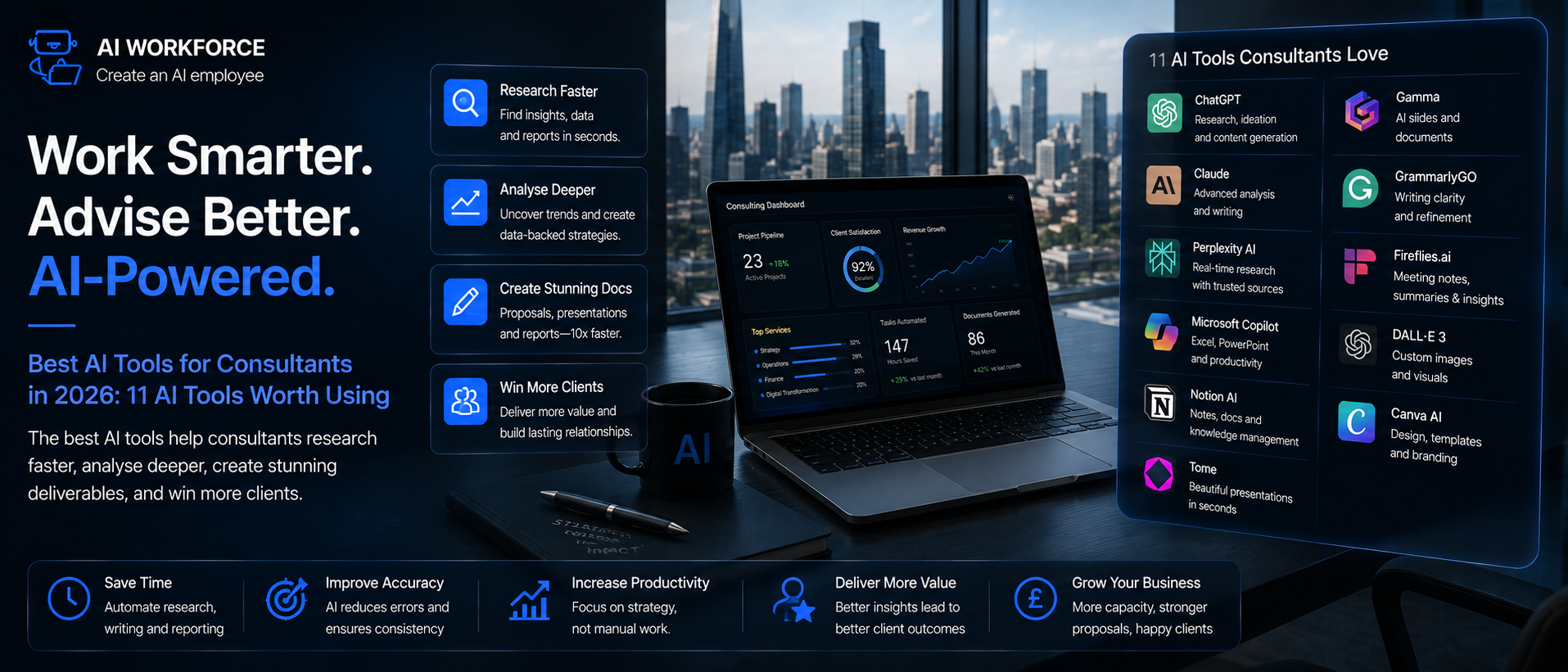
This shortlist covers named tools across the core consulting workflows: general-purpose assistants, source-led research, internal knowledge, meeting capture, presentations, data analysis, document editors, CRM and workflow automation. It is assessed against public vendor documentation, product pages and pricing pages rather than direct hands-on testing of every tool in a live consulting engagement, so treat it as a verified starting shortlist rather than a lab-tested ranking. Named products, pricing and features change frequently; check the vendor's own site before adopting anything. There is no single "best" tool overall, only a better or worse fit for a specific workflow.
Swipe to see all columns →
Tool | Best for | Consultant fit | Key strength | Main limitation |
|---|---|---|---|---|
ChatGPT (OpenAI) | General research, drafting, brainstorming | Any consultant, any engagement stage | Broad general capability and fast iteration | Citation availability depends on the mode and features used; a citation is not proof that the source supports the claim |
Claude (Anthropic) | Long-document analysis, structured drafting | Consultants working with long reports or contracts | Strong handling of long documents and structured output | Same verification discipline needed as any general assistant |
Perplexity | Source-led research with linked citations | Consultants doing frequent market or competitor research | Answers come with checkable source links | Source coverage and depth varies by topic |
Microsoft 365 Copilot | Research and drafting inside Microsoft 365 | Firms standardised on Word, Excel and Outlook | Embedded directly into existing document workflow | Value depends on the firm's Microsoft 365 licence tier |
Notion AI | Drafting proposals, reports and structured content | Consultants who already work in Notion daily | Native to a workspace many teams already use for documents | Best suited to firms already standardised on that platform |
Otter.ai | Meeting transcription and summaries | Consultants running frequent client and internal calls | Searchable transcripts, summaries and action-item extraction | Accuracy varies with audio quality, accents, overlapping speakers and terminology |
Gamma | First-draft presentation structure | Consultants producing frequent client decks | Quick first-pass slide structure from a brief or document | Narrative, evidence selection and recommendation still need consultant authorship |
Julius AI | Exploratory data analysis and first-pass charts | Consultants working with structured datasets | Conversational interface for spreadsheet-style analysis | Outputs are only as reliable as the input data and stated assumptions |
HubSpot Breeze | CRM summaries, follow-up and pipeline support | Consulting firms using HubSpot | AI features embedded in HubSpot records and workflows | Availability and cost vary by feature, edition and credits |
Salesforce Agentforce and Einstein features | CRM assistance and configurable automation | Larger firms already using Salesforce | Works within Salesforce data, permissions and workflows | Setup, licensing and auditability vary by product and configuration |
For each tool a firm shortlists, it is worth documenting what it is best at, which team or consultant type it suits, its main limitation, what must be independently verified before client use, whether a free plan or trial genuinely exists, and the date pricing and features were last checked against the vendor's own site.
Tool Profiles
ChatGPT (OpenAI). Best consulting use: research summaries, first drafts and brainstorming across almost any engagement stage. Suits any consultant, from a solo practitioner to a large firm standardising on one general assistant. Source and document handling: can read and summarise uploaded documents. Source linking and web access depend on the selected ChatGPT mode and plan; regardless of mode, factual claims and citations still require independent verification. Analysis capability: can assist with data interpretation and light coding, though dedicated analysis tools handle spreadsheets more natively. Collaboration: individual by default, with team and enterprise tiers adding shared workspaces. Data controls: business and enterprise tiers offer options to exclude content from model training; check the current terms for the specific plan in use. Main limitation: citation availability depends on the mode and features used, and no mode removes the need for independent verification. What must be reviewed: any statistic, citation or client-facing claim. Pricing checked: August 2026; verify current tier features directly with the vendor before committing. Vendor information: openai.com/chatgpt/pricing.
Claude (Anthropic). Best consulting use: analysing long reports, contracts or transcripts and producing structured first drafts. Suits consultants regularly working with lengthy source documents. Source and document handling: strong at holding and referencing a long uploaded document within a single conversation, though it still does not independently verify external facts. Analysis capability: capable of structured reasoning and drafting from a defined brief. Collaboration: individual and team plans available. Data controls: business tiers offer data-handling commitments distinct from the free consumer tier; confirm current terms before client use. Main limitation: like any general assistant, claims and citations need independent verification. What must be reviewed: factual claims and any conclusion drawn from ambiguous source material. Pricing checked: August 2026; verify current tier features directly with the vendor before committing. Vendor information: anthropic.com/pricing.
Perplexity. Best consulting use: source-led research where a checkable citation matters, such as market or competitor scans. Suits consultants doing frequent research-heavy work. Source and document handling: answers are built around linked sources, which makes the Verify step faster than with a general assistant. Analysis capability: limited beyond research synthesis. Collaboration: individual-focused, with team plans available. Data controls: check current retention and training policy for the plan in use. Main limitation: source coverage and depth still vary by topic, and a linked source still needs to be opened and checked. What must be reviewed: whether the cited source actually supports the claim made from it. Pricing checked: August 2026; verify current tier features directly with the vendor before committing. Vendor information: perplexity.ai pricing FAQ.
Microsoft 365 Copilot. Best consulting use: research and drafting embedded directly inside Word, Excel, Outlook and Teams. Suits firms already standardised on Microsoft 365. Source and document handling: can draw on a firm's own permissioned documents within Microsoft 365, when configured correctly. Analysis capability: assists with Excel formulas and data summarisation inside the existing spreadsheet tool. Collaboration: native to Microsoft 365's existing sharing and permissions model. Data controls: enterprise data-handling commitments generally align with the firm's existing Microsoft 365 agreement; confirm the specific terms that apply. Main limitation: value is closely tied to the firm's Microsoft 365 licence tier and configuration. What must be reviewed: document permissions and access scope before rollout. Pricing checked: August 2026; verify current tier features directly with the vendor before committing. Vendor information: microsoft.com/microsoft-365/microsoft-copilot.
Notion AI. Best consulting use: drafting proposals, reports and structured internal documentation. Suits consultants and teams already using Notion as their working document space. Source and document handling: works within a firm's existing Notion workspace and its permission structure. Analysis capability: limited to text-based drafting and summarisation rather than numerical analysis. Collaboration: strong, since it sits inside an already-collaborative workspace. Data controls: check current workspace-level data-handling settings. Main limitation: only adds real value to firms already standardised on Notion. What must be reviewed: any claim about firm experience or credentials drafted into a document. Pricing checked: August 2026; verify current tier features directly with the vendor before committing. Vendor information: notion.com/pricing.
Otter.ai. Best consulting use: transcribing and summarising client and internal meetings. Suits consultants running a high volume of calls. Source and document handling: transcribes and timestamps meeting audio, producing searchable transcripts, summaries and action-item extraction. Analysis capability: not applicable; this is a meeting-capture tool. Collaboration: shared meeting notes and action items across a team. Data controls: check whether meeting recordings and transcripts are retained, and for how long, on the plan in use. Main limitation: transcription accuracy varies with audio quality, accents, overlapping speakers, terminology and meeting format. What must be reviewed: decisions, actions and client commitments before they are distributed. Pricing checked: August 2026; verify current tier features directly with the vendor before committing. Vendor information: otter.ai/pricing.
Gamma. Best consulting use: producing a first-draft presentation structure from a brief or document. Suits consultants who produce frequent client decks. Source and document handling: can generate a slide outline from an uploaded document or prompt. Analysis capability: not applicable; this is a presentation-generation tool. Collaboration: shareable drafts for team review before a final version is built. Data controls: check current data-handling terms for uploaded content. Main limitation: narrative, evidence selection, and the final recommendation still need consultant authorship. What must be reviewed: every claim, chart and implication before client use. Pricing checked: August 2026; verify current tier features directly with the vendor before committing. Vendor information: gamma.app/pricing.
Julius AI. Best consulting use: exploratory data analysis and first-pass charts from a spreadsheet, described in plain English. Suits consultants working with structured datasets who want a faster first pass than manual analysis. Source and document handling: works directly from uploaded data files rather than external sources. Analysis capability: its core strength, though model logic, formulas and assumptions still need consultant verification. Collaboration: individual-focused. Data controls: check current data-retention terms before uploading client data. Main limitation: a chart generated correctly from incorrect inputs is still incorrect. What must be reviewed: source data, formulas, units and assumptions before any output is used. Pricing checked: August 2026; verify current tier features directly with the vendor before committing. Vendor information: julius.ai/pricing.
HubSpot Breeze. Best consulting use: CRM summaries, follow-up drafting and pipeline support for business-development-heavy consulting roles. Suits consulting firms already using HubSpot. Source and document handling: works within the firm's existing HubSpot records, permissions and activity history. Analysis capability: pipeline and activity pattern summaries rather than general data analysis. Collaboration: native to HubSpot's existing team structure via Breeze Assistant and Breeze Agents. Data controls: check current data-handling settings for the HubSpot edition in use. Main limitation: availability and cost vary by feature, edition and AI credits. What must be reviewed: any client-facing follow-up message before it sends. Pricing checked: August 2026; verify current tier features directly with the vendor before committing. Vendor information: hubspot.com/products/artificial-intelligence.
Salesforce Agentforce and Einstein features. Best consulting use: CRM assistance and configurable automation for larger firms already running Salesforce. Suits consulting practices with an existing Salesforce implementation. Source and document handling: works within Salesforce data, permissions and workflows. Analysis capability: pipeline and activity pattern summaries, with configurable automation through Agentforce. Collaboration: native to the firm's existing Salesforce team structure. Data controls: setup, licensing and auditability vary by product and configuration; confirm current settings with the firm's Salesforce administrator. Main limitation: Agentforce and the various Einstein features are separate products with different capabilities, pricing and governance, so treating them as one tool understates the setup required. What must be reviewed: any client-facing follow-up message before it is sent. Pricing checked: August 2026; verify current tier features directly with the vendor before committing. Vendor information: salesforce.com/agentforce/pricing.
Inclusion means the tool appears relevant to a common consulting workflow based on current public documentation; it does not mean AI Workforce has independently validated every feature, security control or performance claim.
Best Tool by Category
Rather than one overall winner, here is a category-by-category recommendation, based on the profiles above:
Best general-purpose assistant: ChatGPT or Claude, depending on whether the firm values broad iteration speed or long-document handling more
Strong starting point for source-led research: Perplexity, for its linked, checkable citations
Strong starting point for meeting workflows: Otter.ai, for transcription and action-item extraction
Best for presentations: Gamma, for first-draft slide structure
Best for internal knowledge: a permissioned Microsoft 365 or Notion setup, depending on which platform the firm already uses
Best for firms using Microsoft 365: Microsoft 365 Copilot, for native integration across Word, Excel and Outlook
Best for CRM-heavy consulting practices: HubSpot AI or Salesforce Einstein, matched to whichever CRM the firm already runs
Best for workflow automation: a dedicated automation platform connecting several of the tools above, once each individual workflow has proven itself
Best AI Tools for Different Types of Consultants
Solo consultants: one general-purpose assistant, a meeting-capture tool and a lightweight CRM or admin assistant cover most of the day-to-day workload
Management consultants: research, meeting, document and presentation workflows tend to matter most, given the volume of client reporting
Strategy consultants: source-led research, scenario analysis and deck development are the highest-value starting points
Marketing consultants: research, content preparation and campaign analysis tools, alongside the same verification discipline as any other client-facing claim
Financial and commercial consultants: controlled data analysis and modelling assistance, with model logic and scenario assumptions always independently checked
Operations consultants: process documentation, analysis and workflow automation tend to be the natural starting point
Public affairs and reputation consultants: source monitoring, evidence tracking and particularly careful message review, given the reputational stakes of a wrong or unverified claim
Small consulting firms: permissioned knowledge management, standardised proposal templates and shared governance rules matter more than any single named tool
Several tools can serve the same purpose reasonably well. The right choice depends on the specific bottleneck in a given practice, not on forcing a unique named product into every category.
Which AI Tool Should a Consultant Start With?
The category on offer matters less than the specific bottleneck it fixes. A simple decision rule: if research is the bottleneck, start with an approved AI research assistant. If meeting admin is the problem, start with a meeting assistant. If business development admin is consuming time, start with CRM automation. Do not buy a broad AI platform until you can name the specific workflow it is supposed to improve.
Worked Example: Client Research to Final Strategy Deck
To make the model above concrete, here is what a well-run engagement looks like across a single working day, following each stage of the AI Workforce Consulting AI Model.
Illustrative timeline. A production workflow also needs a defined record of sources and corrections, not just the steps shown here.
09:00, Define: the consultant establishes the client's market-entry question and what information AI is permitted to draw on
09:10, Research: an approved AI research tool identifies market reports, competitors and potential source material
09:30, Analyse: AI structures competitor positioning, pricing and market themes from the gathered material
10:00, Prepare: a first-pass research summary and presentation structure are produced
10:30, Verify: the consultant checks every material statistic and source, removes weak evidence, and challenges the AI's framing where it does not hold up
11:15, Prepare: AI converts the verified analysis into a first-draft presentation
12:00, Consultant review: the recommendation, narrative and client-specific implications are rewritten by the consultant
12:45, Deliver: the final, consultant-approved deck is ready to present
AI accelerated the research, synthesis and production. It did not decide what the client should do. The consultant remained responsible for the recommendation, which is the part of the work a client is actually paying the fee for.
Client Confidentiality and UK GDPR
Consultants regularly handle material that is both commercially sensitive and, in many cases, personal data: client strategy, financial information, employee data referenced in a workforce project, or personal details that surface in research and correspondence. UK GDPR applies to any AI tool processing that information, in the same way it applies to any other processing of personal data.
Consumer versus approved tools. A free, consumer-tier AI chatbot is a materially different proposition to a business-tier tool with a proper data processing agreement. Before any client material goes into an AI tool, it is worth knowing whether that specific product retains conversation data, whether it is used to train the underlying model, and what commitments the vendor has made in writing. This varies by product and by pricing tier, and should be checked for each tool rather than assumed either way.
What to check before using a tool on client work:
Does the vendor retain your input, and for how long
Is your content used to train the underlying model, or excluded by default on your plan
Where is the data processed and stored
Is a data processing agreement available that reflects UK GDPR requirements
Does the tool support an enterprise or business tier with different data handling than the free consumer version
If data may leave the UK, what international transfer safeguard applies, such as the UK Extension to the EU-US Data Privacy Framework for some US-based providers
Client contractual restrictions. Many client engagement letters and confidentiality agreements were written before AI tools were common, and may not explicitly address them. Checking whether a client's own contract restricts the use of third-party AI tools on their material, rather than assuming silence means permission, is a five-minute step worth taking before a project starts.
Access controls and least privilege. Where an AI tool is connected to a firm's document store, CRM or email, it should have access to only what a specific task requires, not blanket access "in case it's useful later." This is easier to extend once a workflow has proven itself than to unwind after something has gone wrong.
DPIA screening. The firm should screen the workflow for DPIA requirements and complete a Data Protection Impact Assessment where the processing is likely to result in a high risk to people's rights and freedoms, for example, large-scale analysis of employee or customer data as part of an engagement. This screening should happen before the work begins, not after a client raises a concern. Our dedicated guide to AI and GDPR compliance for UK businesses covers the underlying principles in more depth.
Compliance note: this is general information, not legal advice. Check current ICO guidance and take independent advice for anything that could materially affect a client or their staff.
Checking AI-Generated Research: A Verification Protocol
Consulting research is particularly exposed to a specific failure mode: a fluent, confident, well-formatted answer that is wrong. This is not a hypothetical risk. In a joint Harvard Business School and Boston Consulting Group field experiment involving 758 consultants, later peer-reviewed in the journal Organisation Science, consultants using AI on a complex task deliberately designed to sit outside its capability were 19 percentage points less likely to produce a correct solution than those working without it, even though the AI-assisted answers were rated more persuasive and better written. On tasks that sat within AI's demonstrated capability, the same study found clear gains, shown below.
Source: Dell'Acqua et al., Harvard Business School AI Institute with Boston Consulting Group, peer-reviewed in Organisation Science. Figures apply to tasks within AI's demonstrated capability, not the complex task designed to sit outside it.
Never treat an AI-generated statistic, market size, quotation or source as verified simply because it includes a citation. Open the original source, confirm the figure, and check that the source actually supports the conclusion being drawn from it.
AI Workforce Verification Protocol for Consulting Research
Treat every AI-generated statistic as unverified until you have opened the original source yourself
Check that a cited source actually says what the AI claims it says, not just that a plausible-looking citation exists
Be more cautious, not less, when an AI-generated answer sounds confident and well-argued, since fluency is not evidence of accuracy
Apply extra scrutiny to any task that sits outside the AI's demonstrated strengths: novel situations, ambiguous evidence, or a conclusion that depends on judgement rather than pattern-matching
Keep a record of what was checked and how, so the work can be defended if a client later asks
How to Choose an AI Tool
Picking one AI solutions provider and testing it on a real project beats months of committee-driven evaluation. Work through this checklist before committing to a platform:
Exact workflow fit: does it solve a specific, named bottleneck rather than promising to do everything
Source quality and citations: can outputs be traced back to a checkable original
Integration with current software: does it work inside the tools consultants already use daily
Data retention and training policy: what happens to submitted material, and is it used to train the vendor's models
Access permissions: who within the firm can use, configure or approve outputs
Audit trail: can the firm show what AI produced and what a consultant checked
Collaboration: does it support how a team actually works together on a deliverable
Output quality: how it performs on your own real work, not a vendor's polished demo
Ease of review: how quickly a consultant can verify an output against source material
Implementation burden: what it takes to get the team actually using it properly
Pricing: how cost scales with usage and headcount
Vendor lock-in: how easily the firm could move to another tool later
Export and deletion options: whether firm and client data can be fully removed on request
Business continuity: what happens to data and workflow if the vendor changes terms or stops trading
Availability of an appropriate business agreement: whether a proper data processing agreement exists for the plan being considered
A tool that embeds AI directly into software a consultant already uses, a document editor, a CRM, a meeting platform- tends to get used far more consistently than a separate app that needs its own login. With hundreds of AI tools on the market and considerable overlap between them, picking the one that fits an existing workflow tends to matter more than picking the newest one. Before comparing specific products, it also helps to be clear on the actual bottleneck: is research taking too long, are proposals inconsistent, is admin eating into billable time? A tool chosen to fix a specific, named problem tends to get adopted. A tool chosen because it looked impressive in a demo often does not.
How to Measure Whether It's Working
Whether an AI tool is actually helping is a different question from whether it is being used. We call this the AI Workforce Consulting AI Measurement Hierarchy, a set of indicators worth tracking together rather than relying on any single number. This is an AI Workforce framework, not an industry-standard methodology.
Research Correction Rate: how often a consultant has to correct an AI-generated research claim during Verify
Source Verification Failure Rate: how often a cited source turns out not to actually support the claim made from it
Review Time: how long the Verify stage takes relative to the time AI saved at Research and Prepare
Net Time Saved: the actual time saved once Verify and any corrections are accounted for, not the raw time AI took to produce a first draft
Research time saved after verification: net time saved specifically on research tasks, once checking is included
Proposal turnaround time: how long it takes to move from brief to a client-ready proposal
Meeting-administration time: time spent on notes, actions and follow-up per meeting
Client-response time: how quickly a client query or request gets an appropriate response
Utilisation or capacity recovered: billable time freed up by faster admin and first-draft work
Project margin, tracked only where the effect of AI adoption can be reasonably isolated from other factors
A successful workflow should produce positive Net Time Saved alongside a low or declining Research Correction Rate and a low Source Verification Failure Rate. If correction rates remain high, the workflow, prompts, source set or tool selection needs review even when drafting is faster. Do not use how often AI is used, "Engagements Assisted," as the primary success metric; that measures adoption, not value.
Common Mistakes
Common mistakes to avoid: treating an AI-generated citation as pre-verified, letting AI draft a final recommendation rather than a first pass, using a free consumer-tier chatbot on confidential client material without checking its data handling, rolling out AI across the whole practice at once instead of piloting one workflow, measuring how often AI is used rather than whether it is producing correct, useful output, and assuming a client's engagement letter already covers AI use when it may not.
A Four-Week Rollout
Week one: pick one workflow, most commonly research summaries or meeting notes, and test it on a real but low-stakes engagement with a defined human review step.
Week two: review what the tool produced against what a consultant would have produced manually. Note where it needed correction and why.
Week three: extend to a second, related workflow, keeping the same verify-before-deliver discipline, and start tracking the Measurement Hierarchy indicators above.
Week four: review Research Correction Rate and Net Time Saved together, decide whether to extend the pilot to more consultants or engagements, and set a recurring review date rather than leaving the setup unreviewed indefinitely.
If you are still deciding whether now is the right moment, our AI readiness assessment is a useful starting point before committing to the rollout above.
Frequently Asked Questions
What are the best AI tools for consultants?
There is no single best tool. General-purpose assistants such as ChatGPT and Claude suit research and first drafts, AI meeting tools suit transcription and summaries, and tools embedded directly into a document editor or CRM tend to see the most consistent use. The right choice depends on where the actual bottleneck sits in your practice.
What can consultants use AI for?
Research summaries, first-draft documents, data analysis, meeting notes and follow-up, presentations, proposals and routine CRM or admin work. AI speeds up the mechanical first pass; the consultant still does the thinking that turns it into advice.
What consulting work should not be automated?
Final recommendations, strategic conclusions, material financial assumptions, client-specific advice and any conclusion drawn from incomplete or ambiguous evidence should stay consultant-led, following the boundary matrix set out above.
How should consultants check AI-generated research?
Treat every AI-generated statistic or citation as unverified until you have opened the original source and confirmed it actually supports the claim being made. Apply extra scrutiny when an answer sounds unusually confident or well-argued.
Can AI help with proposals and RFPs?
Yes, for structure, first drafts and requirement extraction, but AI must not invent client names, results, credentials or case studies. Every claim about the firm's experience must come from an approved internal source.
Can AI be used for financial modelling?
AI can assist with formulas, scenario variations and first-pass charts, but the consultant must verify source data, formulas, units, assumptions and model logic before presenting results.
Can consultants put client data into ChatGPT?
It depends on the specific tool, the pricing tier, and the client's own contractual restrictions. A free consumer-tier tool and a business tier with a proper data processing agreement are materially different. Check the vendor's data retention and model-training policy, and the client's engagement terms, before using any AI tool on confidential material.
Will AI replace management consultants?
The evidence does not support that. AI speeds up research, drafting and analysis, but the judgement, relationships and accountability that justify a consulting fee remain with the consultant, and AI performs measurably worse than a person on tasks that fall outside its capability.
How should a consulting firm introduce AI?
Start with one workflow, most commonly research or meeting notes, on a real but low-stakes engagement, with a defined human verification step. Expand only after measuring correction rates and net time saved over a few weeks.
Key Takeaways
AI speeds up research, drafting, analysis and admin; it does not replace consultant judgement on recommendations and conclusions
In the BCG field experiment, AI improved consultant speed, task completion and output quality on tasks within its demonstrated capability, but reduced correctness by 19 percentage points on a task designed to sit outside it
The Consulting AI Boundary Matrix separates work that can run with light spot-checking from work that needs mandatory consultant verification, with client-facing meeting content sitting in the verified tier
Never treat an AI-generated statistic, source or citation as verified without checking it yourself
AI must not invent client names, results, credentials or case studies in proposals; every experience claim needs an approved internal source
Client confidentiality and UK GDPR apply to AI tools the same way they apply to any other processing of client and personal data
A successful workflow shows rising Net Time Saved alongside a low or falling Research Correction Rate, not one metric read in isolation
Start with one measured pilot, track correction rates alongside time saved, and expand only once the workflow has proven itself
Ready to Bring AI Into Your Consulting Practice Safely?
AI Workforce helps UK consulting practices identify which parts of their workflow are genuinely ready for AI, set the right verification steps before client delivery, and introduce AI without exposing confidential client material to unnecessary risk.
Related Guides
Sources and Further Reading
Dell'Acqua, F. et al., Navigating the Jagged Technological Frontier, Harvard Business School AI Institute, with Boston Consulting Group, peer-reviewed in Organization Science
Harvard Business School: Humans vs Machines, untangling the tasks AI can and cannot handle
Management Consultancies Association, MCA Member Survey 2026
About the Author
Rodi Taze is Co-Founder of AI Workforce. He works with UK businesses, including professional services and consulting practices, to identify where AI can safely speed up client work and where consultant judgement must remain in control.
Reviewed by Clara Miller, Content Marketing Specialist at AI Workforce.